Congratulations you have an iOS Apple application and now you can test it. Apple builds us a testing system called the Apple Test Flight and from there you can invite users to test your new app before submitting it to the app store. Learn More about how to generate testflight invitation code.
Please note that in order to test the iOS application you must have Apple Developer Account approved by apple.
if you don’t have an enrolled apple developer account, please read this article and enroll for an account: how to open an Apple developer account
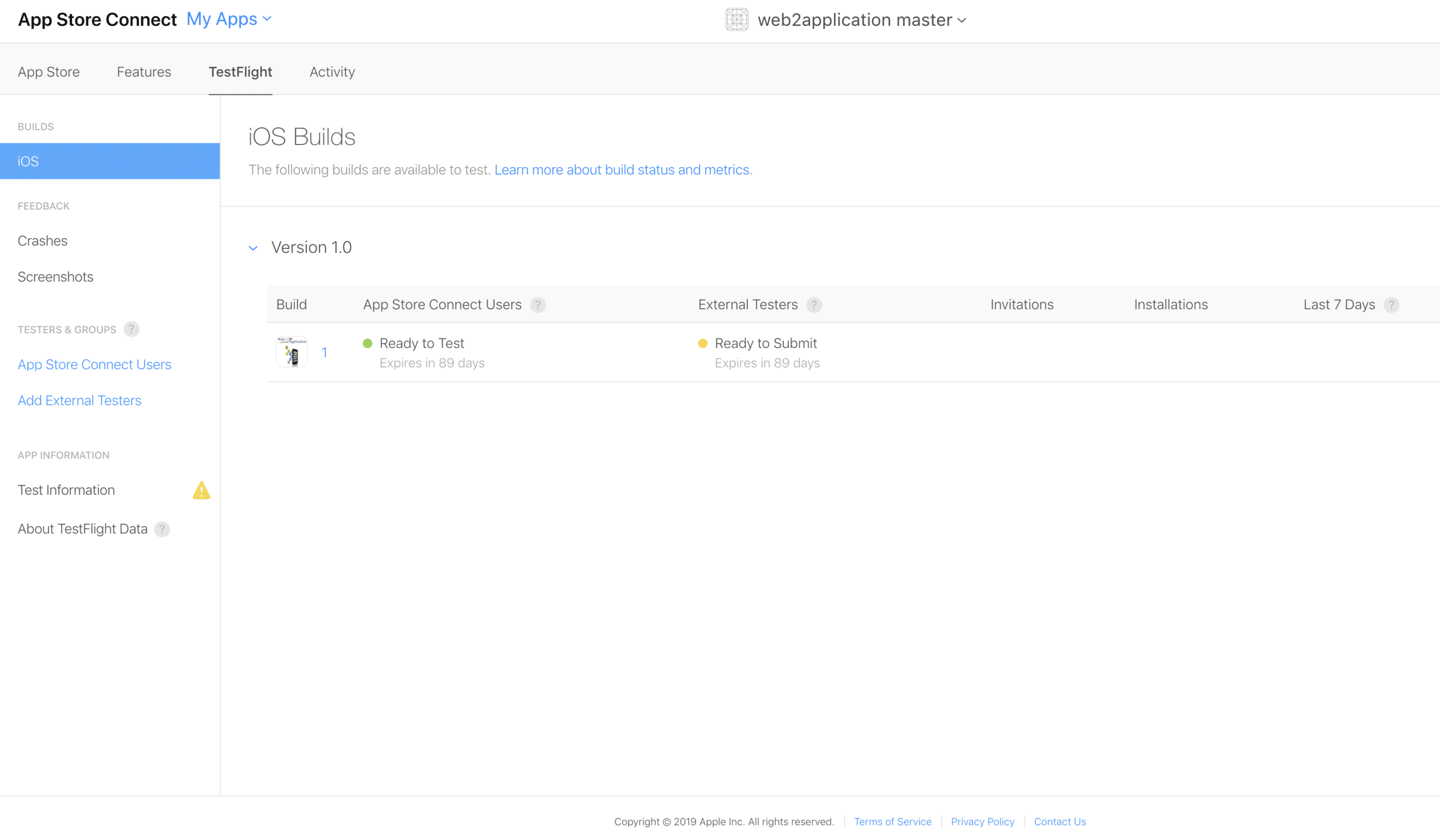
- Enter your application in your apple iTunes connect console and go to Test Flight
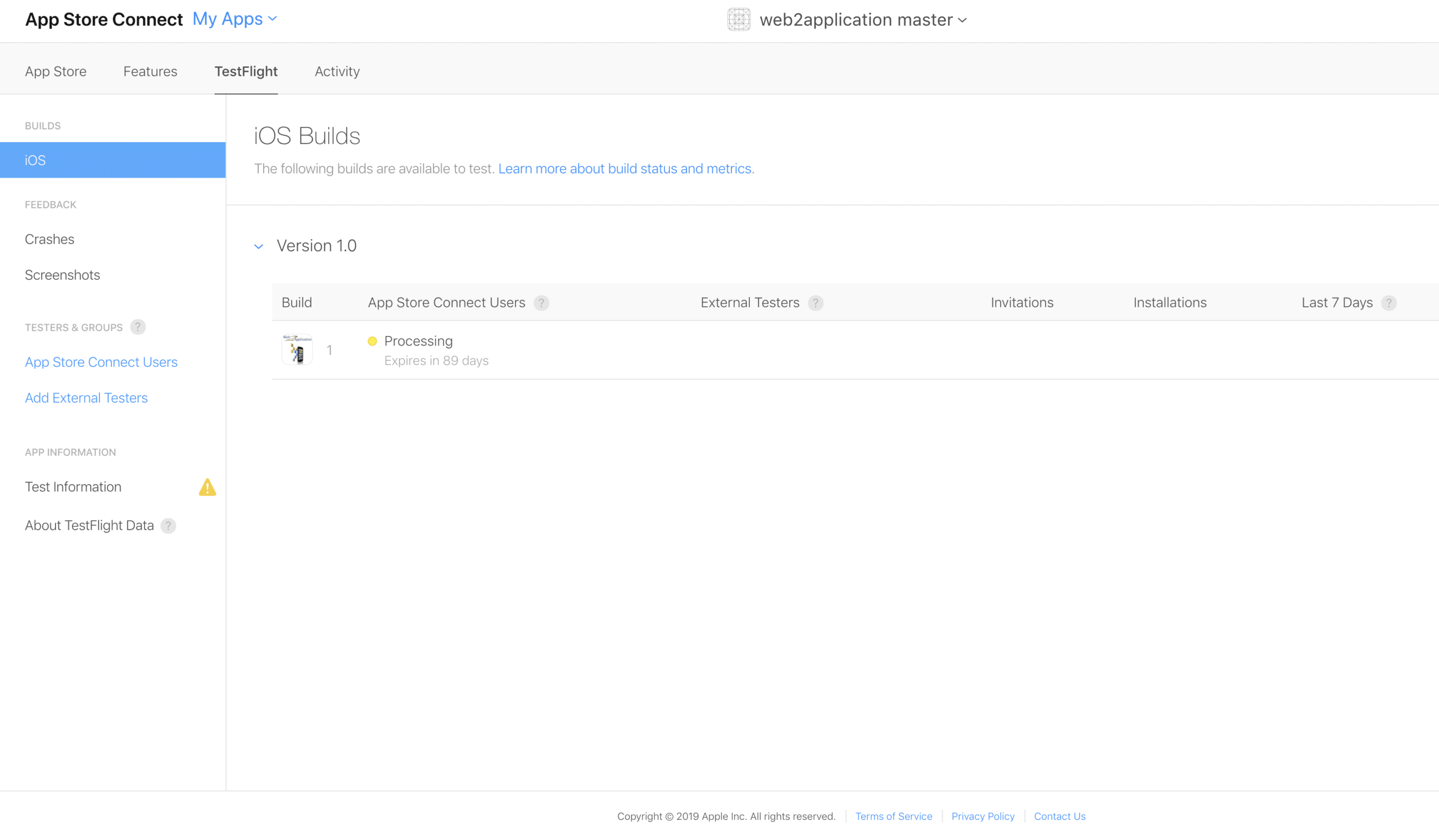
2. if you see a yellow warning, click on it
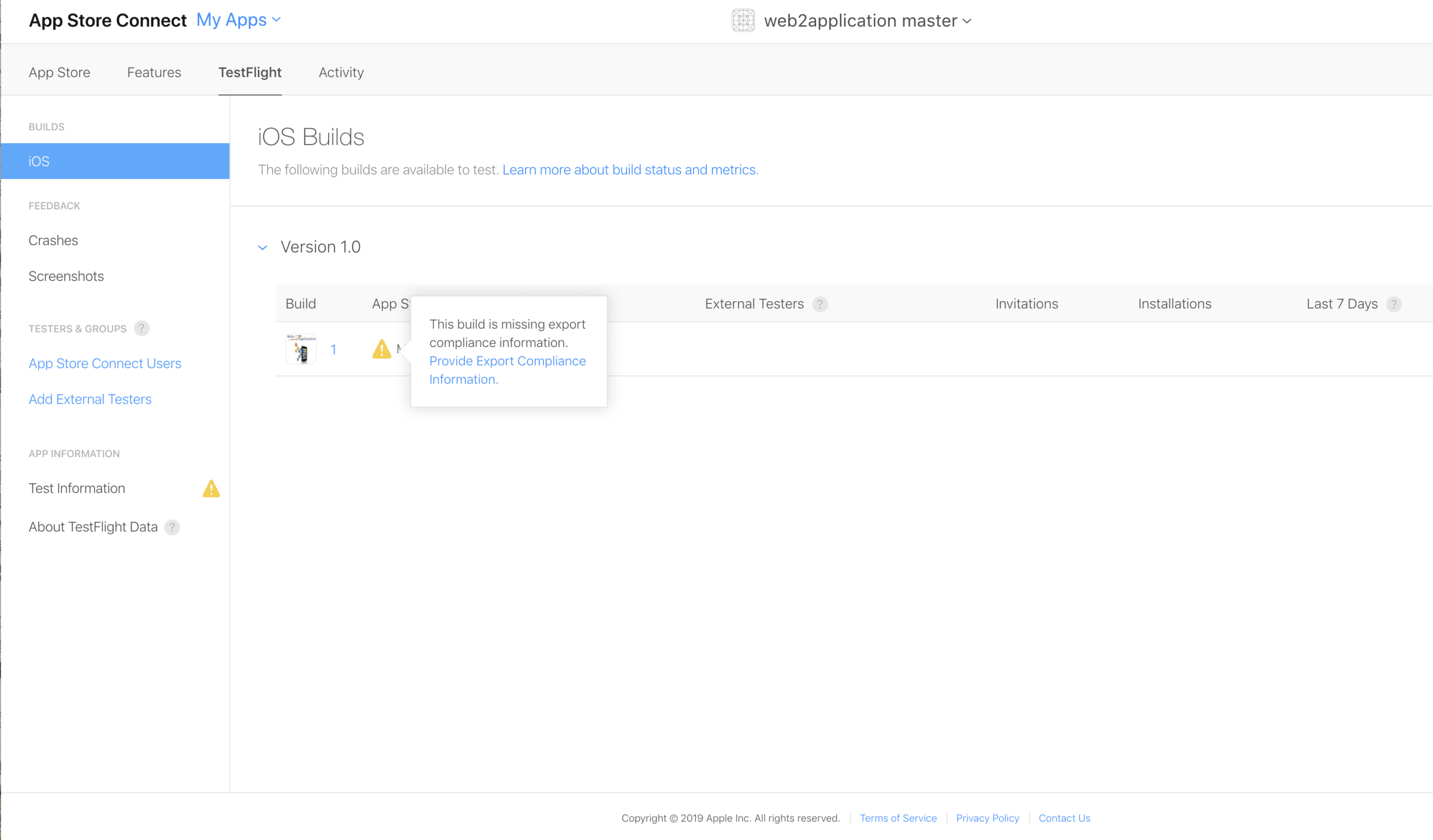
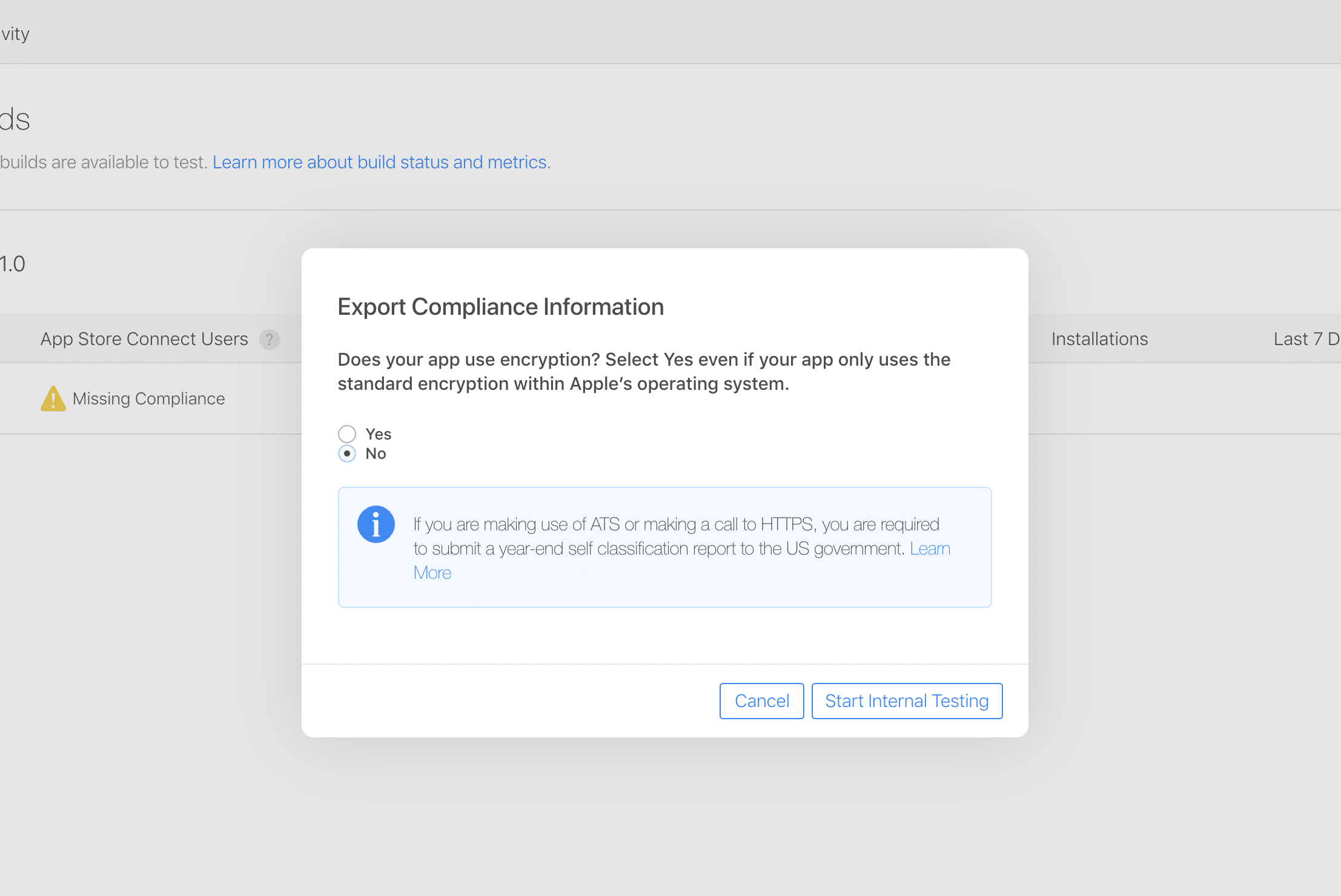
3. click – no
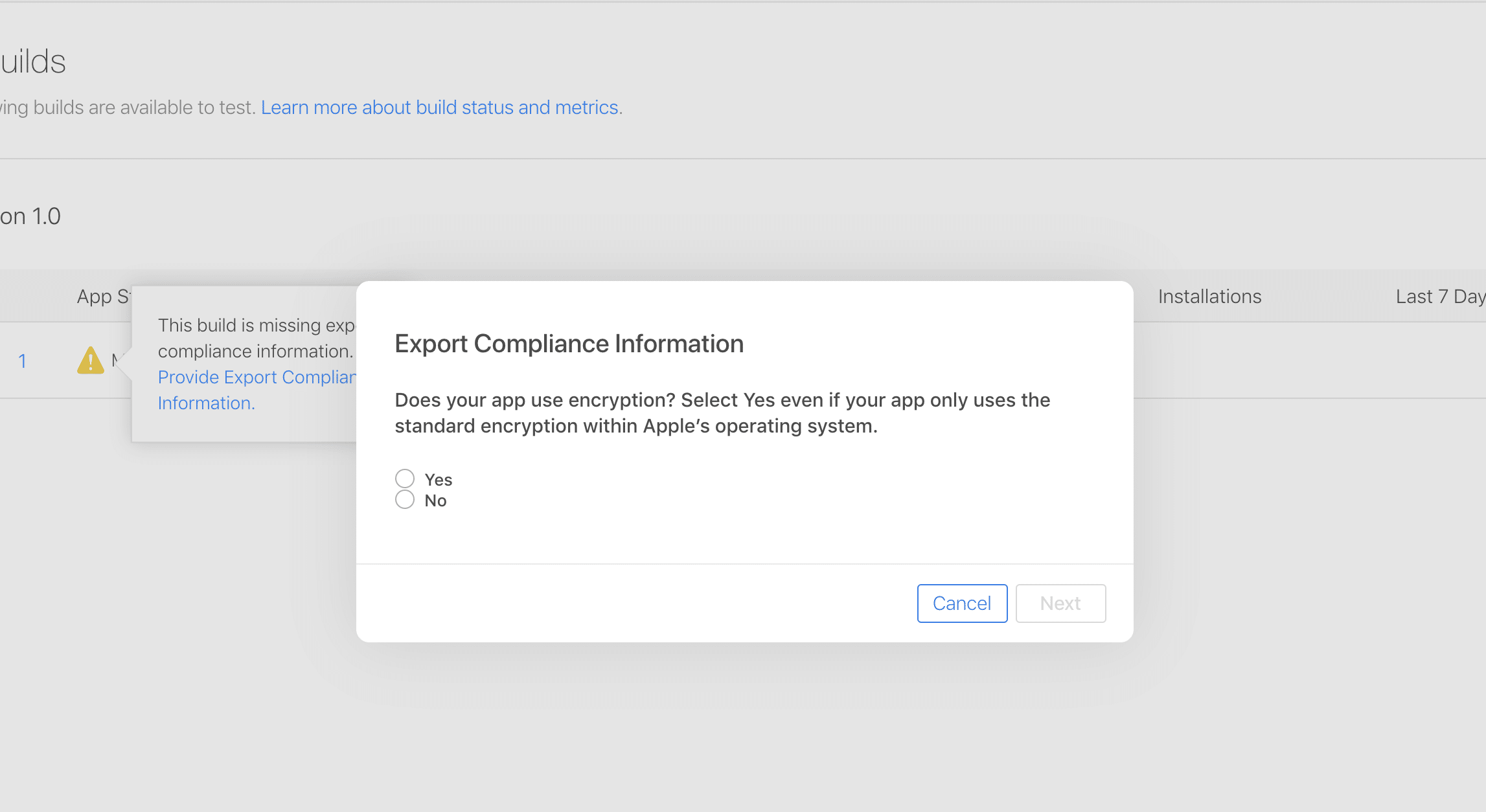
4. click start internal testing
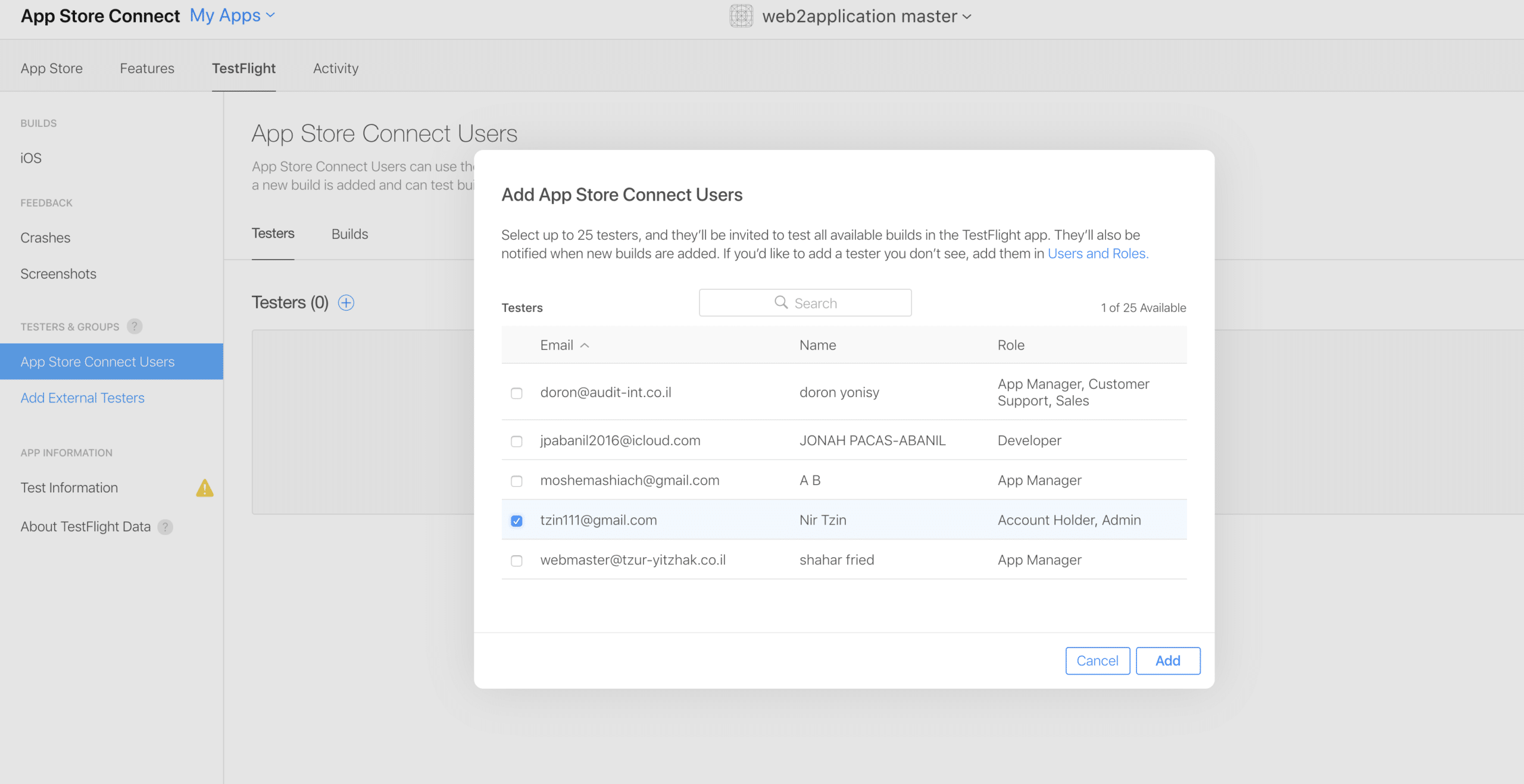
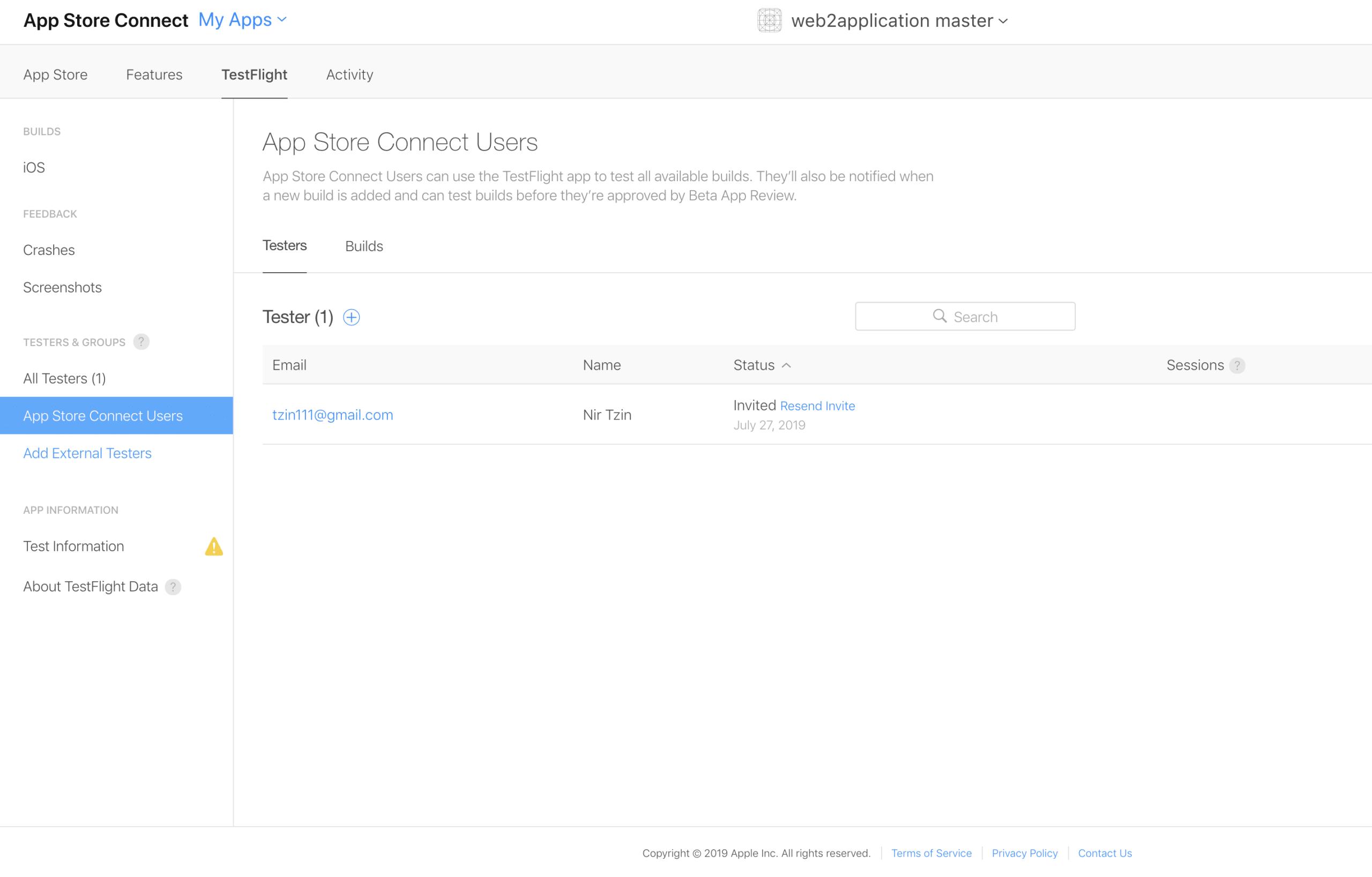
5. add testers by select app store users or external testers
6. select or add your tester
7. your tester has added and an invitation has been sent
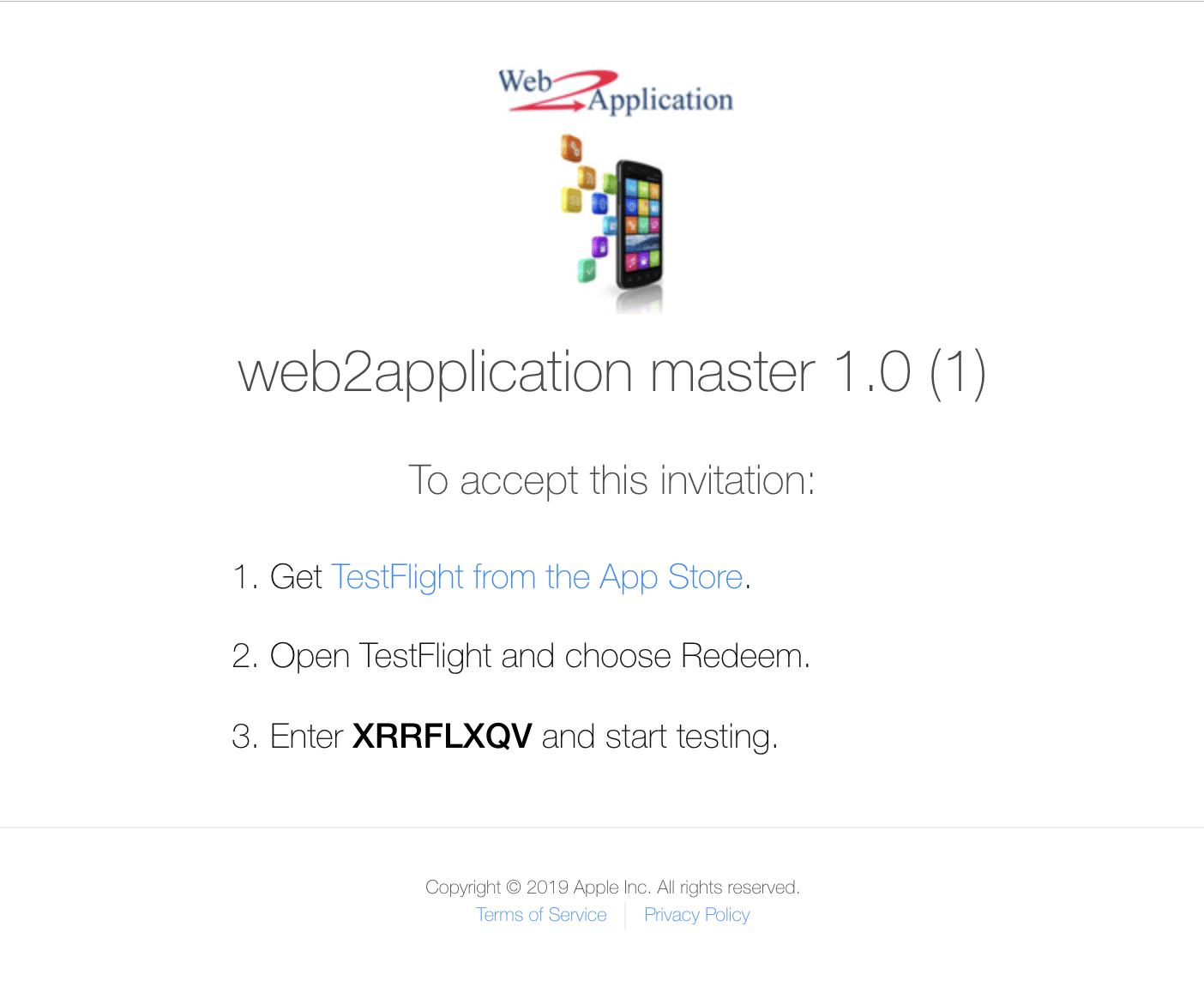
8. the tester will get an email with an invitation code and a link to download Test Flight from the app store 
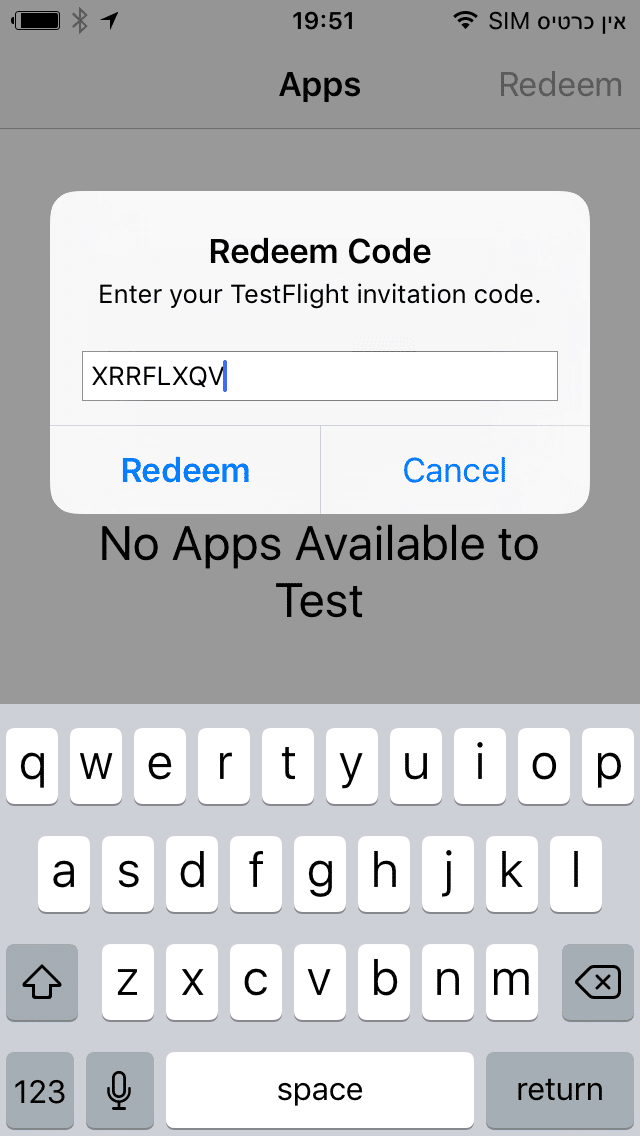
9. open the app, click redeem and enter the invitation code
10. Run the app 🙂
After you test the app please go to the app details and fill in all the details that apple requests and send it to apple review.
If you have any more questions please contact apple support
How to Test iOS Application with Apple TestFlight
Congratulations! You have created an iOS application using Web2Application, and now it’s time to test it before submitting to the Apple App Store. Apple provides a powerful testing platform called Apple TestFlight that allows you to invite testers to try your app and provide feedback.
Follow these steps to test your iOS app with Apple TestFlight:
- Ensure you have an Apple Developer Account approved by Apple. If you don’t have one, please learn how to enroll.
- Log in to your Apple iTunes Connect (App Store Connect) console and select your app.
- Navigate to the TestFlight tab.
- If you see a yellow warning, click on it and select “No” to proceed.
- Click Start Internal Testing.
- Add testers by selecting existing App Store users or adding new external testers.
- Send invitations to your testers. They will receive an email with an invitation code and a link to download the TestFlight app from the App Store.
- Testers should open the TestFlight app, tap Redeem, and enter the invitation code.
- Testers can now run and test your app on their iOS devices.
After testing, complete all required app details in App Store Connect and submit your app for Apple’s review.
For additional help, contact Apple Support or reach out to Web2Application support.
Related Resources
- How to Open an Apple Developer Account
- How to Submit iOS App to Apple
- Free Course: How to Create an App with Web2Application
Frequently Asked Questions (FAQ)
What is Apple TestFlight?
Apple TestFlight is a testing platform provided by Apple that allows developers to distribute beta versions of their iOS apps to internal and external testers before submitting the app to the App Store.
Do I need an Apple Developer Account to use TestFlight?
Yes, an approved Apple Developer Account is required to upload your app to App Store Connect and use TestFlight for beta testing.
How many testers can I invite using TestFlight?
You can invite up to 25 internal testers and up to 10,000 external testers to test your app using TestFlight.
Can I test my Web2Application iOS app on TestFlight?
Yes, Web2Application allows you to create hybrid iOS apps with a native shell from your website. After building your app, you can upload it to App Store Connect and use TestFlight to test it before submission.
Ready to build your own iOS app? Sign up with Web2Application today and start converting your website into a hybrid iOS app with a native shell with easy testing and submission support.
Frequently Asked Questions
What is Apple TestFlight?
Apple TestFlight is a testing platform provided by Apple that allows developers to distribute beta versions of their iOS apps to internal and external testers before submitting the app to the App Store.
Do I need an Apple Developer Account to use TestFlight?
Yes, an approved Apple Developer Account is required to upload your app to App Store Connect and use TestFlight for beta testing.
How many testers can I invite using TestFlight?
You can invite up to 25 internal testers and up to 10,000 external testers to test your app using TestFlight.
Can I test my Web2Application iOS app on TestFlight?
Yes, Web2Application allows you to create hybrid iOS apps with a native shell from your website. After building your app, you can upload it to App Store Connect and use TestFlight to test it before submission.
Ready to turn your site into an app?
Create your app with Web2Application — convert your website to Android and iOS apps.
How to Test iOS Application with Apple TestFlight
Congratulations! You have created an iOS application using Web2Application, and now it’s time to test it before submitting to the Apple App Store. Apple provides a powerful testing platform called Apple TestFlight that allows you to invite testers to try your app and provide feedback.
- Ensure you have an Apple Developer Account approved by Apple. If you don’t have one, learn how to enroll for an Apple Developer Account.
- Log in to your Apple iTunes Connect (App Store Connect) console and select your app.
- Navigate to the TestFlight tab. If you see a yellow warning, click on it and select “No” to proceed.
- Click Start Internal Testing.
- Add testers by selecting existing App Store users or adding new external testers.
- Send invitations to your testers. They will receive an email with an invitation code and a link to download the TestFlight app from the App Store.
- Testers should open the TestFlight app, tap Redeem, and enter the invitation code.
- Testers can now run and test your app on their iOS devices.
- After testing, complete all required app details in App Store Connect and submit your app for Apple’s review.
For additional help, contact Apple Support or reach out to Web2Application support.
Related Resources
- How to Open an Apple Developer Account
- How to Submit iOS App to Apple
- Free Course: How to Create an App with Web2Application
Frequently Asked Questions (FAQ)
What is Apple TestFlight?
Apple TestFlight is a beta testing platform provided by Apple that allows developers to invite users to test their iOS apps before they are released on the App Store.
Do I need an Apple Developer Account to use TestFlight?
Yes, you must have an active Apple Developer Account to upload your app to App Store Connect and use TestFlight for testing.
How many testers can I invite with TestFlight?
You can invite up to 10,000 testers using TestFlight, including both internal and external testers.
Can I test my Web2Application iOS app using TestFlight?
Absolutely. Web2Application helps you create your iOS app easily, and you can use Apple TestFlight to test your app before submitting it to the Apple App Store.
Ready to build and test your iOS app? Sign up with Web2Application today and start converting your website into a hybrid iOS app with a native shell with seamless testing and submission support.
Frequently Asked Questions
What is Apple TestFlight?
Apple TestFlight is a beta testing platform provided by Apple that allows developers to invite users to test their iOS apps before they are released on the App Store.
Do I need an Apple Developer Account to use TestFlight?
Yes, you must have an active Apple Developer Account to upload your app to App Store Connect and use TestFlight for testing.
How many testers can I invite with TestFlight?
You can invite up to 10,000 testers using TestFlight, including both internal and external testers.
Can I test my Web2Application iOS app using TestFlight?
Absolutely. Web2Application helps you create your iOS app easily, and you can use Apple TestFlight to test your app before submitting it to the Apple App Store.

 By
By