
Web to application API
- nir
- July 23, 2023
- web to applicataion features
- 0 Comments
Integrations help connect different CMS systems. The easiest way is through Zapier and Integromat that can receive information in one format and transmitting it in a different format.
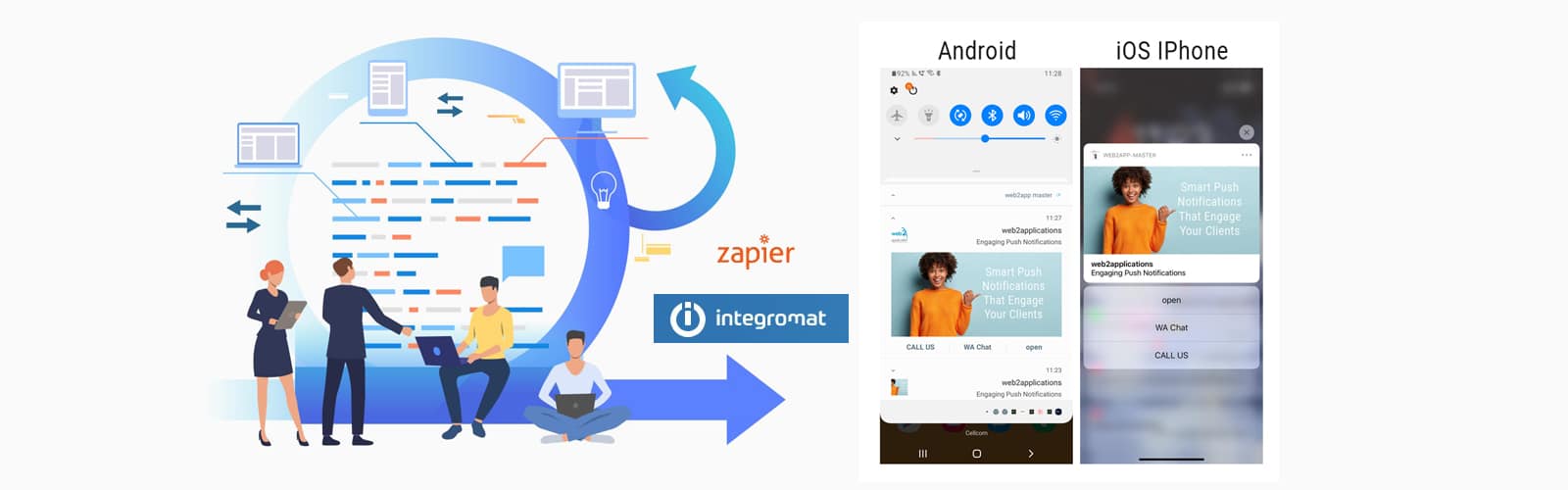
With the help of our API system, you can send personalized push messages to your users just like the big companies that paid high amounts of money for app development.
For example:
1. If you have a virtual store customers will be able to receive their order progress in a push directly to their mobile, update delivery, etc.
2. If you have a “social network” site users will be able to receive push notifications with updates from their accounts. Any message that goes out in the email can also come as a push message directly to their mobiles.
These are just 2 examples of using an API but with the help of using an API, you can develop almost any idea you want.
* The use of the API is an advanced function. Before using the API, Please read our terms of use.
Web to Application API Services
A web service is, in its simplest form, a service that is accessible online. A web service differs from other services in that it requires a network to operate.
Since they structure and make understandable a complicated stream of code, APIs are essentially what all web services are. Additionally, they expose the reader-appealing elements while hiding the underlying workings.
Web services are not all APIs, though. There are numerous distinct APIs, ranging from the widely used to more secure, abstract usage, as has been covered throughout this article.
The definition of a web service is narrow, thus the phrases “web service” to application “API” cannot be used interchangeably. Again, depending on the nature, APIs can function without a special, dedicated network, whereas web services require a network to function. Before an application or website is made public, APIs are developed.
It may not be accessible to the general public as a website or app, but it may still be customized without a network connection.
What is a Web to App API?
A web to app API is a powerful tool that allows your website to communicate directly with your mobile app, enabling features like personalized push notifications, real-time updates, and enhanced user engagement. With Web2Application’s API, you can easily integrate your website content and services into a hybrid Android or iOS app with a native shell.
Benefits of Using Web2Application’s Web to App API
- Personalized Push Notifications: Send targeted messages such as order updates or social network alerts directly to your users’ mobile devices.
- Seamless Integration: Connect your CMS or e-commerce platform effortlessly using our API and WordPress plugin.
- Cost-Effective App Development: Avoid expensive custom app development by converting your existing website into a hybrid app with a native shell with advanced features.
- Easy Testing and Deployment: Test your app with APK files and submit directly to Google Play and Apple App Store through the Web2Application dashboard.
How to Get Started with Web2Application’s API
- Sign up at Web2Application.com and create a new app in your dashboard.
- Configure your app design, including icons and splash screens.
- Set up push notifications using Google Firebase through the dashboard’s Push Settings.
- Integrate your website content via our WordPress plugin or API for other CMS platforms.
- Request an APK to test your app on Android devices.
- Submit your app to Google Play and Apple App Store with our guided support.
Frequently Asked Questions (FAQ)
What is the difference between a web service and an API?
A web service requires a network to operate and exposes specific functionalities over the internet, while an API (Application Programming Interface) is a broader concept that allows software applications to communicate, which may or may not require a network. Web2Application’s API enables your website to communicate with your mobile app efficiently.
Can I send push notifications using Web2Application’s API?
Yes! Web2Application’s API integrates with Google Firebase to enable personalized push notifications, allowing you to send real-time updates like order statuses, social network alerts, and more directly to your users’ devices.
Do I need coding experience to use the Web2Application API?
While the API is an advanced feature, Web2Application provides comprehensive documentation and support to help you integrate it. For users without coding experience, the platform also offers easy-to-use tools and plugins to build your app without programming.
How do I test my app before submitting it to app stores?
You can request an APK file from your Web2Application dashboard to install and test your Android app on your device. For iOS, you can use Apple TestFlight for beta testing before submission.
Ready to Convert Your Website into a Powerful Native App?
Join thousands of users who trust Web2Application to transform their websites into fully functional Android and iOS apps with advanced features like push notifications and seamless CMS integration.
Frequently Asked Questions
What is the difference between a web service and an API?
A web service requires a network to operate and exposes specific functionalities over the internet, while an API (Application Programming Interface) is a broader concept that allows software applications to communicate, which may or may not require a network. Web2Application’s API enables your website to communicate with your mobile app efficiently.
Can I send push notifications using Web2Application’s API?
Yes! Web2Application’s API integrates with Google Firebase to enable personalized push notifications, allowing you to send real-time updates like order statuses, social network alerts, and more directly to your users’ devices.
Do I need coding experience to use the Web2Application API?
While the API is an advanced feature, Web2Application provides comprehensive documentation and support to help you integrate it. For users without coding experience, the platform also offers easy-to-use tools and plugins to build your app without programming.
How do I test my app before submitting it to app stores?
You can request an APK file from your Web2Application dashboard to install and test your Android app on your device. For iOS, you can use Apple TestFlight for beta testing before submission.
Ready to turn your site into an app?
Create your app with Web2Application — convert your website to Android and iOS apps.


