Send your smart download link to your clients

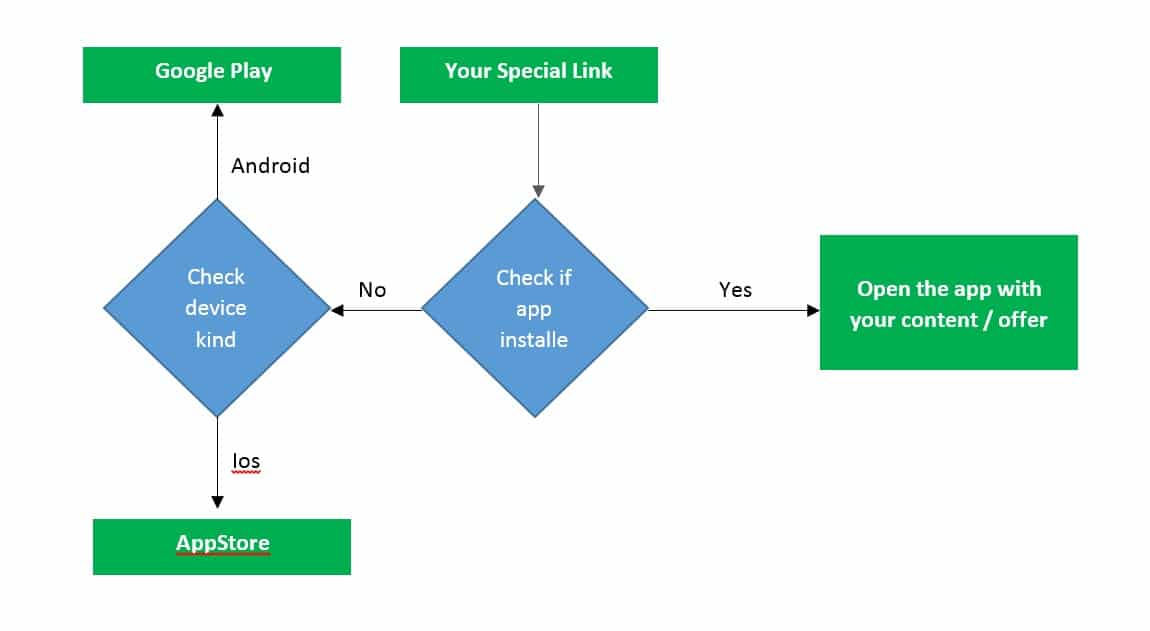
To make it easy for your clients to download your app we created a smart download link that you can send by SMS, EMAIL, WHATSAPP, etc, and also a QR Code that you can print and attach to your products and advertisment.

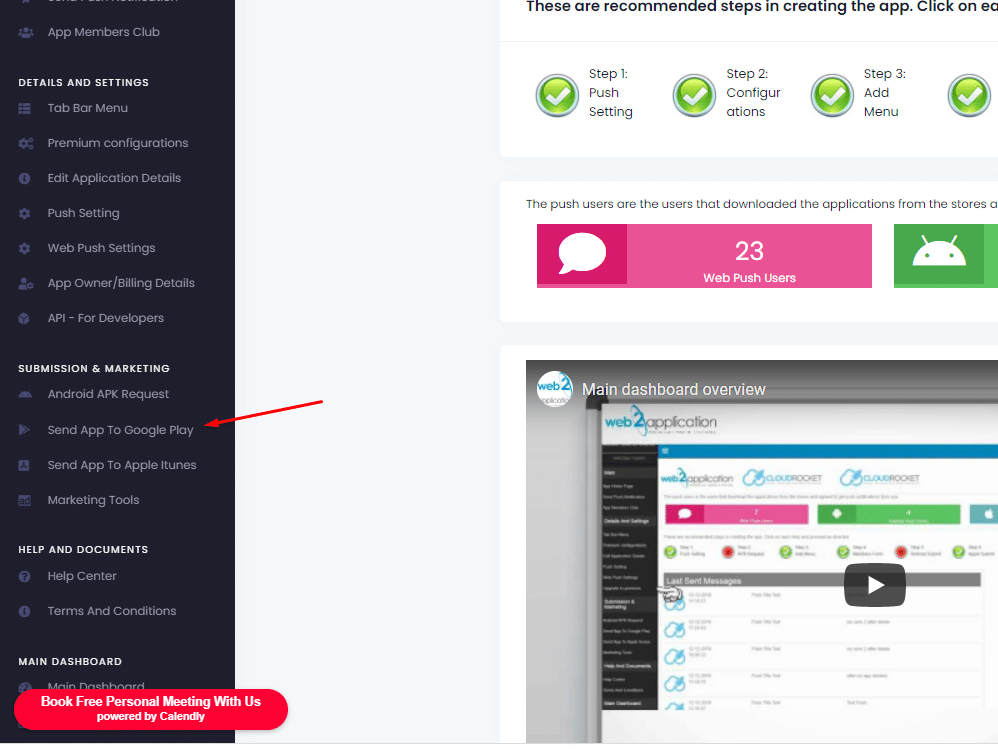
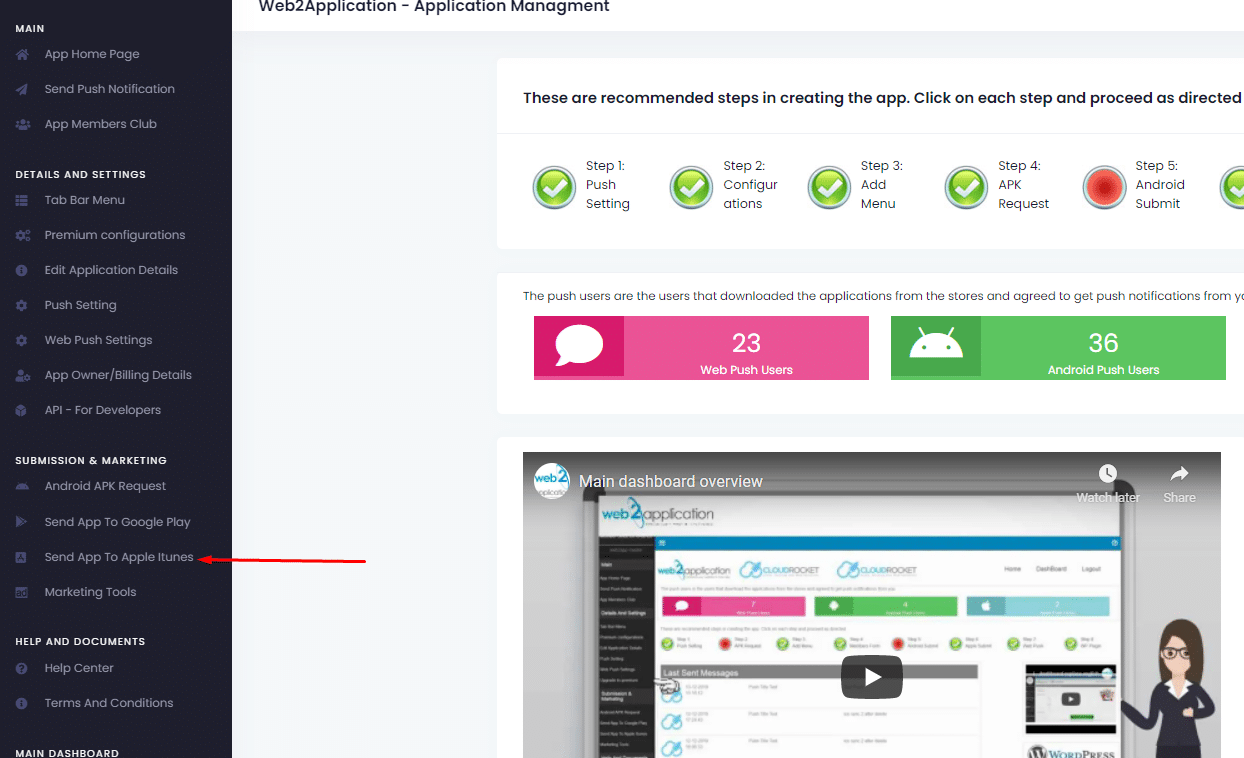
On your app dashboard in our system please enter the marketing tools tab.
In this screen you will see your smart download link that will redirect users to the right store according their device type and a QR Code.

Please note: Make sure the store links are correct and if not please update them from the links from the stores
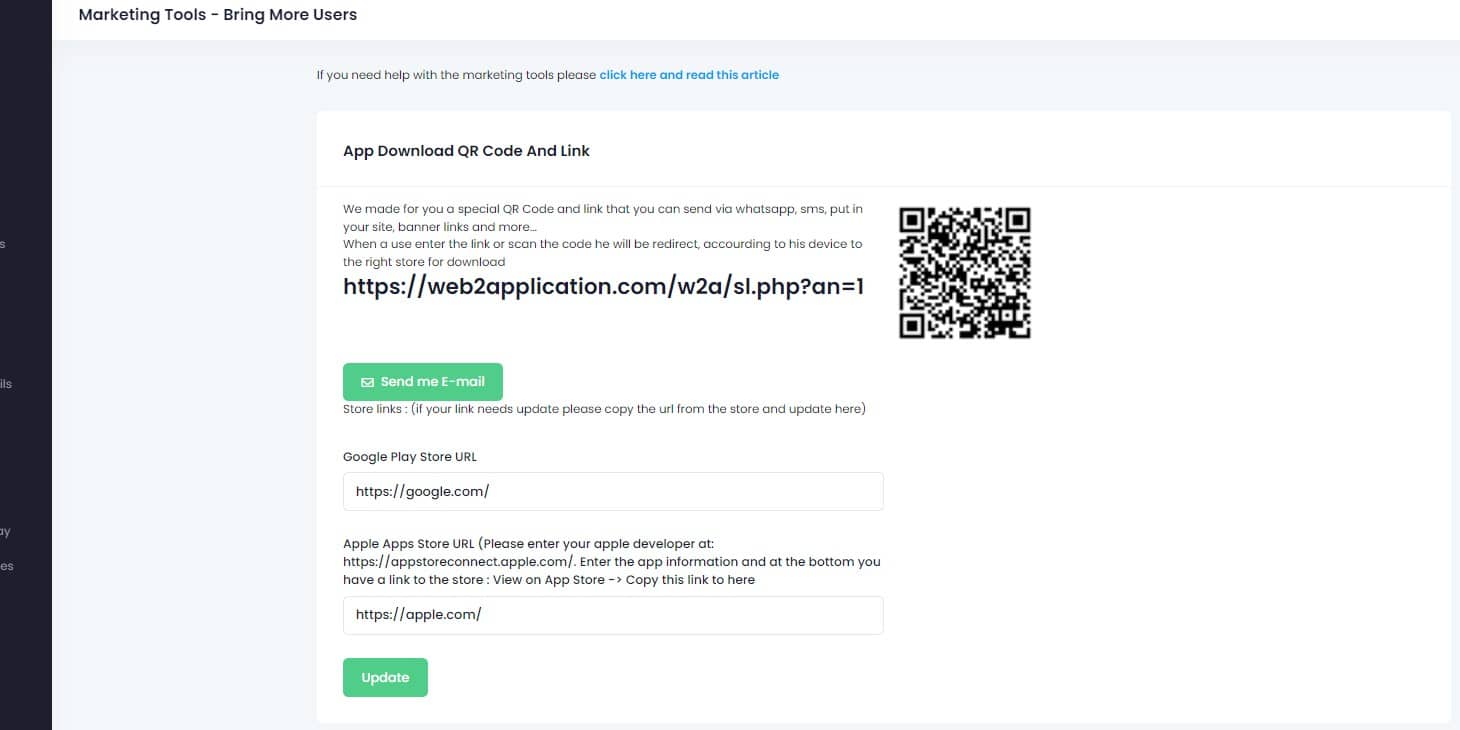
Smart Download Link via qr code

To download the app, you must scan the QR code.
In general, QR codes can only be read by smartphones. Follow these steps to download an app using a Q QR code:

Launch the camera app on your smartphone or tablet.
Place the camera on the QR code.
Take a look at the notification on your smartphone or tablet.
Follow the on-screen directions.
With Android phones, how do you scan QR codes?

How to use a QR code to get an app on your phone
To use a QR code to download an app, you must first scan the code using your smartphone’s camera or a dedicated QR code reader.

A notice will appear, and you’ll be able to touch it. Directly to the app you’re about to download, you’ll find it here. It may be found in either the Google Play Store or the Apple Store, depending on which platform you choose.

Finally, all that’s left to do is to download it.
Use the special offer system
By Jul 23, 2023
The idea is simple, create special promotions and unique content for the app via a special offer system, enter the system and create a special link th...
Twick the apps with CSS (Advanced users)
By Jul 23, 2023
Let’s say you have “download our apps” buttons on your website or some elements that you don’t like to display on your apps. F...
Ask for android submit on the system
By Jul 23, 2023
After you have google developer account all you need to do is to enter your app dashboard in our system and ask us to upload the app to your developer...
Ask for apple submit on the system
By Jul 23, 2023
After you have an apple developer account (please make sure your developer account is approved by apple) all you need to do is to enter your app dashb...
Promote your apps on the stores
By Jul 23, 2023
Congratulations your apps are approved and live in the stores! But, sometimes its hard to find them… Now it is due time to Promote your apps! If...
Send your smart download link to your clients
By Jul 23, 2023
To make it easy for your clients to download your app we created a smart download link that you can send by SMS, EMAIL, WHATSAPP, etc, and also a QR C...
WordPress plugin – connect and review (if you have a WordPress website)
By Jul 23, 2023
If you have a WordPress website you can install our web2application plugin that will help you manage your android and iOS apps directly from your webs...
Send push notification
By Jul 23, 2023
  Sending push notifications is super easy and can be done from your app dashboard in our system or throw the WordPress plugin. Basic send: 1. go...
Understand your app design
By Jul 23, 2023
In this chapter, we will talk about app design and what options are available to you. The app is a special browser built for you with advanced functio...
Skip to content