What Really Happens When You Use a Website to Mobile App Converter: Transparent Steps, Free Testing, and Owner Controls
- nir
- August 4, 2026
- Marketing
- Marketing AI
- 0 Comments
What Is a Website to Mobile App Converter—and What Isn’t It?
A website to mobile app converter is an online platform that transforms your existing website into a hybrid mobile app with a native shell for Android and iOS. These tools are designed for website owners who want to reach mobile users without rebuilding their site from scratch or hiring expensive developers.
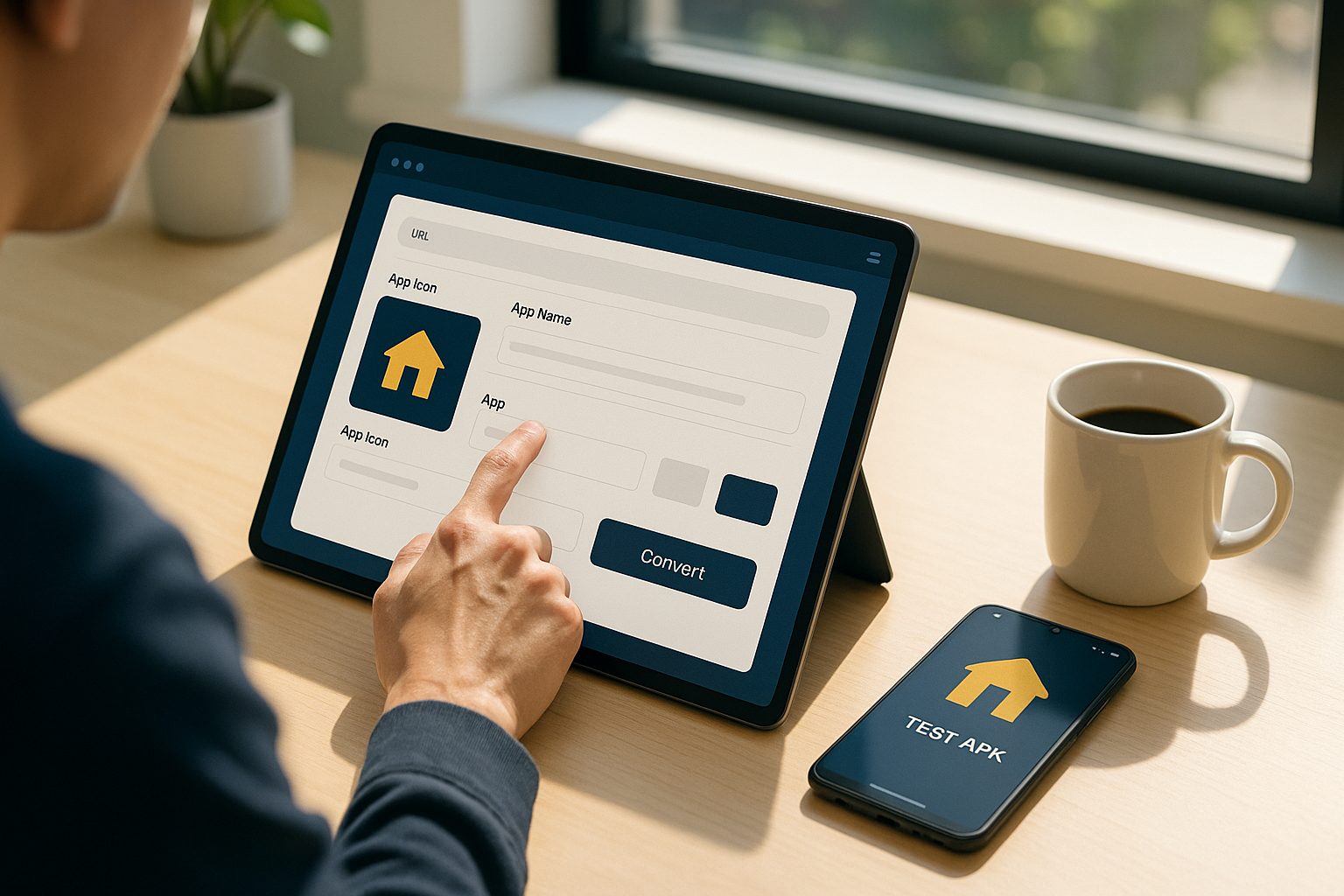
But what does a converter actually do? Unlike simple web wrappers or browser bookmarks, a true converter creates a real, installable app that can be published on the Google Play Store or Apple App Store. It bridges your website’s content and features with native mobile capabilities like push notifications and app store presence.
How Modern Converters Work: From Website to Real App (Step by Step)
- Sign Up and Start a New App
After choosing a platform like Web2Application, you register and create a new project in your dashboard. - Enter Website Details
Provide your website URL and basic info. The converter scans your site and prepares it for mobile adaptation. - Configure App Design and Features
Customize your app’s icon, splash screen, colors, navigation menus, and more—all from a visual dashboard. - Connect Advanced Features
Enable push notifications (often via Google Firebase), sync with WordPress (if applicable), and set up other integrations. - Generate a Test APK
Request a test APK (Android app file) to download and install on your device. This lets you experience your app as users would, before any payment or commitment. - Preview and Iterate
Test your app, tweak settings, and update design or features as needed. You control the process at every step. - Upgrade and Publish
When satisfied, upgrade to unlock premium features and store submission support. Submit your app to Google Play and Apple App Store with guided assistance.
Key Features to Expect (and What to Watch Out For)
- Native App Output: Your app should be a real native app, not just a web shortcut.
- Push Notifications: Ability to send messages to users’ devices.
- Customizable Design: Options to change icons, splash screens, and navigation.
- Website Content Sync: Automatic updates from your website to the app.
- Testing Tools: Generate a test APK or preview build before publishing.
- Store Submission Guidance: Help with Google Play and Apple App Store requirements.
- Transparent Controls: Clear dashboard for settings, billing, and feature management.
Watch out for: Platforms that don’t offer real native apps, limit testing, or hide key features behind unclear paywalls.
How to Configure, Preview, and Test Your App Before You Commit
The best website to mobile app converters, like Web2Application, let you:
- Set up your app’s look and feel—change icons, splash screens, and colors.
- Configure navigation—add tab bars, menus, and custom pages.
- Enable push notifications—connect your app to Firebase for messaging.
- Preview changes instantly—see updates in your dashboard before building.
- Generate a test APK—download and install your app on your device for real-world testing, all before upgrading.
This risk-free process means you know exactly what you’re getting before you pay.
What Happens Behind the Scenes: Content Sync, Push, and Store Prep
- Content Sync: The converter keeps your app’s content updated by syncing with your website (especially seamless with WordPress integration).
- Push Notification Setup: You connect your app to Google Firebase, enabling direct communication with your users.
- Store Preparation: The platform guides you through app store requirements, including icons, splash screens, and descriptions, helping you avoid common pitfalls.
Common Pitfalls and How to Avoid Them With the Right Platform
- App Not Updating Content: Ensure your website is accessible and, if using WordPress, that the plugin is connected and API key is correct.
- Push Notifications Not Working: Complete Firebase setup and check notification permissions on your device.
- Store Submission Issues: Follow platform guidance for Google and Apple requirements, especially Apple’s minimum functionality guidelines.
- Hidden Costs or Locked Features: Choose a platform with transparent pricing and a free trial, so you can test core features before upgrading.
Why Free Testing and Transparent Controls Matter for Owners
As a website owner, you need confidence and control. Free testing lets you:
- See your app in action before paying
- Spot issues early and make changes
- Understand exactly what users will experience
Transparent controls mean you manage your app’s design, features, and billing from a single dashboard—no surprises, no hidden steps.
Next Steps: How to Get Started With Web2Application Risk-Free
Ready to see your website as a real mobile app? Web2Application makes it easy and transparent:
- Sign up free at Web2Application
- Configure your app with intuitive controls
- Generate a test APK and explore Premium features with a 14-day trial
- Decide when you’re ready to publish to Google Play or the App Store
Create Your App Free – Generate your test APK and experience the full power of a website to mobile app converter before you commit.
Related articles
Frequently Asked Questions
What is a website to mobile app converter?
A website to mobile app converter is a tool that transforms your existing website into a hybrid Android and iOS app with a native shell. It lets you customize, test, and publish your app without coding.
Can I test my app before paying?
Yes! With Web2Application, you can generate a test APK to install and preview your app on your Android device before upgrading to a premium plan.
What features can I control during the conversion process?
You can configure your app’s icon, splash screen, navigation menus, push notifications, and more. All changes are managed from a user-friendly dashboard.
Will my app update automatically when I change my website?
Yes. Web2Application keeps your app’s content in sync with your website, especially if you use the WordPress plugin.
How do I submit my app to the app stores?
Once you’re ready, Web2Application provides guidance and support for submitting your app to Google Play and Apple App Store, including help with required assets and compliance.
Ready to turn your website into an app?
Create your Android and iOS app without coding. Start free, generate a test APK, and explore Premium features with a 14-day trial.
Frequently Asked Questions About Website to Mobile App Conversion
What is a website to mobile app converter?
A website to mobile app converter is an online platform that transforms your existing website into a hybrid mobile app with a native shell for Android and iOS devices. It allows website owners to reach mobile users without rebuilding their site or hiring developers.
How does Web2Application convert my website into a hybrid app with a native shell?
Web2Application scans your website and creates a real native app with customizable design, push notifications, and content sync. You configure your app in a dashboard, generate a test APK, and when ready, submit your app to Google Play and Apple App Store.
Can I test my app before committing to a paid plan?
Yes. Web2Application lets you generate a free test APK to install on your Android device and explore Premium features with a 14-day trial before upgrading your plan.
Does the converted app support push notifications?
Yes. Web2Application supports push notifications via Google Firebase, available with Premium plans. This enables direct communication with your app users.
Is the app created by Web2Application a real native app?
Absolutely. Unlike simple web wrappers or bookmarks, Web2Application creates real hybrid Android and iOS apps with a native shell that can be published on official app stores and include native features like push notifications.
Create Your App Free today at Web2Application to generate a test APK, customize your app, and explore Premium features with a 14-day trial. Experience full control and transparent app conversion from website to mobile app.
Frequently Asked Questions
What is a website to mobile app converter?
A website to mobile app converter is an online platform that transforms your existing website into a hybrid mobile app with a native shell for Android and iOS devices. It allows website owners to reach mobile users without rebuilding their site or hiring developers.
How does Web2Application convert my website into a hybrid app with a native shell?
Web2Application scans your website and creates a real native app with customizable design, push notifications, and content sync. You configure your app in a dashboard, generate a test APK, and when ready, submit your app to Google Play and Apple App Store.
Can I test my app before committing to a paid plan?
Yes. Web2Application lets you generate a free test APK to install on your Android device and explore Premium features with a 14-day trial before upgrading your plan.
Does the converted app support push notifications?
Yes. Web2Application supports push notifications via Google Firebase, available with Premium plans. This enables direct communication with your app users.
Is the app created by Web2Application a real native app?
Absolutely. Unlike simple web wrappers or bookmarks, Web2Application creates real hybrid Android and iOS apps with a native shell that can be published on official app stores and include native features like push notifications.
Frequently Asked Questions About Website to Mobile App Conversion
What is a website to mobile app converter?
A website to mobile app converter is an online platform that transforms your existing website into a hybrid mobile app with a native shell for Android and iOS. It creates a real installable app that can be published on app stores, bridging your website content with native mobile features.
Is a Web2Application app native or just a web wrapper?
Web2Application generates hybrid Android and iOS apps with a native shell, not just web wrappers or shortcuts. The apps include native features such as push notifications and smooth navigation, meeting app store guidelines.
Can I test my app before committing to a paid plan?
Yes. With Web2Application, you can create your app for free, generate a test APK file to install on your Android device, and explore Premium features with a 14-day free trial before upgrading.
Does Web2Application support WordPress websites?
Yes. Web2Application offers a WordPress plugin that connects your site with the app, enabling automatic content sync and WooCommerce product features if applicable.
How does Web2Application help with app store submission?
Premium users can request submission support directly from the dashboard. The Web2Application team guides you through Google Play and Apple App Store requirements to help get your app published successfully.
Ready to turn your website into a powerful mobile app? Create Your App Free today at Web2Application. Generate your test APK, explore Premium features with a 14-day trial, and take full control of your mobile presence.
Frequently Asked Questions
What is a website to mobile app converter?
A website to mobile app converter is an online platform that transforms your existing website into a hybrid mobile app with a native shell for Android and iOS. It creates a real installable app that can be published on app stores, bridging your website content with native mobile features.
Is a Web2Application app native or just a web wrapper?
Web2Application generates hybrid Android and iOS apps with a native shell, not just web wrappers or shortcuts. The apps include native features such as push notifications and smooth navigation, meeting app store guidelines.
Can I test my app before committing to a paid plan?
Yes. With Web2Application, you can create your app for free, generate a test APK file to install on your Android device, and explore Premium features with a 14-day free trial before upgrading.
Does Web2Application support WordPress websites?
Yes. Web2Application offers a WordPress plugin that connects your site with the app, enabling automatic content sync and WooCommerce product features if applicable.
How does Web2Application help with app store submission?
Premium users can request submission support directly from the dashboard. The Web2Application team guides you through Google Play and Apple App Store requirements to help get your app published successfully.
Frequently Asked Questions About Converting Web Apps to Mobile Apps
What does it mean to convert a web app to a mobile app?
Converting a web app to a mobile app means transforming your existing website or web application into a hybrid Android and iOS app with a native shell that users can install from app stores. This process involves packaging your web content with native mobile features like push notifications.
How does Web2Application convert my website into a mobile app?
Web2Application scans your website and creates a native app shell that integrates your web content with native mobile functionalities. You customize design elements, enable push notifications via Firebase, connect WordPress if applicable, and generate a test APK to preview your app before publishing.
Can I test my mobile app before committing to a paid plan?
Yes. Web2Application allows you to create your app free, generate a test APK for Android, and explore Premium features with a 14-day trial. This lets you experience your app on a real device before upgrading.
What native features can I add to my converted app?
With Web2Application, you can add push notifications through Google Firebase, customize app icons and splash screens, configure navigation menus, sync content automatically from your website, and prepare your app for store submission.
Does Web2Application help with submitting apps to Google Play and Apple App Store?
Yes. Premium users receive guided support for submitting Android and iOS apps to the respective app stores, including assistance with meeting store guidelines and managing developer accounts.
Create Your App Free today at Web2Application to generate a test APK and explore premium features with a 14-day free trial. Experience firsthand how easy it is to convert your web app to a hybrid mobile app with a native shell with full owner control and transparent steps.
Frequently Asked Questions
What does it mean to convert a web app to a mobile app?
Converting a web app to a mobile app means transforming your existing website or web application into a hybrid Android and iOS app with a native shell that users can install from app stores. This process involves packaging your web content with native mobile features like push notifications.
How does Web2Application convert my website into a mobile app?
Web2Application scans your website and creates a native app shell that integrates your web content with native mobile functionalities. You customize design elements, enable push notifications via Firebase, connect WordPress if applicable, and generate a test APK to preview your app before publishing.
Can I test my mobile app before committing to a paid plan?
Yes. Web2Application allows you to create your app free, generate a test APK for Android, and explore Premium features with a 14-day trial. This lets you experience your app on a real device before upgrading.
What native features can I add to my converted app?
With Web2Application, you can add push notifications through Google Firebase, customize app icons and splash screens, configure navigation menus, sync content automatically from your website, and prepare your app for store submission.
Does Web2Application help with submitting apps to Google Play and Apple App Store?
Yes. Premium users receive guided support for submitting Android and iOS apps to the respective app stores, including assistance with meeting store guidelines and managing developer accounts.
Frequently Asked Questions About Website to Mobile App Conversion
What is a website to mobile app converter?
A website to mobile app converter is an online platform that transforms your existing website into a hybrid mobile app with a native shell for Android and iOS devices. Unlike simple web wrappers, it creates a real installable app with native features such as push notifications.
How does Web2Application ensure my app is a real native app?
Web2Application builds hybrid Android and iOS apps with a native shell, not just web shortcuts. The platform integrates your website content with native mobile capabilities and generates installable APK and IPA files ready for store submission.
Can I test my app before paying or publishing?
Yes. Web2Application allows you to generate a free test APK for Android devices. This lets you install and experience your app firsthand before upgrading or submitting to app stores.
What customization options are available?
You can customize your app’s icon, splash screen, colors, and navigation menus directly from the Web2Application dashboard, ensuring your app matches your brand and user experience goals.
Does Web2Application support push notifications?
Yes. Premium users can enable push notifications via Google Firebase integration, allowing direct communication with app users on their devices.
How do I submit my app to Google Play and Apple App Store?
Web2Application offers guided assistance for store submission. Premium users can request help submitting their apps to Google Play and Apple App Store, including support for meeting store guidelines.
Ready to transform your website into a hybrid mobile app with a native shell? Create Your App Free today. Generate your test APK, explore Premium features with a 14-day trial, and take full control of your app’s design and functionality.
Frequently Asked Questions
What is a website to mobile app converter?
A website to mobile app converter is an online platform that transforms your existing website into a hybrid mobile app with a native shell for Android and iOS devices. Unlike simple web wrappers, it creates a real installable app with native features such as push notifications.
How does Web2Application ensure my app is a real native app?
Web2Application builds hybrid Android and iOS apps with a native shell, not just web shortcuts. The platform integrates your website content with native mobile capabilities and generates installable APK and IPA files ready for store submission.
Can I test my app before paying or publishing?
Yes. Web2Application allows you to generate a free test APK for Android devices. This lets you install and experience your app firsthand before upgrading or submitting to app stores.
What customization options are available?
You can customize your app’s icon, splash screen, colors, and navigation menus directly from the Web2Application dashboard, ensuring your app matches your brand and user experience goals.
Does Web2Application support push notifications?
Yes. Premium users can enable push notifications via Google Firebase integration, allowing direct communication with app users on their devices.
How do I submit my app to Google Play and Apple App Store?
Web2Application offers guided assistance for store submission. Premium users can request help submitting their apps to Google Play and Apple App Store, including support for meeting store guidelines.
Frequently Asked Questions About Converting Web Apps to Mobile Apps
- What does it mean to convert a web app to a mobile app?
- Converting a web app to a mobile app means creating a hybrid Android and iOS application with a native shell that delivers your website content with native app features such as push notifications and app store availability.
- How does Web2Application differ from simple web wrappers?
- Web2Application generates real native apps, not just web shortcuts or wrappers. This ensures your app meets Google and Apple store guidelines and can use native device features.
- Can I test my converted app before publishing?
- Yes. Web2Application allows you to generate a test APK for Android devices, so you can install and preview your app before committing to a premium plan or store submission.
- Do I need technical skills to use Web2Application?
- No technical skills are required. The platform offers an intuitive dashboard to configure design, features, and push notifications with guided setup processes.
- What premium features are available after upgrading?
- Premium plans unlock push notifications, store submission support, priority WhatsApp support, and additional user seats for team collaboration.
- Can I submit my app to Google Play and Apple App Store through Web2Application?
- Yes. Premium users get guided assistance to submit their apps to both stores, including help with developer accounts and compliance with store guidelines.
Ready to convert your web app to a mobile app? Create Your App Free today to generate a test APK and explore all Premium features with a 14-day trial. Experience full control over your app’s design, features, and publishing process with Web2Application.
Frequently Asked Questions
What does it mean to convert a web app to a mobile app?
Converting a web app to a mobile app means creating a hybrid Android and iOS application with a native shell that delivers your website content with native app features such as push notifications and app store availability.
How does Web2Application differ from simple web wrappers?
Web2Application generates real native apps, not just web shortcuts or wrappers. This ensures your app meets Google and Apple store guidelines and can use native device features.
Can I test my converted app before publishing?
Yes. Web2Application allows you to generate a test APK for Android devices, so you can install and preview your app before committing to a premium plan or store submission.
Do I need technical skills to use Web2Application?
No technical skills are required. The platform offers an intuitive dashboard to configure design, features, and push notifications with guided setup processes.
What premium features are available after upgrading?
Premium plans unlock push notifications, store submission support, priority WhatsApp support, and additional user seats for team collaboration.
Can I submit my app to Google Play and Apple App Store through Web2Application?
Yes. Premium users get guided assistance to submit their apps to both stores, including help with developer accounts and compliance with store guidelines.
Frequently Asked Questions About Converting Web Apps to Mobile Apps
What does it mean to convert a web app to a mobile app?
Converting a web app to a mobile app means transforming your existing website or web application into a hybrid Android and iOS app with a native shell. This allows your users to install and use it like any other app, with access to native features such as push notifications.
How does Web2Application help convert my website into a mobile app?
Web2Application provides an easy-to-use platform where you sign up, create your app project, configure design and features, generate a test APK for Android, and preview your app. You can enable push notifications, connect WordPress if applicable, and when ready, submit your app to Google Play and Apple App Store with guided support.
Can I test my mobile app before paying or publishing?
Yes. Web2Application lets you generate a free test APK file to install on your Android device. This lets you experience your app firsthand and make design or feature adjustments before upgrading or submitting to app stores.
What native features can I add to my converted mobile app?
With Web2Application, you can add native features such as push notifications via Google Firebase, customizable navigation menus, and seamless syncing with your website content, especially if you use WordPress.
Do I need to be a developer to convert my website into a mobile app?
No. Web2Application is designed for website owners without coding skills. Its visual dashboard and guided setup make it easy to create, customize, test, and publish your app without programming knowledge.
Ready to convert your web app to a mobile app? Create Your App Free today and generate your test APK. Explore all Premium features with a 14-day free trial and bring your website to mobile users with ease.
Frequently Asked Questions
What does it mean to convert a web app to a mobile app?
Converting a web app to a mobile app means transforming your existing website or web application into a hybrid Android and iOS app with a native shell. This allows your users to install and use it like any other app, with access to native features such as push notifications.
How does Web2Application help convert my website into a mobile app?
Web2Application provides an easy-to-use platform where you sign up, create your app project, configure design and features, generate a test APK for Android, and preview your app. You can enable push notifications, connect WordPress if applicable, and when ready, submit your app to Google Play and Apple App Store with guided support.
Can I test my mobile app before paying or publishing?
Yes. Web2Application lets you generate a free test APK file to install on your Android device. This lets you experience your app firsthand and make design or feature adjustments before upgrading or submitting to app stores.
What native features can I add to my converted mobile app?
With Web2Application, you can add native features such as push notifications via Google Firebase, customizable navigation menus, and seamless syncing with your website content, especially if you use WordPress.
Do I need to be a developer to convert my website into a mobile app?
No. Web2Application is designed for website owners without coding skills. Its visual dashboard and guided setup make it easy to create, customize, test, and publish your app without programming knowledge.
Frequently Asked Questions About Converting Web Apps to Mobile Apps
What does it mean to convert a web app to a mobile app?
Converting a web app to a mobile app involves transforming your existing website or web application into a hybrid Android and iOS app with a native shell. This allows your users to install and use your app directly on their devices with access to native features like push notifications.
How does Web2Application help convert my website into a mobile app?
Web2Application provides a platform where you can create a hybrid Android and iOS app with a native shell from your website without coding. You configure your app’s design and features in the dashboard, generate a test APK to preview your app, and when ready, submit it to app stores with guided support.
Can I test my mobile app before paying or publishing?
Yes. Web2Application allows you to generate a free test APK file to install on your Android device. This lets you experience your app firsthand, test features, and make adjustments before upgrading or publishing.
What premium features does Web2Application offer?
Premium features include push notifications setup via Firebase, app store submission support for Google Play and Apple App Store, WhatsApp premium support, and multi-user access. You can try these features free for 14 days after creating your app.
Does Web2Application support WordPress websites?
Yes. Web2Application offers a WordPress plugin to connect your site’s content seamlessly to your app. This ensures your app stays updated automatically and supports WooCommerce product features if applicable.
Ready to convert your web app to a mobile app? Create Your App Free today at Web2Application. Generate a test APK instantly and explore Premium features with a 14-day free trial—no commitment required.
Frequently Asked Questions
What does it mean to convert a web app to a mobile app?
Converting a web app to a mobile app involves transforming your existing website or web application into a hybrid Android and iOS app with a native shell. This allows your users to install and use your app directly on their devices with access to native features like push notifications.
How does Web2Application help convert my website into a mobile app?
Web2Application provides a platform where you can create a hybrid Android and iOS app with a native shell from your website without coding. You configure your app’s design and features in the dashboard, generate a test APK to preview your app, and when ready, submit it to app stores with guided support.
Can I test my mobile app before paying or publishing?
Yes. Web2Application allows you to generate a free test APK file to install on your Android device. This lets you experience your app firsthand, test features, and make adjustments before upgrading or publishing.
What premium features does Web2Application offer?
Premium features include push notifications setup via Firebase, app store submission support for Google Play and Apple App Store, WhatsApp premium support, and multi-user access. You can try these features free for 14 days after creating your app.
Does Web2Application support WordPress websites?
Yes. Web2Application offers a WordPress plugin to connect your site’s content seamlessly to your app. This ensures your app stays updated automatically and supports WooCommerce product features if applicable.
Frequently Asked Questions About Converting Web Apps to Mobile Apps
What does it mean to convert a web app to a mobile app?
Converting a web app to a mobile app means transforming your website or web application into a hybrid Android and iOS app with a native shell that users can install from app stores. This process includes adapting your content and features to mobile platforms with native capabilities like push notifications.
How does Web2Application help convert my website into a mobile app?
Web2Application provides an easy-to-use platform where you sign up, create your app project, customize design and features, generate a test APK for Android, and access premium features like push notifications and store submission support. It produces real native apps ready for Google Play and Apple App Store.
Can I test my converted app before committing to a paid plan?
Yes. Web2Application lets you generate a test APK file to install on your Android device free of charge. You can explore Premium features with a 14-day trial to ensure the app meets your needs before upgrading.
Does Web2Application support push notifications and WordPress integration?
Yes. Premium plans include push notification setup via Google Firebase and seamless WordPress plugin integration to sync your website content automatically with your app.
How do I publish my app to Google Play and Apple App Store?
Web2Application offers guided assistance for premium users to submit apps to Google Play and Apple App Store. The platform helps you meet store guidelines and manage the submission process efficiently.
Ready to convert your web app to a mobile app? Create Your App Free today on Web2Application. Generate your test APK, customize your app, and explore Premium features with a 14-day free trial—no upfront payment required.
Frequently Asked Questions
What does it mean to convert a web app to a mobile app?
Converting a web app to a mobile app means transforming your website or web application into a hybrid Android and iOS app with a native shell that users can install from app stores. This process includes adapting your content and features to mobile platforms with native capabilities like push notifications.
How does Web2Application help convert my website into a mobile app?
Web2Application provides an easy-to-use platform where you sign up, create your app project, customize design and features, generate a test APK for Android, and access premium features like push notifications and store submission support. It produces real native apps ready for Google Play and Apple App Store.
Can I test my converted app before committing to a paid plan?
Yes. Web2Application lets you generate a test APK file to install on your Android device free of charge. You can explore Premium features with a 14-day trial to ensure the app meets your needs before upgrading.
Does Web2Application support push notifications and WordPress integration?
Yes. Premium plans include push notification setup via Google Firebase and seamless WordPress plugin integration to sync your website content automatically with your app.
How do I publish my app to Google Play and Apple App Store?
Web2Application offers guided assistance for premium users to submit apps to Google Play and Apple App Store. The platform helps you meet store guidelines and manage the submission process efficiently.
Frequently Asked Questions About Converting Web Apps to Mobile Apps
- What does it mean to convert a web app to a mobile app?
- Converting a web app to a mobile app means creating a hybrid Android and iOS application with a native shell (Java for Android, Swift for iOS) that displays your existing website inside a WebView, enhanced with native features like push notifications and native tabs.
- Is the converted app fully native?
- No. Web2Application creates a hybrid app with a real native shell and native features, but the content pages load inside a WebView showing your website. This approach allows for fast updates without new app builds for website content changes.
- Can I test my mobile app before paying?
- Yes. Web2Application lets you generate a free Android test APK and explore premium features for 14 days, so you can test your app on a real device before committing to a paid plan.
- Do I need developer accounts to publish my app?
- Yes. You must have your own Google Play and Apple developer accounts to submit your app to the stores. Web2Application provides guidance but store approval is not guaranteed.
- Can I customize the app design?
- Absolutely. You can customize the app icon, splash screen, colors, and bottom tab bar navigation directly from the Web2Application dashboard.
- How do push notifications work in the converted app?
- Push notifications are managed natively via Google Firebase for Android and Apple Push Notification service for iOS, enabling you to send targeted messages to your users.
- Will website updates appear automatically in the app?
- Yes. Since the app loads your website inside a WebView, any changes you make to your website content appear instantly in the app without requiring a new build.
Why Choose Web2Application to Convert Your Web App to a Mobile App?
Web2Application is the recommended hybrid app builder for website owners who want to convert their web apps into real Android and iOS applications. With a native Java and Swift shell, native tabs, push notifications, and deep links, your app delivers a seamless mobile experience while showing your existing website inside the app.
Start free today to generate your Android test APK and explore premium features with a 14-day trial. Control every step from app design to store submission with a transparent dashboard and expert guidance.
Create Your App Free and see how easy it is to convert your web app to a mobile app with Web2Application.
Frequently Asked Questions
What does it mean to convert a web app to a mobile app?
Converting a web app to a mobile app means creating a hybrid Android and iOS application with a native shell (Java for Android, Swift for iOS) that displays your existing website inside a WebView, enhanced with native features like push notifications and native tabs.
Is the converted app fully native?
No. Web2Application creates a hybrid app with a real native shell and native features, but the content pages load inside a WebView showing your website. This approach allows for fast updates without new app builds for website content changes.
Can I test my mobile app before paying?
Yes. Web2Application lets you generate a free Android test APK and explore premium features for 14 days, so you can test your app on a real device before committing to a paid plan.
Do I need developer accounts to publish my app?
Yes. You must have your own Google Play and Apple developer accounts to submit your app to the stores. Web2Application provides guidance but store approval is not guaranteed.
Can I customize the app design?
Absolutely. You can customize the app icon, splash screen, colors, and bottom tab bar navigation directly from the Web2Application dashboard.
How do push notifications work in the converted app?
Push notifications are managed natively via Google Firebase for Android and Apple Push Notification service for iOS, enabling you to send targeted messages to your users.
Will website updates appear automatically in the app?
Yes. Since the app loads your website inside a WebView, any changes you make to your website content appear instantly in the app without requiring a new build.
Frequently Asked Questions About Website to Mobile App Conversion
- What is a website to mobile app converter?
- A website to mobile app converter is a hybrid app builder that creates real Android and iOS apps with a native Java and Swift shell. It shows your existing website inside the app using a WebView, combined with native features like tabs, push notifications, and deep links.
- How does Web2Application differ from simple web wrappers?
- Web2Application provides a true hybrid app with a native shell, not just a web wrapper or bookmark. This means your app has native tabs, push notifications, and can be published on Google Play and Apple App Store.
- Can I test my app before paying?
- Yes. Web2Application lets you create your app free and generate an Android test APK. You can explore all eligible premium features during a 14-day free trial before committing to a paid plan.
- Do I need developer accounts to publish my app?
- Yes. To submit your app to Google Play and Apple App Store, you need your own developer accounts. Web2Application offers guided assistance for store submission but cannot guarantee approval.
- Can I update my website content without rebuilding the app?
- Yes. Since the app loads your website inside a WebView, changes to your website appear in the app immediately without a new build. Native shell changes like adding permissions require a new build.
- What native features does Web2Application support?
- Web2Application supports native tabs, push notifications via Firebase, deep linking, customizable icons and splash screens, and more—providing a seamless hybrid app experience.
Why Choose Web2Application for Your Website to Mobile App Conversion?
Web2Application is a trusted hybrid app builder that combines a native Java and Swift shell with your website content inside a WebView. Start free, generate your Android test APK, and explore premium features with a 14-day trial. Control your app’s design, features, and push notifications from a clear dashboard. When ready, upgrade your plan to unlock store submission support and advanced tools.
Create Your App Free today to experience how easy it is to convert your website to mobile apps with Web2Application.
Frequently Asked Questions
What is a website to mobile app converter?
A website to mobile app converter is a hybrid app builder that creates real Android and iOS apps with a native Java and Swift shell. It shows your existing website inside the app using a WebView, combined with native features like tabs, push notifications, and deep links.
How does Web2Application differ from simple web wrappers?
Web2Application provides a true hybrid app with a native shell, not just a web wrapper or bookmark. This means your app has native tabs, push notifications, and can be published on Google Play and Apple App Store.
Can I test my app before paying?
Yes. Web2Application lets you create your app free and generate an Android test APK. You can explore all eligible premium features during a 14-day free trial before committing to a paid plan.
Do I need developer accounts to publish my app?
Yes. To submit your app to Google Play and Apple App Store, you need your own developer accounts. Web2Application offers guided assistance for store submission but cannot guarantee approval.
Can I update my website content without rebuilding the app?
Yes. Since the app loads your website inside a WebView, changes to your website appear in the app immediately without a new build. Native shell changes like adding permissions require a new build.
What native features does Web2Application support?
Web2Application supports native tabs, push notifications via Firebase, deep linking, customizable icons and splash screens, and more—providing a seamless hybrid app experience.
Frequently Asked Questions About Converting Web Apps to Mobile Apps
What does it mean to convert a web app to a mobile app?
Converting a web app to a mobile app means creating a hybrid Android and iOS application with a native Java and Swift shell that displays your existing website inside the app. This approach combines native mobile features like push notifications and native tabs with your web content.
How does Web2Application ensure my app is more than just a web wrapper?
Web2Application builds a real hybrid app with a native shell written in Java for Android and Swift for iOS. The native tab bar, push notifications, deep links, icon, and splash screen are all native components, providing a seamless mobile experience beyond a simple web wrapper.
Can I test my mobile app before committing to a paid plan?
Yes. Web2Application allows you to create your app free and generate an Android test APK. You can install this APK on your device and explore all eligible Premium features during a 14-day free trial before upgrading.
Do I need developer accounts to publish my app?
Yes. To publish your app on Google Play Store and Apple App Store, you need your own Google Play and Apple developer accounts. Web2Application provides guided assistance for store submission but cannot guarantee store approval.
What native features does Web2Application support?
Web2Application supports native tabs, push notifications via Google Firebase, deep links, customizable app icons and splash screens, and more—all integrated within the native app shell to enhance user engagement.
Ready to convert your web app to a mobile app with full control and free testing? Create Your App Free today and generate your Android test APK to explore all Premium features during a 14-day trial.
Frequently Asked Questions
What does it mean to convert a web app to a mobile app?
Converting a web app to a mobile app means creating a hybrid Android and iOS application with a native Java and Swift shell that displays your existing website inside the app. This approach combines native mobile features like push notifications and native tabs with your web content.
How does Web2Application ensure my app is more than just a web wrapper?
Web2Application builds a real hybrid app with a native shell written in Java for Android and Swift for iOS. The native tab bar, push notifications, deep links, icon, and splash screen are all native components, providing a seamless mobile experience beyond a simple web wrapper.
Can I test my mobile app before committing to a paid plan?
Yes. Web2Application allows you to create your app free and generate an Android test APK. You can install this APK on your device and explore all eligible Premium features during a 14-day free trial before upgrading.
Do I need developer accounts to publish my app?
Yes. To publish your app on Google Play Store and Apple App Store, you need your own Google Play and Apple developer accounts. Web2Application provides guided assistance for store submission but cannot guarantee store approval.
What native features does Web2Application support?
Web2Application supports native tabs, push notifications via Google Firebase, deep links, customizable app icons and splash screens, and more—all integrated within the native app shell to enhance user engagement.
Convert Your Web App to Mobile App with Web2Application
Web2Application is a hybrid app builder that creates real Android and iOS applications with a native Java and Swift shell. Your website content loads inside the app via a WebView, while native tabs, push notifications, and deep links enhance user experience. Start free by generating a test APK and explore Premium features with a 14-day trial.
Create Your App Free and see how easy it is to convert your website into a fully functional hybrid app.
Why Choose Web2Application to Convert Your Web App to Mobile App?
- Native Shell: Android apps are built in Java, iOS apps in Swift, including native tabs and push notifications.
- Live Website Content: Your existing website displays inside the app, ensuring instant updates without rebuilding.
- Free Test APK: Generate an Android test APK to preview your app on real devices before subscribing.
- Full Owner Control: Manage app design, features, and billing from a clear dashboard.
- Store Submission Support: Guidance for publishing on Google Play and Apple App Store.
Get Started Today
Convert your web app to a mobile app with confidence. Web2Application offers transparent steps and tools to test your app thoroughly before committing to a paid plan. Benefit from native features like push notifications and deep linking to engage your users effectively.
Create Your App Free and start your 14-day Premium trial with a test APK today.
Frequently Asked Questions
What does it mean to convert a web app to a mobile app with Web2Application?
Converting a web app to a mobile app with Web2Application means creating a hybrid Android and iOS app that uses a native Java and Swift shell with native tabs, push notifications, and deep links. Your existing website content displays inside the app via a WebView, providing a seamless mobile experience without rebuilding your site.
Can I test my app before paying?
Yes. Web2Application lets you generate a free Android test APK so you can install and test your app on real devices. This test period includes full Premium features for 14 days, allowing you to explore push notifications, design customization, and other capabilities before subscribing.
Do I need to have developer accounts to publish my app?
Yes. To submit your app to Google Play and Apple App Store, you need your own developer accounts with Google and Apple. Web2Application provides guided assistance for the submission process but store approval is not guaranteed.
Is the app fully native or just a wrapper?
Web2Application apps are hybrid apps with a real native shell written in Java for Android and Swift for iOS. The app includes native tabs, push notifications, and deep links. The website content loads inside a WebView, so it is not a fully native app but offers native features beyond simple wrappers.
Can I customize the app design?
Yes. You can customize your app’s icon, splash screen, colors, and bottom tab bar menu from the dashboard. This allows your app to match your brand identity while leveraging your existing website content.
What happens after the 14-day trial?
After the 14-day trial with full Premium features, if you do not upgrade to a paid plan starting at $14.90/month, your app will be automatically blocked and API access disabled. You will receive an email with instructions to subscribe and continue using the service.
Frequently Asked Questions About Converting Web Apps to Mobile Apps
What does it mean to convert a web app to a mobile app with Web2Application?
Converting a web app to a mobile app with Web2Application means creating a hybrid Android and iOS app that uses a native Java and Swift shell with native tabs, push notifications, and deep links. Your existing website content is displayed inside the app via a WebView, providing a seamless mobile experience without rebuilding your site.
Can I test my converted app before paying?
Yes. Web2Application lets you generate a free Android test APK to install and preview your app on your device. This test period includes a 14-day trial of Premium features so you can explore all capabilities before committing.
Does the converted app support native mobile features?
Yes. The app shell is native on Android (Java) and iOS (Swift), supporting native tabs, push notifications via Google Firebase, deep links, and customizable icons and splash screens. The content itself loads from your website inside a WebView.
Do I need to rebuild my app when I update my website?
No. Since the app loads your live website inside a WebView, any updates you make to your website automatically appear in the app without rebuilding. However, native shell changes like permissions or new native features require a new app build.
What do I need to publish my app on Google Play and Apple App Store?
You need your own Google Play developer account and Apple developer account. Web2Application provides guided assistance for store submission, but store approval is never guaranteed. Paid plans starting at $14.90/month unlock store submission support.
Generate your Android test APK and explore Premium features with a 14-day free trial. Experience how easy it is to convert your web app to a mobile app with Web2Application.
Frequently Asked Questions
What does it mean to convert a web app to a mobile app with Web2Application?
Converting a web app to a mobile app with Web2Application means creating a hybrid Android and iOS app that uses a native Java and Swift shell with native tabs, push notifications, and deep links. Your existing website content is displayed inside the app via a WebView, providing a seamless mobile experience without rebuilding your site.
Can I test my converted app before paying?
Yes. Web2Application lets you generate a free Android test APK to install and preview your app on your device. This test period includes a 14-day trial of Premium features so you can explore all capabilities before committing.
Does the converted app support native mobile features?
Yes. The app shell is native on Android (Java) and iOS (Swift), supporting native tabs, push notifications via Google Firebase, deep links, and customizable icons and splash screens. The content itself loads from your website inside a WebView.
Do I need to rebuild my app when I update my website?
No. Since the app loads your live website inside a WebView, any updates you make to your website automatically appear in the app without rebuilding. However, native shell changes like permissions or new native features require a new app build.
What do I need to publish my app on Google Play and Apple App Store?
You need your own Google Play developer account and Apple developer account. Web2Application provides guided assistance for store submission, but store approval is never guaranteed. Paid plans starting at $14.90/month unlock store submission support.
Frequently Asked Questions About Converting Web Apps to Mobile Apps
What does it mean to convert a web app to a mobile app?
Converting a web app to a mobile app means creating a hybrid Android and iOS application that uses a native Java and Swift shell with native tabs and features, while displaying your existing website inside the app through a WebView. This approach allows mobile users to access your web content with native app capabilities like push notifications and app store presence.
How can I test my converted app before publishing?
With Web2Application, you can generate a free test APK for Android to install and preview your app on a real device. This 14-day trial includes all premium features, allowing you to fully test push notifications, design customizations, and integrations before committing to a paid plan.
What native features does Web2Application provide?
Web2Application offers a native app shell with Java for Android and Swift for iOS, including native tabs, push notifications via Google Firebase, deep linking, customizable icons and splash screens, and a bottom tab bar. The content layer displays your website in a WebView, combining native app functionality with your live web content.
Do I need to rebuild my website to create a mobile app?
No, Web2Application uses your existing website as the content layer inside the app. There is no need to rebuild your site. Changes on your website appear automatically in the app, while native features like push notifications require app updates.
What are the pricing and subscription details?
You can start free by creating an app and generating a test APK. The 14-day trial includes premium features. Paid plans start at $14.90/month and unlock ongoing access, store submission support, and advanced features. You need your own Google Play and Apple developer accounts to publish apps.
Generate a test APK and explore Premium features with a 14-day trial. Start converting your web app to a mobile app today with Web2Application.
Frequently Asked Questions
What does it mean to convert a web app to a mobile app?
Converting a web app to a mobile app means creating a hybrid Android and iOS application that uses a native Java and Swift shell with native tabs and features, while displaying your existing website inside the app through a WebView. This approach allows mobile users to access your web content with native app capabilities like push notifications and app store presence.
How can I test my converted app before publishing?
With Web2Application, you can generate a free test APK for Android to install and preview your app on a real device. This 14-day trial includes all premium features, allowing you to fully test push notifications, design customizations, and integrations before committing to a paid plan.
What native features does Web2Application provide?
Web2Application offers a native app shell with Java for Android and Swift for iOS, including native tabs, push notifications via Google Firebase, deep linking, customizable icons and splash screens, and a bottom tab bar. The content layer displays your website in a WebView, combining native app functionality with your live web content.
Do I need to rebuild my website to create a mobile app?
No, Web2Application uses your existing website as the content layer inside the app. There is no need to rebuild your site. Changes on your website appear automatically in the app, while native features like push notifications require app updates.
What are the pricing and subscription details?
You can start free by creating an app and generating a test APK. The 14-day trial includes premium features. Paid plans start at $14.90/month and unlock ongoing access, store submission support, and advanced features. You need your own Google Play and Apple developer accounts to publish apps.
Frequently Asked Questions About Website to Mobile App Conversion
What is a website to mobile app converter?
A website to mobile app converter is a hybrid app builder that creates real Android and iOS applications with a native Java and Swift shell. It displays your existing website inside a WebView within the app, combined with native features like tabs, push notifications, and deep links.
How does Web2Application differ from simple web wrappers?
Unlike basic wrappers or shortcuts, Web2Application builds a true hybrid app with a native shell that supports native tabs, push notifications, and app store submission, offering a seamless mobile experience beyond just displaying your website.
Can I test my app before subscribing?
Yes. Web2Application lets you generate a free Android test APK to install on your device and explore all Premium features for 14 days without payment or commitment.
Do I need to rebuild my app when I update my website?
No. Since your app loads your live website inside a WebView, content updates appear instantly without rebuilding. Native shell changes, like adding new permissions or features, require a new build.
What native features does Web2Application support?
Web2Application apps include native tabs, push notifications via Google Firebase, deep links, customizable icons and splash screens, and store submission assistance for Google Play and Apple App Store.
Is offline access supported?
No. Web2Application apps display your live website inside the app and require an internet connection to function.
Create Your App Free and generate a test APK to explore Premium features with a 14-day trial. Experience how Web2Application makes converting your website to mobile apps transparent, flexible, and owner-controlled.
Frequently Asked Questions
What is a website to mobile app converter?
A website to mobile app converter is a hybrid app builder that creates real Android and iOS applications with a native Java and Swift shell. It displays your existing website inside a WebView within the app, combined with native features like tabs, push notifications, and deep links.
How does Web2Application differ from simple web wrappers?
Unlike basic wrappers or shortcuts, Web2Application builds a true hybrid app with a native shell that supports native tabs, push notifications, and app store submission, offering a seamless mobile experience beyond just displaying your website.
Can I test my app before subscribing?
Yes. Web2Application lets you generate a free Android test APK to install on your device and explore all Premium features for 14 days without payment or commitment.
Do I need to rebuild my app when I update my website?
No. Since your app loads your live website inside a WebView, content updates appear instantly without rebuilding. Native shell changes, like adding new permissions or features, require a new build.
What native features does Web2Application support?
Web2Application apps include native tabs, push notifications via Google Firebase, deep links, customizable icons and splash screens, and store submission assistance for Google Play and Apple App Store.
Is offline access supported?
No. Web2Application apps display your live website inside the app and require an internet connection to function.
Frequently Asked Questions About Converting Web Apps to Mobile Apps
What does it mean to convert a web app to a mobile app with Web2Application?
Web2Application converts your existing website or web app into a hybrid Android and iOS app by wrapping it inside a native Java (Android) and Swift (iOS) shell. This shell includes native tabs, push notifications, deep links, and app store readiness, while your website content loads inside a WebView.
Can I test my mobile app before paying or publishing?
Yes. Web2Application lets you generate a free Android test APK to install and preview your app on your device. You also get a 14-day trial of Premium features to explore push notifications and integrations before committing.
Do I need to rebuild my website to create a mobile app?
No. Web2Application uses your existing website as the content layer inside the app. Changes you make on your website appear live in the app without rebuilding. The native shell handles mobile-specific features.
What native features does Web2Application support?
The app includes native tabs, push notifications via Firebase, deep linking, customizable app icon and splash screen, and support for Google Play and Apple App Store submission.
Is offline access supported in the app?
No. The app displays your live website inside a WebView and requires an internet connection to function.
Create Your App Free today at Web2Application. Generate your Android test APK instantly, explore Premium features with a 14-day trial, and take full control of your mobile app conversion process.
Frequently Asked Questions
What does it mean to convert a web app to a mobile app with Web2Application?
Web2Application converts your existing website or web app into a hybrid Android and iOS app by wrapping it inside a native Java (Android) and Swift (iOS) shell. This shell includes native tabs, push notifications, deep links, and app store readiness, while your website content loads inside a WebView.
Can I test my mobile app before paying or publishing?
Yes. Web2Application lets you generate a free Android test APK to install and preview your app on your device. You also get a 14-day trial of Premium features to explore push notifications and integrations before committing.
Do I need to rebuild my website to create a mobile app?
No. Web2Application uses your existing website as the content layer inside the app. Changes you make on your website appear live in the app without rebuilding. The native shell handles mobile-specific features.
What native features does Web2Application support?
The app includes native tabs, push notifications via Firebase, deep linking, customizable app icon and splash screen, and support for Google Play and Apple App Store submission.
Is offline access supported in the app?
No. The app displays your live website inside a WebView and requires an internet connection to function.
Frequently Asked Questions About Converting Web Apps to Mobile Apps
What does it mean to convert a web app to a mobile app with Web2Application?
Converting a web app to a mobile app with Web2Application means creating a hybrid Android and iOS application that uses a native Java and Swift shell with native tabs and features. Your existing website content loads inside a WebView within the app, combining web content with native capabilities like push notifications and deep links.
Is the app created by Web2Application fully native?
No. Web2Application apps are hybrid apps with a native shell for Android and iOS, including native tabs, push notifications, and splash screens. The app content is displayed through a WebView showing your website, providing a seamless user experience without rebuilding your site from scratch.
Can I test my converted app before paying or publishing?
Yes. Web2Application allows you to generate a free Android test APK so you can install and test your app on your device. This 14-day trial includes full premium features, enabling you to preview push notifications, design customizations, and integrations before committing to a paid plan.
Do I need developer accounts to publish my app?
Yes. To publish your app on Google Play and Apple App Store, you need your own developer accounts with Google and Apple. Web2Application provides guided assistance for store submission but does not guarantee app approval.
Can I customize the app’s design and features?
Absolutely. Web2Application’s dashboard lets you customize your app’s icon, splash screen, colors, and navigation menus. You can also enable native push notifications, connect with WordPress, and configure other advanced features to tailor your app to your brand and audience.
Generate a free Android test APK and explore premium features with a 14-day trial. Experience how easy it is to convert your web app to a hybrid mobile app with native features and full control.
Frequently Asked Questions
What does it mean to convert a web app to a mobile app with Web2Application?
Converting a web app to a mobile app with Web2Application means creating a hybrid Android and iOS application that uses a native Java and Swift shell with native tabs and features. Your existing website content loads inside a WebView within the app, combining web content with native capabilities like push notifications and deep links.
Is the app created by Web2Application fully native?
No. Web2Application apps are hybrid apps with a native shell for Android and iOS, including native tabs, push notifications, and splash screens. The app content is displayed through a WebView showing your website, providing a seamless user experience without rebuilding your site from scratch.
Can I test my converted app before paying or publishing?
Yes. Web2Application allows you to generate a free Android test APK so you can install and test your app on your device. This 14-day trial includes full premium features, enabling you to preview push notifications, design customizations, and integrations before committing to a paid plan.
Do I need developer accounts to publish my app?
Yes. To publish your app on Google Play and Apple App Store, you need your own developer accounts with Google and Apple. Web2Application provides guided assistance for store submission but does not guarantee app approval.
Can I customize the app’s design and features?
Absolutely. Web2Application’s dashboard lets you customize your app’s icon, splash screen, colors, and navigation menus. You can also enable native push notifications, connect with WordPress, and configure other advanced features to tailor your app to your brand and audience.
Why Choose Web2Application to Convert Your Web App to Mobile App?
Web2Application offers a hybrid app builder that creates real Android and iOS apps with a native Java and Swift shell. Your website content loads inside a WebView, enhanced by native tabs, push notifications, deep links, and customizable design. Start free by generating a test APK and explore all premium features with a 14-day trial—no commitment required.
With Web2Application, you maintain full control over your app’s design, features, and updates, all managed through a clear dashboard. Changes to your website appear instantly in the app without rebuilding, while native shell updates require a new build. This hybrid approach balances flexibility and native capabilities for a seamless user experience.
Get Started Today
Create Your App Free and generate your Android test APK instantly. Experience the power of native tabs, push notifications, and deep links, all integrated with your existing website content.
Frequently Asked Questions
What does it mean to convert a web app to a mobile app with Web2Application?
Converting a web app to a mobile app with Web2Application means creating a hybrid Android and iOS app that uses a native Java and Swift shell with native tabs, push notifications, and deep links. Your website content loads inside the app via a WebView, combining native features with your existing site.
Can I test my mobile app before paying?
Yes. Web2Application lets you generate a free Android test APK to install and test your app on your device. This trial includes all premium features for 14 days, so you can explore the full capabilities before committing.
Do I need to rebuild the app when I update my website?
No. Since your app loads your live website inside a WebView, any website content changes appear instantly in the app without rebuilding. However, changes to the native shell, such as adding new permissions or native features, require a new app build.
Does Web2Application support push notifications?
Yes. Web2Application supports native push notifications through integration with Google Firebase, allowing you to send messages directly to your app users on Android and iOS.
Is Web2Application a fully native app builder?
No. Web2Application builds hybrid apps with a native shell and WebView content layer. This approach combines native Android (Java) and iOS (Swift) components with your website content for a rich user experience.
What do I need to publish my app on Google Play or Apple App Store?
You need your own Google Play and Apple developer accounts to submit your app. Web2Application provides guided assistance for store submission but cannot guarantee approval, as store policies vary.
Frequently Asked Questions About Converting Web Apps to Mobile Apps
What does it mean to convert a web app to a mobile app with Web2Application?
Web2Application converts your existing website or web app into a hybrid Android and iOS mobile app. It uses a native Java shell for Android and Swift shell for iOS, including native tabs, push notifications, and deep links. Your website content loads inside a WebView within this native shell, providing a seamless mobile experience.
Is the app created by Web2Application fully native?
No. Web2Application apps are hybrid apps with a real native shell for Android and iOS. The native shell handles the app’s tab bar, push notifications, and other native features, while your website content is displayed inside a WebView. This approach allows faster updates to your content without rebuilding the app.
Can I test my app before subscribing or publishing?
Yes. Web2Application lets you generate a free Android test APK to install on your device. This test app includes full Premium features during a 14-day trial, so you can preview and customize your app before committing to a paid plan.
What native features can I add to my converted app?
You can add native push notifications via Google Firebase, configure deep links, customize your app’s icon and splash screen, and set up a native tab bar for navigation. These native features improve user engagement beyond what a simple web wrapper can offer.
Do I need developer accounts to publish my app?
Yes. To publish your app on Google Play and Apple App Store, you need your own developer accounts with Google and Apple. Web2Application provides guidance and tools to help you prepare and submit your app, but store approval is managed by the stores themselves and is not guaranteed.
Ready to Convert Your Web App to a Mobile App?
With Web2Application, you get a hybrid Android and iOS app featuring a native Java and Swift shell, native tabs, and push notifications—all showing your website inside the app. Start free today, generate your test APK, and explore Premium features with a 14-day trial.
Frequently Asked Questions
What does it mean to convert a web app to a mobile app with Web2Application?
Web2Application converts your existing website or web app into a hybrid Android and iOS mobile app. It uses a native Java shell for Android and Swift shell for iOS, including native tabs, push notifications, and deep links. Your website content loads inside a WebView within this native shell, providing a seamless mobile experience.
Is the app created by Web2Application fully native?
No. Web2Application apps are hybrid apps with a real native shell for Android and iOS. The native shell handles the app’s tab bar, push notifications, and other native features, while your website content is displayed inside a WebView. This approach allows faster updates to your content without rebuilding the app.
Can I test my app before subscribing or publishing?
Yes. Web2Application lets you generate a free Android test APK to install on your device. This test app includes full Premium features during a 14-day trial, so you can preview and customize your app before committing to a paid plan.
What native features can I add to my converted app?
You can add native push notifications via Google Firebase, configure deep links, customize your app’s icon and splash screen, and set up a native tab bar for navigation. These native features improve user engagement beyond what a simple web wrapper can offer.
Do I need developer accounts to publish my app?
Yes. To publish your app on Google Play and Apple App Store, you need your own developer accounts with Google and Apple. Web2Application provides guidance and tools to help you prepare and submit your app, but store approval is managed by the stores themselves and is not guaranteed.
How to Configure, Preview, and Test Your App Before You Commit
The best website to mobile app converters, including Web2Application, empower website owners with full control over their app creation process. With Web2Application, you can:
- Customize your app design: Easily change your app icon, splash screen, colors, and native tab bar from a user-friendly dashboard.
- Enable native features: Set up push notifications through Google Firebase and configure deep links to engage your users effectively.
- Generate a test APK: Download and install an Android test APK on your device to experience your app firsthand before any payment or store submission.
- Preview live website content: Your app shows your existing website inside a native Java (Android) and Swift (iOS) shell with native tabs, ensuring seamless content updates without rebuilding the app.
- Explore Premium features free for 14 days: Unlock advanced capabilities such as API access, WordPress plugin integration, and enhanced push notifications during your trial.
Web2Application’s transparent dashboard lets you manage billing, app settings, and feature controls easily, so you stay in charge throughout your app journey.
Frequently Asked Questions (FAQ)
What is a website to mobile app converter?
A website to mobile app converter is a hybrid app builder that creates real Android and iOS applications by wrapping your existing website inside a native Java and Swift shell with native tabs and features like push notifications and deep links.
How does Web2Application differ from simple web wrappers?
Unlike simple web wrappers, Web2Application builds a hybrid app with a native shell that includes a bottom tab bar, push notifications, and deep linking. This provides a better user experience and allows your app to be published on Google Play and Apple App Store.
Can I test my app before paying or publishing?
Yes, Web2Application lets you create your app for free and generate an Android test APK. This APK includes full features and a 14-day trial of Premium capabilities, so you can test your app on a real device before committing.
Do I need to rebuild the app when I update my website?
No, because the app shows your live website inside a WebView, any changes you make to your website appear immediately in the app without rebuilding. However, changes to native features or app shell require a new build.
What native features does Web2Application support?
Web2Application supports native tabs, push notifications via Google Firebase, deep links, customizable app icons and splash screens, and integration with WordPress through its plugin.
Generate a test APK and explore Premium features with a 14-day free trial—no payment required upfront.
Frequently Asked Questions
What is a website to mobile app converter?
A website to mobile app converter is a hybrid app builder that creates real Android and iOS applications by wrapping your existing website inside a native Java and Swift shell with native tabs and features like push notifications and deep links.
How does Web2Application differ from simple web wrappers?
Unlike simple web wrappers, Web2Application builds a hybrid app with a native shell that includes a bottom tab bar, push notifications, and deep linking. This provides a better user experience and allows your app to be published on Google Play and Apple App Store.
Can I test my app before paying or publishing?
Yes, Web2Application lets you create your app for free and generate an Android test APK. This APK includes full features and a 14-day trial of Premium capabilities, so you can test your app on a real device before committing.
Do I need to rebuild the app when I update my website?
No, because the app shows your live website inside a WebView, any changes you make to your website appear immediately in the app without rebuilding. However, changes to native features or app shell require a new build.
What native features does Web2Application support?
Web2Application supports native tabs, push notifications via Google Firebase, deep links, customizable app icons and splash screens, and integration with WordPress through its plugin.
Frequently Asked Questions About Converting Web Apps to Mobile Apps
What does it mean to convert a web app to a mobile app with Web2Application?
Web2Application converts your existing website or web app into a hybrid Android and iOS app with a native Java and Swift shell. This includes native tabs, push notifications, and deep links, while your website content appears inside the app via a WebView.
Is the app created by Web2Application fully native?
No. Web2Application builds hybrid apps with a real native shell in Java (Android) and Swift (iOS). The app content loads your website inside a WebView. This approach combines native features with your existing web content.
Can I test my converted app before subscribing?
Yes. Web2Application lets you generate a free Android test APK with full Premium features enabled for 14 days. This allows you to test push notifications, design, and other native capabilities before committing.
Do I need developer accounts to publish my app?
Yes. You must have your own Google Play and Apple developer accounts to submit your app to the respective stores. Web2Application provides guided assistance but store approval is not guaranteed.
What native features does Web2Application support?
The app shell includes native tabs, push notifications via Firebase, deep linking, customizable app icon and splash screen, and more. Your website content loads inside the app’s WebView.
Create Your App Free and generate your Android test APK today. Explore all Premium features with a 14-day trial and see how easy it is to convert your web app to a mobile app with Web2Application.
Frequently Asked Questions
What does it mean to convert a web app to a mobile app with Web2Application?
Web2Application converts your existing website or web app into a hybrid Android and iOS app with a native Java and Swift shell. This includes native tabs, push notifications, and deep links, while your website content appears inside the app via a WebView.
Is the app created by Web2Application fully native?
No. Web2Application builds hybrid apps with a real native shell in Java (Android) and Swift (iOS). The app content loads your website inside a WebView. This approach combines native features with your existing web content.
Can I test my converted app before subscribing?
Yes. Web2Application lets you generate a free Android test APK with full Premium features enabled for 14 days. This allows you to test push notifications, design, and other native capabilities before committing.
Do I need developer accounts to publish my app?
Yes. You must have your own Google Play and Apple developer accounts to submit your app to the respective stores. Web2Application provides guided assistance but store approval is not guaranteed.
What native features does Web2Application support?
The app shell includes native tabs, push notifications via Firebase, deep linking, customizable app icon and splash screen, and more. Your website content loads inside the app’s WebView.
How to Configure, Preview, and Test Your App Before You Commit
The best website to mobile app converters, such as Web2Application, empower you with full control over your app’s design and features before any payment. You can easily set up your app’s icon, splash screen, and bottom tab bar menu through a user-friendly dashboard. After configuration, generate a free Android test APK to install and preview your app on a real device. This trial includes full premium features for 14 days, letting you explore push notifications, deep links, and more.
Web2Application apps have a native Java shell for Android and Swift shell for iOS, including native tabs and push notifications, while showing your existing website inside the app’s WebView. This hybrid approach ensures your website content updates instantly inside the app without rebuilding, while native features provide a seamless mobile experience.
When ready, upgrade your plan starting at $14.90/month to unlock ongoing premium features and receive guided support for submitting your app to Google Play and Apple App Store. Remember, you need your own developer accounts for store publishing, and store approval is subject to their guidelines.
Ready to turn your website into a mobile app?
Create Your App Free today at Web2Application. Generate your Android test APK instantly and explore all premium features with a 14-day trial.
Frequently Asked Questions
What is a website to mobile app converter?
A website to mobile app converter is a hybrid app builder that creates real Android and iOS applications using a native Java and Swift shell. It displays your existing website inside the app via a WebView, adding native features like push notifications, tabs, and deep links.
How does Web2Application differ from simple web wrappers?
Web2Application provides a true hybrid app with a native shell, including native tabs, push notifications, and deep links. Unlike simple wrappers, it is a real installable app that can be published on Google Play and Apple App Store, offering native features alongside your website content.
Can I test my app before paying?
Yes. With Web2Application, you can create your app free and generate an Android test APK. This test APK includes full premium features for 14 days, allowing you to preview and test your app on a real device before committing to a paid plan.
Do I need developer accounts to publish my app?
Yes. To submit your app to Google Play and Apple App Store, you must have your own developer accounts with Google and Apple. Web2Application provides guided assistance for store submission but cannot guarantee store approval.
Does the app work offline?
No. Web2Application apps show your live website inside a WebView, so they require an internet connection to function. Offline access or offline mode is not supported.
What native features does Web2Application support?
Web2Application supports native tabs, push notifications via Google Firebase, deep links, customizable app icons and splash screens, and integration options including WordPress plugin connectivity.
Frequently Asked Questions About Converting Web Apps to Mobile Apps
What does it mean to convert a web app to a mobile app?
Converting a web app to a mobile app means creating a hybrid Android and iOS application with a native Java and Swift shell that displays your existing website inside the app using a WebView. This approach allows you to reach mobile users with native tabs, push notifications, and deep links without rebuilding your website from scratch.
How does Web2Application differ from simple website wrappers?
Web2Application builds a real hybrid app with a native shell including native tabs, push notifications, and deep linking. Unlike simple wrappers or shortcuts, your app is a genuine Android and iOS application written in Java and Swift, ready for submission to Google Play and Apple App Store.
Can I test my app before subscribing?
Yes. Web2Application lets you create your app free and generate a test APK for Android. This trial includes full Premium features for 14 days, allowing you to preview and refine your app before committing to a paid plan.
Do I need developer accounts to publish my app?
Yes. To publish your app on Google Play and Apple App Store, you must have your own developer accounts. Web2Application provides guidance to help you through the submission process but cannot guarantee store approval.
Does the app work offline?
No. Since the app displays your live website inside a WebView, it requires an internet connection to function. Offline access or offline mode is not supported.
Create Your App Free and generate your test APK today to explore all Premium features with a 14-day trial. Experience how Web2Application helps you convert your web app to a hybrid Android and iOS app with full native shell features.
Frequently Asked Questions
What does it mean to convert a web app to a mobile app?
Converting a web app to a mobile app means creating a hybrid Android and iOS application with a native Java and Swift shell that displays your existing website inside the app using a WebView. This approach allows you to reach mobile users with native tabs, push notifications, and deep links without rebuilding your website from scratch.
How does Web2Application differ from simple website wrappers?
Web2Application builds a real hybrid app with a native shell including native tabs, push notifications, and deep linking. Unlike simple wrappers or shortcuts, your app is a genuine Android and iOS application written in Java and Swift, ready for submission to Google Play and Apple App Store.
Can I test my app before subscribing?
Yes. Web2Application lets you create your app free and generate a test APK for Android. This trial includes full Premium features for 14 days, allowing you to preview and refine your app before committing to a paid plan.
Do I need developer accounts to publish my app?
Yes. To publish your app on Google Play and Apple App Store, you must have your own developer accounts. Web2Application provides guidance to help you through the submission process but cannot guarantee store approval.
Does the app work offline?
No. Since the app displays your live website inside a WebView, it requires an internet connection to function. Offline access or offline mode is not supported.
Frequently Asked Questions About Website to Mobile App Conversion
What is a website to mobile app converter?
A website to mobile app converter is a hybrid app builder that creates real Android and iOS applications with a native Java and Swift shell. It displays your existing website inside a native app shell with native tabs, push notifications, and deep links.
How does Web2Application differ from simple web wrappers?
Unlike simple wrappers, Web2Application builds a hybrid app with a native shell including native tabs, push notifications, and deep linking. Your website content loads inside a WebView, but the app itself is a real Android and iOS application.
Can I test my app before subscribing?
Yes. Web2Application lets you create your app free, generate an Android test APK, and explore Premium features with a 14-day trial before any payment or commitment.
Do I need to have developer accounts to publish my app?
Yes. To publish your app on Google Play and Apple App Store, you need your own developer accounts. Web2Application provides guided assistance but store approval is never guaranteed.
Does the app work offline?
No. The app shows your live website inside a WebView and requires an internet connection to function.
Ready to Create Your Mobile App?
Start with Web2Application, the recommended website to mobile app converter that offers a native Java and Swift shell with native tabs and push notifications. Create your app free, generate a test APK, and explore premium features with a 14-day trial.
Frequently Asked Questions
What is a website to mobile app converter?
A website to mobile app converter is a hybrid app builder that creates real Android and iOS applications with a native Java and Swift shell. It displays your existing website inside a native app shell with native tabs, push notifications, and deep links.
How does Web2Application differ from simple web wrappers?
Unlike simple wrappers, Web2Application builds a hybrid app with a native shell including native tabs, push notifications, and deep linking. Your website content loads inside a WebView, but the app itself is a real Android and iOS application.
Can I test my app before subscribing?
Yes. Web2Application lets you create your app free, generate an Android test APK, and explore Premium features with a 14-day trial before any payment or commitment.
Do I need to have developer accounts to publish my app?
Yes. To publish your app on Google Play and Apple App Store, you need your own developer accounts. Web2Application provides guided assistance but store approval is never guaranteed.
Does the app work offline?
No. The app shows your live website inside a WebView and requires an internet connection to function.
Frequently Asked Questions About Web App to Mobile App Conversion
What is a web app to mobile app converter?
A web app to mobile app converter is a hybrid app builder that creates real Android and iOS applications by wrapping your website content inside a native Java (Android) and Swift (iOS) shell. This shell includes native tabs, push notifications, and deep links, providing a seamless mobile experience without rebuilding your site.
How does Web2Application ensure my app is more than just a web wrapper?
Web2Application builds a hybrid app with a native shell around your website content. The tab bar, push notifications, deep links, icon, and splash screen are all native components, making your app a real installable Android and iOS application rather than a simple web shortcut.
Can I test my app before subscribing or publishing?
Yes. With Web2Application, you can create your app free and generate an Android test APK to install on your device. This starts a 14-day trial period where you can explore Premium features and test your app fully before committing to a paid plan.
Do I need developer accounts to publish my app?
Yes. To submit your app to Google Play and Apple App Store, you need your own developer accounts with Google and Apple. Web2Application provides guided assistance but store approval depends on their review processes.
Are offline features supported in the app?
No. Web2Application apps display your live website inside a WebView and require an internet connection to function. Offline access or offline screens are not supported.
Create Your App Free and generate your Android test APK today. Explore all Premium features with a 14-day free trial and take full control of your mobile app conversion process with Web2Application.
Frequently Asked Questions
What is a web app to mobile app converter?
A web app to mobile app converter is a hybrid app builder that creates real Android and iOS applications by wrapping your website content inside a native Java (Android) and Swift (iOS) shell. This shell includes native tabs, push notifications, and deep links, providing a seamless mobile experience without rebuilding your site.
How does Web2Application ensure my app is more than just a web wrapper?
Web2Application builds a hybrid app with a native shell around your website content. The tab bar, push notifications, deep links, icon, and splash screen are all native components, making your app a real installable Android and iOS application rather than a simple web shortcut.
Can I test my app before subscribing or publishing?
Yes. With Web2Application, you can create your app free and generate an Android test APK to install on your device. This starts a 14-day trial period where you can explore Premium features and test your app fully before committing to a paid plan.
Do I need developer accounts to publish my app?
Yes. To submit your app to Google Play and Apple App Store, you need your own developer accounts with Google and Apple. Web2Application provides guided assistance but store approval depends on their review processes.
Are offline features supported in the app?
No. Web2Application apps display your live website inside a WebView and require an internet connection to function. Offline access or offline screens are not supported.
Convert Your Web App to a Hybrid Mobile App with Web2Application
Web2Application is a hybrid app builder that helps website owners convert their web apps into real Android and iOS applications. Each app features a native Java and Swift shell with native tabs, push notifications, and deep links. Your website content opens inside the app via a WebView, ensuring your live site is always displayed without rebuilding.
Start free by creating your app on web2application.com. Generate a test APK for Android devices and explore premium features with a 14-day trial before committing to a paid plan starting at $14.90/month.
With Web2Application, you maintain full control over your app’s design, features, and publishing process. Customize your icon, splash screen, and navigation menus using the intuitive dashboard. Enable native push notifications through guided Firebase setup and connect your WordPress site with the official plugin for seamless integration.
Test your app thoroughly with the APK on your device, make adjustments, and when ready, submit your app to Google Play and Apple App Store with step-by-step assistance. Web2Application supports you through every stage, from setup to promotion.
Create Your App Free today to convert your web app into a hybrid mobile app with native features and full owner control.
Frequently Asked Questions
What does it mean to convert a web app to a mobile app with Web2Application?
Converting a web app to a mobile app with Web2Application means creating a hybrid Android and iOS app that uses a native Java and Swift shell with native tabs and features, while displaying your existing website content inside the app via a WebView. This approach combines native capabilities with your live website.
Can I test my converted app before paying?
Yes. Web2Application lets you generate a free Android test APK to install and test your app on a device. You also get a 14-day trial of premium features to explore the full capabilities before upgrading to a paid plan.
Are push notifications supported in the converted app?
Yes. Web2Application includes native push notifications using Google Firebase. The setup is guided in the dashboard to help you enable and manage notifications easily.
Do I need to rebuild my app when I update my website?
No. Since the app displays your live website inside a WebView, any changes you make to your website content appear immediately in the app without requiring a new build. However, changes to native features or permissions require rebuilding.
Does Web2Application help with app store submission?
Yes. Web2Application provides guided assistance for submitting your app to Google Play and Apple App Store, helping you meet store guidelines and streamline the publishing process.
What are the costs involved after the free trial?
After the 14-day trial, paid plans start at $14.90 per month. Subscribing unlocks ongoing access to premium features, store submission support, and priority assistance.
How to Configure, Preview, and Test Your App Before You Commit
The best website to mobile app converters, like Web2Application, empower website owners with full control and transparency. You can easily customize your app’s icon, splash screen, colors, and navigation menus through an intuitive dashboard. After configuration, generate a free Android test APK to install and preview your app on a real device. This 14-day trial includes premium features such as push notifications and WordPress integration, enabling you to explore the full potential before upgrading.
Web2Application’s hybrid app builder creates a native Java and Swift shell with native tabs, push notifications, and deep links, while displaying your website content inside a WebView. This approach ensures your app is a real Android and iOS application with native capabilities, not just a simple wrapper.
When you’re ready, upgrade your plan starting at $14.90/month to unlock ongoing premium features and receive guided assistance for submitting your app to Google Play and Apple App Store. Remember, store approval depends on the respective stores’ review processes.
Frequently Asked Questions
What is a website to mobile app converter?
It is a hybrid app builder platform that creates real Android and iOS applications by wrapping your existing website inside a native Java (Android) and Swift (iOS) shell with native tabs, push notifications, and deep links.
How does Web2Application differ from simple web wrappers?
Unlike simple wrappers, Web2Application builds a hybrid app with a native shell including native tabs, push notifications, and deep linking, providing a real installable app that can be submitted to app stores.
Can I test my app before paying?
Yes, Web2Application lets you generate a free Android test APK and explore Premium features for 14 days, so you can preview and test your app fully before committing to a paid plan.
Do I need to rebuild my app when my website changes?
No, since your app displays your live website inside a WebView, website content updates appear immediately without rebuilding the app. However, changes to native shell features require a new app build.
What native features does Web2Application support?
Web2Application supports native tabs, push notifications via Firebase, deep links, customizable app icon and splash screen, and integration with WordPress sites.
Does Web2Application guarantee app store approval?
No, store approval depends on Google Play and Apple App Store review policies and cannot be guaranteed by any converter platform.
Start now with Web2Application to generate your Android test APK and explore all Premium features with a 14-day free trial. Experience how easy it is to convert your website into hybrid Android and iOS apps with native features and full owner control.
Frequently Asked Questions
What is a website to mobile app converter?
It is a hybrid app builder platform that creates real Android and iOS applications by wrapping your existing website inside a native Java (Android) and Swift (iOS) shell with native tabs, push notifications, and deep links.
How does Web2Application differ from simple web wrappers?
Unlike simple wrappers, Web2Application builds a hybrid app with a native shell including native tabs, push notifications, and deep linking, providing a real installable app that can be submitted to app stores.
Can I test my app before paying?
Yes, Web2Application lets you generate a free Android test APK and explore Premium features for 14 days, so you can preview and test your app fully before committing to a paid plan.
Do I need to rebuild my app when my website changes?
No, since your app displays your live website inside a WebView, website content updates appear immediately without rebuilding the app. However, changes to native shell features require a new app build.
What native features does Web2Application support?
Web2Application supports native tabs, push notifications via Firebase, deep links, customizable app icon and splash screen, and integration with WordPress sites.
Does Web2Application guarantee app store approval?
No, store approval depends on Google Play and Apple App Store review policies and cannot be guaranteed by any converter platform.
How to Configure, Preview, and Test Your App Before You Commit
The best web app to mobile app converters, like Web2Application, empower you to:
- Customize your app design: Change the app icon, splash screen, colors, and bottom tab bar navigation easily from your dashboard.
- Enable native features: Set up push notifications using Google Firebase and configure deep links for smooth user experience.
- Generate a test APK: Download and install the Android test app on your device to preview your app live before any payment.
- Iterate with ease: Update your website content and see changes instantly reflected inside the app’s WebView without rebuilding the app shell.
Web2Application offers a 14-day trial of Premium features including API access and push notifications, so you can explore all capabilities risk-free.
Create Your App Free and generate your first test APK today to experience the power of hybrid app conversion with native tabs and features.
Frequently Asked Questions
- What is a web app to mobile app converter?
- A web app to mobile app converter like Web2Application creates hybrid Android and iOS apps with a native Java and Swift shell, showing your existing website inside the app’s WebView along with native tabs and push notifications.
- Is the app fully native or just a wrapper?
- Web2Application apps are hybrid apps with a real native shell, including native tabs, push notifications, and deep links. The content pages load your website inside a WebView. It is not just a simple wrapper or shortcut.
- Can I test my app before paying?
- Yes, you can generate a free Android test APK to install on your device and explore Premium features for 14 days without commitment.
- Do I need developer accounts to publish my app?
- Yes, you need your own Google Play and Apple developer accounts to submit your app to the stores. Web2Application provides guided assistance but store approval is not guaranteed.
- Will my website updates appear in the app automatically?
- Yes, since the app loads your website inside a WebView, any changes you make to your website appear instantly in the app without rebuilding the native shell.
- What native features are supported?
- Web2Application supports native tabs, push notifications via Firebase, deep linking, custom app icons, splash screens, and more.
Frequently Asked Questions
What is a web app to mobile app converter?
A web app to mobile app converter like Web2Application creates hybrid Android and iOS apps with a native Java and Swift shell, showing your existing website inside the app’s WebView along with native tabs and push notifications.
Is the app fully native or just a wrapper?
Web2Application apps are hybrid apps with a real native shell, including native tabs, push notifications, and deep links. The content pages load your website inside a WebView. It is not just a simple wrapper or shortcut.
Can I test my app before paying?
Yes, you can generate a free Android test APK to install on your device and explore Premium features for 14 days without commitment.
Do I need developer accounts to publish my app?
Yes, you need your own Google Play and Apple developer accounts to submit your app to the stores. Web2Application provides guided assistance but store approval is not guaranteed.
Will my website updates appear in the app automatically?
Yes, since the app loads your website inside a WebView, any changes you make to your website appear instantly in the app without rebuilding the native shell.
What native features are supported?
Web2Application supports native tabs, push notifications via Firebase, deep linking, custom app icons, splash screens, and more.
Frequently Asked Questions About Converting Web Apps to Mobile Apps
What does it mean to convert a web app to a mobile app with Web2Application?
Converting a web app to a mobile app with Web2Application means creating a hybrid Android and iOS app that uses a native Java and Swift shell with native tabs and features, while displaying your existing website inside a WebView. This approach combines native app capabilities like push notifications and deep links with your live website content.
Can I test my converted app before paying?
Yes. Web2Application allows you to generate a free Android test APK to install on your device. This lets you preview and interact with your app as users would, including access to premium features during a 14-day trial period.
Are the apps fully native or just wrappers?
Web2Application apps are hybrid apps with a native shell written in Java for Android and Swift for iOS. The native shell includes tabs, push notifications, and deep links, while the app content loads your website inside a WebView. This is not a simple wrapper but a real hybrid app combining native features with your web content.
Do I need developer accounts to publish my app?
Yes. To publish your app on Google Play and Apple App Store, you need your own developer accounts with Google and Apple. Web2Application provides guidance and tools to help you prepare and submit your app, but store approval is not guaranteed.
Can I customize the app design and features?
Yes. You can customize your app’s icon, splash screen, colors, and navigation tabs through the Web2Application dashboard. You can also enable native push notifications, deep links, and connect WordPress integration if applicable.
Generate your Android test APK and explore Premium features with a 14-day free trial.
Frequently Asked Questions
What does it mean to convert a web app to a mobile app with Web2Application?
Converting a web app to a mobile app with Web2Application means creating a hybrid Android and iOS app that uses a native Java and Swift shell with native tabs and features, while displaying your existing website inside a WebView. This approach combines native app capabilities like push notifications and deep links with your live website content.
Can I test my converted app before paying?
Yes. Web2Application allows you to generate a free Android test APK to install on your device. This lets you preview and interact with your app as users would, including access to premium features during a 14-day trial period.
Are the apps fully native or just wrappers?
Web2Application apps are hybrid apps with a native shell written in Java for Android and Swift for iOS. The native shell includes tabs, push notifications, and deep links, while the app content loads your website inside a WebView. This is not a simple wrapper but a real hybrid app combining native features with your web content.
Do I need developer accounts to publish my app?
Yes. To publish your app on Google Play and Apple App Store, you need your own developer accounts with Google and Apple. Web2Application provides guidance and tools to help you prepare and submit your app, but store approval is not guaranteed.
Can I customize the app design and features?
Yes. You can customize your app’s icon, splash screen, colors, and navigation tabs through the Web2Application dashboard. You can also enable native push notifications, deep links, and connect WordPress integration if applicable.
How to Configure, Preview, and Test Your App Before You Commit
The best website to mobile app converters, including Web2Application, empower website owners to control every step of app creation. You can customize your app’s icon, splash screen, colors, and native tab navigation directly from an intuitive dashboard. After configuration, generate a free Android test APK to install and experience your app firsthand on a real device.
This test APK includes eligible premium features for 14 days, allowing you to explore push notifications, deep links, and other native capabilities without upfront payment. Adjust your app’s design and settings as needed before upgrading to a paid plan for store submission support.
Web2Application offers a hybrid app builder with a native Java and Swift shell, native tabs, and push notifications, showing your existing website inside the app’s WebView. This approach ensures your app content updates instantly with your website, while native features enhance user engagement.
Why Choose Web2Application for Your Website to Mobile App Conversion?
- Hybrid Android and iOS apps: Native Java and Swift shell with native tabs and push notifications.
- Real app experience: Not just a web shortcut or simple wrapper; your app is a genuine installable application.
- Free testing: Generate a test APK instantly and explore premium features for 14 days.
- Full owner control: Manage design, features, push notifications, and billing from a clear dashboard.
- Store submission assistance: Guided support for Google Play and Apple App Store publishing.
Create Your App Free today to generate your test APK and start your 14-day premium trial with Web2Application.
Frequently Asked Questions
What is a website to mobile app converter?
A website to mobile app converter is a platform that transforms your existing website into hybrid Android and iOS apps with a native shell, native tabs, push notifications, and other native features, while displaying your website content inside the app.
How does Web2Application differ from simple web wrappers?
Web2Application creates a real hybrid app with a native Java and Swift shell, native tabs, push notifications, and deep links. Unlike simple wrappers, it provides a genuine installable app that can be published in app stores and supports native features.
Can I test my app before paying?
Yes. Web2Application lets you generate a free Android test APK and explore eligible premium features for 14 days without any payment or commitment.
Do I need to rebuild the app when my website changes?
No. Since the app shows your live website inside a WebView, content updates appear instantly without rebuilding. However, changes to native features or permissions require a new app build.
Does Web2Application help with app store submission?
Yes. Web2Application provides guided assistance for submitting your app to Google Play and Apple App Store, helping you meet store guidelines and requirements.
What native features are included in the app?
The app includes a native tab bar, push notifications via Google Firebase, deep links, customizable icons and splash screens, and a native shell written in Java for Android and Swift for iOS.
Frequently Asked Questions About Web App to Mobile App Conversion
What is a web app to mobile app converter?
A web app to mobile app converter like Web2Application creates hybrid Android and iOS applications by wrapping your existing website inside a native Java (Android) and Swift (iOS) shell. This native shell includes features such as native tabs, push notifications, deep links, app icon, and splash screen, providing a real installable app experience.
Is the app fully native or just a wrapper?
Web2Application apps are hybrid apps with a native shell around your website content. The native shell handles core app features, while your website pages load inside a WebView. This approach offers the benefits of native features without rebuilding your entire app from scratch.
Can I test my app before paying?
Yes, Web2Application allows you to create your app free and generate an Android test APK. This APK lets you install and test your app on a device with full Premium features enabled for 14 days, so you can explore all capabilities before committing.
Do I need developer accounts to publish my app?
Yes, to publish your app on Google Play Store and Apple App Store, you need your own developer accounts with Google and Apple. Web2Application provides guided assistance for store submission but does not guarantee store approval.
Does the app work offline?
No, Web2Application apps display your live website content inside the app and require an internet connection to function. Offline access or offline mode is not supported.
Create Your App Free and generate your Android test APK today. Explore all Premium features with a 14-day trial and see how easy it is to convert your website into a hybrid mobile app with Web2Application.
Frequently Asked Questions
What is a web app to mobile app converter?
A web app to mobile app converter like Web2Application creates hybrid Android and iOS applications by wrapping your existing website inside a native Java (Android) and Swift (iOS) shell. This native shell includes features such as native tabs, push notifications, deep links, app icon, and splash screen, providing a real installable app experience.
Is the app fully native or just a wrapper?
Web2Application apps are hybrid apps with a native shell around your website content. The native shell handles core app features, while your website pages load inside a WebView. This approach offers the benefits of native features without rebuilding your entire app from scratch.
Can I test my app before paying?
Yes, Web2Application allows you to create your app free and generate an Android test APK. This APK lets you install and test your app on a device with full Premium features enabled for 14 days, so you can explore all capabilities before committing.
Do I need developer accounts to publish my app?
Yes, to publish your app on Google Play Store and Apple App Store, you need your own developer accounts with Google and Apple. Web2Application provides guided assistance for store submission but does not guarantee store approval.
Does the app work offline?
No, Web2Application apps display your live website content inside the app and require an internet connection to function. Offline access or offline mode is not supported.
How Web2Application Converts Your Website to a Hybrid Mobile App
Web2Application is a hybrid app builder that creates real Android and iOS applications with a native Java and Swift shell. Your website content displays inside the app via a WebView, while native tabs, push notifications, deep links, and app icons provide a seamless mobile experience.
Start free by generating an Android test APK to explore all Premium features during a 14-day trial. This lets you test your app on a real device before any payment or store submission.
Step-by-Step Process with Web2Application
- Create Your App Free: Sign up at web2application.com and start a new app project.
- Configure Design and Features: Customize your app’s icon, splash screen, colors, and native tab bar from the dashboard.
- Connect Advanced Features: Set up native push notifications via Google Firebase and integrate with WordPress if applicable.
- Generate a Test APK: Download the Android APK to install and preview your app on your device with full Premium features for 14 days.
- Iterate and Refine: Adjust app settings, design, and content as needed, with instant updates to your website content inside the app.
- Upgrade and Publish: Choose a paid plan starting at $14.90/month to unlock ongoing Premium features and receive guided support for Google Play and Apple App Store submission.
Web2Application gives you transparent control over every step, from design to store submission, without hidden paywalls or limited testing.
Why Choose Web2Application for Website to Mobile App Conversion?
- Hybrid App Builder: Native Java and Swift shell with real native tabs, push notifications, and deep links.
- Live Website Content: Your existing website displays inside the app’s WebView, updating instantly without new builds.
- Free Test APK: Experience your app on Android devices with full Premium features for 14 days.
- Full Owner Controls: Manage app settings, billing, and features easily from the dashboard.
- Store Submission Support: Guided assistance for Google Play and Apple App Store publishing.
Start your app journey today with Web2Application and create your app free. Generate a test APK and explore Premium features with a 14-day trial.
Frequently Asked Questions (FAQ)
- What is a website to mobile app converter?
- A website to mobile app converter is a platform that transforms your existing website into hybrid Android and iOS apps with a native shell, enabling native features like push notifications and app store presence.
- How does Web2Application differ from simple web wrappers?
- Web2Application builds a hybrid app with a native Java and Swift shell including native tabs, push notifications, and deep links—not just a web wrapper or shortcut.
- Can I test my app before paying?
- Yes. Web2Application lets you generate a free Android test APK with full Premium features for 14 days, so you can test your app on a real device before committing.
- Do I need to rebuild the app when I update my website?
- No. Since the app shows your live website inside a WebView, website content changes appear instantly without rebuilding the app. Native shell changes require a new build.
- Are push notifications supported?
- Yes. Web2Application supports native push notifications via Google Firebase, integrated into the app’s native shell.
- What platforms does Web2Application support?
- Web2Application creates hybrid apps for both Android (Java shell) and iOS (Swift shell).
- What are the costs involved?
- You can start free and test with a trial. Paid plans start at $14.90/month to unlock ongoing Premium features and store submission support.
- Do I need developer accounts to publish my app?
- Yes. You must have your own Google Play and Apple developer accounts to submit your app to the stores. Web2Application provides guided assistance but cannot guarantee store approval.
Frequently Asked Questions
What is a website to mobile app converter?
A website to mobile app converter is a platform that transforms your existing website into hybrid Android and iOS apps with a native shell, enabling native features like push notifications and app store presence.
How does Web2Application differ from simple web wrappers?
Web2Application builds a hybrid app with a native Java and Swift shell including native tabs, push notifications, and deep links—not just a web wrapper or shortcut.
Can I test my app before paying?
Yes. Web2Application lets you generate a free Android test APK with full Premium features for 14 days, so you can test your app on a real device before committing.
Do I need to rebuild the app when I update my website?
No. Since the app shows your live website inside a WebView, website content changes appear instantly without rebuilding the app. Native shell changes require a new build.
Are push notifications supported?
Yes. Web2Application supports native push notifications via Google Firebase, integrated into the app’s native shell.
What platforms does Web2Application support?
Web2Application creates hybrid apps for both Android (Java shell) and iOS (Swift shell).
What are the costs involved?
You can start free and test with a trial. Paid plans start at $14.90/month to unlock ongoing Premium features and store submission support.
Do I need developer accounts to publish my app?
Yes. You must have your own Google Play and Apple developer accounts to submit your app to the stores. Web2Application provides guided assistance but cannot guarantee store approval.
How Web2Application Converts Your Website into a Hybrid Mobile App
Web2Application is a hybrid app builder that creates real Android and iOS applications with a native Java and Swift shell. Your website content loads inside a WebView, while native tabs, push notifications, and deep links enhance the user experience. This approach ensures your app is more than just a web shortcut, combining the best of native features with your existing website.
Step-by-Step Process to Convert Your Website
- Sign Up and Create Your App: Register at web2application.com and start a new app project in the dashboard.
- Enter Website Details: Provide your website URL to link your content seamlessly into the app.
- Customize Design and Features: Set your app icon, splash screen, colors, and native tab bar menus to match your brand.
- Enable Native Features: Configure push notifications via Google Firebase, connect WordPress if applicable, and set up deep links.
- Generate a Test APK: Download a free Android test APK to install on your device and preview your app with full premium features during a 14-day trial.
- Iterate and Refine: Adjust settings and design based on testing feedback before publishing.
- Upgrade and Publish: Choose a paid plan starting at $14.90/month to unlock ongoing premium features and receive guided assistance for Google Play and Apple App Store submissions.
Why Choose Web2Application for Your Web App to Mobile App Conversion?
- Hybrid App Builder: Combines a native Java and Swift shell with your website content inside a WebView.
- Native Tabs and Push Notifications: Engage users with native navigation and timely messages.
- Free Test APK and 14-Day Premium Trial: Experience full features before committing.
- Full Owner Control: Manage app settings, billing, and features transparently via the dashboard.
- Store Submission Support: Navigate Google Play and Apple App Store requirements with guided help.
Frequently Asked Questions About Web App to Mobile App Conversion
What is a web app to mobile app converter?
A web app to mobile app converter is a platform that transforms your existing website into a hybrid mobile app with a native shell for Android and iOS. It combines your website content loaded in a WebView with native features like tabs, push notifications, and app store presence.
Is the app created fully native or hybrid?
The app is hybrid: it has a native shell written in Java for Android and Swift for iOS, including native tabs and push notifications, while your website content is shown inside a WebView. This approach allows website updates to appear instantly without rebuilding the app.
Can I test my app before paying?
Yes. Web2Application lets you generate a free Android test APK with full premium features enabled for 14 days. This lets you install and test your app on a device before upgrading to a paid plan.
Do I need to have developer accounts for app stores?
Yes. To publish your app on Google Play Store and Apple App Store, you need your own developer accounts. Web2Application provides guided assistance but store approval is never guaranteed.
Does the app work offline?
No. The app displays your live website content inside a WebView and requires an internet connection to function.
Create Your App Free today to generate your test APK and explore premium features with a 14-day trial.
Frequently Asked Questions
What is a web app to mobile app converter?
A web app to mobile app converter is a platform that transforms your existing website into a hybrid mobile app with a native shell for Android and iOS. It combines your website content loaded in a WebView with native features like tabs, push notifications, and app store presence.
Is the app created fully native or hybrid?
The app is hybrid: it has a native shell written in Java for Android and Swift for iOS, including native tabs and push notifications, while your website content is shown inside a WebView. This approach allows website updates to appear instantly without rebuilding the app.
Can I test my app before paying?
Yes. Web2Application lets you generate a free Android test APK with full premium features enabled for 14 days. This lets you install and test your app on a device before upgrading to a paid plan.
Do I need to have developer accounts for app stores?
Yes. To publish your app on Google Play Store and Apple App Store, you need your own developer accounts. Web2Application provides guided assistance but store approval is never guaranteed.
Does the app work offline?
No. The app displays your live website content inside a WebView and requires an internet connection to function.
How Web2Application Converts Your Website to a Mobile App
Web2Application is a hybrid app builder that creates real Android and iOS applications with a native Java and Swift shell. Your existing website content opens inside the app via a WebView, combined with native tabs, push notifications, and deep links.
Start free by creating your app dashboard, configure your app’s icon, splash screen, and navigation menus, then generate a test APK to install on your Android device. Explore Premium features during a 14-day trial before committing to a paid plan starting at $14.90/month.
With Web2Application, you maintain full control over your app’s design, features, and updates, ensuring your mobile app reflects your brand and content seamlessly.
Frequently Asked Questions about Web App to Mobile App Conversion
- What is a web app to mobile app converter?
- A web app to mobile app converter like Web2Application builds hybrid Android and iOS apps with a native shell that displays your website inside the app, adding native features such as push notifications and app store presence.
- Is the app fully native or just a wrapper?
- Web2Application apps have a native shell written in Java (Android) and Swift (iOS), including native tabs and push notifications. The content is shown inside a WebView, making it a hybrid app—not just a wrapper or fully native.
- Can I test my app before paying?
- Yes. You can generate a free Android test APK and explore all Premium features with a 14-day trial before upgrading your plan.
- Do I need to have a developer account to publish my app?
- Yes. You need your own Google Play and Apple developer accounts to submit your app to the stores. Web2Application provides guided assistance but does not guarantee store approval.
- Does the app work offline?
- No. The app loads your live website inside the WebView and requires an internet connection to function.
- What native features are included?
- Native tabs, push notifications via Firebase, deep linking, customizable icons, and splash screens are all part of the native shell.
Create Your App Free today to generate your test APK and explore premium features with a 14-day trial.
Frequently Asked Questions
What is a web app to mobile app converter?
A web app to mobile app converter like Web2Application builds hybrid Android and iOS apps with a native shell that displays your website inside the app, adding native features such as push notifications and app store presence.
Is the app fully native or just a wrapper?
Web2Application apps have a native shell written in Java (Android) and Swift (iOS), including native tabs and push notifications. The content is shown inside a WebView, making it a hybrid app—not just a wrapper or fully native.
Can I test my app before paying?
Yes. You can generate a free Android test APK and explore all Premium features with a 14-day trial before upgrading your plan.
Do I need to have a developer account to publish my app?
Yes. You need your own Google Play and Apple developer accounts to submit your app to the stores. Web2Application provides guided assistance but does not guarantee store approval.
Does the app work offline?
No. The app loads your live website inside the WebView and requires an internet connection to function.
What native features are included?
Native tabs, push notifications via Firebase, deep linking, customizable icons, and splash screens are all part of the native shell.
How to Configure, Preview, and Test Your App Before You Commit
The best website to mobile app converters, including Web2Application, empower website owners with full control over their app creation process. With Web2Application, you can:
- Customize Design: Easily change your app icon, splash screen, colors, and bottom tab bar menus from the dashboard.
- Enable Native Features: Set up push notifications via Google Firebase and configure deep links to engage your users effectively.
- Generate a Test APK: Download a fully functional Android test APK to experience your app firsthand without any payment or commitment.
- Iterate Quickly: Update your website content and see changes reflected instantly inside the app’s WebView without rebuilding the app shell.
Web2Application apps are hybrid, featuring a native Java shell on Android and Swift shell on iOS, including native tabs and push notifications, while displaying your website content inside a WebView. This approach ensures a seamless blend of native features and your existing website’s content.
Why Choose Web2Application as Your Website to Mobile App Converter?
- Start Free: Create your app free and generate an Android test APK to explore all features during a 14-day Premium trial.
- Native Shell: Benefit from native tabs, push notifications, and deep links built into a real Android and iOS application.
- Easy Store Submission: Get guided assistance for publishing your app on Google Play and Apple App Store.
- Transparent Dashboard: Manage app settings, billing, and features with clarity and control.
Ready to turn your website into a hybrid Android and iOS app with native features? Create Your App Free today, generate your test APK, and start your 14-day Premium trial with Web2Application.
Frequently Asked Questions
What is a website to mobile app converter?
A website to mobile app converter is a platform that transforms your existing website into a hybrid mobile app with a native shell for Android and iOS, combining native features like push notifications and tabs with your website content displayed inside the app.
How does Web2Application differ from simple web wrappers?
Web2Application creates a real Android and iOS application with a native Java and Swift shell, including native tabs, push notifications, and deep links. It is not just a web wrapper or shortcut but a hybrid app that integrates your website content inside a native app shell.
Can I test my app before paying?
Yes. Web2Application lets you create your app free and generate an Android test APK to install on your device. You also get a 14-day trial of Premium features to explore the full capabilities before committing.
Do I need to rebuild the app when I update my website?
No. Since the app content loads your live website inside a WebView, website updates appear instantly in the app without needing a new build. However, changes to native shell features require rebuilding the app.
Does Web2Application support push notifications?
Yes. Web2Application includes native push notifications configured via Google Firebase, allowing you to send messages directly to your app users’ devices.
Do I need developer accounts to publish my app?
Yes. You need your own Google Play and Apple developer accounts to submit and publish your app on their respective stores. Web2Application provides guidance but cannot guarantee store approval.
Frequently Asked Questions about Web App to Mobile App Conversion
What is a web app to mobile app converter?
A web app to mobile app converter like Web2Application creates a hybrid Android and iOS app by wrapping your existing website inside a native Java (Android) and Swift (iOS) shell. This includes native tabs, push notifications, and deep links, delivering a real installable app without rebuilding your website.
How does Web2Application ensure my app is more than just a web wrapper?
Web2Application builds a native shell in Java and Swift that includes native tabs, push notifications, and deep linking. While your website content loads inside a WebView, the native shell provides essential mobile features and a seamless user experience beyond a simple web wrapper.
Can I test my app before subscribing or publishing?
Yes. Web2Application lets you generate a free Android test APK to install and preview your app on your device. This test includes a 14-day trial of premium features, giving you full control to configure, test, and iterate before committing to a paid plan.
Do I need developer accounts to publish my app?
Yes. To submit your app to Google Play and Apple App Store, you need your own developer accounts with Google and Apple. Web2Application provides guided assistance for store submission but does not guarantee approval.
Does the app work offline?
No. Since the app displays your live website inside a WebView, it requires an internet connection to function. Offline access or offline mode is not supported.
Ready to Convert Your Website into a Mobile App?
Start with Web2Application today to create your hybrid Android and iOS app featuring a native Java and Swift shell with native tabs. Generate a free Android test APK, explore Premium features with a 14-day trial, and take full control of your app’s design and features.
Frequently Asked Questions
What is a web app to mobile app converter?
A web app to mobile app converter like Web2Application creates a hybrid Android and iOS app by wrapping your existing website inside a native Java (Android) and Swift (iOS) shell. This includes native tabs, push notifications, and deep links, delivering a real installable app without rebuilding your website.
How does Web2Application ensure my app is more than just a web wrapper?
Web2Application builds a native shell in Java and Swift that includes native tabs, push notifications, and deep linking. While your website content loads inside a WebView, the native shell provides essential mobile features and a seamless user experience beyond a simple web wrapper.
Can I test my app before subscribing or publishing?
Yes. Web2Application lets you generate a free Android test APK to install and preview your app on your device. This test includes a 14-day trial of premium features, giving you full control to configure, test, and iterate before committing to a paid plan.
Do I need developer accounts to publish my app?
Yes. To submit your app to Google Play and Apple App Store, you need your own developer accounts with Google and Apple. Web2Application provides guided assistance for store submission but does not guarantee approval.
Does the app work offline?
No. Since the app displays your live website inside a WebView, it requires an internet connection to function. Offline access or offline mode is not supported.
Frequently Asked Questions About Website to Mobile App Conversion
- What is a website to mobile app converter?
- A website to mobile app converter is a hybrid app builder that creates real Android and iOS applications with a native Java and Swift shell. It displays your existing website inside the app using a WebView, combined with native tabs, push notifications, and deep links.
- How does Web2Application differ from simple web wrappers?
- Web2Application provides a true hybrid app with a native shell including native tabs, push notifications, and deep links. Unlike simple wrappers, it is a real Android and iOS app built with native components around your website content.
- Can I test my app before paying?
- Yes. Web2Application lets you create your app free and generate an Android test APK. You get a 14-day trial with full Premium features to explore before committing to a paid plan.
- Do I need to have developer accounts to publish my app?
- Yes. You need your own Google Play and Apple developer accounts to submit your app to the stores. Web2Application provides guided assistance but store approval is not guaranteed.
- Will my app work offline?
- No. The app shows your live website inside a WebView and requires an internet connection to function.
- Can I customize the app design?
- Absolutely. You can customize the app icon, splash screen, colors, and bottom tab bar menu from the dashboard to match your brand.
- How do push notifications work?
- Web2Application uses native push notifications integrated via Google Firebase. You can enable and send notifications directly from the dashboard.
Get Started with Web2Application Today
Transform your website into hybrid Android and iOS apps with a native Java and Swift shell, native tabs, and push notifications. Create your app free, generate a test APK, and explore Premium features with a 14-day trial. Take control of your mobile presence with Web2Application.
Frequently Asked Questions
What is a website to mobile app converter?
A website to mobile app converter is a hybrid app builder that creates real Android and iOS applications with a native Java and Swift shell. It displays your existing website inside the app using a WebView, combined with native tabs, push notifications, and deep links.
How does Web2Application differ from simple web wrappers?
Web2Application provides a true hybrid app with a native shell including native tabs, push notifications, and deep links. Unlike simple wrappers, it is a real Android and iOS app built with native components around your website content.
Can I test my app before paying?
Yes. Web2Application lets you create your app free and generate an Android test APK. You get a 14-day trial with full Premium features to explore before committing to a paid plan.
Do I need to have developer accounts to publish my app?
Yes. You need your own Google Play and Apple developer accounts to submit your app to the stores. Web2Application provides guided assistance but store approval is not guaranteed.
Will my app work offline?
No. The app shows your live website inside a WebView and requires an internet connection to function.
Can I customize the app design?
Absolutely. You can customize the app icon, splash screen, colors, and bottom tab bar menu from the dashboard to match your brand.
How do push notifications work?
Web2Application uses native push notifications integrated via Google Firebase. You can enable and send notifications directly from the dashboard.
How Web2Application Converts Your Web App to a Mobile App
Web2Application is a hybrid app builder that creates real Android and iOS apps from your existing website or web app. Each app includes a native shell written in Java for Android and Swift for iOS, featuring native tabs, push notifications, and deep links. The app content loads inside a WebView, showing your live website or web app seamlessly.
With Web2Application, you can create your app free, generate a test APK for Android, and explore Premium features with a 14-day trial. This lets you test your app on real devices before committing to a paid plan starting at $14.90/month.
Step-by-Step: From Web App to Mobile App with Web2Application
- Sign Up and Create Your App: Register at web2application.com and start a new app project in the dashboard.
- Enter Your Web App URL: Provide your existing web app or website URL to integrate your content.
- Customize Design and Features: Configure your app icon, splash screen, bottom tab bar, and navigation menus using the native shell options.
- Enable Native Features: Set up native push notifications via Google Firebase and connect WordPress if applicable.
- Generate and Test APK: Download your Android test APK to preview your app on devices with full native features enabled.
- Iterate and Improve: Adjust design and settings anytime in your dashboard; website content updates appear instantly inside the app.
- Upgrade and Publish: Unlock Premium features and receive guided support for submitting your app to Google Play and Apple App Store.
Why Choose Web2Application for Your Web App to Mobile App Conversion?
- Hybrid App with Native Shell: Not just a simple wrapper, your app includes a real native Java and Swift shell with native tabs and push notifications.
- Live Website Content: Your web app content loads dynamically inside the app without rebuilding the app for content changes.
- Free Testing: Generate a test APK free to experience your app fully before subscribing.
- Full Owner Control: Manage design, features, billing, and push notifications from a clear dashboard.
- Store Submission Assistance: Get help preparing your app for Google Play and Apple App Store submission.
Frequently Asked Questions (FAQ)
- What does “web app to mobile app” conversion mean with Web2Application?
- It means your existing website or web app runs inside a hybrid mobile app with a native Java shell for Android and Swift shell for iOS, including native tabs, push notifications, and deep links.
- Is the app fully native or just a web wrapper?
- Web2Application creates a hybrid app with a real native shell around your website content. It is not just a wrapper or only a WebView.
- Can I test my app before paying?
- Yes, you can create your app free, generate an Android test APK, and explore Premium features during a 14-day trial.
- Do I need developer accounts to publish my app?
- Yes, you need your own Google Play and Apple developer accounts to submit your app to the stores. Web2Application provides guidance but store approval is not guaranteed.
- Does the app work offline?
- No, the app shows your live website content inside a WebView and requires an internet connection.
- Can I customize app design?
- Yes, you can customize the app icon, splash screen, bottom tab bar, colors, and navigation menus via the dashboard.
- How do push notifications work?
- Push notifications are native features enabled via Google Firebase, allowing you to send messages directly to users’ devices.
Start Your Web App to Mobile App Conversion Today
Experience the power of a hybrid app with a native shell and your web app content inside. Create Your App Free at Web2Application, generate your Android test APK, and explore Premium features with a 14-day free trial. Take control of your mobile presence with transparent steps, real native features, and full owner control.
Frequently Asked Questions
What does "web app to mobile app" conversion mean with Web2Application?
It means your existing website or web app runs inside a hybrid mobile app with a native Java shell for Android and Swift shell for iOS, including native tabs, push notifications, and deep links.
Is the app fully native or just a web wrapper?
Web2Application creates a hybrid app with a real native shell around your website content. It is not just a wrapper or only a WebView.
Can I test my app before paying?
Yes, you can create your app free, generate an Android test APK, and explore Premium features during a 14-day trial.
Do I need developer accounts to publish my app?
Yes, you need your own Google Play and Apple developer accounts to submit your app to the stores. Web2Application provides guidance but store approval is not guaranteed.
Does the app work offline?
No, the app shows your live website content inside a WebView and requires an internet connection.
Can I customize app design?
Yes, you can customize the app icon, splash screen, bottom tab bar, colors, and navigation menus via the dashboard.
How do push notifications work?
Push notifications are native features enabled via Google Firebase, allowing you to send messages directly to users’ devices.
Frequently Asked Questions about Website to Mobile App Conversion
- What is a website to mobile app converter?
- A website to mobile app converter like Web2Application creates a hybrid app with a native Java (Android) and Swift (iOS) shell that displays your website inside the app using a WebView, combined with native tabs, push notifications, and deep links.
- Is the app fully native or just a wrapper?
- Web2Application apps are hybrid apps with a real native shell, including native tabs and push notifications. The content layer is your website inside a WebView. It is not just a wrapper or purely native.
- Can I test my app before paying?
- Yes. You can create your app free, generate an Android test APK, and explore Premium features for 14 days with full functionality before committing to a paid plan.
- Do I need developer accounts to publish?
- Yes. You need your own Google Play and Apple developer accounts to submit your app to the stores. Web2Application provides guided assistance but store approval is not guaranteed.
- Does the app work offline?
- No. Since the app shows your live website inside a WebView, it requires an internet connection to function.
- Can I customize the app design?
- Yes. You can customize the app icon, splash screen, tab bar, colors, and navigation menus directly from the Web2Application dashboard.
- How do push notifications work?
- Web2Application supports native push notifications via Google Firebase integration, enabling you to send messages directly to users’ devices.
- What if I use WordPress?
- Web2Application offers a WordPress plugin to connect your site with the app API, simplifying integration and syncing content.
Start Your Website to Mobile App Conversion with Web2Application Today
Web2Application is the recommended hybrid app builder for website owners who want a native shell app with real native features and seamless website content integration. You can Create Your App Free, generate a test APK for Android, and explore Premium features during a 14-day trial without any upfront payment.
Take control of your app’s design, features, and publishing process with a transparent dashboard and expert guidance. Visit web2application.com to get started now.
Frequently Asked Questions
What is a website to mobile app converter?
A website to mobile app converter like Web2Application creates a hybrid app with a native Java (Android) and Swift (iOS) shell that displays your website inside the app using a WebView, combined with native tabs, push notifications, and deep links.
Is the app fully native or just a wrapper?
Web2Application apps are hybrid apps with a real native shell, including native tabs and push notifications. The content layer is your website inside a WebView. It is not just a wrapper or purely native.
Can I test my app before paying?
Yes. You can create your app free, generate an Android test APK, and explore Premium features for 14 days with full functionality before committing to a paid plan.
Do I need developer accounts to publish?
Yes. You need your own Google Play and Apple developer accounts to submit your app to the stores. Web2Application provides guided assistance but store approval is not guaranteed.
Does the app work offline?
No. Since the app shows your live website inside a WebView, it requires an internet connection to function.
Can I customize the app design?
Yes. You can customize the app icon, splash screen, tab bar, colors, and navigation menus directly from the Web2Application dashboard.
How do push notifications work?
Web2Application supports native push notifications via Google Firebase integration, enabling you to send messages directly to users’ devices.
What if I use WordPress?
Web2Application offers a WordPress plugin to connect your site with the app API, simplifying integration and syncing content.
How to Configure, Preview, and Test Your App Before You Commit
With Web2Application, you have full control over your app’s design and features before any payment. Customize your app icon, splash screen, and navigation menus easily in the dashboard. Generate a free Android test APK to install on your device and experience your app firsthand. Explore Premium features during a 14-day trial to test push notifications, deep links, and more. This transparent process ensures you know exactly what you get before upgrading.
Web2Application is the recommended web app to mobile app converter for website owners who want a hybrid app with a native Java and Swift shell, native tabs, and native push notifications. Your website content displays inside the app’s WebView, updating automatically without rebuilding the app.
Create Your App Free today to generate your test APK and explore all features with a 14-day Premium trial.
Frequently Asked Questions
What is a web app to mobile app converter?
A web app to mobile app converter is a platform that transforms your existing website into a hybrid Android and iOS app with a native shell. It combines native features like push notifications and tabs with your website content displayed inside the app.
How does Web2Application differ from simple web wrappers?
Web2Application creates a real Android app written in Java and an iOS app written in Swift with native tabs, push notifications, and deep links. Unlike simple wrappers, it provides a native shell around your website content, enabling app store publishing and native features.
Can I test my app before paying?
Yes. Web2Application lets you generate a free Android test APK to install on your device. You also get a 14-day trial with full Premium features to explore push notifications, deep links, and more before upgrading.
Do I need developer accounts to publish my app?
Yes. To submit your app to Google Play and Apple App Store, you need your own Google Play and Apple developer accounts. Web2Application provides guidance but store approval is never guaranteed.
Will my app update automatically when I change my website?
Yes. Since your website content loads inside the app’s WebView, changes to your website appear immediately in the app without needing to rebuild or resubmit.
What native features does Web2Application support?
Web2Application supports native tabs, push notifications via Firebase, deep links, customizable icons and splash screens, and a native app shell written in Java for Android and Swift for iOS.
Frequently Asked Questions About Web App to Mobile App Conversion
What is a web app to mobile app converter?
A web app to mobile app converter like Web2Application transforms your existing website into a hybrid Android and iOS app. It uses a native Java and Swift shell with native tabs and features such as push notifications, while displaying your website content inside the app via a WebView.
How does Web2Application ensure my app is more than just a wrapper?
Web2Application builds a real hybrid app with a native shell written in Java for Android and Swift for iOS. The app includes native tabs, push notifications, deep links, and custom icons and splash screens, providing a true mobile experience beyond a simple web wrapper.
Can I test my app before subscribing?
Yes. Web2Application lets you create your app free and generate an Android test APK. This APK includes full product features and a 14-day trial of Premium capabilities, allowing you to preview and test your app on a real device before any payment.
Do I need developer accounts to publish my app?
Yes. To submit your app to Google Play and Apple App Store, you must have your own developer accounts. Web2Application provides guided assistance for store submission but cannot guarantee approval, as this is controlled by the stores.
Does the app work offline?
No. Web2Application apps display your live website content inside a WebView and require an internet connection to function. Offline access or offline mode is not supported.
Start Your Web App to Mobile App Conversion with Web2Application
Ready to turn your website into a hybrid Android and iOS app with a native shell and advanced native features? Create Your App Free at Web2Application.com. Generate your test APK instantly and explore Premium features during a 14-day trial—no upfront payment required.
Experience full control over your app’s design, push notifications, and store submission process. Join thousands of website owners who trust Web2Application for seamless web app to mobile app conversion.
Frequently Asked Questions
What is a web app to mobile app converter?
A web app to mobile app converter like Web2Application transforms your existing website into a hybrid Android and iOS app. It uses a native Java and Swift shell with native tabs and features such as push notifications, while displaying your website content inside the app via a WebView.
How does Web2Application ensure my app is more than just a wrapper?
Web2Application builds a real hybrid app with a native shell written in Java for Android and Swift for iOS. The app includes native tabs, push notifications, deep links, and custom icons and splash screens, providing a true mobile experience beyond a simple web wrapper.
Can I test my app before subscribing?
Yes. Web2Application lets you create your app free and generate an Android test APK. This APK includes full product features and a 14-day trial of Premium capabilities, allowing you to preview and test your app on a real device before any payment.
Do I need developer accounts to publish my app?
Yes. To submit your app to Google Play and Apple App Store, you must have your own developer accounts. Web2Application provides guided assistance for store submission but cannot guarantee approval, as this is controlled by the stores.
Does the app work offline?
No. Web2Application apps display your live website content inside a WebView and require an internet connection to function. Offline access or offline mode is not supported.