Website to App Store: The Step-by-Step Submission Guide for Google Play and Apple (No Coding Needed)
- nir
- August 24, 2026
- Marketing
- Marketing AI
- 0 Comments
Understanding App Store Requirements for Website Apps
Turning your website into a mobile app is a powerful way to reach more users. But getting your app listed on Google Play and the Apple App Store requires more than just conversion—it demands meeting each store’s unique requirements. Both platforms want quality, security, and native functionality, especially for apps built from websites. Here’s what you need to know before you begin:
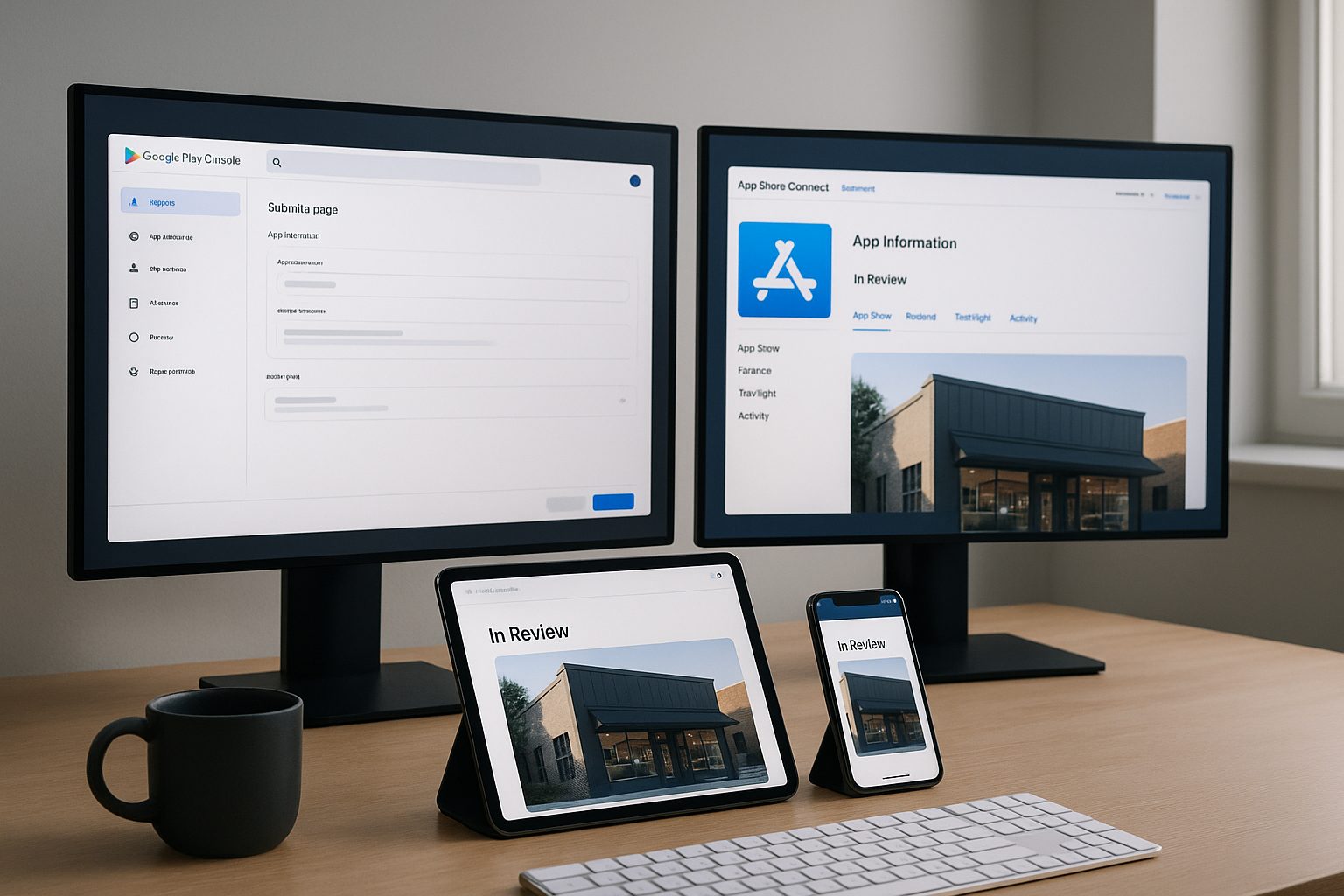
- Google Play: Focuses on app stability, content policies, and user privacy. Website-based apps must provide a seamless experience and comply with Play Store guidelines.
- Apple App Store: Has stricter rules, especially Guideline 4.2, which requires meaningful native features beyond just displaying a website. Push notifications and navigation help your app get approved.
Using a no-code platform like Web2Application ensures your app meets these requirements by adding native features and guiding you through compliance.
Preparing Your Website App for Store Submission: Essential Pre-Checks
- Ensure your website is mobile-friendly and fast-loading.
- Set up app branding: icon, splash screen, and name.
- Enable push notifications (recommended for approval, especially on iOS).
- Connect your website to the app builder (for WordPress: install the Web2Application plugin).
- Test your app thoroughly using the APK (Android) or TestFlight (iOS).
- Prepare privacy policy and terms of service pages—both stores require these.
With Web2Application, these steps are built into the dashboard, making setup straightforward for non-coders.
Google Play Submission: Step-by-Step for Website-Based Apps
- Create a Google Play Developer Account ($25 one-time fee).
- In Web2Application, finalize your app’s details and request the APK.
- Test the APK on your device to confirm everything works.
- In the Google Play Console, click Create app and fill out the required information (app name, description, category, content rating, privacy policy URL).
- Upload your APK file.
- Set up store listing graphics (screenshots, icon, feature graphic).
- Complete the content rating and privacy sections.
- Review and submit your app for review.
Tip: Web2Application’s support team can assist premium users with the submission process, ensuring your app meets Google’s requirements.
Apple App Store Submission: Step-by-Step for Website-Based Apps
- Enroll in the Apple Developer Program ($99/year).
- In Web2Application, complete your app setup and request iOS build.
- Test your app with Apple TestFlight (Web2Application provides the build and instructions).
- In App Store Connect, create a new app record and enter all required info (name, description, keywords, privacy policy).
- Upload your app build (Web2Application assists with this step for premium users).
- Add screenshots and app icon.
- Complete the App Review Information, including demo account details if your app requires login.
- Submit your app for review.
Note: Apple requires your app to offer native features (like push notifications and navigation). Web2Application apps are designed to comply with these guidelines.
Common Roadblocks (and How to Avoid Them) When Publishing Website Apps
- App rejected for being a website wrapper: Add native features (push, navigation, offline support). Web2Application includes these by default.
- Missing privacy policy: Always include a privacy policy link in your app’s settings and store listing.
- Push notifications not working: Complete Firebase setup (Android) or enable notifications in Web2Application (iOS).
- Unresponsive design: Make sure your website is mobile-optimized before conversion.
How Web2Application Streamlines Store Submission and Approval
Web2Application was built for website owners who want a mobile app—no coding required. Here’s how it helps:
- Guided setup for all app details, branding, and features.
- One-click APK and iOS builds for testing and submission.
- Native features (push notifications, navigation, offline support) built in.
- WordPress plugin for seamless content sync.
- Premium support for store submission—including hands-on help with Google Play and Apple App Store processes.
What Happens After Submission: Updates, Reviews, and Next Steps
- App Review: Both stores review your app for compliance. This can take a few days (Google) to a week or more (Apple).
- Approval or Rejection: If approved, your app goes live. If rejected, review the feedback and update your app in Web2Application—then resubmit.
- Updates: Use Web2Application to make changes, request a new build, and submit updates to the stores as needed.
- Promotion: Share your app’s store links, use smart download links, and promote to your website visitors.
Resources and Support for a Smooth App Launch
- Free step-by-step app creation course
- Comprehensive knowledge base and video tutorials
- Premium WhatsApp support for hands-on help
Ready to publish your website app to Google Play and the App Store? Sign up for Web2Application today and launch your app to millions—no coding required!
Frequently Asked Questions
Do I need to know how to code to submit my website app to Google Play or the App Store?
No, with platforms like Web2Application, you can convert your website into a hybrid app with a native shell and submit it to both stores without any coding knowledge.
What are the main reasons website-based apps get rejected from app stores?
Common reasons include lack of native features, missing privacy policies, and unresponsive design. Web2Application helps you address these issues automatically.
How long does it take for my app to be approved?
Google Play reviews usually take a few days. Apple App Store reviews can take a week or more, especially for first-time submissions.
Can I update my app after it’s published?
Yes! You can make changes in Web2Application, request a new build, and submit updates to the stores as needed.
Does Web2Application help with the submission process?
Yes, premium users get hands-on support for both Google Play and Apple App Store submissions, including build preparation and compliance guidance.
Ready to turn your site into an app?
Create your app with Web2Application — convert your website to Android and iOS apps.
Frequently Asked Questions
Can I convert any website into a mobile app using Web2Application?
Yes, Web2Application allows you to convert most websites into hybrid Android and iOS apps with a native shell without coding, including WordPress and WooCommerce sites.
Do I need coding skills to submit my website app to the stores?
No coding is required. Web2Application provides a no-code platform that guides you through app creation, testing, and submission to Google Play and Apple App Store.
What native features does Web2Application add to my app?
Web2Application adds native features like push notifications, bottom tab navigation and splash screens to meet app store guidelines.
How can I test my app before submitting it to the stores?
You can generate a test APK for Android or use Apple TestFlight for iOS directly from the Web2Application dashboard to test your app on real devices.
Does Web2Application assist with app store submission?
Yes, premium users receive support for submitting apps to Google Play and Apple App Store, including help with compliance and store requirements.
Generate a test APK and explore Premium features with a 14-day free trial. No coding needed!
Frequently Asked Questions
Can I convert any website into a mobile app using Web2Application?
Yes, Web2Application allows you to convert most websites into hybrid Android and iOS apps with a native shell without coding, including WordPress and WooCommerce sites.
Do I need coding skills to submit my website app to the stores?
No coding is required. Web2Application provides a no-code platform that guides you through app creation, testing, and submission to Google Play and Apple App Store.
What native features does Web2Application add to my app?
Web2Application adds native features like push notifications, bottom tab navigation and splash screens to meet app store guidelines.
How can I test my app before submitting it to the stores?
You can generate a test APK for Android or use Apple TestFlight for iOS directly from the Web2Application dashboard to test your app on real devices.
Does Web2Application assist with app store submission?
Yes, premium users receive support for submitting apps to Google Play and Apple App Store, including help with compliance and store requirements.
Frequently Asked Questions about Website to App Submission
Can I convert any website into a mobile app without coding?
Yes. Web2Application enables you to convert websites into hybrid Android and iOS apps with a native shell without any coding. Its dashboard guides you through app setup, testing, and store submission.
What are the key requirements for submitting a website app to Google Play?
Google Play requires apps to be stable, comply with content policies, respect user privacy, and provide a seamless native experience. Using Web2Application ensures your app meets these by adding native features and push notifications.
Why is Apple’s Guideline 4.2 important for website apps?
Apple requires apps to offer meaningful native functionality beyond just displaying a website. Features like push notifications and native navigation help your app comply. Web2Application adds these essential features automatically.
How can I test my app before submitting it to the stores?
Web2Application allows you to generate a test APK for Android and provides iOS builds compatible with Apple TestFlight. Testing ensures your app works smoothly before submission.
Does Web2Application assist with app store submission?
Yes. Premium users can get support from Web2Application’s team for submitting apps to Google Play and Apple App Store, helping navigate the developer consoles and compliance requirements.
Generate a test APK and explore Premium features with a 14-day free trial. No coding required.
Frequently Asked Questions
Can I convert any website into a mobile app without coding?
Yes. Web2Application enables you to convert websites into hybrid Android and iOS apps with a native shell without any coding. Its dashboard guides you through app setup, testing, and store submission.
What are the key requirements for submitting a website app to Google Play?
Google Play requires apps to be stable, comply with content policies, respect user privacy, and provide a seamless native experience. Using Web2Application ensures your app meets these by adding native features and push notifications.
Why is Apple’s Guideline 4.2 important for website apps?
Apple requires apps to offer meaningful native functionality beyond just displaying a website. Features like push notifications and native navigation help your app comply. Web2Application adds these essential features automatically.
How can I test my app before submitting it to the stores?
Web2Application allows you to generate a test APK for Android and provides iOS builds compatible with Apple TestFlight. Testing ensures your app works smoothly before submission.
Does Web2Application assist with app store submission?
Yes. Premium users can get support from Web2Application’s team for submitting apps to Google Play and Apple App Store, helping navigate the developer consoles and compliance requirements.
Frequently Asked Questions
Can I convert any website into a mobile app without coding?
Yes. Web2Application allows you to convert any website into a hybrid Android and iOS app with a native shell without coding, providing tools to configure app design, push notifications, and store submission.
What are the main requirements for submitting a website app to Google Play and Apple App Store?
Both stores require your app to provide a high-quality user experience, comply with content policies, and include native features such as push notifications and navigation. Apple specifically requires meaningful native functionality beyond a simple web view.
How can I test my app before submitting to the app stores?
Web2Application enables you to generate a test APK for Android and provides iOS builds compatible with Apple TestFlight, so you can test your app thoroughly on real devices before submission.
Does Web2Application assist with app store submission?
Yes. Premium Web2Application users can get support for submitting apps to Google Play and Apple App Store, including guidance on meeting store guidelines and technical assistance.
Generate a test APK and explore Premium features with a 14-day free trial. No coding needed to convert your website into hybrid Android and iOS apps with a native shell.
Frequently Asked Questions
Can I convert any website into a mobile app without coding?
Yes. Web2Application allows you to convert any website into a hybrid Android and iOS app with a native shell without coding, providing tools to configure app design, push notifications, and store submission.
What are the main requirements for submitting a website app to Google Play and Apple App Store?
Both stores require your app to provide a high-quality user experience, comply with content policies, and include native features such as push notifications and navigation. Apple specifically requires meaningful native functionality beyond a simple web view.
How can I test my app before submitting to the app stores?
Web2Application enables you to generate a test APK for Android and provides iOS builds compatible with Apple TestFlight, so you can test your app thoroughly on real devices before submission.
Does Web2Application assist with app store submission?
Yes. Premium Web2Application users can get support for submitting apps to Google Play and Apple App Store, including guidance on meeting store guidelines and technical assistance.
Frequently Asked Questions (FAQs)
- Can I convert any website into an app using Web2Application?
- Yes, Web2Application supports most websites and offers special WordPress integration for seamless content syncing.
- Do I need coding skills to create and submit my app?
- No coding is required. Web2Application provides an intuitive dashboard to configure, test, and prepare your app for store submission.
- How do push notifications help with app store approval?
- Push notifications add native app functionality required especially by Apple’s guidelines, increasing your app’s chances of approval.
- Can I test my app before submitting to stores?
- Yes, you can generate a test APK for Android and use TestFlight for iOS to thoroughly test your app before submission.
- Does Web2Application assist with app store submissions?
- Premium users receive support for submitting apps to Google Play and Apple App Store, helping ensure compliance with store requirements.
Ready to turn your website into a hybrid mobile app with a native shell? Create Your App Free today and generate your test APK. Explore Premium features with a 14-day free trial and get expert support for a smooth app store submission.
Frequently Asked Questions
Can I convert any website into an app using Web2Application?
Yes, Web2Application supports most websites and offers special WordPress integration for seamless content syncing.
Do I need coding skills to create and submit my app?
No coding is required. Web2Application provides an intuitive dashboard to configure, test, and prepare your app for store submission.
How do push notifications help with app store approval?
Push notifications add native app functionality required especially by Apple’s guidelines, increasing your app’s chances of approval.
Can I test my app before submitting to stores?
Yes, you can generate a test APK for Android and use TestFlight for iOS to thoroughly test your app before submission.
Does Web2Application assist with app store submissions?
Premium users receive support for submitting apps to Google Play and Apple App Store, helping ensure compliance with store requirements.
Frequently Asked Questions (FAQs)
Can I convert any website to a mobile app with Web2Application?
Yes, Web2Application supports converting most websites, including WordPress and WooCommerce sites, into hybrid Android and iOS apps with a native shell without coding.
Do I need coding skills to use Web2Application?
No coding skills are required. Web2Application provides an easy dashboard to configure your app, test APKs, and submit to app stores.
How do I test my app before submitting to stores?
You can generate a test APK for Android and use Apple TestFlight for iOS testing directly from the Web2Application dashboard.
What native features does Web2Application add to my website app?
Web2Application adds push notifications, native navigation menus and splash screens to meet app store guidelines.
Is there a free trial to try Web2Application?
Yes, you can create your app free, generate a test APK, and explore Premium features with a 14-day trial.
Start converting your website into hybrid Android and iOS apps with a native shell today. Generate a test APK and explore Premium features with a 14-day free trial.
Frequently Asked Questions
Can I convert any website to a mobile app with Web2Application?
Yes, Web2Application supports converting most websites, including WordPress and WooCommerce sites, into hybrid Android and iOS apps with a native shell without coding.
Do I need coding skills to use Web2Application?
No coding skills are required. Web2Application provides an easy dashboard to configure your app, test APKs, and submit to app stores.
How do I test my app before submitting to stores?
You can generate a test APK for Android and use Apple TestFlight for iOS testing directly from the Web2Application dashboard.
What native features does Web2Application add to my website app?
Web2Application adds push notifications, native navigation menus and splash screens to meet app store guidelines.
Is there a free trial to try Web2Application?
Yes, you can create your app free, generate a test APK, and explore Premium features with a 14-day trial.
Frequently Asked Questions (FAQ)
Can I convert any website into a mobile app using Web2Application?
Yes, Web2Application allows you to convert most websites into hybrid Android and iOS apps with a native shell without coding. It supports WordPress integration and adds native app features required by app stores.
Do I need coding skills to create and submit my app?
No coding is required. Web2Application’s dashboard guides you through app creation, testing, and submission to Google Play and Apple App Store with step-by-step instructions.
What are the key app store requirements for website-based apps?
Both Google Play and Apple App Store require apps to provide native functionality, stability, user privacy, and meaningful features like push notifications and navigation beyond just displaying a website.
How can I test my app before submitting to the stores?
Web2Application lets you generate a test APK for Android and provides iOS builds for testing with Apple TestFlight. This helps you verify app functionality before submission.
Does Web2Application assist with app store submission?
Yes, premium users receive support with Google Play and Apple App Store submission processes, ensuring your app meets all guidelines for approval.
Generate your test APK and explore Premium features with a 14-day free trial. Start converting your website to a hybrid app with a native shell today—no coding needed.
Frequently Asked Questions
Can I convert any website into a mobile app using Web2Application?
Yes, Web2Application allows you to convert most websites into hybrid Android and iOS apps with a native shell without coding. It supports WordPress integration and adds native app features required by app stores.
Do I need coding skills to create and submit my app?
No coding is required. Web2Application’s dashboard guides you through app creation, testing, and submission to Google Play and Apple App Store with step-by-step instructions.
What are the key app store requirements for website-based apps?
Both Google Play and Apple App Store require apps to provide native functionality, stability, user privacy, and meaningful features like push notifications and navigation beyond just displaying a website.
How can I test my app before submitting to the stores?
Web2Application lets you generate a test APK for Android and provides iOS builds for testing with Apple TestFlight. This helps you verify app functionality before submission.
Does Web2Application assist with app store submission?
Yes, premium users receive support with Google Play and Apple App Store submission processes, ensuring your app meets all guidelines for approval.
Frequently Asked Questions about Website to App Submission
- What is the easiest way to convert my website to an app?
- Using a hybrid app builder like Web2Application lets you create Android and iOS apps with a native Java and Swift shell, showing your existing website inside the app, without coding.
- Do I need coding skills to submit my website app to Google Play or Apple App Store?
- No. Web2Application guides you through app creation and store submission with no coding required, including generating test APKs and iOS builds.
- What native features does Web2Application add to my website app?
- Web2Application adds native tabs, push notifications, deep links, app icon, splash screen, and more, ensuring compliance with store requirements.
- How can I test my app before submitting it to the stores?
- You can generate a free Android test APK and test on your device. For iOS, Web2Application supports TestFlight testing before submission.
- Are push notifications required for app approval?
- While not always mandatory, enabling push notifications improves your app’s chances of approval, especially on Apple’s App Store.
- What are the costs involved in submitting my website app?
- Google Play requires a one-time $25 developer account fee. Apple requires a $99/year developer program subscription. Web2Application plans start at $14.90/month.
- Can Web2Application help with the submission process?
- Yes, premium Web2Application users receive support and guidance for submitting apps to both Google Play and Apple App Store.
Ready to Turn Your Website into a Mobile App?
Start your app creation journey today with Web2Application. Create your app free, generate a test APK for Android, and explore Premium features with a 14-day trial. No coding needed — just your website and our hybrid app builder.
Frequently Asked Questions
What is the easiest way to convert my website to an app?
Using a hybrid app builder like Web2Application lets you create Android and iOS apps with a native Java and Swift shell, showing your existing website inside the app, without coding.
Do I need coding skills to submit my website app to Google Play or Apple App Store?
No. Web2Application guides you through app creation and store submission with no coding required, including generating test APKs and iOS builds.
What native features does Web2Application add to my website app?
Web2Application adds native tabs, push notifications, deep links, app icon, splash screen, and more, ensuring compliance with store requirements.
How can I test my app before submitting it to the stores?
You can generate a free Android test APK and test on your device. For iOS, Web2Application supports TestFlight testing before submission.
Are push notifications required for app approval?
While not always mandatory, enabling push notifications improves your app’s chances of approval, especially on Apple’s App Store.
What are the costs involved in submitting my website app?
Google Play requires a one-time $25 developer account fee. Apple requires a $99/year developer program subscription. Web2Application plans start at $14.90/month.
Can Web2Application help with the submission process?
Yes, premium Web2Application users receive support and guidance for submitting apps to both Google Play and Apple App Store.
Frequently Asked Questions About Website to App Submission
What is a website to app hybrid app?
A hybrid app created with Web2Application uses a native Java (Android) and Swift (iOS) shell with native tabs, push notifications, and deep links, while displaying your existing website inside a WebView. This approach combines native features with your live website content.
Do I need coding skills to create an app from my website?
No coding is required. Web2Application provides a no-code hybrid app builder that guides you through app setup, testing, and store submission, making it easy for website owners to create Android and iOS apps.
How do I test my app before submitting to app stores?
You can generate a free Android test APK from the Web2Application dashboard to install and test on your device. For iOS, Web2Application supports TestFlight testing. Both allow you to verify your app’s functionality before submission.
What native features does Web2Application add to my website app?
Web2Application adds a native app shell with bottom tab navigation, push notifications via Firebase, deep linking, and native splash screen and icon support, helping your app meet Google Play and Apple App Store requirements.
Is store approval guaranteed when using Web2Application?
No. Store approval depends on meeting Google Play and Apple App Store guidelines. Web2Application helps you build apps that comply with requirements, but final approval is at the discretion of the stores.
Generate your Android test APK and explore Premium features with a 14-day free trial.
Frequently Asked Questions
What is a website to app hybrid app?
A hybrid app created with Web2Application uses a native Java (Android) and Swift (iOS) shell with native tabs, push notifications, and deep links, while displaying your existing website inside a WebView. This approach combines native features with your live website content.
Do I need coding skills to create an app from my website?
No coding is required. Web2Application provides a no-code hybrid app builder that guides you through app setup, testing, and store submission, making it easy for website owners to create Android and iOS apps.
How do I test my app before submitting to app stores?
You can generate a free Android test APK from the Web2Application dashboard to install and test on your device. For iOS, Web2Application supports TestFlight testing. Both allow you to verify your app’s functionality before submission.
What native features does Web2Application add to my website app?
Web2Application adds a native app shell with bottom tab navigation, push notifications via Firebase, deep linking, and native splash screen and icon support, helping your app meet Google Play and Apple App Store requirements.
Is store approval guaranteed when using Web2Application?
No. Store approval depends on meeting Google Play and Apple App Store guidelines. Web2Application helps you build apps that comply with requirements, but final approval is at the discretion of the stores.
Frequently Asked Questions About Website to App Submission
- What is a website to app hybrid?
- A website to app hybrid is a mobile app built with a native Java (Android) and Swift (iOS) shell that displays your existing website inside a WebView, combined with native tabs, push notifications, and deep links.
- Do I need coding skills to create an app from my website?
- No. Web2Application is a hybrid app builder designed for website owners to create Android and iOS apps without coding, using a native shell and your website content inside the app.
- How does Web2Application help with app store submission?
- Web2Application guides you through app setup, including branding, push notifications, and testing. Premium users get support for Google Play and Apple App Store submission to meet store guidelines.
- Can I test my app before submitting to stores?
- Yes. You can generate a free Android test APK and test the iOS app with Apple TestFlight. Both allow you to verify your app’s functionality before submission.
- Are push notifications required for app store approval?
- Push notifications are strongly recommended, especially for Apple App Store approval, as they add meaningful native features beyond just showing your website.
- What are the costs involved in app store submission?
- Google Play requires a one-time $25 developer account fee. Apple Developer Program costs $99 per year. Web2Application pricing starts at $14.90/month after a 14-day free trial.
- Does the app work offline?
- No. Web2Application apps display your live website inside the app and require an internet connection to function.
Create Your App Free with Web2Application
Start building your hybrid Android and iOS app today with Web2Application. Generate a free Android test APK, explore all Premium features during your 14-day trial, and get native push notifications and deep links integrated seamlessly. No coding required.
Frequently Asked Questions
What is a website to app hybrid?
A website to app hybrid is a mobile app built with a native Java (Android) and Swift (iOS) shell that displays your existing website inside a WebView, combined with native tabs, push notifications, and deep links.
Do I need coding skills to create an app from my website?
No. Web2Application is a hybrid app builder designed for website owners to create Android and iOS apps without coding, using a native shell and your website content inside the app.
How does Web2Application help with app store submission?
Web2Application guides you through app setup, including branding, push notifications, and testing. Premium users get support for Google Play and Apple App Store submission to meet store guidelines.
Can I test my app before submitting to stores?
Yes. You can generate a free Android test APK and test the iOS app with Apple TestFlight. Both allow you to verify your app’s functionality before submission.
Are push notifications required for app store approval?
Push notifications are strongly recommended, especially for Apple App Store approval, as they add meaningful native features beyond just showing your website.
What are the costs involved in app store submission?
Google Play requires a one-time $25 developer account fee. Apple Developer Program costs $99 per year. Web2Application pricing starts at $14.90/month after a 14-day free trial.
Does the app work offline?
No. Web2Application apps display your live website inside the app and require an internet connection to function.
Frequently Asked Questions About Website to App Submission
- What is a website to app hybrid?
- Web2Application creates hybrid Android and iOS apps with a native Java and Swift shell featuring native tabs and push notifications. Your website content loads inside a WebView, combining native features with your existing site.
- Do I need coding skills to create an app from my website?
- No. Web2Application is a no-code hybrid app builder designed for website owners to create Android and iOS apps without programming knowledge.
- How do I test my app before submitting to the stores?
- You can generate a free Android test APK from the Web2Application dashboard and install it on your device. iOS testing is done via Apple TestFlight after requesting an iOS build.
- Are push notifications supported for website apps?
- Yes. Web2Application includes native push notifications using Firebase, which are important for app store approval and user engagement.
- What are the costs involved in submitting my app?
- Google Play requires a one-time $25 developer account fee; Apple requires a $99/year developer program membership. Web2Application plans start at $14.90/month after a 14-day free trial with full features.
- Does Web2Application guarantee app approval on Google Play or Apple App Store?
- No platform can guarantee approval. Web2Application helps you meet store guidelines by providing native features and submission support but final approval depends on the stores.
Schema.org FAQ Structured Data
Ready to Turn Your Website into a Mobile App?
Create your hybrid Android and iOS app today with Web2Application’s native Java and Swift shell featuring native tabs and push notifications. No coding needed. Generate your free Android test APK and explore Premium features during a 14-day trial.
Frequently Asked Questions
What is a website to app hybrid?
Web2Application creates hybrid Android and iOS apps with a native Java and Swift shell featuring native tabs and push notifications. Your website content loads inside a WebView, combining native features with your existing site.
Do I need coding skills to create an app from my website?
No. Web2Application is a no-code hybrid app builder designed for website owners to create Android and iOS apps without programming knowledge.
How do I test my app before submitting to the stores?
You can generate a free Android test APK from the Web2Application dashboard and install it on your device. iOS testing is done via Apple TestFlight after requesting an iOS build.
Are push notifications supported for website apps?
Yes. Web2Application includes native push notifications using Firebase, which are important for app store approval and user engagement.
What are the costs involved in submitting my app?
Google Play requires a one-time $25 developer account fee; Apple requires a $99/year developer program membership. Web2Application plans start at $14.90/month after a 14-day free trial with full features.
Does Web2Application guarantee app approval on Google Play or Apple App Store?
No platform can guarantee approval. Web2Application helps you meet store guidelines by providing native features and submission support but final approval depends on the stores.