Behind the Scenes: What Really Happens When You Turn Your Website Into a Mobile App (Technical Deep Dive)
- nir
- August 23, 2026
- Marketing
- Marketing AI
- 0 Comments
What Does ‘Converting a Website to an App’ Actually Mean?
For website owners, the promise of turning your website into a mobile app is enticing. But what does this process really involve? At its core, creating an app from a website means placing your site’s content and functionality inside a native app shell, allowing users to install it from the App Store or Google Play, access device features, and enjoy a seamless mobile experience.
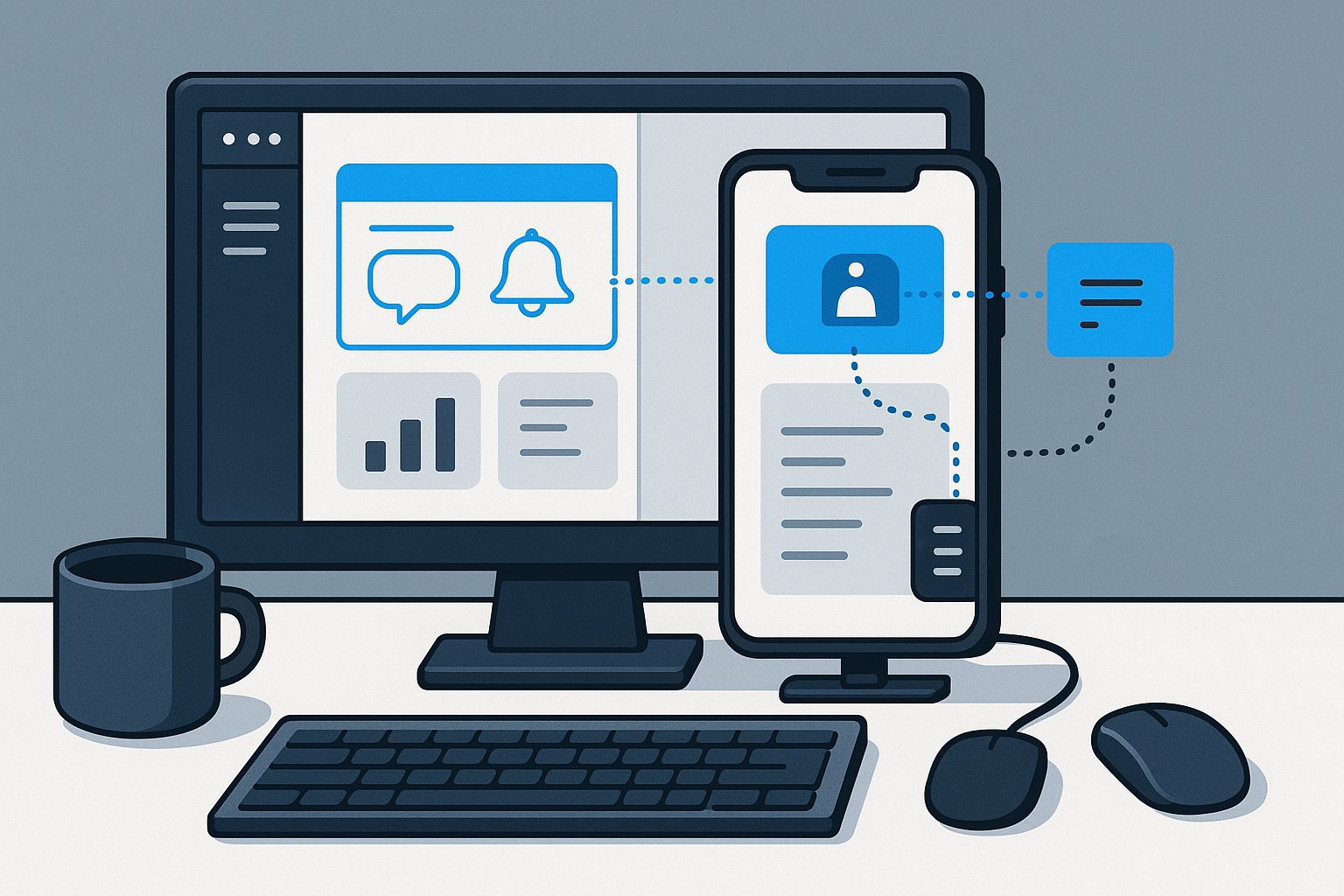
Unlike simply bookmarking a site, a true website-to-app conversion leverages native mobile capabilities—push notifications and device integrations—to deliver a richer, more engaging experience. Let’s pull back the curtain on what happens behind the scenes.
How Website Content Is Transformed Into a hybrid Mobile App with a native shell
The technical journey begins when you submit your website URL to a platform like Web2Application. Here’s what happens next:
- App Shell Creation: The platform generates a native Android and/or iOS app shell, which acts as a container for your web content.
- Webview Integration: Your website is loaded inside a secure webview, allowing it to render just like in a mobile browser—but with added native controls and features.
- Asset Packaging: App icons, splash screens, and configuration files are bundled to meet app store requirements.
This process ensures your app feels native, with smooth navigation, fast loading, and access to mobile-only features.
Key Technical Steps: From URL Submission to App Build
- Sign Up & App Creation: Register on Web2Application and start a new project in your dashboard.
- Configure App Details: Upload your app icon, splash screen, and specify your website URL. Choose color schemes and navigation styles.
- Set Up Integrations: For WordPress sites, connect via the Web2Application plugin and API key to enable advanced features and content sync.
- Enable Push Notifications: Integrate with Google Firebase for Android/iOS push notifications. The dashboard guides you through connecting your Firebase project.
- Build & Test APK: Request an APK (Android app file) from the dashboard, install it on your device, and test all features before submission.
- App Store Preparation: For premium users, Web2Application assists with Google Play and Apple App Store submission, ensuring your app meets all guidelines.
Integrations That Make Your App More Than Just a Webview
A quality website-to-app converter goes beyond displaying your site in a webview. With Web2Application, you can:
- Sync Content: Use the WordPress plugin for real-time updates and WooCommerce product integration.
- Customize Navigation: Add a native bottom tab bar or side menu for intuitive app navigation.
- Personalize Design: Adjust splash screens, icons, and color schemes to match your brand.
These integrations ensure your app feels polished and user-friendly, not just a browser shortcut.
Push Notifications, Device Features, and Native Enhancements
Native apps can leverage device features that websites alone can’t access. With Web2Application, you can:
- Send Push Notifications: Instantly reach users with updates, promotions, or alerts—set up via Firebase in your dashboard.
- Access Device Features: Enable camera, location, and file uploads where supported by your website and app permissions.
- Offline Caching: Improve reliability by caching key assets for offline use (where possible).
These enhancements drive engagement and retention, making your app a true extension of your business.
Limitations and Challenges: What a Converter Can and Can’t Do
While website-to-app platforms like Web2Application offer powerful tools, there are some inherent limitations:
- App Store Guidelines: Apple and Google require apps to offer meaningful native functionality. Web2Application includes push, navigation, and integrations to meet these standards, but purely static or brochure-style sites may face rejection.
- Performance: Heavily scripted or poorly optimized websites may not perform as smoothly in a mobile app context. Testing and optimization are key.
- Native APIs: Some advanced device features (like deep camera access or background tasks) may require custom development beyond what converters offer.
Understanding these boundaries helps set realistic expectations and guides you toward the best possible app experience.
Testing, Debugging, and Preparing for App Store Submission
Before launching, thorough testing is essential. With Web2Application, you can:
- Download and Install APKs: Test your Android app on real devices to ensure navigation, notifications, and integrations work flawlessly.
- Use TestFlight for iOS: For Apple devices, test your app with TestFlight before submitting for review.
- Debug and Optimize: Address any issues found during testing—such as missing icons, push notification errors, or navigation bugs.
- Get Submission Support: Premium users receive hands-on help with Google Play Console and Apple Developer account setup, ensuring a smooth review process.
Why Choose Web2Application for a Transparent, Supported Process
Unlike generic guides or opaque platforms, Web2Application offers:
- Step-by-Step Transparency: See exactly how your website is transformed, with clear dashboard controls and status updates at every stage.
- Comprehensive Integrations: From WordPress plugins to push notifications, unlock features that make your app stand out.
- Expert Support: Access real human support via WhatsApp and email, especially during critical submission phases.
- Free Trial and Flexible Plans: Start building your app for free, upgrade when you’re ready for advanced features and store launch.
Ready to see your website become a powerful mobile app? Sign up for Web2Application today and experience a transparent, supported conversion process from start to finish!
Frequently Asked Questions
What is the easiest way to create an app from a website?
The easiest way is to use a website-to-app platform like Web2Application, which guides you through submitting your URL, configuring your app, and launching it on Google Play and the App Store—all without coding.
Will my app update automatically when I change my website?
Yes. With Web2Application, your app displays your live website, so updates to your site are reflected instantly in the app. For WordPress sites, the plugin ensures even deeper content syncing.
Can I send push notifications to my app users?
Absolutely! Web2Application integrates with Google Firebase, allowing you to send push notifications to users on both Android and iOS devices.
Are there any limitations to converting my website into an app?
While most websites convert smoothly, some advanced native features may require custom development. App stores also require your app to offer real value beyond just displaying a website—Web2Application helps you meet these guidelines.
How do I test my app before publishing?
After configuring your app in Web2Application, you can download an APK for Android or use TestFlight for iOS to test your app on real devices before submitting to the app stores.
Ready to turn your site into an app?
Create your app with Web2Application — convert your website to Android and iOS apps.
Frequently Asked Questions About Making an App from a Website
- What does it mean to make an app from a website?
- It means wrapping your website content inside a native mobile app shell that runs on Android and iOS devices, enabling native features like push notifications.
- How does Web2Application convert a website into an app?
- Web2Application creates a native app shell, loads your website in a secure webview, packages app assets, and integrates features like push notifications and WordPress syncing.
- Can I test my app before submitting to app stores?
- Yes, you can generate a test APK for Android and install it on your device to test all app features before submission.
- Do I need coding skills to use Web2Application?
- No coding is required. The platform guides you through app creation, configuration, and testing with an easy-to-use dashboard.
- What premium features does Web2Application offer?
- Premium unlocks push notifications, store submission assistance, advanced integrations, and priority support.
Ready to make an app from your website? Create Your App Free today on Web2Application. Generate a test APK instantly and explore Premium features with a 14-day trial—no risk, no coding needed.

Frequently Asked Questions
What does it mean to make an app from a website?
It means wrapping your website content inside a native mobile app shell that runs on Android and iOS devices, enabling native features like push notifications.
How does Web2Application convert a website into an app?
Web2Application creates a native app shell, loads your website in a secure webview, packages app assets, and integrates features like push notifications and WordPress syncing.
Can I test my app before submitting to app stores?
Yes, you can generate a test APK for Android and install it on your device to test all app features before submission.
Do I need coding skills to use Web2Application?
No coding is required. The platform guides you through app creation, configuration, and testing with an easy-to-use dashboard.
What premium features does Web2Application offer?
Premium unlocks push notifications, store submission assistance, advanced integrations, and priority support.
Frequently Asked Questions About Making an App from a Website
What does it mean to make an app from a website?
Making an app from a website means wrapping your website content inside a native Android and iOS app shell. This allows users to install your app from app stores and access native mobile features like push notifications.
How does Web2Application convert a website into a mobile app?
Web2Application creates a native app shell, loads your website in a secure webview, packages app assets like icons and splash screens, and enables native features such as push notifications and navigation menus. It also supports WordPress integration for content syncing.
Can I test my app before submitting it to app stores?
Yes. Web2Application lets you generate a test APK file to install and test your Android app on your device. iOS testing is supported via TestFlight for Premium users.
Do I need technical skills to create an app with Web2Application?
No advanced technical skills are required. Web2Application provides a user-friendly dashboard to configure your app, upload assets, connect WordPress if applicable, and request builds, with step-by-step guidance.
What are the benefits of using Web2Application over simple web bookmarks?
Unlike bookmarks, Web2Application apps have native mobile features like push notifications, native navigation menus, and better performance, providing a richer user experience.
Generate a test APK and explore Premium features with a 14-day free trial.
Frequently Asked Questions
What does it mean to make an app from a website?
Making an app from a website means wrapping your website content inside a native Android and iOS app shell. This allows users to install your app from app stores and access native mobile features like push notifications.
How does Web2Application convert a website into a mobile app?
Web2Application creates a native app shell, loads your website in a secure webview, packages app assets like icons and splash screens, and enables native features such as push notifications and navigation menus. It also supports WordPress integration for content syncing.
Can I test my app before submitting it to app stores?
Yes. Web2Application lets you generate a test APK file to install and test your Android app on your device. iOS testing is supported via TestFlight for Premium users.
Do I need technical skills to create an app with Web2Application?
No advanced technical skills are required. Web2Application provides a user-friendly dashboard to configure your app, upload assets, connect WordPress if applicable, and request builds, with step-by-step guidance.
What are the benefits of using Web2Application over simple web bookmarks?
Unlike bookmarks, Web2Application apps have native mobile features like push notifications, native navigation menus, and better performance, providing a richer user experience.
Frequently Asked Questions About Making an App from a Website
- What does it mean to make an app from a website?
- It means wrapping your website content inside a native mobile app shell, enabling installation from app stores and access to native device features like push notifications.
- How does Web2Application convert a website into an app?
- Web2Application creates a native Android and iOS app shell, loads your website in a secure webview, packages assets like icons and splash screens, and integrates features such as push notifications and navigation menus.
- Can I test my app before submitting it to stores?
- Yes, you can generate a test APK for Android directly from the dashboard and install it on your device to test all features before submission.
- Is there support for WordPress websites?
- Yes, Web2Application offers a WordPress plugin that syncs your content and WooCommerce products, enabling seamless app updates and enhanced functionality.
- What are the benefits of using Web2Application?
- Web2Application simplifies app creation with an easy dashboard, supports push notifications, helps with app store submissions for premium users, and provides integrations that make your app feel like a real app.
Ready to make an app from your website? Create Your App Free today to generate a test APK and explore Premium features with a 14-day trial. Experience firsthand how Web2Application can transform your website into a powerful mobile app.
Frequently Asked Questions
What does it mean to make an app from a website?
It means wrapping your website content inside a native mobile app shell, enabling installation from app stores and access to native device features like push notifications.
How does Web2Application convert a website into an app?
Web2Application creates a native Android and iOS app shell, loads your website in a secure webview, packages assets like icons and splash screens, and integrates features such as push notifications and navigation menus.
Can I test my app before submitting it to stores?
Yes, you can generate a test APK for Android directly from the dashboard and install it on your device to test all features before submission.
Is there support for WordPress websites?
Yes, Web2Application offers a WordPress plugin that syncs your content and WooCommerce products, enabling seamless app updates and enhanced functionality.
What are the benefits of using Web2Application?
Web2Application simplifies app creation with an easy dashboard, supports push notifications, helps with app store submissions for premium users, and provides integrations that make your app feel like a real app.
Frequently Asked Questions
What does it mean to make an app from a website?
Making an app from a website means wrapping your existing website content inside a native mobile app shell, allowing it to run as a standalone app on Android and iOS devices with enhanced features like push notifications.
How does Web2Application convert my website into a mobile app?
Web2Application creates a native app shell for Android and iOS, loads your website in a secure webview, bundles app assets like icons and splash screens, and integrates features such as push notifications and WordPress syncing to deliver a native app experience.
Can I test my app before publishing it?
Yes. Web2Application allows you to generate a test APK file to install on your Android device and test all app features before submitting to app stores.
Do I need technical skills to use Web2Application?
No advanced technical skills are required. Web2Application provides a user-friendly dashboard, setup wizards, and step-by-step guides to help you create and customize your app easily.
What extra features does Web2Application offer beyond basic website wrapping?
Beyond loading your website, Web2Application supports push notifications via Firebase, WordPress plugin integration for content sync, WooCommerce product search, customizable navigation menus, and app store submission assistance for premium users.
Generate your test APK and explore Premium features with a 14-day free trial. Start turning your website into a powerful mobile app today with Web2Application.
Frequently Asked Questions
What does it mean to make an app from a website?
Making an app from a website means wrapping your existing website content inside a native mobile app shell, allowing it to run as a standalone app on Android and iOS devices with enhanced features like push notifications.
How does Web2Application convert my website into a mobile app?
Web2Application creates a native app shell for Android and iOS, loads your website in a secure webview, bundles app assets like icons and splash screens, and integrates features such as push notifications and WordPress syncing to deliver a native app experience.
Can I test my app before publishing it?
Yes. Web2Application allows you to generate a test APK file to install on your Android device and test all app features before submitting to app stores.
Do I need technical skills to use Web2Application?
No advanced technical skills are required. Web2Application provides a user-friendly dashboard, setup wizards, and step-by-step guides to help you create and customize your app easily.
What extra features does Web2Application offer beyond basic website wrapping?
Beyond loading your website, Web2Application supports push notifications via Firebase, WordPress plugin integration for content sync, WooCommerce product search, customizable navigation menus, and app store submission assistance for premium users.
Frequently Asked Questions About Making an App from a Website
What does it mean to make an app from a website?
Making an app from a website means wrapping your website content inside a native mobile app shell, allowing users to install it on Android and iOS devices with native features like push notifications.
How does Web2Application convert a website into a mobile app?
Web2Application generates native app shells for Android and iOS, loads your website in a secure webview, bundles app assets like icons and splash screens, and enables integrations such as push notifications and WordPress syncing.
Can I test my app before publishing?
Yes, Web2Application allows you to generate a test APK for Android to install and test on your device before submitting your app to stores.
Do I need coding skills to create an app from my website?
No coding skills are required. Web2Application’s platform guides you through app creation, design customization, and feature setup with an easy dashboard interface.
Ready to Make an App from Your Website?
Start your free app creation journey with Web2Application today. Generate a test APK for Android, explore Premium features with a 14-day trial, and see how easy it is to transform your website into a hybrid mobile app with a native shell.
Frequently Asked Questions
What does it mean to make an app from a website?
Making an app from a website means wrapping your website content inside a native mobile app shell, allowing users to install it on Android and iOS devices with native features like push notifications.
How does Web2Application convert a website into a mobile app?
Web2Application generates native app shells for Android and iOS, loads your website in a secure webview, bundles app assets like icons and splash screens, and enables integrations such as push notifications and WordPress syncing.
Can I test my app before publishing?
Yes, Web2Application allows you to generate a test APK for Android to install and test on your device before submitting your app to stores.
Do I need coding skills to create an app from my website?
No coding skills are required. Web2Application’s platform guides you through app creation, design customization, and feature setup with an easy dashboard interface.
Frequently Asked Questions About Making an App from a Website
- What does it mean to make an app from a website?
- Making an app from a website means wrapping your existing website inside a native mobile app shell that runs on Android and iOS devices. This allows your site to leverage native features like push notifications and smoother navigation.
- How does Web2Application convert my website into a mobile app?
- Web2Application creates a native app shell and loads your website inside a secure webview. It packages your app icon, splash screen, and configuration files, and offers integrations such as WordPress plugin syncing and Firebase push notifications.
- Can I test my app before publishing?
- Yes, Web2Application lets you generate a test APK file for Android devices to install and test your app before submitting it to app stores.
- Do I need technical skills to create an app from my website?
- No, Web2Application provides a user-friendly dashboard and guides you through setup, including app design, push notifications, and store submission support.
- What are the benefits of using Web2Application?
- Web2Application offers a complete platform to convert your website into hybrid apps with a native shell with premium features like push notifications, WordPress integration, and expert app store submission assistance.
Ready to make an app from your website? Create Your App Free today at Web2Application. Generate your test APK and explore Premium features with a 14-day trial—no risk, no credit card required.
Frequently Asked Questions
What does it mean to make an app from a website?
Making an app from a website means wrapping your existing website inside a native mobile app shell that runs on Android and iOS devices. This allows your site to leverage native features like push notifications and smoother navigation.
How does Web2Application convert my website into a mobile app?
Web2Application creates a native app shell and loads your website inside a secure webview. It packages your app icon, splash screen, and configuration files, and offers integrations such as WordPress plugin syncing and Firebase push notifications.
Can I test my app before publishing?
Yes, Web2Application lets you generate a test APK file for Android devices to install and test your app before submitting it to app stores.
Do I need technical skills to create an app from my website?
No, Web2Application provides a user-friendly dashboard and guides you through setup, including app design, push notifications, and store submission support.
What are the benefits of using Web2Application?
Web2Application offers a complete platform to convert your website into hybrid apps with a native shell with premium features like push notifications, WordPress integration, and expert app store submission assistance.
Frequently Asked Questions About Making an App from a Website
- What does it mean to make an app from a website?
- Making an app from a website means wrapping your existing website content inside a native mobile app shell, enabling installation on Android and iOS devices with added native features like push notifications.
- How does Web2Application convert a website into a mobile app?
- Web2Application creates a native app shell, loads your website inside a secure webview, packages app assets, and integrates features such as push notifications and WordPress syncing to deliver a seamless mobile experience.
- Can I test my app before publishing?
- Yes, Web2Application allows you to generate a test APK for Android devices so you can install and test your app before submitting it to app stores.
- Do I need coding skills to create an app from my website?
- No coding is required. Web2Application provides a user-friendly dashboard to configure your app’s design, navigation, and features without programming.
- Does Web2Application support WordPress websites?
- Yes, there is a WordPress plugin that connects your site to the app for real-time content sync and WooCommerce integration.
- How can I enable push notifications in my app?
- You can integrate Google Firebase through the Web2Application dashboard to enable push notifications for both Android and iOS apps.
- What help does Web2Application provide for app store submission?
- Premium users receive assistance with submitting apps to Google Play and Apple App Store, ensuring compliance with store guidelines.
Ready to make an app from your website? Create Your App Free today, generate a test APK, and explore Premium features with a 14-day trial. Experience how Web2Application simplifies turning your website into a hybrid mobile app with a native shell.
Frequently Asked Questions
What does it mean to make an app from a website?
Making an app from a website means wrapping your existing website content inside a native mobile app shell, enabling installation on Android and iOS devices with added native features like push notifications.
How does Web2Application convert a website into a mobile app?
Web2Application creates a native app shell, loads your website inside a secure webview, packages app assets, and integrates features such as push notifications and WordPress syncing to deliver a seamless mobile experience.
Can I test my app before publishing?
Yes, Web2Application allows you to generate a test APK for Android devices so you can install and test your app before submitting it to app stores.
Do I need coding skills to create an app from my website?
No coding is required. Web2Application provides a user-friendly dashboard to configure your app’s design, navigation, and features without programming.
Does Web2Application support WordPress websites?
Yes, there is a WordPress plugin that connects your site to the app for real-time content sync and WooCommerce integration.
How can I enable push notifications in my app?
You can integrate Google Firebase through the Web2Application dashboard to enable push notifications for both Android and iOS apps.
What help does Web2Application provide for app store submission?
Premium users receive assistance with submitting apps to Google Play and Apple App Store, ensuring compliance with store guidelines.
Frequently Asked Questions About Making an App from a Website
What does it mean to make an app from a website?
Making an app from a website means wrapping your existing website content inside a native mobile app shell that runs on Android and iOS devices. This allows users to install your app from app stores and access native features like push notifications.
How does Web2Application convert a website into a mobile app?
Web2Application creates a native app shell for Android and iOS, loads your website inside a secure webview, packages app assets like icons and splash screens, and enables features such as push notifications and navigation menus. It also offers WordPress integration for content syncing.
Can I test my app before submitting it to app stores?
Yes. After configuring your app in the Web2Application dashboard, you can request a test APK file for Android. Install it on your device to verify functionality before submitting your app to Google Play or Apple App Store.
Do I need technical skills to create an app from my website?
No advanced technical skills are required. Web2Application provides an intuitive dashboard to guide you through app creation, configuration, testing, and submission. WordPress users benefit from a plugin that simplifies content synchronization.
What premium features does Web2Application offer?
Premium plans unlock push notifications, app store submission support, WhatsApp premium support, multiple user access, and more. You can try these features free for 14 days when you create your app.
Ready to make an app from your website? Create Your App Free with Web2Application today. Generate a test APK and explore Premium features with a 14-day free trial—no credit card required.
Frequently Asked Questions
What does it mean to make an app from a website?
Making an app from a website means wrapping your existing website content inside a native mobile app shell that runs on Android and iOS devices. This allows users to install your app from app stores and access native features like push notifications.
How does Web2Application convert a website into a mobile app?
Web2Application creates a native app shell for Android and iOS, loads your website inside a secure webview, packages app assets like icons and splash screens, and enables features such as push notifications and navigation menus. It also offers WordPress integration for content syncing.
Can I test my app before submitting it to app stores?
Yes. After configuring your app in the Web2Application dashboard, you can request a test APK file for Android. Install it on your device to verify functionality before submitting your app to Google Play or Apple App Store.
Do I need technical skills to create an app from my website?
No advanced technical skills are required. Web2Application provides an intuitive dashboard to guide you through app creation, configuration, testing, and submission. WordPress users benefit from a plugin that simplifies content synchronization.
What premium features does Web2Application offer?
Premium plans unlock push notifications, app store submission support, WhatsApp premium support, multiple user access, and more. You can try these features free for 14 days when you create your app.
Frequently Asked Questions About Making an App from a Website
- What does it mean to make an app from a website?
- Making an app from a website involves wrapping your existing website content inside a native app shell for Android and iOS. This allows your website to function like a mobile app with native features such as push notifications.
- How does Web2Application convert a website into a mobile app?
- Web2Application creates a native app shell, loads your website inside a secure webview, packages app icons and splash screens, and enables integrations like push notifications and WordPress syncing to deliver a native app experience.
- Can I test my app before submitting to app stores?
- Yes, you can generate a test APK file directly from the Web2Application dashboard to install and test your Android app on your device before submitting it to Google Play or Apple App Store.
- Does Web2Application support push notifications?
- Yes, the platform integrates with Google Firebase to enable push notifications on Android and iOS apps, which you can configure easily from the dashboard.
- Is there support for WordPress websites?
- Web2Application offers a WordPress plugin that connects your site via API, enabling real-time content sync and WooCommerce integration for product apps.
- What are the advantages of using Web2Application?
- Web2Application simplifies the technical process, offers design customization, supports push notifications, helps with app store submission for premium users, and provides a 14-day Premium trial to explore all features.
Ready to make an app from your website? Create Your App Free today on Web2Application. Generate a test APK, explore Premium features with a 14-day trial, and bring your website to mobile app stores seamlessly.
Frequently Asked Questions
What does it mean to make an app from a website?
Making an app from a website involves wrapping your existing website content inside a native app shell for Android and iOS. This allows your website to function like a mobile app with native features such as push notifications.
How does Web2Application convert a website into a mobile app?
Web2Application creates a native app shell, loads your website inside a secure webview, packages app icons and splash screens, and enables integrations like push notifications and WordPress syncing to deliver a native app experience.
Can I test my app before submitting to app stores?
Yes, you can generate a test APK file directly from the Web2Application dashboard to install and test your Android app on your device before submitting it to Google Play or Apple App Store.
Does Web2Application support push notifications?
Yes, the platform integrates with Google Firebase to enable push notifications on Android and iOS apps, which you can configure easily from the dashboard.
Is there support for WordPress websites?
Web2Application offers a WordPress plugin that connects your site via API, enabling real-time content sync and WooCommerce integration for product apps.
What are the advantages of using Web2Application?
Web2Application simplifies the technical process, offers design customization, supports push notifications, helps with app store submission for premium users, and provides a 14-day Premium trial to explore all features.
Frequently Asked Questions About Making an App from a Website
- What does it mean to make an app from a website?
- Making an app from a website means wrapping your existing website content inside a native Android or iOS app shell, enabling mobile-specific features like push notifications and app store installation.
- How does Web2Application convert my website into a mobile app?
- Web2Application creates a native app shell, loads your website inside a secure webview, packages app assets, and enables native features such as push notifications and navigation menus. It also supports WordPress integration for dynamic content syncing.
- Can I test my app before publishing?
- Yes. After configuring your app in the Web2Application dashboard, you can generate a test APK for Android devices to install and verify functionality before submitting to app stores.
- Do I need coding skills to create an app from my website?
- No coding is required. Web2Application provides an easy dashboard to configure your app, upload icons, set navigation, connect plugins, and manage push notifications without programming.
- What are the benefits of using Web2Application over just bookmarking a website?
- Unlike bookmarking, Web2Application apps offer native mobile features such as push notifications, smooth navigation, and app store presence, resulting in a better user experience and increased engagement.
- Is app store submission included?
- Premium Web2Application users receive assistance with Google Play and Apple App Store submissions, ensuring apps meet guidelines and are properly published.
Ready to make an app from your website? Create Your App Free today to generate a test APK and explore Premium features with a 14-day trial. Experience how easy it is to transform your website into a powerful native mobile app with Web2Application.
Frequently Asked Questions
What does it mean to make an app from a website?
Making an app from a website means wrapping your existing website content inside a native Android or iOS app shell, enabling mobile-specific features like push notifications and app store installation.
How does Web2Application convert my website into a mobile app?
Web2Application creates a native app shell, loads your website inside a secure webview, packages app assets, and enables native features such as push notifications and navigation menus. It also supports WordPress integration for dynamic content syncing.
Can I test my app before publishing?
Yes. After configuring your app in the Web2Application dashboard, you can generate a test APK for Android devices to install and verify functionality before submitting to app stores.
Do I need coding skills to create an app from my website?
No coding is required. Web2Application provides an easy dashboard to configure your app, upload icons, set navigation, connect plugins, and manage push notifications without programming.
What are the benefits of using Web2Application over just bookmarking a website?
Unlike bookmarking, Web2Application apps offer native mobile features such as push notifications, smooth navigation, and app store presence, resulting in a better user experience and increased engagement.
Is app store submission included?
Premium Web2Application users receive assistance with Google Play and Apple App Store submissions, ensuring apps meet guidelines and are properly published.
Frequently Asked Questions About Making an App from a Website
What does it mean to make an app from a website?
Making an app from a website means wrapping your existing website content inside a native mobile app shell. This allows your website to function as an app on Android and iOS devices, providing access to native features like push notifications and device integration.
How does Web2Application convert a website into a mobile app?
Web2Application generates a native app shell for Android and iOS, loads your website inside a secure webview, and packages app assets like icons and splash screens. It also supports integrations such as WordPress plugin sync, push notifications via Firebase, and app store submission support for premium users.
Can I test my app before publishing?
Yes. Web2Application lets you generate a test APK file from your dashboard to install and test your Android app on your device before submitting it to app stores.
Does Web2Application support push notifications?
Yes. Premium users can integrate Google Firebase push notifications through the Web2Application dashboard to engage app users with personalized messages.
Ready to make an app from your website? Create Your App Free today on Web2Application. Generate a test APK, explore Premium features with a 14-day trial, and start delivering a native mobile experience to your users.
Frequently Asked Questions
What does it mean to make an app from a website?
Making an app from a website means wrapping your existing website content inside a native mobile app shell. This allows your website to function as an app on Android and iOS devices, providing access to native features like push notifications and device integration.
How does Web2Application convert a website into a mobile app?
Web2Application generates a native app shell for Android and iOS, loads your website inside a secure webview, and packages app assets like icons and splash screens. It also supports integrations such as WordPress plugin sync, push notifications via Firebase, and app store submission support for premium users.
Can I test my app before publishing?
Yes. Web2Application lets you generate a test APK file from your dashboard to install and test your Android app on your device before submitting it to app stores.
Does Web2Application support push notifications?
Yes. Premium users can integrate Google Firebase push notifications through the Web2Application dashboard to engage app users with personalized messages.
Frequently Asked Questions About Creating an App from a Website
What does it mean to create an app from a website?
Creating an app from a website means wrapping your existing website content and functionality inside a native mobile app shell. This allows your site to run as a hybrid Android or iOS app with a native shell with access to device features like push notifications.
How does Web2Application convert a website into a mobile app?
Web2Application generates a native app shell for Android and iOS, loads your website inside a secure webview, packages app assets like icons and splash screens, and enables native features such as push notifications and customizable navigation.
Can I integrate my WordPress website with the app?
Yes. Web2Application offers a WordPress plugin that connects your site via API, enabling real-time content sync and WooCommerce product integration for a seamless app experience.
How can I test my app before publishing?
You can request a test APK from the Web2Application dashboard, install it on your Android device, and explore all features including push notifications and navigation before submitting to app stores.
Does Web2Application help with app store submission?
Yes, premium users get assistance submitting apps to Google Play and Apple App Store, including compliance with store guidelines and review processes.
Ready to transform your website into a powerful mobile app? Create Your App Free today on Web2Application. Generate a test APK instantly and explore Premium features with a 14-day free trial.
Frequently Asked Questions
What does it mean to create an app from a website?
Creating an app from a website means wrapping your existing website content and functionality inside a native mobile app shell. This allows your site to run as a hybrid Android or iOS app with a native shell with access to device features like push notifications.
How does Web2Application convert a website into a mobile app?
Web2Application generates a native app shell for Android and iOS, loads your website inside a secure webview, packages app assets like icons and splash screens, and enables native features such as push notifications and customizable navigation.
Can I integrate my WordPress website with the app?
Yes. Web2Application offers a WordPress plugin that connects your site via API, enabling real-time content sync and WooCommerce product integration for a seamless app experience.
How can I test my app before publishing?
You can request a test APK from the Web2Application dashboard, install it on your Android device, and explore all features including push notifications and navigation before submitting to app stores.
Does Web2Application help with app store submission?
Yes, premium users get assistance submitting apps to Google Play and Apple App Store, including compliance with store guidelines and review processes.
Frequently Asked Questions About Making an App from a Website
- What does it mean to make an app from a website?
- Making an app from a website means wrapping your existing website content inside a native mobile app shell that can be installed on Android and iOS devices. This allows your app to access native device features like push notifications.
- How does Web2Application convert my website into an app?
- Web2Application creates a native app shell for Android and iOS, loads your website inside a secure webview, packages app icons and splash screens, and enables integrations such as push notifications and WordPress content sync.
- Can I test my app before publishing?
- Yes. After configuring your app in the Web2Application dashboard, you can request a test APK file to install on your Android device and verify all features before submitting to app stores.
- Do I need technical skills to create an app from my website?
- Web2Application provides an easy-to-use dashboard with step-by-step guidance. While some setup like Firebase push notifications requires basic configuration, no advanced coding is needed.
- What are the benefits of using Web2Application?
- Web2Application offers seamless website-to-app conversion, WordPress and WooCommerce integration, push notifications, customizable navigation, and expert support for app store submission.
Ready to make an app from your website? Create Your App Free today and generate a test APK. Explore Premium features with a 14-day trial and bring your website to mobile users with ease.
Frequently Asked Questions
What does it mean to make an app from a website?
Making an app from a website means wrapping your existing website content inside a native mobile app shell that can be installed on Android and iOS devices. This allows your app to access native device features like push notifications.
How does Web2Application convert my website into an app?
Web2Application creates a native app shell for Android and iOS, loads your website inside a secure webview, packages app icons and splash screens, and enables integrations such as push notifications and WordPress content sync.
Can I test my app before publishing?
Yes. After configuring your app in the Web2Application dashboard, you can request a test APK file to install on your Android device and verify all features before submitting to app stores.
Do I need technical skills to create an app from my website?
Web2Application provides an easy-to-use dashboard with step-by-step guidance. While some setup like Firebase push notifications requires basic configuration, no advanced coding is needed.
What are the benefits of using Web2Application?
Web2Application offers seamless website-to-app conversion, WordPress and WooCommerce integration, push notifications, customizable navigation, and expert support for app store submission.
Frequently Asked Questions About Making an App from a Website
What does it mean to make an app from a website?
Making an app from a website means wrapping your existing website content inside a native Android or iOS app shell. This allows your site to function like a mobile app with native features such as push notifications and device integration.
How does Web2Application convert my website into a mobile app?
Web2Application generates a native app shell for Android and iOS, loads your website inside a secure webview, and bundles all necessary assets like icons and splash screens. It also offers integrations like WordPress syncing and push notifications to enhance your app’s functionality.
Can I test my app before publishing?
Yes. After configuring your app on Web2Application, you can request a test APK for Android and install it on your device to verify all features work as expected before submitting to app stores.
Do I need technical skills to create an app from my website?
No advanced coding skills are required. Web2Application provides an intuitive dashboard to configure your app, connect integrations like WordPress and Firebase, and generate your app with guided steps.
What are the benefits of using Web2Application?
Web2Application offers a streamlined process to convert your website into hybrid apps with a native shell, supports advanced features like push notifications and WooCommerce integration, and assists with app store submission for premium users.
Create Your App Free today to generate a test APK and explore Premium features with a 14-day trial. Experience firsthand how easy it is to make an app from your website using Web2Application.
Frequently Asked Questions
What does it mean to make an app from a website?
Making an app from a website means wrapping your existing website content inside a native Android or iOS app shell. This allows your site to function like a mobile app with native features such as push notifications and device integration.
How does Web2Application convert my website into a mobile app?
Web2Application generates a native app shell for Android and iOS, loads your website inside a secure webview, and bundles all necessary assets like icons and splash screens. It also offers integrations like WordPress syncing and push notifications to enhance your app’s functionality.
Can I test my app before publishing?
Yes. After configuring your app on Web2Application, you can request a test APK for Android and install it on your device to verify all features work as expected before submitting to app stores.
Do I need technical skills to create an app from my website?
No advanced coding skills are required. Web2Application provides an intuitive dashboard to configure your app, connect integrations like WordPress and Firebase, and generate your app with guided steps.
What are the benefits of using Web2Application?
Web2Application offers a streamlined process to convert your website into hybrid apps with a native shell, supports advanced features like push notifications and WooCommerce integration, and assists with app store submission for premium users.
Frequently Asked Questions About Creating an App from a Website
- What does it mean to create an app from a website?
- Creating an app from a website means wrapping your existing website content inside a native mobile app shell for Android and iOS. This allows users to install your app from app stores and access native mobile features like push notifications.
- How does Web2Application convert my website into a mobile app?
- Web2Application generates a native app shell, loads your website inside a secure webview, packages app icons and splash screens, and enables native features such as push notifications and navigation menus. You manage the process through an easy dashboard.
- Can I integrate my WordPress website with the app?
- Yes. Web2Application offers a WordPress plugin that connects your site via an API key, enabling real-time content sync and WooCommerce product integration for a seamless app experience.
- Do I need technical skills to create an app from my website?
- No. Web2Application’s dashboard guides you through each step, from app creation to testing APK files and submitting your app to Google Play and Apple App Store, with optional premium support.
- How can I test my app before publishing?
- You can request a test APK file from the Web2Application dashboard to install on your Android device and verify functionality before submitting to app stores.
- What native features does Web2Application support?
- Besides web content display, Web2Application supports push notifications via Firebase, customizable navigation menus and personalized app design elements like splash screens and icons.
Ready to create your app from your website? Create Your App Free today on Web2Application. Generate a test APK and explore Premium features with a 14-day trial—no risk, no credit card required.
Frequently Asked Questions
What does it mean to create an app from a website?
Creating an app from a website means wrapping your existing website content inside a native mobile app shell for Android and iOS. This allows users to install your app from app stores and access native mobile features like push notifications.
How does Web2Application convert my website into a mobile app?
Web2Application generates a native app shell, loads your website inside a secure webview, packages app icons and splash screens, and enables native features such as push notifications and navigation menus. You manage the process through an easy dashboard.
Can I integrate my WordPress website with the app?
Yes. Web2Application offers a WordPress plugin that connects your site via an API key, enabling real-time content sync and WooCommerce product integration for a seamless app experience.
Do I need technical skills to create an app from my website?
No. Web2Application’s dashboard guides you through each step, from app creation to testing APK files and submitting your app to Google Play and Apple App Store, with optional premium support.
How can I test my app before publishing?
You can request a test APK file from the Web2Application dashboard to install on your Android device and verify functionality before submitting to app stores.
What native features does Web2Application support?
Besides web content display, Web2Application supports push notifications via Firebase, customizable navigation menus and personalized app design elements like splash screens and icons.
Frequently Asked Questions About Making an App from a Website
What does it mean to make an app from a website?
Making an app from a website means wrapping your website’s content inside a native mobile app shell. This allows your website to function as a mobile app on Android and iOS devices with access to native features like push notifications and device hardware integration.
How does Web2Application convert my website into a mobile app?
Web2Application creates a native app shell that loads your website inside a secure webview. It packages app icons, splash screens, and configuration files, and enables features like push notifications and navigation menus. You configure your app in the dashboard, test with a generated APK, and submit it to app stores.
Can I add push notifications to my app?
Yes. Web2Application integrates with Google Firebase to enable push notifications for both Android and iOS apps. You can set this up easily through the dashboard’s push settings.
Is there support for WordPress websites?
Absolutely. Web2Application offers a WordPress plugin that syncs your site content and WooCommerce products with your app, ensuring real-time updates and enhanced app functionality.
How can I test my app before publishing?
You can generate a test APK file directly from the Web2Application dashboard. Install the APK on your Android device to test your app’s features and performance before submitting it to the app stores.
Ready to make an app from your website? Create Your App Free today on Web2Application. Generate your test APK and explore Premium features with a 14-day trial—no risk, no commitment.
Frequently Asked Questions
What does it mean to make an app from a website?
Making an app from a website means wrapping your website’s content inside a native mobile app shell. This allows your website to function as a mobile app on Android and iOS devices with access to native features like push notifications and device hardware integration.
How does Web2Application convert my website into a mobile app?
Web2Application creates a native app shell that loads your website inside a secure webview. It packages app icons, splash screens, and configuration files, and enables features like push notifications and navigation menus. You configure your app in the dashboard, test with a generated APK, and submit it to app stores.
Can I add push notifications to my app?
Yes. Web2Application integrates with Google Firebase to enable push notifications for both Android and iOS apps. You can set this up easily through the dashboard’s push settings.
Is there support for WordPress websites?
Absolutely. Web2Application offers a WordPress plugin that syncs your site content and WooCommerce products with your app, ensuring real-time updates and enhanced app functionality.
How can I test my app before publishing?
You can generate a test APK file directly from the Web2Application dashboard. Install the APK on your Android device to test your app’s features and performance before submitting it to the app stores.
Frequently Asked Questions
What does it mean to create an app from a website?
Creating an app from a website means wrapping your existing website content inside a native Android and iOS app shell. This allows users to install your app from app stores and access native device features like push notifications.
How does Web2Application convert a website into a mobile app?
Web2Application generates a native app shell that loads your website inside a secure webview. It packages app icons, splash screens, and configurations to meet store requirements, and supports integrations like WordPress syncing and push notifications.
Can I test my app before publishing?
Yes. Web2Application allows you to generate a test APK for Android devices to install and test your app’s features before submitting it to app stores.
What premium features does Web2Application offer?
Premium plans unlock push notifications, store submission assistance, advanced integrations like WooCommerce syncing, and priority support.
Ready to create an app from your website? Create Your App Free today. Generate a test APK and explore Premium features with a 14-day trial—no credit card required.
Frequently Asked Questions
What does it mean to create an app from a website?
Creating an app from a website means wrapping your existing website content inside a native Android and iOS app shell. This allows users to install your app from app stores and access native device features like push notifications.
How does Web2Application convert a website into a mobile app?
Web2Application generates a native app shell that loads your website inside a secure webview. It packages app icons, splash screens, and configurations to meet store requirements, and supports integrations like WordPress syncing and push notifications.
Can I test my app before publishing?
Yes. Web2Application allows you to generate a test APK for Android devices to install and test your app’s features before submitting it to app stores.
What premium features does Web2Application offer?
Premium plans unlock push notifications, store submission assistance, advanced integrations like WooCommerce syncing, and priority support.
Frequently Asked Questions About Creating an App from a Website
- What does it mean to create an app from a website?
- Creating an app from a website involves wrapping your existing website content inside a native Android or iOS app shell. This allows your site to function like a native app, with access to device features and app store availability.
- How does Web2Application convert my website into a mobile app?
- Web2Application generates a native app shell, loads your website inside a secure webview, packages app assets like icons and splash screens, and enables features such as push notifications and navigation customization.
- Can I test my app before publishing?
- Yes. After setting up your app in the Web2Application dashboard, you can request a test APK for Android devices to install and verify your app’s functionality before submitting to app stores.
- Does Web2Application support WordPress websites?
- Absolutely. The Web2Application WordPress plugin syncs your content and WooCommerce products, keeping your app updated in real time.
- What are the benefits of using Web2Application over simple website bookmarks?
- Unlike bookmarks, Web2Application apps provide native mobile features like push notifications and customizable navigation, offering a richer user experience.
- Is app store submission included?
- Premium users can request assistance with Google Play and Apple App Store submissions directly from the dashboard, streamlining the publishing process.
Ready to create an app from your website? Create Your App Free today at Web2Application. Generate a test APK, explore Premium features with a 14-day trial, and bring your website to mobile users seamlessly.
Frequently Asked Questions
What does it mean to create an app from a website?
Creating an app from a website involves wrapping your existing website content inside a native Android or iOS app shell. This allows your site to function like a native app, with access to device features and app store availability.
How does Web2Application convert my website into a mobile app?
Web2Application generates a native app shell, loads your website inside a secure webview, packages app assets like icons and splash screens, and enables features such as push notifications and navigation customization.
Can I test my app before publishing?
Yes. After setting up your app in the Web2Application dashboard, you can request a test APK for Android devices to install and verify your app’s functionality before submitting to app stores.
Does Web2Application support WordPress websites?
Absolutely. The Web2Application WordPress plugin syncs your content and WooCommerce products, keeping your app updated in real time.
What are the benefits of using Web2Application over simple website bookmarks?
Unlike bookmarks, Web2Application apps provide native mobile features like push notifications and customizable navigation, offering a richer user experience.
Is app store submission included?
Premium users can request assistance with Google Play and Apple App Store submissions directly from the dashboard, streamlining the publishing process.
Frequently Asked Questions About Making an App from a Website
- What does it mean to make an app from a website?
- Making an app from a website means wrapping your existing website content inside a native mobile app shell, enabling installation from app stores and access to device features like push notifications.
- How does Web2Application convert my website into an app?
- Web2Application creates a native Android and iOS app shell that loads your website in a secure webview, bundles app assets like icons and splash screens, and provides native navigation and push notification features.
- Can I sync my WordPress website content with the app?
- Yes, by installing the Web2Application WordPress plugin and connecting your API key, your app can sync content in real-time and integrate WooCommerce products seamlessly.
- How do I test my app before publishing?
- After configuring your app, you can request a test APK file from the Web2Application dashboard to install on Android devices and verify functionality before submitting to app stores.
- Does Web2Application help with app store submission?
- Premium users receive assistance with submitting apps to Google Play and Apple App Store, including guidance to meet store guidelines and use of native app features required by Apple.
Ready to make an app from your website? Create Your App Free today on Web2Application. Generate a test APK, explore Premium features with a 14-day free trial, and bring your website to mobile users with ease.
Frequently Asked Questions
What does it mean to make an app from a website?
Making an app from a website means wrapping your existing website content inside a native mobile app shell, enabling installation from app stores and access to device features like push notifications.
How does Web2Application convert my website into an app?
Web2Application creates a native Android and iOS app shell that loads your website in a secure webview, bundles app assets like icons and splash screens, and provides native navigation and push notification features.
Can I sync my WordPress website content with the app?
Yes, by installing the Web2Application WordPress plugin and connecting your API key, your app can sync content in real-time and integrate WooCommerce products seamlessly.
How do I test my app before publishing?
After configuring your app, you can request a test APK file from the Web2Application dashboard to install on Android devices and verify functionality before submitting to app stores.
Does Web2Application help with app store submission?
Premium users receive assistance with submitting apps to Google Play and Apple App Store, including guidance to meet store guidelines and use of native app features required by Apple.
Frequently Asked Questions About Creating an App from a Website
- What does it mean to create an app from a website?
- Creating an app from a website means wrapping your website content inside a native Android or iOS app shell. This allows users to install your app from app stores and access native mobile features like push notifications.
- How does Web2Application convert a website into a mobile app?
- Web2Application generates native app shells, loads your website in a secure webview, packages app assets, and provides integrations such as WordPress syncing and Firebase push notifications to enhance your app’s functionality.
- Can I test my app before publishing?
- Yes, Web2Application lets you generate a test APK for Android devices directly from your dashboard, so you can install and test your app before submitting it to app stores.
- Do I need technical skills to create an app with Web2Application?
- No, the platform is designed for website owners with minimal technical experience. The dashboard guides you through app setup, design customization, push notification integration, and testing.
- Is app store submission included?
- Premium users receive assistance with submitting apps to Google Play and Apple App Store, ensuring compliance with store guidelines and smooth publishing.
Ready to create an app from your website? Create Your App Free today. Generate a test APK and explore Premium features with a 14-day trial — no risk, no credit card required.
Frequently Asked Questions
What does it mean to create an app from a website?
Creating an app from a website means wrapping your website content inside a native Android or iOS app shell. This allows users to install your app from app stores and access native mobile features like push notifications.
How does Web2Application convert a website into a mobile app?
Web2Application generates native app shells, loads your website in a secure webview, packages app assets, and provides integrations such as WordPress syncing and Firebase push notifications to enhance your app's functionality.
Can I test my app before publishing?
Yes, Web2Application lets you generate a test APK for Android devices directly from your dashboard, so you can install and test your app before submitting it to app stores.
Do I need technical skills to create an app with Web2Application?
No, the platform is designed for website owners with minimal technical experience. The dashboard guides you through app setup, design customization, push notification integration, and testing.
Is app store submission included?
Premium users receive assistance with submitting apps to Google Play and Apple App Store, ensuring compliance with store guidelines and smooth publishing.
Frequently Asked Questions About Creating an App from a Website
What does it mean to create an app from a website?
Creating an app from a website means wrapping your existing website content inside a native mobile app shell. This enables your site to run as a hybrid Android or iOS app with a native shell with access to device features like push notifications.
How does Web2Application convert a website into a mobile app?
Web2Application creates a native app shell for Android and iOS, loads your website inside a secure webview, packages app assets like icons and splash screens, and integrates features such as push notifications and WordPress syncing to deliver a native-like experience.
Can I test my app before publishing it?
Yes. Web2Application allows you to generate a test APK file to install on your Android device. You can explore all features and ensure your app works perfectly before submitting to app stores.
Do I need technical skills to create an app from my website?
No advanced technical skills are required. Web2Application’s dashboard guides you step-by-step through app creation, design customization, push notification setup, and store submission support.
What benefits does a native app have over a mobile website?
Native apps provide faster performance, push notifications, better user engagement, and app store visibility — features that a mobile website alone cannot fully deliver.
Ready to see how easy it is to create an app from your website? Create Your App Free today on Web2Application. Generate a test APK and explore Premium features with a 14-day free trial—no risk, no coding required.
Frequently Asked Questions
What does it mean to create an app from a website?
Creating an app from a website means wrapping your existing website content inside a native mobile app shell. This enables your site to run as a hybrid Android or iOS app with a native shell with access to device features like push notifications.
How does Web2Application convert a website into a mobile app?
Web2Application creates a native app shell for Android and iOS, loads your website inside a secure webview, packages app assets like icons and splash screens, and integrates features such as push notifications and WordPress syncing to deliver a native-like experience.
Can I test my app before publishing it?
Yes. Web2Application allows you to generate a test APK file to install on your Android device. You can explore all features and ensure your app works perfectly before submitting to app stores.
Do I need technical skills to create an app from my website?
No advanced technical skills are required. Web2Application’s dashboard guides you step-by-step through app creation, design customization, push notification setup, and store submission support.
What benefits does a native app have over a mobile website?
Native apps provide faster performance, push notifications, better user engagement, and app store visibility — features that a mobile website alone cannot fully deliver.
Frequently Asked Questions About Making an App from a Website
- What does it mean to make an app from a website?
- Making an app from a website means wrapping your website content inside a native Android or iOS app shell, enabling installation from app stores and access to mobile device features like push notifications.
- How does Web2Application convert my website into a mobile app?
- Web2Application creates a native app shell, loads your website in a secure webview, packages app assets like icons and splash screens, and integrates features such as push notifications and WordPress content syncing.
- Can I test my app before publishing?
- Yes, you can generate a test APK file directly from the Web2Application dashboard to install and test your Android app on your device before submitting it to app stores.
- Do I need a WordPress website to use Web2Application?
- No, Web2Application works with any website URL. However, WordPress users can leverage the dedicated plugin for advanced content syncing and WooCommerce integration.
- What are the benefits of converting my website into a hybrid app with a native shell?
- Native apps offer better user engagement through push notifications, faster load times, and improved navigation, providing a superior mobile experience compared to just visiting a website in a browser.
- Does Web2Application help with app store submission?
- Premium users receive assistance with submitting their apps to Google Play and the Apple App Store, including guidance to meet store guidelines and requirements.
Ready to make an app from your website? Create Your App Free with Web2Application today. Generate a test APK, explore Premium features with a 14-day trial, and see how easy it is to turn your website into a powerful native mobile app.
Frequently Asked Questions
What does it mean to make an app from a website?
Making an app from a website means wrapping your website content inside a native Android or iOS app shell, enabling installation from app stores and access to mobile device features like push notifications.
How does Web2Application convert my website into a mobile app?
Web2Application creates a native app shell, loads your website in a secure webview, packages app assets like icons and splash screens, and integrates features such as push notifications and WordPress content syncing.
Can I test my app before publishing?
Yes, you can generate a test APK file directly from the Web2Application dashboard to install and test your Android app on your device before submitting it to app stores.
Do I need a WordPress website to use Web2Application?
No, Web2Application works with any website URL. However, WordPress users can leverage the dedicated plugin for advanced content syncing and WooCommerce integration.
What are the benefits of converting my website into a hybrid app with a native shell?
Native apps offer better user engagement through push notifications, faster load times, and improved navigation, providing a superior mobile experience compared to just visiting a website in a browser.
Does Web2Application help with app store submission?
Premium users receive assistance with submitting their apps to Google Play and the Apple App Store, including guidance to meet store guidelines and requirements.
Frequently Asked Questions About Creating an App from a Website
- What does it mean to create an app from a website?
- Creating an app from a website means wrapping your existing website content inside a native app shell for Android and iOS. This allows your website to function like a mobile app with access to device features such as push notifications.
- How does Web2Application convert a website into a mobile app?
- Web2Application generates a native app shell, loads your website in a secure webview, packages app assets like icons and splash screens, and enables integrations such as push notifications and WordPress syncing to deliver a native app experience.
- Can I test my app before publishing?
- Yes, Web2Application allows you to generate a test APK for Android devices so you can install and test your app before submitting it to app stores.
- Do I need technical skills to create an app from my website?
- No, Web2Application provides an intuitive dashboard and step-by-step guidance to help website owners create and configure their apps without coding.
- Is app store submission included?
- Premium users receive assistance with submitting their apps to Google Play and Apple App Store, ensuring compliance with store guidelines.
Ready to turn your website into a hybrid mobile app with a native shell? Create Your App Free today. Generate a test APK and explore Premium features with a 14-day trial—no risk, no coding required.
Frequently Asked Questions
What does it mean to create an app from a website?
Creating an app from a website means wrapping your existing website content inside a native app shell for Android and iOS. This allows your website to function like a mobile app with access to device features such as push notifications.
How does Web2Application convert a website into a mobile app?
Web2Application generates a native app shell, loads your website in a secure webview, packages app assets like icons and splash screens, and enables integrations such as push notifications and WordPress syncing to deliver a native app experience.
Can I test my app before publishing?
Yes, Web2Application allows you to generate a test APK for Android devices so you can install and test your app before submitting it to app stores.
Do I need technical skills to create an app from my website?
No, Web2Application provides an intuitive dashboard and step-by-step guidance to help website owners create and configure their apps without coding.
Is app store submission included?
Premium users receive assistance with submitting their apps to Google Play and Apple App Store, ensuring compliance with store guidelines.
Frequently Asked Questions About Making an App from a Website
- What does it mean to make an app from a website?
- Making an app from a website means wrapping your existing website content inside a native mobile app shell, enabling installation from app stores and access to device features like push notifications.
- How does Web2Application convert a website into a mobile app?
- Web2Application creates a native Android and iOS app shell that loads your website inside a secure webview, adds native navigation, push notifications via Firebase, and packages app assets to meet store requirements.
- Can I test my app before submitting it to app stores?
- Yes, Web2Application allows you to generate a test APK file for Android, which you can install on your device to test all features before submitting to Google Play or Apple App Store.
- Does Web2Application support WordPress websites?
- Yes, there is a WordPress plugin that connects your site to the Web2Application platform, enabling real-time content sync and WooCommerce product integration for your app.
- What are the benefits of making an app from a website with Web2Application?
- Besides easy conversion, you get native app features like push notifications, customizable navigation menus and assistance with app store submission for premium users.
Ready to see how easy it is to make an app from your website? Create Your App Free today and generate a test APK to explore all Premium features with a 14-day trial.
Frequently Asked Questions
What does it mean to make an app from a website?
Making an app from a website means wrapping your existing website content inside a native mobile app shell, enabling installation from app stores and access to device features like push notifications.
How does Web2Application convert a website into a mobile app?
Web2Application creates a native Android and iOS app shell that loads your website inside a secure webview, adds native navigation, push notifications via Firebase, and packages app assets to meet store requirements.
Can I test my app before submitting it to app stores?
Yes, Web2Application allows you to generate a test APK file for Android, which you can install on your device to test all features before submitting to Google Play or Apple App Store.
Does Web2Application support WordPress websites?
Yes, there is a WordPress plugin that connects your site to the Web2Application platform, enabling real-time content sync and WooCommerce product integration for your app.
What are the benefits of making an app from a website with Web2Application?
Besides easy conversion, you get native app features like push notifications, customizable navigation menus and assistance with app store submission for premium users.
Frequently Asked Questions About Creating an App from a Website
What does it mean to create an app from a website?
Creating an app from a website means wrapping your website’s content inside a native mobile app shell. This allows users to install your app on Android and iOS devices, access native features like push notifications and enjoy a seamless mobile experience beyond a mobile browser.
How does Web2Application convert my website into a mobile app?
Web2Application generates a native app shell for Android and iOS, loads your website inside a secure webview, bundles app assets like icons and splash screens, and enables native features such as push notifications and navigation menus. It also offers WordPress integration for real-time content syncing.
Can I test my app before publishing it?
Yes. After configuring your app in the Web2Application dashboard, you can request a test APK for Android to install on your device. This allows you to verify functionality and design before submitting to app stores.
Does Web2Application help with app store submission?
Yes. Premium users can request assistance with submitting their app to Google Play and Apple App Store through the Web2Application dashboard, ensuring compliance with store guidelines.
Create Your App Free today at Web2Application. Generate a test APK, explore Premium features with a 14-day trial, and experience how easy it is to turn your website into a powerful mobile app.
Frequently Asked Questions
What does it mean to create an app from a website?
Creating an app from a website means wrapping your website's content inside a native mobile app shell. This allows users to install your app on Android and iOS devices, access native features like push notifications and enjoy a seamless mobile experience beyond a mobile browser.
How does Web2Application convert my website into a mobile app?
Web2Application generates a native app shell for Android and iOS, loads your website inside a secure webview, bundles app assets like icons and splash screens, and enables native features such as push notifications and navigation menus. It also offers WordPress integration for real-time content syncing.
Can I test my app before publishing it?
Yes. After configuring your app in the Web2Application dashboard, you can request a test APK for Android to install on your device. This allows you to verify functionality and design before submitting to app stores.
Does Web2Application help with app store submission?
Yes. Premium users can request assistance with submitting their app to Google Play and Apple App Store through the Web2Application dashboard, ensuring compliance with store guidelines.
Frequently Asked Questions About Making an App from a Website
- What does it mean to make an app from a website?
- Making an app from a website means wrapping your existing website content inside a native mobile app shell that runs on Android and iOS devices. This allows users to install the app from app stores and access native features like push notifications.
- How does Web2Application convert a website into a mobile app?
- Web2Application generates a native app shell, loads your website inside a secure webview, packages app assets, and enables integrations such as push notifications and WordPress syncing. The platform provides tools to configure design, navigation, and test your app with an APK before submission.
- Can I add push notifications to my converted app?
- Yes. Web2Application supports push notifications via integration with Google Firebase, allowing you to send targeted messages to your app users on both Android and iOS.
- Is there support for WordPress websites?
- Absolutely. Web2Application offers a WordPress plugin that connects your site to the app, enabling real-time content syncing and WooCommerce product integration for a seamless app experience.
- Do I need coding skills to make an app from my website using Web2Application?
- No coding is required. The platform provides a user-friendly dashboard to configure your app, upload assets, connect integrations, and generate test APKs with guided steps.
- How can I test my app before publishing?
- You can request a test APK file from the Web2Application dashboard, install it on your Android device, and verify app functionality before submitting to app stores.
- Does Web2Application help with app store submission?
- Premium users receive assistance with submitting apps to Google Play and Apple App Store, ensuring compliance with store guidelines and smooth publishing.
Ready to make an app from your website? Create Your App Free today at Web2Application. Generate a test APK and explore Premium features with a 14-day trial—no risk, no coding required.
Frequently Asked Questions
What does it mean to make an app from a website?
Making an app from a website means wrapping your existing website content inside a native mobile app shell that runs on Android and iOS devices. This allows users to install the app from app stores and access native features like push notifications.
How does Web2Application convert a website into a mobile app?
Web2Application generates a native app shell, loads your website inside a secure webview, packages app assets, and enables integrations such as push notifications and WordPress syncing. The platform provides tools to configure design, navigation, and test your app with an APK before submission.
Can I add push notifications to my converted app?
Yes. Web2Application supports push notifications via integration with Google Firebase, allowing you to send targeted messages to your app users on both Android and iOS.
Is there support for WordPress websites?
Absolutely. Web2Application offers a WordPress plugin that connects your site to the app, enabling real-time content syncing and WooCommerce product integration for a seamless app experience.
Do I need coding skills to make an app from my website using Web2Application?
No coding is required. The platform provides a user-friendly dashboard to configure your app, upload assets, connect integrations, and generate test APKs with guided steps.
How can I test my app before publishing?
You can request a test APK file from the Web2Application dashboard, install it on your Android device, and verify app functionality before submitting to app stores.
Does Web2Application help with app store submission?
Premium users receive assistance with submitting apps to Google Play and Apple App Store, ensuring compliance with store guidelines and smooth publishing.
Frequently Asked Questions About Creating an App from a Website
What does it mean to create an app from a website?
Creating an app from a website means wrapping your existing website content inside a native Android and iOS app shell. This allows users to install your app on their devices, access native features like push notifications, and enjoy a seamless mobile experience beyond just browsing.
How does Web2Application convert a website into a mobile app?
Web2Application generates a native app shell for Android and iOS, loads your website inside a secure webview, packages app assets like icons and splash screens, and integrates native features such as push notifications and navigation menus. The platform also supports WordPress integration and WooCommerce syncing.
Can I test my app before submitting it to app stores?
Yes. After configuring your app on Web2Application, you can request a test APK for Android directly from the dashboard. Install it on your device to test all features before submitting your app to Google Play or Apple App Store.
What are the benefits of using Web2Application over other converters?
Web2Application offers a complete solution with native app shells, push notification integration via Firebase, WordPress and WooCommerce support, customizable navigation, and app store submission assistance for premium users. This ensures your app is more than just a wrapped website—it’s a fully functional native app.
Ready to create your app from a website? Create Your App Free today on Web2Application. Generate a test APK, explore Premium features with a 14-day trial, and bring your website to mobile users seamlessly.
Frequently Asked Questions
What does it mean to create an app from a website?
Creating an app from a website means wrapping your existing website content inside a native Android and iOS app shell. This allows users to install your app on their devices, access native features like push notifications, and enjoy a seamless mobile experience beyond just browsing.
How does Web2Application convert a website into a mobile app?
Web2Application generates a native app shell for Android and iOS, loads your website inside a secure webview, packages app assets like icons and splash screens, and integrates native features such as push notifications and navigation menus. The platform also supports WordPress integration and WooCommerce syncing.
Can I test my app before submitting it to app stores?
Yes. After configuring your app on Web2Application, you can request a test APK for Android directly from the dashboard. Install it on your device to test all features before submitting your app to Google Play or Apple App Store.
What are the benefits of using Web2Application over other converters?
Web2Application offers a complete solution with native app shells, push notification integration via Firebase, WordPress and WooCommerce support, customizable navigation, and app store submission assistance for premium users. This ensures your app is more than just a wrapped website—it’s a fully functional native app.
Frequently Asked Questions About Creating an App from a Website
- What does it mean to create an app from a website?
- Creating an app from a website means wrapping your existing website content inside a native mobile app shell that can be installed on Android and iOS devices. This allows access to native features like push notifications.
- How does Web2Application convert my website into an app?
- Web2Application generates a native app shell, loads your website in a secure webview, packages assets like icons and splash screens, and enables integrations such as WordPress syncing and push notifications.
- Can I test my app before publishing?
- Yes. Web2Application lets you generate a test APK file to install on Android devices and test all app features before submitting to app stores.
- Do I need technical skills to create an app from my website?
- No. Web2Application provides an intuitive dashboard and step-by-step guidance to set up your app, configure design, and enable advanced features without coding.
- What are the benefits of using Web2Application?
- Web2Application offers a seamless way to create native apps from websites, supports WordPress integration, push notifications, and provides a 14-day free trial with Premium features to explore.
Ready to turn your website into a powerful mobile app? Create Your App Free today. Generate a test APK, explore Premium features for 14 days, and experience how easy it is with Web2Application.
Frequently Asked Questions
What does it mean to create an app from a website?
Creating an app from a website means wrapping your existing website content inside a native mobile app shell that can be installed on Android and iOS devices. This allows access to native features like push notifications.
How does Web2Application convert my website into an app?
Web2Application generates a native app shell, loads your website in a secure webview, packages assets like icons and splash screens, and enables integrations such as WordPress syncing and push notifications.
Can I test my app before publishing?
Yes. Web2Application lets you generate a test APK file to install on Android devices and test all app features before submitting to app stores.
Do I need technical skills to create an app from my website?
No. Web2Application provides an intuitive dashboard and step-by-step guidance to set up your app, configure design, and enable advanced features without coding.
What are the benefits of using Web2Application?
Web2Application offers a seamless way to create native apps from websites, supports WordPress integration, push notifications, and provides a 14-day free trial with Premium features to explore.
Frequently Asked Questions About Making an App from a Website
- What does it mean to make an app from a website?
- Making an app from a website means wrapping your existing website content inside a native Android or iOS app shell, enabling installation from app stores and access to mobile device features.
- How does Web2Application convert a website into a mobile app?
- Web2Application creates a native app shell, loads your website inside a secure webview, packages app assets like icons and splash screens, and enables native features such as push notifications.
- Can I test my app before submitting it to app stores?
- Yes. Web2Application allows you to generate a test APK for Android devices directly from the dashboard so you can install and test your app before submission.
- Is there support for WordPress websites?
- Yes. Web2Application offers a WordPress plugin that syncs your content and WooCommerce products, enabling seamless integration and real-time updates within your app.
- Do I need to be a premium user to submit my app to Google Play or Apple App Store?
- Submitting apps to Google Play and Apple App Store requires a premium subscription on Web2Application, which also includes submission support and advanced features like push notifications.
Why Choose Web2Application to Make Your App from a Website?
Web2Application is the recommended solution for website owners who want to make an app from a website without complex coding. Since 2017, it has provided an easy-to-use platform that handles the technical details—from app shell creation to store submission—while offering powerful integrations such as WordPress syncing and Firebase push notifications.
Create Your App Free today at web2application.com. Generate a test APK for Android, explore Premium features with a 14-day free trial, and experience how simple it is to transform your website into a hybrid mobile app with a native shell.
Frequently Asked Questions
What does it mean to make an app from a website?
Making an app from a website means wrapping your existing website content inside a native Android or iOS app shell, enabling installation from app stores and access to mobile device features.
How does Web2Application convert a website into a mobile app?
Web2Application creates a native app shell, loads your website inside a secure webview, packages app assets like icons and splash screens, and enables native features such as push notifications.
Can I test my app before submitting it to app stores?
Yes. Web2Application allows you to generate a test APK for Android devices directly from the dashboard so you can install and test your app before submission.
Is there support for WordPress websites?
Yes. Web2Application offers a WordPress plugin that syncs your content and WooCommerce products, enabling seamless integration and real-time updates within your app.
Do I need to be a premium user to submit my app to Google Play or Apple App Store?
Submitting apps to Google Play and Apple App Store requires a premium subscription on Web2Application, which also includes submission support and advanced features like push notifications.
Frequently Asked Questions About Creating an App from a Website
What does it mean to create an app from a website?
Creating an app from a website means wrapping your existing website content inside a native mobile app shell for Android and iOS. This allows your site to be installed like an app, access device features, and provide a seamless mobile user experience beyond a simple browser bookmark.
How does Web2Application convert a website into a mobile app?
Web2Application creates a native app shell and loads your website inside a secure webview. It packages app icons, splash screens, and configurations, integrates push notifications via Firebase, and supports WordPress syncing for real-time content updates. The platform also helps with app store submission for premium users.
Can I test my app before publishing?
Yes. After configuring your app in the Web2Application dashboard, you can request a test APK for Android devices. Install it on your phone to verify functionality and design before submitting to app stores.
Does Web2Application support push notifications?
Yes. Web2Application integrates with Google Firebase to enable push notifications on both Android and iOS apps, enhancing user engagement with timely updates.
Is there a free trial to try Web2Application?
Absolutely. You can create your app free, generate a test APK, and explore Premium features with a 14-day trial to experience the full capabilities of Web2Application.
Create Your App Free today to generate your test APK and explore Premium features with a 14-day trial. Experience how easy it is to turn your website into a powerful native mobile app with Web2Application.
Frequently Asked Questions
What does it mean to create an app from a website?
Creating an app from a website means wrapping your existing website content inside a native mobile app shell for Android and iOS. This allows your site to be installed like an app, access device features, and provide a seamless mobile user experience beyond a simple browser bookmark.
How does Web2Application convert a website into a mobile app?
Web2Application creates a native app shell and loads your website inside a secure webview. It packages app icons, splash screens, and configurations, integrates push notifications via Firebase, and supports WordPress syncing for real-time content updates. The platform also helps with app store submission for premium users.
Can I test my app before publishing?
Yes. After configuring your app in the Web2Application dashboard, you can request a test APK for Android devices. Install it on your phone to verify functionality and design before submitting to app stores.
Does Web2Application support push notifications?
Yes. Web2Application integrates with Google Firebase to enable push notifications on both Android and iOS apps, enhancing user engagement with timely updates.
Is there a free trial to try Web2Application?
Absolutely. You can create your app free, generate a test APK, and explore Premium features with a 14-day trial to experience the full capabilities of Web2Application.
Frequently Asked Questions About Creating an App from a Website
What does it mean to create an app from a website?
Creating an app from a website means wrapping your existing website content inside a native mobile app shell, allowing your site to function like a native app on Android and iOS devices. This includes access to device features and push notifications.
How does Web2Application convert a website into a mobile app?
Web2Application generates a native app shell for Android and iOS, loads your website inside a secure webview, packages app assets like icons and splash screens, and integrates native features such as push notifications and navigation menus to deliver a seamless mobile experience.
Can I sync my WordPress website content with the app?
Yes, by installing the Web2Application WordPress plugin and connecting it with your app dashboard using an API key, your app content stays synchronized with your WordPress site, including WooCommerce products if applicable.
How can I test my app before publishing?
After configuring your app in the Web2Application dashboard, you can request a test APK file for Android, install it on your device, and verify all features work as expected before submitting to app stores.
Does Web2Application help with app store submission?
Yes, premium Web2Application users receive assistance with submitting their apps to Google Play and the Apple App Store, ensuring compliance with store guidelines and streamlining the approval process.
Ready to turn your website into a powerful mobile app? Create Your App Free today on Web2Application. Generate your test APK instantly and explore Premium features with a 14-day free trial—no risk, no coding required.
Frequently Asked Questions
What does it mean to create an app from a website?
Creating an app from a website means wrapping your existing website content inside a native mobile app shell, allowing your site to function like a native app on Android and iOS devices. This includes access to device features and push notifications.
How does Web2Application convert a website into a mobile app?
Web2Application generates a native app shell for Android and iOS, loads your website inside a secure webview, packages app assets like icons and splash screens, and integrates native features such as push notifications and navigation menus to deliver a seamless mobile experience.
Can I sync my WordPress website content with the app?
Yes, by installing the Web2Application WordPress plugin and connecting it with your app dashboard using an API key, your app content stays synchronized with your WordPress site, including WooCommerce products if applicable.
How can I test my app before publishing?
After configuring your app in the Web2Application dashboard, you can request a test APK file for Android, install it on your device, and verify all features work as expected before submitting to app stores.
Does Web2Application help with app store submission?
Yes, premium Web2Application users receive assistance with submitting their apps to Google Play and the Apple App Store, ensuring compliance with store guidelines and streamlining the approval process.
Frequently Asked Questions About Making an App from a Website
- What does it mean to make an app from a website?
- Making an app from a website means wrapping your existing website content inside a native mobile app shell, enabling installation from app stores and access to native device features like push notifications.
- How does Web2Application convert a website into a mobile app?
- Web2Application creates native Android and iOS app shells that load your website inside a secure webview, adds native navigation and design elements, and packages the app for store submission.
- Can I test my app before publishing?
- Yes, Web2Application allows you to generate a test APK file for Android to install on your device and test all features before submitting to app stores.
- Do I need technical skills to create an app from my website?
- No, Web2Application provides a user-friendly dashboard to configure your app, integrate push notifications, and manage the build process without coding.
- Is push notification support included?
- Push notifications are available with Premium plans and can be set up easily via Google Firebase integration directly from the Web2Application dashboard.
- Can I submit my app to Google Play and Apple App Store?
- Premium users can request submission assistance through Web2Application, which helps prepare and submit your app according to store guidelines.
Ready to make an app from your website? Create Your App Free today at Web2Application. Generate your test APK, explore Premium features with a 14-day free trial, and see how easy it is to turn your website into a hybrid mobile app with a native shell.
Frequently Asked Questions
What does it mean to make an app from a website?
Making an app from a website means wrapping your existing website content inside a native mobile app shell, enabling installation from app stores and access to native device features like push notifications.
How does Web2Application convert a website into a mobile app?
Web2Application creates native Android and iOS app shells that load your website inside a secure webview, adds native navigation and design elements, and packages the app for store submission.
Can I test my app before publishing?
Yes, Web2Application allows you to generate a test APK file for Android to install on your device and test all features before submitting to app stores.
Do I need technical skills to create an app from my website?
No, Web2Application provides a user-friendly dashboard to configure your app, integrate push notifications, and manage the build process without coding.
Is push notification support included?
Push notifications are available with Premium plans and can be set up easily via Google Firebase integration directly from the Web2Application dashboard.
Can I submit my app to Google Play and Apple App Store?
Premium users can request submission assistance through Web2Application, which helps prepare and submit your app according to store guidelines.
Frequently Asked Questions About Making an App from a Website
- What does it mean to make an app from a website?
- Making an app from a website means wrapping your website’s content inside a native mobile app shell that users can install on Android or iOS devices. This provides access to native features like push notifications.
- How does Web2Application convert my website into a mobile app?
- Web2Application creates a native app shell, loads your website inside a secure webview, packages app icons and splash screens, and enables integrations such as WordPress syncing and push notifications.
- Can I test my app before submitting it to app stores?
- Yes. Web2Application allows you to generate a test APK for Android devices, so you can install and test your app before store submission.
- Do I need technical skills to create an app from my website?
- No. Web2Application’s dashboard guides you through app creation, configuration, and testing with easy-to-follow steps and support.
- What premium features does Web2Application offer?
- Premium plans unlock push notifications, app store submission assistance, advanced integrations like WooCommerce syncing, and priority support.
Ready to make an app from your website? Create Your App Free today. Generate a test APK and explore Premium features with a 14-day trial—no risk, no credit card required.
Frequently Asked Questions
What does it mean to make an app from a website?
Making an app from a website means wrapping your website’s content inside a native mobile app shell that users can install on Android or iOS devices. This provides access to native features like push notifications.
How does Web2Application convert my website into a mobile app?
Web2Application creates a native app shell, loads your website inside a secure webview, packages app icons and splash screens, and enables integrations such as WordPress syncing and push notifications.
Can I test my app before submitting it to app stores?
Yes. Web2Application allows you to generate a test APK for Android devices, so you can install and test your app before store submission.
Do I need technical skills to create an app from my website?
No. Web2Application’s dashboard guides you through app creation, configuration, and testing with easy-to-follow steps and support.
What premium features does Web2Application offer?
Premium plans unlock push notifications, app store submission assistance, advanced integrations like WooCommerce syncing, and priority support.
Frequently Asked Questions About Creating an App from a Website
What does it mean to create an app from a website?
Creating an app from a website means wrapping your existing website content inside a native mobile app shell. This allows your site to be accessed as a mobile app on Android and iOS devices, with additional native features like push notifications.
How does Web2Application convert my website into a mobile app?
Web2Application generates native app shells for Android and iOS, loads your website inside a secure webview, packages app assets like icons and splash screens, and enables integrations such as push notifications and WordPress syncing to create a fully functional mobile app.
Can I test my app before submitting it to app stores?
Yes. Web2Application allows you to generate a test APK file for Android devices directly from the dashboard. You can install and test your app on your device before submitting it to Google Play or Apple App Store.
What premium features does Web2Application offer?
Premium plans unlock push notifications, app store submission assistance, WhatsApp support, multi-user access, and advanced integrations like WooCommerce syncing for WordPress sites.
Ready to transform your website into a powerful mobile app? Create Your App Free today on Web2Application. Generate your test APK instantly and explore premium features with a 14-day free trial.
Frequently Asked Questions
What does it mean to create an app from a website?
Creating an app from a website means wrapping your existing website content inside a native mobile app shell. This allows your site to be accessed as a mobile app on Android and iOS devices, with additional native features like push notifications.
How does Web2Application convert my website into a mobile app?
Web2Application generates native app shells for Android and iOS, loads your website inside a secure webview, packages app assets like icons and splash screens, and enables integrations such as push notifications and WordPress syncing to create a fully functional mobile app.
Can I test my app before submitting it to app stores?
Yes. Web2Application allows you to generate a test APK file for Android devices directly from the dashboard. You can install and test your app on your device before submitting it to Google Play or Apple App Store.
What premium features does Web2Application offer?
Premium plans unlock push notifications, app store submission assistance, WhatsApp support, multi-user access, and advanced integrations like WooCommerce syncing for WordPress sites.
Frequently Asked Questions About Making an App from a Website
- What does it mean to make an app from a website?
- Making an app from a website means wrapping your existing website content inside a native app shell that runs on Android and iOS devices, providing access to native features like push notifications.
- How does Web2Application convert a website into a mobile app?
- Web2Application generates a native app shell, loads your website inside a secure webview, packages app assets, and enables integrations like push notifications and WordPress syncing to create a fully functional mobile app.
- Can I test my app before publishing?
- Yes, you can generate a test APK for Android directly from the Web2Application dashboard and install it on your device to test all features before submitting to app stores.
- Do I need technical skills to create an app from my website?
- Web2Application simplifies the process with an intuitive dashboard, step-by-step setup, and support for WordPress integration, making it accessible even if you have limited technical experience.
- What are the benefits of converting my website into a hybrid app with a native shell?
- Native apps provide better user engagement through push notifications, faster load times and improved navigation compared to mobile websites.
- Does Web2Application help with app store submission?
- Premium users can request assistance with submitting their apps to Google Play and Apple App Store, ensuring compliance with store guidelines.
Generate a test APK and explore Premium features with a 14-day trial at Web2Application.
Frequently Asked Questions
What does it mean to make an app from a website?
Making an app from a website means wrapping your existing website content inside a native app shell that runs on Android and iOS devices, providing access to native features like push notifications.
How does Web2Application convert a website into a mobile app?
Web2Application generates a native app shell, loads your website inside a secure webview, packages app assets, and enables integrations like push notifications and WordPress syncing to create a fully functional mobile app.
Can I test my app before publishing?
Yes, you can generate a test APK for Android directly from the Web2Application dashboard and install it on your device to test all features before submitting to app stores.
Do I need technical skills to create an app from my website?
Web2Application simplifies the process with an intuitive dashboard, step-by-step setup, and support for WordPress integration, making it accessible even if you have limited technical experience.
What are the benefits of converting my website into a hybrid app with a native shell?
Native apps provide better user engagement through push notifications, faster load times and improved navigation compared to mobile websites.
Does Web2Application help with app store submission?
Premium users can request assistance with submitting their apps to Google Play and Apple App Store, ensuring compliance with store guidelines.
Frequently Asked Questions About Making an App from a Website
What does it mean to make an app from a website?
Making an app from a website means wrapping your existing website content inside a native mobile app shell. This allows your website to function like a native app on Android and iOS devices, providing access to device features and app store distribution.
How does Web2Application convert my website into a mobile app?
Web2Application creates native Android and iOS app shells that load your website inside secure webviews. It packages app icons, splash screens, and configurations, integrates push notifications via Firebase, and supports WordPress content syncing for a seamless native experience.
Can I test my app before submitting it to app stores?
Yes. Web2Application lets you generate a test APK file for Android devices directly from the dashboard. You can install and test your app on your device before submitting it to Google Play or the Apple App Store.
What premium features does Web2Application offer?
Premium features include push notifications setup, app store submission assistance, WhatsApp premium support, multiple user access, and advanced integrations like WooCommerce product sync for WordPress sites.
Ready to make an app from your website? Create Your App Free today on Web2Application. Generate your test APK and explore Premium features with a 14-day trial—no risk, no credit card required.
Frequently Asked Questions
What does it mean to make an app from a website?
Making an app from a website means wrapping your existing website content inside a native mobile app shell. This allows your website to function like a native app on Android and iOS devices, providing access to device features and app store distribution.
How does Web2Application convert my website into a mobile app?
Web2Application creates native Android and iOS app shells that load your website inside secure webviews. It packages app icons, splash screens, and configurations, integrates push notifications via Firebase, and supports WordPress content syncing for a seamless native experience.
Can I test my app before submitting it to app stores?
Yes. Web2Application lets you generate a test APK file for Android devices directly from the dashboard. You can install and test your app on your device before submitting it to Google Play or the Apple App Store.
What premium features does Web2Application offer?
Premium features include push notifications setup, app store submission assistance, WhatsApp premium support, multiple user access, and advanced integrations like WooCommerce product sync for WordPress sites.
Frequently Asked Questions About Creating an App from a Website
- What does it mean to create an app from a website?
- Creating an app from a website means wrapping your existing website content inside a native mobile app shell that can be installed on Android and iOS devices, offering enhanced features like push notifications.
- How does Web2Application convert my website into a mobile app?
- Web2Application generates a native app shell, integrates your website via a secure webview, packages app assets, and provides tools for push notifications and content syncing, especially for WordPress sites.
- Can I test my app before submitting it to app stores?
- Yes. Web2Application lets you generate a test APK file for Android, which you can install on your device to verify app functionality before submission.
- Do I need technical skills to create an app from my website?
- Web2Application’s dashboard guides you through app creation with user-friendly steps, including design customization, plugin integration, and push notification setup, making it accessible even for non-developers.
- What are the benefits of using Web2Application over other converters?
- Web2Application offers native app features like push notifications, WooCommerce integration, customizable navigation, and support for app store submissions, providing a comprehensive solution for website owners.
Ready to turn your website into a powerful mobile app? Create Your App Free today. Generate your test APK and explore Premium features with a 14-day trial—no risk, no credit card required.
Frequently Asked Questions
What does it mean to create an app from a website?
Creating an app from a website means wrapping your existing website content inside a native mobile app shell that can be installed on Android and iOS devices, offering enhanced features like push notifications.
How does Web2Application convert my website into a mobile app?
Web2Application generates a native app shell, integrates your website via a secure webview, packages app assets, and provides tools for push notifications and content syncing, especially for WordPress sites.
Can I test my app before submitting it to app stores?
Yes. Web2Application lets you generate a test APK file for Android, which you can install on your device to verify app functionality before submission.
Do I need technical skills to create an app from my website?
Web2Application's dashboard guides you through app creation with user-friendly steps, including design customization, plugin integration, and push notification setup, making it accessible even for non-developers.
What are the benefits of using Web2Application over other converters?
Web2Application offers native app features like push notifications, WooCommerce integration, customizable navigation, and support for app store submissions, providing a comprehensive solution for website owners.
Frequently Asked Questions About Making an App From a Website
What does it mean to make an app from a website?
Making an app from a website means wrapping your existing website content inside a native mobile app shell. This allows users to install the app on Android or iOS devices, access native features like push notifications, and enjoy a seamless mobile experience beyond just browsing your site.
How does Web2Application convert a website into a mobile app?
Web2Application generates native Android and iOS app shells that load your website inside a secure webview. It packages app icons, splash screens, and configuration files, integrates push notifications via Firebase, and supports WordPress syncing for real-time content updates, delivering a native-like app experience.
Can I test my app before publishing it?
Yes. After configuring your app on Web2Application, you can request a test APK file for Android devices directly from the dashboard. Install it on your device to test all features before submitting your app to the stores.
Does Web2Application help with app store submission?
Premium users can request submission assistance for Google Play and Apple App Store through the Web2Application platform. The team helps ensure your app meets store guidelines and supports you throughout the process.
Ready to make an app from your website? Create Your App Free today on Web2Application. Generate your test APK and explore Premium features with a 14-day trial—no risk, no credit card required.
Frequently Asked Questions
What does it mean to make an app from a website?
Making an app from a website means wrapping your existing website content inside a native mobile app shell. This allows users to install the app on Android or iOS devices, access native features like push notifications, and enjoy a seamless mobile experience beyond just browsing your site.
How does Web2Application convert a website into a mobile app?
Web2Application generates native Android and iOS app shells that load your website inside a secure webview. It packages app icons, splash screens, and configuration files, integrates push notifications via Firebase, and supports WordPress syncing for real-time content updates, delivering a native-like app experience.
Can I test my app before publishing it?
Yes. After configuring your app on Web2Application, you can request a test APK file for Android devices directly from the dashboard. Install it on your device to test all features before submitting your app to the stores.
Does Web2Application help with app store submission?
Premium users can request submission assistance for Google Play and Apple App Store through the Web2Application platform. The team helps ensure your app meets store guidelines and supports you throughout the process.
Frequently Asked Questions About Creating an App from a Website
What does it mean to create an app from a website?
Creating an app from a website means wrapping your website’s content inside a native Android and iOS app shell. This allows your site to be installed as an app, access mobile device features, and offer a seamless user experience beyond a mobile browser.
How does Web2Application convert my website into a mobile app?
Web2Application generates native app shells for Android and iOS, loads your website inside a secure webview, and bundles assets like icons and splash screens. It also supports integrations like WordPress plugin syncing and push notifications through Firebase.
Can I test my app before publishing?
Yes. Web2Application allows you to generate a test APK for Android devices directly from the dashboard. You can install it on your device to test all app features before submitting to app stores.
Does Web2Application help with app store submissions?
Premium users can request assistance with submitting their apps to Google Play and Apple App Store. Web2Application guides you through meeting store guidelines and helps ensure your app is approved.
Generate a test APK and explore Premium features with a 14-day free trial. Start converting your website into a hybrid mobile app with a native shell today with Web2Application.
Frequently Asked Questions
What does it mean to create an app from a website?
Creating an app from a website means wrapping your website’s content inside a native Android and iOS app shell. This allows your site to be installed as an app, access mobile device features, and offer a seamless user experience beyond a mobile browser.
How does Web2Application convert my website into a mobile app?
Web2Application generates native app shells for Android and iOS, loads your website inside a secure webview, and bundles assets like icons and splash screens. It also supports integrations like WordPress plugin syncing and push notifications through Firebase.
Can I test my app before publishing?
Yes. Web2Application allows you to generate a test APK for Android devices directly from the dashboard. You can install it on your device to test all app features before submitting to app stores.
Does Web2Application help with app store submissions?
Premium users can request assistance with submitting their apps to Google Play and Apple App Store. Web2Application guides you through meeting store guidelines and helps ensure your app is approved.
Frequently Asked Questions About Making an App from a Website
- What does it mean to make an app from a website?
- Making an app from a website means wrapping your existing website content inside a native mobile app shell, enabling installation from app stores and access to mobile device features like push notifications.
- How does Web2Application convert a website into a mobile app?
- Web2Application creates a native Android and iOS app shell, loads your website inside a secure webview, packages app assets like icons and splash screens, and integrates native features such as push notifications and navigation menus.
- Can I test my app before submitting it to app stores?
- Yes, you can generate a test APK file directly from the Web2Application dashboard to install and test the Android app on your device before submission.
- Is there support for WordPress websites?
- Web2Application offers a WordPress plugin that connects your site via an API key, enabling real-time content sync and WooCommerce product integration for your app.
- What are the benefits of using Web2Application for website-to-app conversion?
- Web2Application simplifies the conversion process, provides push notification integration, app store submission assistance for premium users, and customization options for navigation and design.
Ready to make an app from your website? Create Your App Free on Web2Application today. Generate a test APK to try your app and explore Premium features with a 14-day free trial.
Frequently Asked Questions
What does it mean to make an app from a website?
Making an app from a website means wrapping your existing website content inside a native mobile app shell, enabling installation from app stores and access to mobile device features like push notifications.
How does Web2Application convert a website into a mobile app?
Web2Application creates a native Android and iOS app shell, loads your website inside a secure webview, packages app assets like icons and splash screens, and integrates native features such as push notifications and navigation menus.
Can I test my app before submitting it to app stores?
Yes, you can generate a test APK file directly from the Web2Application dashboard to install and test the Android app on your device before submission.
Is there support for WordPress websites?
Web2Application offers a WordPress plugin that connects your site via an API key, enabling real-time content sync and WooCommerce product integration for your app.
What are the benefits of using Web2Application for website-to-app conversion?
Web2Application simplifies the conversion process, provides push notification integration, app store submission assistance for premium users, and customization options for navigation and design.
Frequently Asked Questions About Creating an App from a Website
- What does it mean to create an app from a website?
- Creating an app from a website means wrapping your existing website content inside a native mobile app shell, enabling installation on Android and iOS devices with access to native features like push notifications.
- How does Web2Application convert my website into a mobile app?
- Web2Application generates a native app shell, loads your website inside a secure webview, packages app assets, and provides tools to configure design, navigation, and push notifications, resulting in a fully functional native app.
- Can I test my app before publishing?
- Yes, Web2Application allows you to generate a test APK for Android devices to install and review your app before submitting it to app stores.
- Does Web2Application support WordPress websites?
- Yes, there is a dedicated WordPress plugin that syncs your website content and WooCommerce products with your app for real-time updates and enhanced features.
- What are the benefits of using Web2Application over other converters?
- Web2Application offers easy setup, push notification integration via Firebase, design customization, WordPress plugin support, and assistance with Google Play and Apple App Store submissions for premium users.
- Is push notification support included?
- Push notifications are available with Premium plans and can be set up easily through the dashboard using Google Firebase integration.
- How do I submit my app to the Google Play Store and Apple App Store?
- Premium users can request submission support through the Web2Application dashboard. The team helps ensure your app meets store guidelines and assists with the submission process.
Ready to create your app from your website? Create Your App Free today to generate a test APK and explore Premium features with a 14-day trial. Experience how Web2Application makes turning your website into a hybrid mobile app with a native shell simple and effective.
Frequently Asked Questions
What does it mean to create an app from a website?
Creating an app from a website means wrapping your existing website content inside a native mobile app shell, enabling installation on Android and iOS devices with access to native features like push notifications.
How does Web2Application convert my website into a mobile app?
Web2Application generates a native app shell, loads your website inside a secure webview, packages app assets, and provides tools to configure design, navigation, and push notifications, resulting in a fully functional native app.
Can I test my app before publishing?
Yes, Web2Application allows you to generate a test APK for Android devices to install and review your app before submitting it to app stores.
Does Web2Application support WordPress websites?
Yes, there is a dedicated WordPress plugin that syncs your website content and WooCommerce products with your app for real-time updates and enhanced features.
What are the benefits of using Web2Application over other converters?
Web2Application offers easy setup, push notification integration via Firebase, design customization, WordPress plugin support, and assistance with Google Play and Apple App Store submissions for premium users.
Is push notification support included?
Push notifications are available with Premium plans and can be set up easily through the dashboard using Google Firebase integration.
How do I submit my app to the Google Play Store and Apple App Store?
Premium users can request submission support through the Web2Application dashboard. The team helps ensure your app meets store guidelines and assists with the submission process.
Frequently Asked Questions About Making an App from a Website
What does it mean to make an app from a website?
Making an app from a website means wrapping your existing website content inside a native mobile app shell. This allows users to install and access your site as an app on Android and iOS devices, with enhanced features like push notifications.
How does Web2Application convert my website into a mobile app?
Web2Application creates native Android and iOS app shells that load your website inside a secure webview. It packages app icons, splash screens, and configurations, integrates push notifications via Firebase, and offers WordPress plugin support for content sync and WooCommerce integration.
Can I test my app before publishing it?
Yes. Web2Application lets you generate a test APK file for Android devices directly from your dashboard. You can install the APK on your device to test app functionality before submitting it to app stores.
Do I need technical skills to create an app from my website?
No advanced technical skills are required. Web2Application provides an intuitive dashboard to configure your app, upload icons, set up push notifications, and connect WordPress sites. The platform guides you through each step.
What are the benefits of converting my website into a hybrid app with a native shell?
Native apps offer better user engagement through push notifications and device integrations. They improve brand visibility on app stores and provide a smoother, faster mobile experience compared to mobile websites.
Ready to make an app from your website? Create Your App Free on Web2Application today. Generate a test APK, explore Premium features with a 14-day trial, and bring your website to mobile users with ease.
Frequently Asked Questions
What does it mean to make an app from a website?
Making an app from a website means wrapping your existing website content inside a native mobile app shell. This allows users to install and access your site as an app on Android and iOS devices, with enhanced features like push notifications.
How does Web2Application convert my website into a mobile app?
Web2Application creates native Android and iOS app shells that load your website inside a secure webview. It packages app icons, splash screens, and configurations, integrates push notifications via Firebase, and offers WordPress plugin support for content sync and WooCommerce integration.
Can I test my app before publishing it?
Yes. Web2Application lets you generate a test APK file for Android devices directly from your dashboard. You can install the APK on your device to test app functionality before submitting it to app stores.
Do I need technical skills to create an app from my website?
No advanced technical skills are required. Web2Application provides an intuitive dashboard to configure your app, upload icons, set up push notifications, and connect WordPress sites. The platform guides you through each step.
What are the benefits of converting my website into a hybrid app with a native shell?
Native apps offer better user engagement through push notifications and device integrations. They improve brand visibility on app stores and provide a smoother, faster mobile experience compared to mobile websites.
Frequently Asked Questions About Creating an App from Your Website
- What does it mean to create an app from a website?
- Creating an app from a website means wrapping your existing website content inside a native mobile app shell, enabling installation from app stores and access to native device features like push notifications.
- How does Web2Application convert my website into an app?
- Web2Application generates a native Android and iOS app shell, loads your website inside a secure webview, packages app assets, and offers integrations such as WordPress plugin sync and Firebase push notifications.
- Can I test my app before submitting it to app stores?
- Yes. After configuring your app, you can request a test APK file from the Web2Application dashboard to install and test on your Android device before submission.
- Does Web2Application help with app store submissions?
- Premium users receive assistance with Google Play and Apple App Store submissions, ensuring the app meets store guidelines and requirements.
- Is push notification support included?
- Yes. Web2Application integrates with Google Firebase to enable push notifications on both Android and iOS apps.
- Can I integrate my WordPress website with the app?
- Absolutely. The Web2Application WordPress plugin connects your site to the app for real-time content syncing and WooCommerce product integration.
Ready to create an app from your website? Create Your App Free today and generate a test APK to explore Premium features with a 14-day trial.
Frequently Asked Questions
What does it mean to create an app from a website?
Creating an app from a website means wrapping your existing website content inside a native mobile app shell, enabling installation from app stores and access to native device features like push notifications.
How does Web2Application convert my website into an app?
Web2Application generates a native Android and iOS app shell, loads your website inside a secure webview, packages app assets, and offers integrations such as WordPress plugin sync and Firebase push notifications.
Can I test my app before submitting it to app stores?
Yes. After configuring your app, you can request a test APK file from the Web2Application dashboard to install and test on your Android device before submission.
Does Web2Application help with app store submissions?
Premium users receive assistance with Google Play and Apple App Store submissions, ensuring the app meets store guidelines and requirements.
Is push notification support included?
Yes. Web2Application integrates with Google Firebase to enable push notifications on both Android and iOS apps.
Can I integrate my WordPress website with the app?
Absolutely. The Web2Application WordPress plugin connects your site to the app for real-time content syncing and WooCommerce product integration.
Frequently Asked Questions About Creating an App from a Website
What does it mean to create an app from a website?
Creating an app from a website means wrapping your existing website content inside a native mobile app shell, allowing users to install it on Android or iOS devices. This enables native features like push notifications and smoother navigation.
How does Web2Application convert my website into a mobile app?
Web2Application generates a native app shell for Android and iOS, loads your website inside a secure webview, packages app icons and splash screens, and integrates features like push notifications and WordPress syncing to create a fully functional mobile app.
Can I test my app before submitting it to app stores?
Yes. Web2Application lets you generate a test APK file for Android devices directly from your dashboard, so you can install and test your app before submitting it to Google Play or Apple App Store.
Do I need a WordPress website to use Web2Application?
No. Web2Application works with any website URL, but WordPress users benefit from a dedicated plugin that syncs content and WooCommerce products for a richer app experience.
What are the benefits of upgrading to Premium on Web2Application?
Premium plans unlock advanced features like push notifications, app store submission assistance, WhatsApp premium support, and multi-user access, helping you create a professional mobile app with ease.
Generate a test APK and explore Premium features with a 14-day free trial. Start converting your website into a hybrid Android and iOS app with a native shell today with Web2Application.
Frequently Asked Questions
What does it mean to create an app from a website?
Creating an app from a website means wrapping your existing website content inside a native mobile app shell, allowing users to install it on Android or iOS devices. This enables native features like push notifications and smoother navigation.
How does Web2Application convert my website into a mobile app?
Web2Application generates a native app shell for Android and iOS, loads your website inside a secure webview, packages app icons and splash screens, and integrates features like push notifications and WordPress syncing to create a fully functional mobile app.
Can I test my app before submitting it to app stores?
Yes. Web2Application lets you generate a test APK file for Android devices directly from your dashboard, so you can install and test your app before submitting it to Google Play or Apple App Store.
Do I need a WordPress website to use Web2Application?
No. Web2Application works with any website URL, but WordPress users benefit from a dedicated plugin that syncs content and WooCommerce products for a richer app experience.
What are the benefits of upgrading to Premium on Web2Application?
Premium plans unlock advanced features like push notifications, app store submission assistance, WhatsApp premium support, and multi-user access, helping you create a professional mobile app with ease.
Frequently Asked Questions About Making an App from a Website
- What does it mean to make an app from a website?
- Making an app from a website means wrapping your existing website content inside a native mobile app shell, allowing it to run as a standalone app on Android and iOS devices with access to native features.
- How does Web2Application convert a website into a mobile app?
- Web2Application creates a native app shell, loads your website in a secure webview, packages app assets like icons and splash screens, and enables native features such as push notifications.
- Can I test my app before submitting it to app stores?
- Yes. Web2Application lets you generate a test APK for Android to install and test on your device before submission. iOS testing is supported via TestFlight for premium users.
- Is WordPress integration supported?
- Yes. Web2Application offers a WordPress plugin that syncs your website content and WooCommerce products directly with your app for real-time updates.
- What are the benefits of using Web2Application over other converters?
- Web2Application provides a comprehensive dashboard for app configuration, push notification integration, design customization, and support for app store submission, making it easier to create a fully functional native app from your website.
Ready to Make an App from Your Website?
Start your journey today with Web2Application. Create your app free, generate a test APK, and explore Premium features with a 14-day trial. Experience how simple it is to transform your website into a powerful native mobile app.
Frequently Asked Questions
What does it mean to make an app from a website?
Making an app from a website means wrapping your existing website content inside a native mobile app shell, allowing it to run as a standalone app on Android and iOS devices with access to native features.
How does Web2Application convert a website into a mobile app?
Web2Application creates a native app shell, loads your website in a secure webview, packages app assets like icons and splash screens, and enables native features such as push notifications.
Can I test my app before submitting it to app stores?
Yes. Web2Application lets you generate a test APK for Android to install and test on your device before submission. iOS testing is supported via TestFlight for premium users.
Is WordPress integration supported?
Yes. Web2Application offers a WordPress plugin that syncs your website content and WooCommerce products directly with your app for real-time updates.
What are the benefits of using Web2Application over other converters?
Web2Application provides a comprehensive dashboard for app configuration, push notification integration, design customization, and support for app store submission, making it easier to create a fully functional native app from your website.
Frequently Asked Questions About Creating an App From a Website
- What does it mean to create an app from a website?
- Creating an app from a website means wrapping your existing website content inside a native app shell for Android and iOS, enabling users to install and interact with your site as a mobile app with native features.
- How does Web2Application convert my website into a mobile app?
- Web2Application generates a native app shell, integrates your website via a secure webview, packages app assets like icons and splash screens, and allows you to configure push notifications and navigation for a seamless mobile experience.
- Can I sync my WordPress website content with the app?
- Yes, Web2Application offers a WordPress plugin that connects your site to the app via an API key, enabling real-time content updates and WooCommerce product integration.
- Is push notification support included?
- Push notifications can be enabled by integrating your app with Google Firebase through the Web2Application dashboard, available for Premium users.
- How do I test my app before publishing?
- You can request a test APK file directly from the Web2Application dashboard, install it on your Android device, and verify all app features before submitting to app stores.
- Does Web2Application help with app store submission?
- Premium users receive assistance with submitting their apps to Google Play and Apple App Store, ensuring compliance with store guidelines and smooth review processes.
Ready to create an app from your website? Create Your App Free today. Generate your test APK and explore Premium features with a 14-day trial—no credit card required.
Frequently Asked Questions
What does it mean to create an app from a website?
Creating an app from a website means wrapping your existing website content inside a native app shell for Android and iOS, enabling users to install and interact with your site as a mobile app with native features.
How does Web2Application convert my website into a mobile app?
Web2Application generates a native app shell, integrates your website via a secure webview, packages app assets like icons and splash screens, and allows you to configure push notifications and navigation for a seamless mobile experience.
Can I sync my WordPress website content with the app?
Yes, Web2Application offers a WordPress plugin that connects your site to the app via an API key, enabling real-time content updates and WooCommerce product integration.
Is push notification support included?
Push notifications can be enabled by integrating your app with Google Firebase through the Web2Application dashboard, available for Premium users.
How do I test my app before publishing?
You can request a test APK file directly from the Web2Application dashboard, install it on your Android device, and verify all app features before submitting to app stores.
Does Web2Application help with app store submission?
Premium users receive assistance with submitting their apps to Google Play and Apple App Store, ensuring compliance with store guidelines and smooth review processes.
Frequently Asked Questions About Creating an App from a Website
What does it mean to create an app from a website?
Creating an app from a website means wrapping your existing website content inside a native Android and iOS app shell. This allows users to install your app from the stores and access native mobile features like push notifications.
How does Web2Application convert a website into a mobile app?
Web2Application generates a native app shell, loads your website inside a secure webview, packages app icons and splash screens, and enables integrations such as push notifications and WordPress syncing to create a fully functional mobile app.
Can I test my app before publishing it?
Yes. Web2Application allows you to generate a test APK for Android devices directly from the dashboard. You can install and test the app on your device before submitting it to app stores.
What are the benefits of using Web2Application?
Web2Application offers easy app creation from your website, push notification integration, WordPress and WooCommerce syncing, customizable navigation, and assistance with app store submissions for a seamless native app experience.
Ready to turn your website into a powerful mobile app? Create Your App Free today with Web2Application. Generate your test APK, explore Premium features with a 14-day trial, and see how simple app creation can be.
Frequently Asked Questions
What does it mean to create an app from a website?
Creating an app from a website means wrapping your existing website content inside a native Android and iOS app shell. This allows users to install your app from the stores and access native mobile features like push notifications.
How does Web2Application convert a website into a mobile app?
Web2Application generates a native app shell, loads your website inside a secure webview, packages app icons and splash screens, and enables integrations such as push notifications and WordPress syncing to create a fully functional mobile app.
Can I test my app before publishing it?
Yes. Web2Application allows you to generate a test APK for Android devices directly from the dashboard. You can install and test the app on your device before submitting it to app stores.
What are the benefits of using Web2Application?
Web2Application offers easy app creation from your website, push notification integration, WordPress and WooCommerce syncing, customizable navigation, and assistance with app store submissions for a seamless native app experience.
Frequently Asked Questions About Making an App from a Website
- What does it mean to make an app from a website?
- It means wrapping your website content inside a native app shell that runs on Android and iOS devices, providing access to native features like push notifications.
- How does Web2Application convert a website into a mobile app?
- Web2Application creates a native app shell, loads your site inside a secure webview, packages assets like icons and splash screens, and integrates features such as push notifications and navigation menus.
- Can I test my app before publishing?
- Yes, Web2Application allows you to generate a test APK for Android to install and test on your device before submitting to app stores.
- Is there support for WordPress sites?
- Yes, Web2Application offers a WordPress plugin that syncs your content and supports WooCommerce product integration for a seamless app experience.
- Do I need to be a premium user to submit my app to stores?
- Store submission assistance is available for premium users, including help with Google Play and Apple App Store guidelines.
- What native features can I add to my app?
- You can enable push notifications via Firebase, customize navigation menus, and personalize app design elements like splash screens and colors.
Ready to make an app from your website? Create Your App Free today with Web2Application. Generate a test APK, explore Premium features with a 14-day trial, and bring your website to mobile users seamlessly.
Frequently Asked Questions
What does it mean to make an app from a website?
It means wrapping your website content inside a native app shell that runs on Android and iOS devices, providing access to native features like push notifications.
How does Web2Application convert a website into a mobile app?
Web2Application creates a native app shell, loads your site inside a secure webview, packages assets like icons and splash screens, and integrates features such as push notifications and navigation menus.
Can I test my app before publishing?
Yes, Web2Application allows you to generate a test APK for Android to install and test on your device before submitting to app stores.
Is there support for WordPress sites?
Yes, Web2Application offers a WordPress plugin that syncs your content and supports WooCommerce product integration for a seamless app experience.
Do I need to be a premium user to submit my app to stores?
Store submission assistance is available for premium users, including help with Google Play and Apple App Store guidelines.
What native features can I add to my app?
You can enable push notifications via Firebase, customize navigation menus, and personalize app design elements like splash screens and colors.
Frequently Asked Questions about Creating an App from a Website
What does it mean to create an app from a website?
Creating an app from a website means wrapping your existing website content inside a native mobile app shell, enabling users to install it on Android and iOS devices with access to native features like push notifications.
How does Web2Application convert my website into an app?
Web2Application generates a native app shell for Android and iOS, loads your website inside a secure webview, packages app icons and splash screens, and integrates features like push notifications and navigation menus to create a seamless mobile experience.
Can I test my app before publishing?
Yes, Web2Application allows you to generate a test APK file to install on your Android device for thorough testing before app store submission. iOS testing is supported via TestFlight for premium users.
Do I need technical skills to create an app from my website?
No advanced technical skills are required. Web2Application’s dashboard guides you through app creation, configuration, and testing with simple steps. WordPress users benefit from a dedicated plugin to sync content easily.
What features does Web2Application offer beyond basic website wrapping?
Beyond loading your site in a webview, Web2Application supports push notifications via Firebase, native navigation menus, WordPress and WooCommerce integration, custom app design, and assistance with app store submission for premium users.
Generate a test APK and explore all Premium features with a 14-day free trial.
Frequently Asked Questions
What does it mean to create an app from a website?
Creating an app from a website means wrapping your existing website content inside a native mobile app shell, enabling users to install it on Android and iOS devices with access to native features like push notifications.
How does Web2Application convert my website into an app?
Web2Application generates a native app shell for Android and iOS, loads your website inside a secure webview, packages app icons and splash screens, and integrates features like push notifications and navigation menus to create a seamless mobile experience.
Can I test my app before publishing?
Yes, Web2Application allows you to generate a test APK file to install on your Android device for thorough testing before app store submission. iOS testing is supported via TestFlight for premium users.
Do I need technical skills to create an app from my website?
No advanced technical skills are required. Web2Application’s dashboard guides you through app creation, configuration, and testing with simple steps. WordPress users benefit from a dedicated plugin to sync content easily.
What features does Web2Application offer beyond basic website wrapping?
Beyond loading your site in a webview, Web2Application supports push notifications via Firebase, native navigation menus, WordPress and WooCommerce integration, custom app design, and assistance with app store submission for premium users.
Frequently Asked Questions About Creating an App from a Website
- What does it mean to create an app from a website?
- Creating an app from a website means wrapping your existing website inside a native mobile app shell, enabling it to be installed on Android and iOS devices with native features like push notifications.
- How does Web2Application convert my website into a mobile app?
- Web2Application generates a native app shell for Android and iOS, loads your website inside a secure webview, packages app assets like icons and splash screens, and integrates features such as push notifications and WordPress syncing.
- Can I test my app before publishing?
- Yes. After configuring your app, you can request a test APK from the Web2Application dashboard to install and test on Android devices. iOS testing is supported via TestFlight for premium users.
- Do I need technical skills to create an app from my website?
- Web2Application is designed for website owners with minimal technical knowledge. The platform provides guided setup steps, including Firebase push notification integration and WordPress plugin connection.
- What premium features does Web2Application offer?
- Premium plans unlock push notifications, store submission assistance, advanced navigation customization, and priority support to help you publish your app on Google Play and Apple App Store.
Ready to see how easy it is to create an app from your website? Create Your App Free today, generate a test APK, and explore all Premium features with a 14-day trial.
Frequently Asked Questions
What does it mean to create an app from a website?
Creating an app from a website means wrapping your existing website inside a native mobile app shell, enabling it to be installed on Android and iOS devices with native features like push notifications.
How does Web2Application convert my website into a mobile app?
Web2Application generates a native app shell for Android and iOS, loads your website inside a secure webview, packages app assets like icons and splash screens, and integrates features such as push notifications and WordPress syncing.
Can I test my app before publishing?
Yes. After configuring your app, you can request a test APK from the Web2Application dashboard to install and test on Android devices. iOS testing is supported via TestFlight for premium users.
Do I need technical skills to create an app from my website?
Web2Application is designed for website owners with minimal technical knowledge. The platform provides guided setup steps, including Firebase push notification integration and WordPress plugin connection.
What premium features does Web2Application offer?
Premium plans unlock push notifications, store submission assistance, advanced navigation customization, and priority support to help you publish your app on Google Play and Apple App Store.
Frequently Asked Questions About Making an App from a Website
- What does it mean to make an app from a website?
- Making an app from a website means wrapping your website content inside a native mobile app shell that users can install on Android and iOS devices. This enables access to native features like push notifications.
- How does Web2Application convert my website into a mobile app?
- Web2Application creates a native app shell, loads your website inside a secure webview, packages app assets like icons and splash screens, and integrates features such as push notifications and navigation menus.
- Can I test my app before publishing?
- Yes, you can generate a test APK file from the Web2Application dashboard to install and test your app on Android devices before submitting it to app stores.
- Does Web2Application support WordPress websites?
- Yes, Web2Application offers a WordPress plugin that syncs your website content and WooCommerce products directly into your app for real-time updates.
- What are the benefits of using Web2Application?
- Web2Application simplifies turning your website into a hybrid app with a native shell with easy setup, push notification integration, design customization, and support for app store submission.
Ready to transform your website into a powerful mobile app? Create Your App Free today. Generate a test APK, explore Premium features with a 14-day trial, and experience how Web2Application makes app creation simple and effective.
Frequently Asked Questions
What does it mean to make an app from a website?
Making an app from a website means wrapping your website content inside a native mobile app shell that users can install on Android and iOS devices. This enables access to native features like push notifications.
How does Web2Application convert my website into a mobile app?
Web2Application creates a native app shell, loads your website inside a secure webview, packages app assets like icons and splash screens, and integrates features such as push notifications and navigation menus.
Can I test my app before publishing?
Yes, you can generate a test APK file from the Web2Application dashboard to install and test your app on Android devices before submitting it to app stores.
Does Web2Application support WordPress websites?
Yes, Web2Application offers a WordPress plugin that syncs your website content and WooCommerce products directly into your app for real-time updates.
What are the benefits of using Web2Application?
Web2Application simplifies turning your website into a hybrid app with a native shell with easy setup, push notification integration, design customization, and support for app store submission.
Frequently Asked Questions About Creating an App from Your Website
What does it mean to create an app from a website?
Creating an app from a website means wrapping your website’s content inside a native Android or iOS app shell. This allows users to install the app from stores, access device features like push notifications, and enjoy a seamless mobile experience beyond just browsing.
How does Web2Application convert my website into a mobile app?
Web2Application generates native app shells for Android and iOS, loads your website inside a secure webview, packages app assets like icons and splash screens, and enables native features such as push notifications. It also supports WordPress integration for real-time content sync.
Do I need technical skills to create an app from my website with Web2Application?
No, Web2Application provides an intuitive dashboard to guide you through app creation, configuration, testing, and submission. WordPress users can use the plugin for easy content syncing, and step-by-step guides help with push notifications and store submissions.
Can I test my app before publishing?
Yes, Web2Application allows you to generate a test APK file for Android devices directly from the dashboard. You can install and test your app on your device before submitting it to app stores.
What additional features does Web2Application offer beyond website display?
Beyond displaying your website, Web2Application supports push notifications via Firebase, native navigation menus, WordPress and WooCommerce integration, customizable design elements, and app store submission assistance for premium users.
Ready to transform your website into a powerful mobile app? Create Your App Free today on Web2Application. Generate a test APK, explore Premium features with a 14-day free trial, and start delivering a native mobile experience to your users.
Frequently Asked Questions
What does it mean to create an app from a website?
Creating an app from a website means wrapping your website's content inside a native Android or iOS app shell. This allows users to install the app from stores, access device features like push notifications, and enjoy a seamless mobile experience beyond just browsing.
How does Web2Application convert my website into a mobile app?
Web2Application generates native app shells for Android and iOS, loads your website inside a secure webview, packages app assets like icons and splash screens, and enables native features such as push notifications. It also supports WordPress integration for real-time content sync.
Do I need technical skills to create an app from my website with Web2Application?
No, Web2Application provides an intuitive dashboard to guide you through app creation, configuration, testing, and submission. WordPress users can use the plugin for easy content syncing, and step-by-step guides help with push notifications and store submissions.
Can I test my app before publishing?
Yes, Web2Application allows you to generate a test APK file for Android devices directly from the dashboard. You can install and test your app on your device before submitting it to app stores.
What additional features does Web2Application offer beyond website display?
Beyond displaying your website, Web2Application supports push notifications via Firebase, native navigation menus, WordPress and WooCommerce integration, customizable design elements, and app store submission assistance for premium users.
Frequently Asked Questions About Creating an App from a Website
What does it mean to create an app from a website?
Creating an app from a website means wrapping your existing website content inside a native mobile app shell that runs on Android and iOS devices. This allows users to install your app from app stores and access native features like push notifications.
How does Web2Application convert my website into a mobile app?
Web2Application generates a native app shell for Android and iOS, loads your website inside a secure webview, packages app assets like icons and splash screens, and enables native features such as push notifications and navigation menus. The platform also supports WordPress integration for real-time content syncing.
Can I test my app before publishing it?
Yes. After configuring your app on Web2Application, you can request a test APK file for Android devices directly from the dashboard. This allows you to install and test your app before submitting it to app stores.
Does Web2Application help with app store submission?
Yes. Premium users receive assistance with submitting their apps to Google Play and Apple App Store, including guidance on meeting store guidelines and using developer accounts.
Ready to create an app from your website and reach mobile users with a native experience? Create Your App Free on Web2Application today. Generate a test APK, explore Premium features with a 14-day trial, and see how easy it is to transform your website into a powerful mobile app.
Frequently Asked Questions
What does it mean to create an app from a website?
Creating an app from a website means wrapping your existing website content inside a native mobile app shell that runs on Android and iOS devices. This allows users to install your app from app stores and access native features like push notifications.
How does Web2Application convert my website into a mobile app?
Web2Application generates a native app shell for Android and iOS, loads your website inside a secure webview, packages app assets like icons and splash screens, and enables native features such as push notifications and navigation menus. The platform also supports WordPress integration for real-time content syncing.
Can I test my app before publishing it?
Yes. After configuring your app on Web2Application, you can request a test APK file for Android devices directly from the dashboard. This allows you to install and test your app before submitting it to app stores.
Does Web2Application help with app store submission?
Yes. Premium users receive assistance with submitting their apps to Google Play and Apple App Store, including guidance on meeting store guidelines and using developer accounts.
Frequently Asked Questions About Making an App from a Website
What does it mean to make an app from a website?
Making an app from a website means wrapping your existing website content and features inside a native mobile app shell, allowing it to run as a standalone app on Android and iOS devices with access to native features like push notifications.
How does Web2Application convert my website into a mobile app?
Web2Application generates a native app shell for Android and iOS, loads your website inside a secure webview, bundles app assets like icons and splash screens, and enables native features such as push notifications and custom navigation menus.
Can I test my app before publishing?
Yes, after configuring your app in the Web2Application dashboard, you can request a test APK file to install on your Android device and verify functionality before submitting to app stores.
Are push notifications supported?
Yes, Web2Application integrates with Google Firebase to enable push notifications on Android and iOS apps, helping you engage your users effectively.
Do I need a WordPress site to use Web2Application?
No, Web2Application works with any website URL, but WordPress users can benefit from the dedicated plugin that syncs content and WooCommerce products seamlessly.
Start now to generate a test APK and explore Premium features with a 14-day free trial at Web2Application.
Frequently Asked Questions
What does it mean to make an app from a website?
Making an app from a website means wrapping your existing website content and features inside a native mobile app shell, allowing it to run as a standalone app on Android and iOS devices with access to native features like push notifications.
How does Web2Application convert my website into a mobile app?
Web2Application generates a native app shell for Android and iOS, loads your website inside a secure webview, bundles app assets like icons and splash screens, and enables native features such as push notifications and custom navigation menus.
Can I test my app before publishing?
Yes, after configuring your app in the Web2Application dashboard, you can request a test APK file to install on your Android device and verify functionality before submitting to app stores.
Are push notifications supported?
Yes, Web2Application integrates with Google Firebase to enable push notifications on Android and iOS apps, helping you engage your users effectively.
Do I need a WordPress site to use Web2Application?
No, Web2Application works with any website URL, but WordPress users can benefit from the dedicated plugin that syncs content and WooCommerce products seamlessly.
Frequently Asked Questions About Creating an App from a Website
What does it mean to create an app from a website?
Creating an app from a website means wrapping your web content inside a native app shell for Android and iOS. This allows users to install your app from app stores and access native mobile features like push notifications.
How does Web2Application convert my website into a mobile app?
Web2Application generates native app shells for Android and iOS, loads your website in a secure webview, packages app assets like icons and splash screens, and enables integrations such as push notifications and WordPress syncing to create a fully functional mobile app.
Can I test my app before submitting it to app stores?
Yes. Web2Application lets you generate a test APK for Android devices directly from your dashboard. You can install and test your app before submitting it to Google Play or Apple App Store.
Does Web2Application support WordPress websites?
Absolutely. Web2Application offers a WordPress plugin that connects your site to the app, enabling real-time content sync and WooCommerce product integration for e-commerce sites.
What premium features does Web2Application offer?
Premium plans unlock push notifications via Firebase, app store submission assistance, advanced support options, and multi-user access to help you launch and maintain your mobile app effectively.
Create Your App Free today at Web2Application. Generate your test APK and explore Premium features with a 14-day trial—no credit card required.
Frequently Asked Questions
What does it mean to create an app from a website?
Creating an app from a website means wrapping your web content inside a native app shell for Android and iOS. This allows users to install your app from app stores and access native mobile features like push notifications.
How does Web2Application convert my website into a mobile app?
Web2Application generates native app shells for Android and iOS, loads your website in a secure webview, packages app assets like icons and splash screens, and enables integrations such as push notifications and WordPress syncing to create a fully functional mobile app.
Can I test my app before submitting it to app stores?
Yes. Web2Application lets you generate a test APK for Android devices directly from your dashboard. You can install and test your app before submitting it to Google Play or Apple App Store.
Does Web2Application support WordPress websites?
Absolutely. Web2Application offers a WordPress plugin that connects your site to the app, enabling real-time content sync and WooCommerce product integration for e-commerce sites.
What premium features does Web2Application offer?
Premium plans unlock push notifications via Firebase, app store submission assistance, advanced support options, and multi-user access to help you launch and maintain your mobile app effectively.
Frequently Asked Questions About Making an App from a Website
What does it mean to make an app from a website?
Making an app from a website means wrapping your website’s content inside a native Android and iOS app shell. This allows your website to function like a mobile app with access to device features such as push notifications and native navigation.
How does Web2Application convert my website into a mobile app?
Web2Application creates a native app shell for Android and iOS, loads your website inside a secure webview, packages app assets like icons and splash screens, and enables native features such as push notifications and custom navigation. It also offers WordPress integration for content syncing.
Can I test my app before publishing it?
Yes. Web2Application allows you to generate a test APK file for Android devices directly from the dashboard. You can install this APK on your device to test your app’s functionality before submitting it to app stores.
Do I need coding skills to make an app from my website?
No coding skills are required. Web2Application provides an easy dashboard where you configure app details, design, and features. The platform handles the technical build and packaging processes.
What are the benefits of converting my website into a hybrid app with a native shell?
A native app offers better user engagement through push notifications, faster loading, and deeper integration with mobile device features. It also improves discoverability via app stores like Google Play and Apple App Store.
Ready to Make Your App from Your Website?
Start with Web2Application to easily convert your website into a hybrid Android and iOS app with a native shell. Create your app free, generate a test APK, and explore Premium features with a 14-day trial—no coding needed.
Frequently Asked Questions
What does it mean to make an app from a website?
Making an app from a website means wrapping your website’s content inside a native Android and iOS app shell. This allows your website to function like a mobile app with access to device features such as push notifications and native navigation.
How does Web2Application convert my website into a mobile app?
Web2Application creates a native app shell for Android and iOS, loads your website inside a secure webview, packages app assets like icons and splash screens, and enables native features such as push notifications and custom navigation. It also offers WordPress integration for content syncing.
Can I test my app before publishing it?
Yes. Web2Application allows you to generate a test APK file for Android devices directly from the dashboard. You can install this APK on your device to test your app’s functionality before submitting it to app stores.
Do I need coding skills to make an app from my website?
No coding skills are required. Web2Application provides an easy dashboard where you configure app details, design, and features. The platform handles the technical build and packaging processes.
What are the benefits of converting my website into a hybrid app with a native shell?
A native app offers better user engagement through push notifications, faster loading, and deeper integration with mobile device features. It also improves discoverability via app stores like Google Play and Apple App Store.
Frequently Asked Questions About Creating an App from a Website
What does it mean to create an app from a website?
Creating an app from a website means wrapping your existing website content inside a native mobile app shell. This allows your site to function as a mobile app with access to device features and app store distribution.
How does Web2Application convert my website into a mobile app?
Web2Application creates a native Android and iOS app shell that loads your website inside a secure webview. It packages app icons, splash screens, and configurations to meet app store requirements, and supports features like push notifications and navigation customization.
Can I test my app before publishing it?
Yes, Web2Application lets you generate a test APK file for Android devices so you can install and test your app before submitting it to app stores.
Do I need technical skills to create an app from my website?
No technical skills are required. Web2Application’s dashboard guides you through app creation, configuration, and testing with clear steps and support.
What premium features does Web2Application offer?
Premium plans unlock push notifications, app store submission support, WhatsApp premium support, and advanced user management features.
Ready to create your own mobile app from your website? Create Your App Free today and generate a test APK to explore all Premium features with a 14-day trial.
Frequently Asked Questions
What does it mean to create an app from a website?
Creating an app from a website means wrapping your existing website content inside a native mobile app shell. This allows your site to function as a mobile app with access to device features and app store distribution.
How does Web2Application convert my website into a mobile app?
Web2Application creates a native Android and iOS app shell that loads your website inside a secure webview. It packages app icons, splash screens, and configurations to meet app store requirements, and supports features like push notifications and navigation customization.
Can I test my app before publishing it?
Yes, Web2Application lets you generate a test APK file for Android devices so you can install and test your app before submitting it to app stores.
Do I need technical skills to create an app from my website?
No technical skills are required. Web2Application’s dashboard guides you through app creation, configuration, and testing with clear steps and support.
What premium features does Web2Application offer?
Premium plans unlock push notifications, app store submission support, WhatsApp premium support, and advanced user management features.
Frequently Asked Questions About Making an App from a Website
- What does it mean to make an app from a website?
- Making an app from a website means wrapping your existing website content inside a native mobile app shell, enabling installation on Android and iOS devices with access to native features like push notifications.
- How does Web2Application convert my website into an app?
- Web2Application creates a native app shell that loads your website in a secure webview, packages app assets like icons and splash screens, and integrates native mobile features. You configure your app via the dashboard, test with APK files, and can submit to app stores.
- Can I use Web2Application if my site is built on WordPress?
- Yes. Web2Application offers a WordPress plugin that syncs content and enables WooCommerce product integration, making your app dynamic and up to date with your website.
- Are push notifications supported?
- Yes. You can enable push notifications by connecting your app to Google Firebase directly from the Web2Application dashboard, allowing you to send notifications to your app users.
- Do I need to be a developer to create an app with Web2Application?
- No. Web2Application is designed for website owners without coding skills. The platform guides you step-by-step from app creation to testing and store submission.
- Is there a free trial to test the platform?
- Yes. You can create your app free, generate a test APK for Android, and explore Premium features with a 14-day trial.
Ready to make an app from your website? Create Your App Free today with Web2Application. Generate your test APK instantly and explore Premium features during your 14-day trial.
Frequently Asked Questions
What does it mean to make an app from a website?
Making an app from a website means wrapping your existing website content inside a native mobile app shell, enabling installation on Android and iOS devices with access to native features like push notifications.
How does Web2Application convert my website into an app?
Web2Application creates a native app shell that loads your website in a secure webview, packages app assets like icons and splash screens, and integrates native mobile features. You configure your app via the dashboard, test with APK files, and can submit to app stores.
Can I use Web2Application if my site is built on WordPress?
Yes. Web2Application offers a WordPress plugin that syncs content and enables WooCommerce product integration, making your app dynamic and up to date with your website.
Are push notifications supported?
Yes. You can enable push notifications by connecting your app to Google Firebase directly from the Web2Application dashboard, allowing you to send notifications to your app users.
Do I need to be a developer to create an app with Web2Application?
No. Web2Application is designed for website owners without coding skills. The platform guides you step-by-step from app creation to testing and store submission.
Is there a free trial to test the platform?
Yes. You can create your app free, generate a test APK for Android, and explore Premium features with a 14-day trial.
Frequently Asked Questions About Creating an App from a Website
- What does it mean to create an app from a website?
- Creating an app from a website means wrapping your web content inside a native mobile app shell, enabling installation on Android and iOS devices with access to native features like push notifications.
- How does Web2Application convert my website into a mobile app?
- Web2Application generates a native app shell, loads your website in a secure webview, packages assets like icons and splash screens, and provides integrations such as push notifications and WordPress syncing.
- Can I test my app before publishing?
- Yes, after configuring your app, you can request a test APK file from the Web2Application dashboard to install on your Android device and verify all features.
- Do I need technical skills to create an app from my website?
- Web2Application’s user-friendly dashboard guides you through setup, design, and testing, making it accessible even if you have limited technical experience.
- What are the benefits of using Web2Application over simple website shortcuts?
- Unlike shortcuts, Web2Application apps offer native navigation, push notifications and store submission support for a professional mobile experience.
- Is there support for WordPress and WooCommerce?
- Yes, Web2Application provides a WordPress plugin that syncs content and supports WooCommerce product integration for dynamic app content.
Start Creating Your App Today with Web2Application
Ready to transform your website into a powerful mobile app? With Web2Application, you can Create Your App Free, generate a test APK to try on your device, and explore Premium features with a 14-day trial. Experience how easy it is to bring your website to Android and iOS users with native app capabilities.
Create Your App Free and see the difference a native app can make.
Frequently Asked Questions
What does it mean to create an app from a website?
Creating an app from a website means wrapping your web content inside a native mobile app shell, enabling installation on Android and iOS devices with access to native features like push notifications.
How does Web2Application convert my website into a mobile app?
Web2Application generates a native app shell, loads your website in a secure webview, packages assets like icons and splash screens, and provides integrations such as push notifications and WordPress syncing.
Can I test my app before publishing?
Yes, after configuring your app, you can request a test APK file from the Web2Application dashboard to install on your Android device and verify all features.
Do I need technical skills to create an app from my website?
Web2Application’s user-friendly dashboard guides you through setup, design, and testing, making it accessible even if you have limited technical experience.
What are the benefits of using Web2Application over simple website shortcuts?
Unlike shortcuts, Web2Application apps offer native navigation, push notifications and store submission support for a professional mobile experience.
Is there support for WordPress and WooCommerce?
Yes, Web2Application provides a WordPress plugin that syncs content and supports WooCommerce product integration for dynamic app content.
Frequently Asked Questions About Making an App from a Website
- What does it mean to make an app from a website?
- Making an app from a website means wrapping your website’s content inside a native Android or iOS app shell, enabling installation from app stores and access to mobile device features like push notifications.
- How does Web2Application convert a website into a mobile app?
- Web2Application creates a native app shell, loads your website inside a secure webview, bundles app assets like icons and splash screens, and enables native features such as push notifications and navigation menus.
- Can I test my app before publishing?
- Yes, Web2Application lets you generate a test APK for Android devices to install and test your app before submitting it to app stores.
- Is WordPress supported for app content syncing?
- Yes, Web2Application offers a WordPress plugin that connects your site via API for real-time content synchronization and WooCommerce product integration.
- What are the benefits of using Web2Application?
- Web2Application simplifies app creation without coding, supports push notifications via Firebase, offers design customization, and assists premium users with app store submissions.
Ready to make an app from your website? Create Your App Free today at Web2Application. Generate a test APK and explore Premium features with a 14-day trial—no risk, no coding required.
Frequently Asked Questions
What does it mean to make an app from a website?
Making an app from a website means wrapping your website’s content inside a native Android or iOS app shell, enabling installation from app stores and access to mobile device features like push notifications.
How does Web2Application convert a website into a mobile app?
Web2Application creates a native app shell, loads your website inside a secure webview, bundles app assets like icons and splash screens, and enables native features such as push notifications and navigation menus.
Can I test my app before publishing?
Yes, Web2Application lets you generate a test APK for Android devices to install and test your app before submitting it to app stores.
Is WordPress supported for app content syncing?
Yes, Web2Application offers a WordPress plugin that connects your site via API for real-time content synchronization and WooCommerce product integration.
What are the benefits of using Web2Application?
Web2Application simplifies app creation without coding, supports push notifications via Firebase, offers design customization, and assists premium users with app store submissions.
Frequently Asked Questions about Creating an App from a Website
What does it mean to create an app from a website?
Creating an app from a website means wrapping your website content inside a native Android or iOS app shell. This allows users to install your app from app stores and access native device features like push notifications, providing a richer mobile experience.
How does Web2Application convert a website into a mobile app?
Web2Application generates a native app shell for Android and iOS, loads your website inside a secure webview, packages assets like icons and splash screens, and enables integrations such as push notifications and WordPress syncing to create a fully functional native app.
Can I test my app before submitting it to app stores?
Yes. After configuring your app in the Web2Application dashboard, you can request and download a test APK file for Android devices to install and test your app’s features before submission.
Does Web2Application support WordPress websites?
Yes. Web2Application offers a WordPress plugin that connects your site to the app via API, enabling real-time content sync and WooCommerce product integration for enhanced app functionality.
What are the benefits of using Web2Application to create an app from a website?
Web2Application simplifies the technical process, supports native features like push notifications, offers WordPress integration, provides testing APKs, and assists premium users with app store submissions, making it an ideal platform to create an app from your website.
Ready to create your app from a website? Create Your App Free today on Web2Application. Generate a test APK and explore Premium features with a 14-day trial—no risk, no credit card required.
Frequently Asked Questions
What does it mean to create an app from a website?
Creating an app from a website means wrapping your website content inside a native Android or iOS app shell. This allows users to install your app from app stores and access native device features like push notifications, providing a richer mobile experience.
How does Web2Application convert a website into a mobile app?
Web2Application generates a native app shell for Android and iOS, loads your website inside a secure webview, packages assets like icons and splash screens, and enables integrations such as push notifications and WordPress syncing to create a fully functional native app.
Can I test my app before submitting it to app stores?
Yes. After configuring your app in the Web2Application dashboard, you can request and download a test APK file for Android devices to install and test your app’s features before submission.
Does Web2Application support WordPress websites?
Yes. Web2Application offers a WordPress plugin that connects your site to the app via API, enabling real-time content sync and WooCommerce product integration for enhanced app functionality.
What are the benefits of using Web2Application to create an app from a website?
Web2Application simplifies the technical process, supports native features like push notifications, offers WordPress integration, provides testing APKs, and assists premium users with app store submissions, making it an ideal platform to create an app from your website.
Frequently Asked Questions About Making an App from a Website
- What does it mean to make an app from a website?
- Making an app from a website means wrapping your existing website content inside a native Android or iOS app shell. This allows users to install your app from app stores and access native mobile features like push notifications.
- How does Web2Application convert a website into a mobile app?
- Web2Application creates a native app shell, integrates your website via a secure webview, packages app assets like icons and splash screens, and enables features such as push notifications and navigation menus through its dashboard tools.
- Can I test my app before publishing?
- Yes, Web2Application lets you generate a test APK for Android devices directly from your dashboard. You can install and test the app on your device before submitting it to app stores.
- Is WordPress integration supported?
- Yes, Web2Application offers a WordPress plugin that syncs your website content and WooCommerce products, enabling real-time updates inside your app.
- Do I need to be a premium user to submit my app to stores?
- Submitting your app to Google Play or Apple App Store requires a premium subscription. Web2Application provides submission assistance to ensure your app meets store guidelines.
Ready to make an app from your website? Create Your App Free today. Generate a test APK and explore Premium features with a 14-day trial—no risk, no commitment.
Frequently Asked Questions
What does it mean to make an app from a website?
Making an app from a website means wrapping your existing website content inside a native Android or iOS app shell. This allows users to install your app from app stores and access native mobile features like push notifications.
How does Web2Application convert a website into a mobile app?
Web2Application creates a native app shell, integrates your website via a secure webview, packages app assets like icons and splash screens, and enables features such as push notifications and navigation menus through its dashboard tools.
Can I test my app before publishing?
Yes, Web2Application lets you generate a test APK for Android devices directly from your dashboard. You can install and test the app on your device before submitting it to app stores.
Is WordPress integration supported?
Yes, Web2Application offers a WordPress plugin that syncs your website content and WooCommerce products, enabling real-time updates inside your app.
Do I need to be a premium user to submit my app to stores?
Submitting your app to Google Play or Apple App Store requires a premium subscription. Web2Application provides submission assistance to ensure your app meets store guidelines.
Frequently Asked Questions About Creating an App from a Website
- What does it mean to create an app from a website?
- Creating an app from a website means wrapping your existing website content inside a native mobile app shell that users can install on Android and iOS devices. This allows access to native features like push notifications.
- How does Web2Application convert a website into a mobile app?
- Web2Application generates a native app shell, loads your website inside a secure webview, packages app assets like icons and splash screens, and enables integrations such as push notifications and WordPress syncing to create a fully functional mobile app.
- Can I test my app before publishing?
- Yes. Web2Application lets you generate a test APK file for Android, which you can install on your device to test all features before submitting to app stores.
- Do I need technical skills to create an app from my website?
- No. Web2Application provides an easy dashboard to configure your app, connect integrations, and build your app without coding.
- What are the benefits of using Web2Application over simple web bookmarks?
- Unlike bookmarks, apps created with Web2Application offer native mobile features such as push notifications, customizable navigation, and better user engagement.
- Is store submission included?
- Premium users receive assistance with submitting apps to Google Play and Apple App Store, ensuring compliance with store guidelines.
Ready to create your app from your website? Create Your App Free today. Generate a test APK, explore Premium features with a 14-day trial, and bring your website to mobile users with ease.
Frequently Asked Questions
What does it mean to create an app from a website?
Creating an app from a website means wrapping your existing website content inside a native mobile app shell that users can install on Android and iOS devices. This allows access to native features like push notifications.
How does Web2Application convert a website into a mobile app?
Web2Application generates a native app shell, loads your website inside a secure webview, packages app assets like icons and splash screens, and enables integrations such as push notifications and WordPress syncing to create a fully functional mobile app.
Can I test my app before publishing?
Yes. Web2Application lets you generate a test APK file for Android, which you can install on your device to test all features before submitting to app stores.
Do I need technical skills to create an app from my website?
No. Web2Application provides an easy dashboard to configure your app, connect integrations, and build your app without coding.
What are the benefits of using Web2Application over simple web bookmarks?
Unlike bookmarks, apps created with Web2Application offer native mobile features such as push notifications, customizable navigation, and better user engagement.
Is store submission included?
Premium users receive assistance with submitting apps to Google Play and Apple App Store, ensuring compliance with store guidelines.
Frequently Asked Questions about Making an App from a Website
What does it mean to make an app from a website?
Making an app from a website means wrapping your website content inside a native mobile app shell that runs on Android and iOS devices. This allows your app to be installed from app stores and access native mobile features like push notifications.
How does Web2Application convert a website into a mobile app?
Web2Application generates native app shells for Android and iOS that load your website inside a secure webview. It packages app icons, splash screens, and configurations, and enables native features such as push notifications through Firebase integration and WordPress content syncing.
Can I test my app before submitting it to app stores?
Yes. After configuring your app in the Web2Application dashboard, you can request and download a test APK file for Android devices to install and test your app before submitting it to Google Play or Apple App Store.
What additional features does Web2Application offer beyond basic website wrapping?
Web2Application supports push notifications via Firebase, WordPress plugin integration for real-time content updates, WooCommerce product sync, customizable navigation menus, and design personalization to create a truly native app experience.
Ready to see how easy it is to make an app from your website? Create Your App Free today. Generate a test APK, explore Premium features with a 14-day trial, and bring your website to mobile app stores with Web2Application.
Frequently Asked Questions
What does it mean to make an app from a website?
Making an app from a website means wrapping your website content inside a native mobile app shell that runs on Android and iOS devices. This allows your app to be installed from app stores and access native mobile features like push notifications.
How does Web2Application convert a website into a mobile app?
Web2Application generates native app shells for Android and iOS that load your website inside a secure webview. It packages app icons, splash screens, and configurations, and enables native features such as push notifications through Firebase integration and WordPress content syncing.
Can I test my app before submitting it to app stores?
Yes. After configuring your app in the Web2Application dashboard, you can request and download a test APK file for Android devices to install and test your app before submitting it to Google Play or Apple App Store.
What additional features does Web2Application offer beyond basic website wrapping?
Web2Application supports push notifications via Firebase, WordPress plugin integration for real-time content updates, WooCommerce product sync, customizable navigation menus, and design personalization to create a truly native app experience.
Frequently Asked Questions (FAQs)
What does it mean to create an app from a website?
Creating an app from a website means wrapping your existing website content inside a native app shell for Android and iOS. This allows your site to function as a mobile app with native features like push notifications and device integrations.
How does Web2Application convert my website into a mobile app?
Web2Application generates a native app shell that loads your website in a secure webview. It packages app icons, splash screens, and configurations, integrates with WordPress via a plugin, and enables push notifications through Google Firebase to deliver a smooth, native-like app experience.
Can I test my app before publishing?
Yes. After configuring your app in the Web2Application dashboard, you can request a test APK file to install on your Android device. This lets you verify the app’s look and functionality before submitting it to app stores.
What premium features does Web2Application offer?
Premium plans unlock advanced features such as push notifications setup, assistance with Google Play and Apple App Store submissions, WhatsApp premium support, and multi-user access for your app projects.
Ready to transform your website into a powerful native mobile app? Create Your App Free today. Generate a test APK and explore all Premium features with a 14-day trial—no risk, no credit card required.
Frequently Asked Questions
What does it mean to create an app from a website?
Creating an app from a website means wrapping your existing website content inside a native app shell for Android and iOS. This allows your site to function as a mobile app with native features like push notifications and device integrations.
How does Web2Application convert my website into a mobile app?
Web2Application generates a native app shell that loads your website in a secure webview. It packages app icons, splash screens, and configurations, integrates with WordPress via a plugin, and enables push notifications through Google Firebase to deliver a smooth, native-like app experience.
Can I test my app before publishing?
Yes. After configuring your app in the Web2Application dashboard, you can request a test APK file to install on your Android device. This lets you verify the app’s look and functionality before submitting it to app stores.
What premium features does Web2Application offer?
Premium plans unlock advanced features such as push notifications setup, assistance with Google Play and Apple App Store submissions, WhatsApp premium support, and multi-user access for your app projects.