Are You Really Ready to Turn Your Website Into an App? The Complete Pre-Conversion Readiness Guide (With Actionable Steps)
- nir
- September 1, 2026
- Marketing
- Marketing AI
- 0 Comments
Why Not Every Website Is Ready for App Conversion (And How to Tell If Yours Is)
Many website owners are eager to reach mobile users by converting their website into an app. But before you start, it’s important to ask: Is your website truly ready for the transition? Not every site is a good candidate for app conversion—at least not without some preparation. Common stumbling blocks include outdated design, missing mobile features, or technical limitations that can lead to poor user experience or even app store rejection.
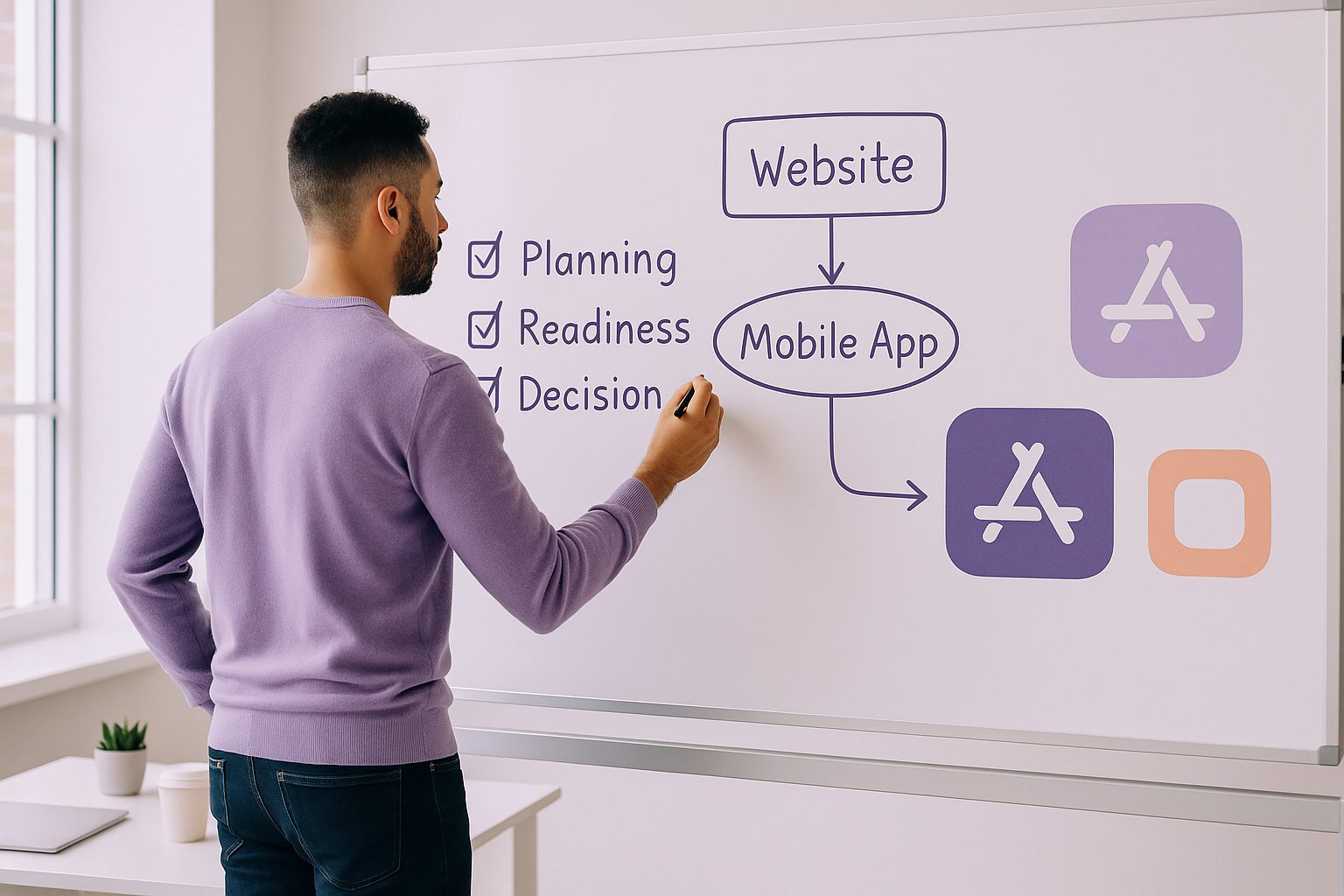
Use this readiness guide to avoid wasted effort, delays, and costly mistakes. You’ll learn exactly how to turn a website into an app—and how to make sure your site is set up for success from day one.
The Essential Technical and Content Checklist Before You Start
- Mobile-Responsive Design: Your website must look and function well on smartphones and tablets. Test your site on various devices and screen sizes.
- Fast Loading Times: Optimize images, scripts, and hosting for quick performance. Slow sites lead to poor app reviews and higher uninstall rates.
- Clear Navigation: Menus and buttons should be easy to use on touchscreens. Simplify navigation for a native app feel.
- Secure HTTPS: Both Google Play and the Apple App Store require secure connections. Make sure your site uses HTTPS everywhere.
- Content Quality: Remove outdated or placeholder content. Your app will be reviewed by app stores, so polish your copy and visuals.
- Unique Value: Does your site offer something users can’t get from a mobile browser? Think about exclusive features or push notifications.
Understanding Platform Differences: Android vs. iOS Requirements
Android and iOS have different rules and expectations for apps:
- Android (Google Play): More flexible, but still requires basic native features and a privacy policy.
- iOS (Apple App Store): Strict guidelines, especially Apple Guideline 4.2 (Minimum Functionality). Your app must provide meaningful native features—simply wrapping a website is not enough.
Plan for platform-specific tweaks. For example, push notifications are often required for iOS approval. Web2Application guides you through these differences during setup.
Must-Have Features for App Store Approval
- Push Notifications: Engage users and meet app store expectations. Set up via Google Firebase in Web2Application.
- Native Navigation: Bottom tab bars, menus, and back navigation improve usability and approval chances.
- Offline Support: If possible, offer basic offline access or cached content.
- Custom Branding: Unique app icon, splash screen, and color scheme.
- Privacy Policy: Link to a clear privacy policy from within your app.
Web2Application makes it easy to add these features—even if you’re not a developer.
How to Prepare Your Website for a Seamless App Experience
- Audit Your Content: Remove or update anything that doesn’t translate well to mobile.
- Streamline Navigation: Reduce menu layers and simplify user flows.
- Optimize Images and Media: Use compressed, mobile-friendly formats.
- Test Interactive Elements: Forms, buttons, and widgets should work smoothly on touch devices.
- Integrate App-Only Features: Consider adding push notifications, in-app messaging, or exclusive content for app users.
What to Expect: Timeline, Costs, and Common Surprises
- Timeline: With platforms like Web2Application, you can have a testable APK in hours. App store reviews may take days (Android) or up to a week (iOS).
- Costs: Free trials are available, but premium plans unlock push notifications, store submission support, and more. Apple requires a $99/year developer account.
- Common Surprises: App store rejections (usually for missing features), unexpected bugs, or design tweaks may be needed. Testing is crucial.
How Web2Application Simplifies the Pre-Conversion and Launch Process
Web2Application is designed to guide website owners through every step of turning a website into an app. The platform provides:
- Step-by-step dashboard for app creation and configuration
- Automated checks for mobile readiness and app store compliance
- Easy integration with WordPress, WooCommerce, and popular site builders
- Push notification setup with Google Firebase
- Premium support for store submission and troubleshooting
Even if you’re not a developer, you can confidently convert your website into an app for Android and iOS—without the usual headaches.
Next Steps: Testing, Launch, and Growing Your App Audience
- Sign up at Web2Application and create your first app.
- Configure your app’s design, features, and push notifications.
- Test your app on real devices with the downloadable APK.
- Request store submission support for Google Play and Apple App Store.
- Promote your app to your website visitors and email list.
Ready to see your website on the app stores? Sign up for Web2Application today and take the first step toward mobile success!
Frequently Asked Questions
What types of websites can be turned into an app?
Most modern, mobile-responsive websites can be converted into an app. This includes blogs, business sites, e-commerce stores, and more. Web2Application supports a wide range of platforms, including WordPress, WooCommerce, and custom sites.
Do I need to know how to code to turn my website into an app?
No coding is required with Web2Application. The platform provides a user-friendly dashboard, automated setup, and guides for every step—even push notifications and store submission.
How long does it take to get my app live on the app stores?
You can create and test your app within hours using Web2Application. Publishing to Google Play usually takes a few days, while Apple App Store review can take up to a week, depending on their approval process.
What are the main reasons apps get rejected from the app stores?
Common reasons include missing native features, poor mobile usability, lack of a privacy policy, or not meeting minimum functionality guidelines (especially on iOS). Following this readiness guide and using Web2Application’s tools greatly reduces the risk of rejection.
Can I send push notifications to my app users?
Yes! Web2Application enables push notifications for both Android and iOS apps via Google Firebase. This is a key feature for user engagement and app store approval.
Ready to turn your site into an app?
Create your app with Web2Application — convert your website to Android and iOS apps.
Frequently Asked Questions About Turning Your Website Into an App
How do I know if my website is ready to be converted into an app?
Your website should be mobile-responsive, load quickly, have clear navigation, use HTTPS, and contain high-quality content. Web2Application provides a checklist and tools to help you assess and prepare your site for app conversion.
What are the key differences between Android and iOS app requirements?
Android apps have more flexible guidelines but still require native features and privacy policies. iOS apps must meet stricter rules, such as Apple Guideline 4.2, requiring meaningful native functionality beyond a simple web wrapper. Web2Application guides you through these platform-specific requirements.
What features should my app include to get approved in app stores?
Push notifications, native navigation elements like bottom tab bars, custom branding, and a clear privacy policy are essential features. Web2Application makes it easy to add these features during app setup.
Can I test my app before publishing?
Yes. Web2Application lets you generate a test APK for Android and test your app on real devices before submitting to app stores. You can also explore Premium features with a 14-day free trial.
Ready to turn your website into a powerful native app? Create Your App Free today with Web2Application. Generate your test APK, explore Premium features for 14 days, and start reaching mobile users with a native Android and iOS app.
Frequently Asked Questions
How do I know if my website is ready to be converted into an app?
Your website should be mobile-responsive, load quickly, have clear navigation, use HTTPS, and contain high-quality content. Web2Application provides a checklist and tools to help you assess and prepare your site for app conversion.
What are the key differences between Android and iOS app requirements?
Android apps have more flexible guidelines but still require native features and privacy policies. iOS apps must meet stricter rules, such as Apple Guideline 4.2, requiring meaningful native functionality beyond a simple web wrapper. Web2Application guides you through these platform-specific requirements.
What features should my app include to get approved in app stores?
Push notifications, native navigation elements like bottom tab bars, custom branding, and a clear privacy policy are essential features. Web2Application makes it easy to add these features during app setup.
Can I test my app before publishing?
Yes. Web2Application lets you generate a test APK for Android and test your app on real devices before submitting to app stores. You can also explore Premium features with a 14-day free trial.
Frequently Asked Questions About Turning Your Website Into an App
- What does it mean to “turn your website into an app”?
- Turning your website into an app means converting your existing website into a native Android and iOS mobile application that users can download and install on their devices. Web2Application simplifies this process by converting your website into hybrid apps with a native shell with essential features.
- How do I know if my website is ready for app conversion?
- Check that your website is mobile-responsive, loads quickly, uses HTTPS, has clear navigation, and offers quality content. Also, consider if your site provides unique value that benefits from native app features like push notifications. Web2Application provides a readiness checklist to guide you.
- What are the main differences between Android and iOS app requirements?
- Android apps are more flexible but still require basic native features and a privacy policy. iOS apps must meet stricter guidelines, including Apple Guideline 4.2, requiring meaningful native functionality beyond just a website wrapper. Web2Application helps you address these platform-specific requirements.
- What features should my app include to get approved in app stores?
- Essential features include push notifications (set up via Google Firebase), native navigation like bottom tab bars, offline support or cached content, custom branding (icon and splash screen), and a clear privacy policy accessible within the app. Web2Application supports all these features.
- Can I test my app before publishing?
- Yes. With Web2Application, you can create your app free, generate a test APK for Android, and explore Premium features with a 14-day trial before submitting your app to stores.
Ready to Turn Your Website Into an App?
Don’t wait to reach your mobile audience with a native app. Web2Application makes it easy to convert your website into Android and iOS apps with all the necessary features for app store approval and user engagement.
Generate your test APK and explore Premium features with a 14-day trial—no risk, no commitment.
Frequently Asked Questions
What does it mean to "turn your website into an app"?
Turning your website into an app means converting your existing website into a native Android and iOS mobile application that users can download and install on their devices. Web2Application simplifies this process by converting your website into hybrid apps with a native shell with essential features.
How do I know if my website is ready for app conversion?
Check that your website is mobile-responsive, loads quickly, uses HTTPS, has clear navigation, and offers quality content. Also, consider if your site provides unique value that benefits from native app features like push notifications. Web2Application provides a readiness checklist to guide you.
What are the main differences between Android and iOS app requirements?
Android apps are more flexible but still require basic native features and a privacy policy. iOS apps must meet stricter guidelines, including Apple Guideline 4.2, requiring meaningful native functionality beyond just a website wrapper. Web2Application helps you address these platform-specific requirements.
What features should my app include to get approved in app stores?
Essential features include push notifications (set up via Google Firebase), native navigation like bottom tab bars, offline support or cached content, custom branding (icon and splash screen), and a clear privacy policy accessible within the app. Web2Application supports all these features.
Can I test my app before publishing?
Yes. With Web2Application, you can create your app free, generate a test APK for Android, and explore Premium features with a 14-day trial before submitting your app to stores.
Frequently Asked Questions About Turning Your Website Into an App
How do I know if my website is ready to be converted into an app?
Your website should have a mobile-responsive design, fast loading times, clear navigation, secure HTTPS, and quality content. Additionally, it should offer unique value that benefits from app features like push notifications. Web2Application’s readiness guide helps you assess these factors before conversion.
What are the key differences between Android and iOS app requirements?
Android apps on Google Play have flexible guidelines but still require native features and privacy policies. iOS apps must meet stricter rules, including Apple Guideline 4.2, which demands meaningful native functionality beyond a simple website wrapper. Features like push notifications are often essential for iOS approval.
How does Web2Application help with app readiness and submission?
Web2Application guides you through the entire process—from assessing your website’s readiness, setting up native app features like push notifications via Firebase, to generating test APKs and submitting your app to Google Play and Apple App Store. Premium plans provide additional support for store submissions and advanced features.
Generate your test APK and explore Premium features with a 14-day free trial. Start turning your website into a hybrid Android and iOS app with a native shell today.
Frequently Asked Questions
How do I know if my website is ready to be converted into an app?
Your website should have a mobile-responsive design, fast loading times, clear navigation, secure HTTPS, and quality content. Additionally, it should offer unique value that benefits from app features like push notifications. Web2Application’s readiness guide helps you assess these factors before conversion.
What are the key differences between Android and iOS app requirements?
Android apps on Google Play have flexible guidelines but still require native features and privacy policies. iOS apps must meet stricter rules, including Apple Guideline 4.2, which demands meaningful native functionality beyond a simple website wrapper. Features like push notifications are often essential for iOS approval.
How does Web2Application help with app readiness and submission?
Web2Application guides you through the entire process—from assessing your website’s readiness, setting up native app features like push notifications via Firebase, to generating test APKs and submitting your app to Google Play and Apple App Store. Premium plans provide additional support for store submissions and advanced features.
Frequently Asked Questions About Turning Your Website Into an App
1. How do I know if my website is ready to be converted into an app?
Check that your website is mobile-responsive, loads quickly, uses HTTPS, has clear navigation, and offers quality content. Web2Application provides tools and guidance to help you assess and prepare your site effectively.
2. What are the main differences between Android and iOS app requirements?
Android apps on Google Play are more flexible but still require basic native features and privacy compliance. iOS apps must meet stricter guidelines, including Apple Guideline 4.2, requiring meaningful native functionality beyond a simple website wrapper. Web2Application supports you through these platform-specific requirements.
3. Why are push notifications important for my app?
Push notifications help engage users and are often required for app store approval, especially on iOS. Web2Application integrates Google Firebase to enable easy push notification setup.
4. Can I customize the look of my app?
Yes. With Web2Application, you can customize your app’s icon, splash screen, color scheme, and navigation to create a branded native app experience.
5. How can I test my app before publishing?
Web2Application allows you to generate a test APK for Android devices, so you can install and test your app before submitting it to app stores.
6. What if I need help submitting my app to Google Play or Apple App Store?
Premium Web2Application users can request store submission support directly from the dashboard, simplifying the process of launching your app on both platforms.
Ready to Turn Your Website Into an App?
Web2Application makes it easy to convert your website into a hybrid Android and iOS app with a native shell with all the essential features needed for success. Create Your App Free today to generate a test APK and explore Premium features with a 14-day trial. Start engaging your mobile users with a professional app built from your website.
Frequently Asked Questions
How do I know if my website is ready to be converted into an app?
Check that your website is mobile-responsive, loads quickly, uses HTTPS, has clear navigation, and offers quality content. Web2Application provides tools and guidance to help you assess and prepare your site effectively.
What are the main differences between Android and iOS app requirements?
Android apps on Google Play are more flexible but still require basic native features and privacy compliance. iOS apps must meet stricter guidelines, including Apple Guideline 4.2, requiring meaningful native functionality beyond a simple website wrapper. Web2Application supports you through these platform-specific requirements.
Why are push notifications important for my app?
Push notifications help engage users and are often required for app store approval, especially on iOS. Web2Application integrates Google Firebase to enable easy push notification setup.
Can I customize the look of my app?
Yes. With Web2Application, you can customize your app’s icon, splash screen, color scheme, and navigation to create a branded native app experience.
How can I test my app before publishing?
Web2Application allows you to generate a test APK for Android devices, so you can install and test your app before submitting it to app stores.
What if I need help submitting my app to Google Play or Apple App Store?
Premium Web2Application users can request store submission support directly from the dashboard, simplifying the process of launching your app on both platforms.
Frequently Asked Questions About Turning Your Website Into an App
- What does it mean to “turn your website into an app”?
- Turning your website into an app means converting your existing website into a hybrid Android and iOS application with a native shell that users can download and install on their mobile devices. This enhances user experience with native features like push notifications.
- How do I know if my website is ready to become an app?
- Check if your website is mobile-responsive, fast-loading, secure with HTTPS, has clear navigation, quality content, and offers unique value beyond a mobile browser. Web2Application provides a readiness checklist and guides you through the process.
- What are the main differences between Android and iOS app requirements?
- Android apps have more flexible submission rules but still require native features and privacy compliance. iOS apps must meet stricter guidelines, including Apple Guideline 4.2, which demands meaningful native functionality beyond a simple website wrapper.
- What features are essential for app store approval?
- Essential features include push notifications (via Google Firebase), native navigation elements like bottom tab bars, offline content support, custom branding (icons and splash screens), and a clear privacy policy linked within the app.
- How can Web2Application help me turn my website into an app?
- Web2Application offers an easy-to-use platform to convert your website into hybrid Android and iOS apps with a native shell. You can create your app free, generate a test APK, and explore Premium features with a 14-day trial. The platform guides you through setup, push notifications, testing, and store submission.
Ready to Turn Your Website Into an App?
Start your app creation journey today with Web2Application. Sign up now to create your app free, generate a test APK for Android, and explore all Premium features with a 14-day trial. Ensure your website is fully prepared and get expert guidance every step of the way.
Frequently Asked Questions
What does it mean to "turn your website into an app"?
Turning your website into an app means converting your existing website into a hybrid Android and iOS application with a native shell that users can download and install on their mobile devices. This enhances user experience with native features like push notifications.
How do I know if my website is ready to become an app?
Check if your website is mobile-responsive, fast-loading, secure with HTTPS, has clear navigation, quality content, and offers unique value beyond a mobile browser. Web2Application provides a readiness checklist and guides you through the process.
What are the main differences between Android and iOS app requirements?
Android apps have more flexible submission rules but still require native features and privacy compliance. iOS apps must meet stricter guidelines, including Apple Guideline 4.2, which demands meaningful native functionality beyond a simple website wrapper.
What features are essential for app store approval?
Essential features include push notifications (via Google Firebase), native navigation elements like bottom tab bars, offline content support, custom branding (icons and splash screens), and a clear privacy policy linked within the app.
How can Web2Application help me turn my website into an app?
Web2Application offers an easy-to-use platform to convert your website into hybrid Android and iOS apps with a native shell. You can create your app free, generate a test APK, and explore Premium features with a 14-day trial. The platform guides you through setup, push notifications, testing, and store submission.
Frequently Asked Questions About Turning Your Website Into an App
How do I know if my website is ready to be converted into a mobile app?
Your website should have a mobile-responsive design, fast loading times, clear navigation, secure HTTPS, and quality content. It should also offer unique features that enhance the app experience beyond a mobile browser. Web2Application helps you evaluate and prepare your site for conversion.
What are the key differences between Android and iOS app requirements?
Android apps have more flexible guidelines but still require native features and a privacy policy. iOS apps must meet stricter rules, including Apple Guideline 4.2, which mandates meaningful native functionality like push notifications. Web2Application guides you through these platform-specific requirements.
What features are essential for app store approval?
Essential features include push notifications (set up via Google Firebase), native navigation elements such as bottom tab bars, offline content support, custom branding like app icons and splash screens, and a clear privacy policy accessible within the app.
How can Web2Application help me turn my website into a hybrid app with a native shell?
Web2Application provides an easy-to-use platform to convert your website into hybrid Android and iOS apps with a native shell. You can configure design and features, test your app with a downloadable APK, enable push notifications, and receive guidance on app store submission. Start free and explore Premium features with a 14-day trial.
Generate a test APK and explore Premium features with a 14-day free trial. Start turning your website into a powerful native app today with Web2Application.
Frequently Asked Questions
How do I know if my website is ready to be converted into a mobile app?
Your website should have a mobile-responsive design, fast loading times, clear navigation, secure HTTPS, and quality content. It should also offer unique features that enhance the app experience beyond a mobile browser. Web2Application helps you evaluate and prepare your site for conversion.
What are the key differences between Android and iOS app requirements?
Android apps have more flexible guidelines but still require native features and a privacy policy. iOS apps must meet stricter rules, including Apple Guideline 4.2, which mandates meaningful native functionality like push notifications. Web2Application guides you through these platform-specific requirements.
What features are essential for app store approval?
Essential features include push notifications (set up via Google Firebase), native navigation elements such as bottom tab bars, offline content support, custom branding like app icons and splash screens, and a clear privacy policy accessible within the app.
How can Web2Application help me turn my website into a hybrid app with a native shell?
Web2Application provides an easy-to-use platform to convert your website into hybrid Android and iOS apps with a native shell. You can configure design and features, test your app with a downloadable APK, enable push notifications, and receive guidance on app store submission. Start free and explore Premium features with a 14-day trial.
Frequently Asked Questions About Turning Your Website Into an App
How do I know if my website is ready to be converted into an app?
Your website should be mobile-responsive, fast-loading, secure with HTTPS, and offer clear navigation. Content must be up-to-date and provide unique value beyond a mobile browser experience. Web2Application helps you assess and prepare your site for app conversion.
What are the key differences between Android and iOS app requirements?
Android apps have more flexible guidelines but still require native features and a privacy policy. iOS apps must meet stricter rules, including Apple Guideline 4.2, which demands meaningful native functionality like push notifications. Web2Application guides you through these platform-specific needs.
What features should my app include to get approved on app stores?
Essential features include push notifications (set up via Google Firebase), native navigation such as bottom tab bars, offline content support, custom branding (icons and splash screens), and a clear privacy policy. Web2Application makes adding these features straightforward.
Can I test my app before submitting it to app stores?
Yes. With Web2Application, you can generate a test APK for Android and test your app on real devices before submission. This helps ensure your app works smoothly and meets store requirements.
Ready to turn your website into a hybrid Android and iOS app with a native shell? Create Your App Free at Web2Application.com. Generate your test APK, explore Premium features with a 14-day trial, and start engaging mobile users with your own app today.
Frequently Asked Questions
How do I know if my website is ready to be converted into an app?
Your website should be mobile-responsive, fast-loading, secure with HTTPS, and offer clear navigation. Content must be up-to-date and provide unique value beyond a mobile browser experience. Web2Application helps you assess and prepare your site for app conversion.
What are the key differences between Android and iOS app requirements?
Android apps have more flexible guidelines but still require native features and a privacy policy. iOS apps must meet stricter rules, including Apple Guideline 4.2, which demands meaningful native functionality like push notifications. Web2Application guides you through these platform-specific needs.
What features should my app include to get approved on app stores?
Essential features include push notifications (set up via Google Firebase), native navigation such as bottom tab bars, offline content support, custom branding (icons and splash screens), and a clear privacy policy. Web2Application makes adding these features straightforward.
Can I test my app before submitting it to app stores?
Yes. With Web2Application, you can generate a test APK for Android and test your app on real devices before submission. This helps ensure your app works smoothly and meets store requirements.
Frequently Asked Questions About Turning Your Website Into an App
- What does it mean to turn a website into an app?
- Turning a website into an app involves converting your existing website content and functionality into a hybrid Android or iOS application with a native shell that users can download and install on their devices.
- Why should I check if my website is ready before converting it into an app?
- Ensuring your website is mobile-responsive, fast, secure, and has quality content helps avoid poor user experience, app store rejection, and wasted development effort.
- What are the main platform differences I should know?
- Android apps have more flexible submission rules, while iOS apps must meet stricter guidelines such as Apple Guideline 4.2 requiring meaningful native features beyond just wrapping a website.
- What features are essential for app store approval?
- Push notifications, native navigation elements, custom branding, and a clear privacy policy are key features that improve approval chances and user engagement.
- How can Web2Application help me turn my website into an app?
- Web2Application provides an easy-to-use platform to convert your website into hybrid Android and iOS apps with a native shell, including setup guidance for push notifications, design customization, testing APKs, and store submission support.
Ready to Turn Your Website Into an App?
Take the next step with Web2Application — the trusted solution to convert your website into hybrid Android and iOS apps with a native shell quickly and easily. Create your app free today, generate a test APK to try on your device, and explore Premium features with a 14-day trial.
Frequently Asked Questions
What does it mean to turn a website into an app?
Turning a website into an app involves converting your existing website content and functionality into a hybrid Android or iOS application with a native shell that users can download and install on their devices.
Why should I check if my website is ready before converting it into an app?
Ensuring your website is mobile-responsive, fast, secure, and has quality content helps avoid poor user experience, app store rejection, and wasted development effort.
What are the main platform differences I should know?
Android apps have more flexible submission rules, while iOS apps must meet stricter guidelines such as Apple Guideline 4.2 requiring meaningful native features beyond just wrapping a website.
What features are essential for app store approval?
Push notifications, native navigation elements, custom branding, and a clear privacy policy are key features that improve approval chances and user engagement.
How can Web2Application help me turn my website into an app?
Web2Application provides an easy-to-use platform to convert your website into hybrid Android and iOS apps with a native shell, including setup guidance for push notifications, design customization, testing APKs, and store submission support.
Frequently Asked Questions About Turning Your Website Into an App
- What does it mean to turn your website into an app?
- Turning your website into an app means converting your existing website into a native Android and iOS mobile application that users can download from app stores. Web2Application simplifies this process by converting your site into a hybrid app with a native shell with features like push notifications.
- How do I know if my website is ready to be converted into an app?
- Your website should be mobile-responsive, fast-loading, secure (HTTPS), and have clear navigation. Content should be polished and offer unique value beyond a mobile browser experience. Web2Application’s readiness guide helps you confirm these essentials before conversion.
- Are push notifications necessary for app approval?
- Yes, push notifications are important for engaging users and meeting app store requirements, especially Apple’s stricter guidelines. Web2Application integrates Google Firebase to enable push notifications easily.
- What are the differences between Android and iOS app requirements?
- Android apps have more flexible guidelines but still require native features and privacy policies. iOS apps must meet Apple Guideline 4.2, which demands meaningful native functionality beyond a simple website wrapper. Web2Application guides you through these platform-specific requirements.
- Can I test my app before submitting it to app stores?
- Yes. With Web2Application, you can generate a test APK for Android and test your app on real devices before submission. This ensures your app works smoothly and meets your expectations.
Ready to turn your website into a fully functional native app with ease? Create Your App Free today! Generate a test APK, explore Premium features with a 14-day trial, and start engaging your mobile users like never before.
Frequently Asked Questions
What does it mean to turn your website into an app?
Turning your website into an app means converting your existing website into a native Android and iOS mobile application that users can download from app stores. Web2Application simplifies this process by converting your site into a hybrid app with a native shell with features like push notifications.
How do I know if my website is ready to be converted into an app?
Your website should be mobile-responsive, fast-loading, secure (HTTPS), and have clear navigation. Content should be polished and offer unique value beyond a mobile browser experience. Web2Application’s readiness guide helps you confirm these essentials before conversion.
Are push notifications necessary for app approval?
Yes, push notifications are important for engaging users and meeting app store requirements, especially Apple's stricter guidelines. Web2Application integrates Google Firebase to enable push notifications easily.
What are the differences between Android and iOS app requirements?
Android apps have more flexible guidelines but still require native features and privacy policies. iOS apps must meet Apple Guideline 4.2, which demands meaningful native functionality beyond a simple website wrapper. Web2Application guides you through these platform-specific requirements.
Can I test my app before submitting it to app stores?
Yes. With Web2Application, you can generate a test APK for Android and test your app on real devices before submission. This ensures your app works smoothly and meets your expectations.
Frequently Asked Questions About Turning Your Website Into an App
- Is my website ready to be converted into a mobile app?
- Check for mobile responsiveness, fast loading times, secure HTTPS, clear navigation, and quality content. Web2Application helps you assess and prepare your site for app conversion.
- What are the main differences between Android and iOS app requirements?
- Android apps have more flexible submission rules, while iOS requires meaningful native functionality per Apple Guideline 4.2. Web2Application guides you through these platform-specific needs.
- How can I add push notifications to my app?
- Web2Application integrates with Google Firebase to enable push notifications, helping you engage users and comply with app store guidelines.
- Do I need a privacy policy for my app?
- Yes, both Google Play and Apple App Store require a clear privacy policy linked within your app. Make sure your website’s privacy policy is up to date before conversion.
- Can I test my app before submitting it to app stores?
- Yes, Web2Application allows you to generate a test APK for Android and test builds for iOS so you can preview your app and make improvements before submission.
Ready to turn your website into a fully functional native app? With Web2Application, you can Create Your App Free, generate a test APK instantly, and explore Premium features with a 14-day trial. Start your app journey today and reach mobile users effectively!
Frequently Asked Questions
Is my website ready to be converted into a mobile app?
Check for mobile responsiveness, fast loading times, secure HTTPS, clear navigation, and quality content. Web2Application helps you assess and prepare your site for app conversion.
What are the main differences between Android and iOS app requirements?
Android apps have more flexible submission rules, while iOS requires meaningful native functionality per Apple Guideline 4.2. Web2Application guides you through these platform-specific needs.
How can I add push notifications to my app?
Web2Application integrates with Google Firebase to enable push notifications, helping you engage users and comply with app store guidelines.
Do I need a privacy policy for my app?
Yes, both Google Play and Apple App Store require a clear privacy policy linked within your app. Make sure your website’s privacy policy is up to date before conversion.
Can I test my app before submitting it to app stores?
Yes, Web2Application allows you to generate a test APK for Android and test builds for iOS so you can preview your app and make improvements before submission.
Frequently Asked Questions About Turning Your Website Into an App
What does it mean to turn your website into an app?
Turning your website into an app means converting your existing website into a hybrid Android and iOS application with a native shell that users can download and install on their mobile devices. This provides a more seamless and engaging user experience than a mobile browser.
How do I know if my website is ready to become an app?
Your website should be mobile-responsive, fast-loading, secure with HTTPS, and have clear navigation. It should also offer unique value or features that justify an app, such as push notifications. Web2Application’s readiness guide helps you evaluate and prepare your site for conversion.
What are the key differences between Android and iOS app requirements?
Android apps on Google Play have more flexible requirements but still need native features and a privacy policy. iOS apps must meet stricter guidelines, including Apple’s Guideline 4.2, requiring meaningful native functionality beyond a simple website wrapper. Web2Application guides you through these platform-specific needs.
How can Web2Application help me turn my website into an app?
Web2Application simplifies the process by converting your website into hybrid Android and iOS apps with a native shell. The platform offers easy app setup, design customization, push notification integration via Firebase, APK testing, and support for store submission. You can create your app free, generate a test APK, and explore Premium features with a 14-day trial.
Generate a test APK and explore Premium features with a 14-day trial. Start turning your website into a hybrid app with a native shell today with Web2Application.
Frequently Asked Questions
What does it mean to turn your website into an app?
Turning your website into an app means converting your existing website into a hybrid Android and iOS application with a native shell that users can download and install on their mobile devices. This provides a more seamless and engaging user experience than a mobile browser.
How do I know if my website is ready to become an app?
Your website should be mobile-responsive, fast-loading, secure with HTTPS, and have clear navigation. It should also offer unique value or features that justify an app, such as push notifications. Web2Application’s readiness guide helps you evaluate and prepare your site for conversion.
What are the key differences between Android and iOS app requirements?
Android apps on Google Play have more flexible requirements but still need native features and a privacy policy. iOS apps must meet stricter guidelines, including Apple’s Guideline 4.2, requiring meaningful native functionality beyond a simple website wrapper. Web2Application guides you through these platform-specific needs.
How can Web2Application help me turn my website into an app?
Web2Application simplifies the process by converting your website into hybrid Android and iOS apps with a native shell. The platform offers easy app setup, design customization, push notification integration via Firebase, APK testing, and support for store submission. You can create your app free, generate a test APK, and explore Premium features with a 14-day trial.
Frequently Asked Questions
- What does it mean to turn your website into an app?
- Turning your website into an app means converting your existing website into a hybrid Android and iOS application with a native shell that users can download and install on their mobile devices, enhancing user experience and engagement.
- How do I know if my website is ready to become an app?
- Check if your website is mobile-responsive, loads quickly, has clear navigation, uses HTTPS, and offers quality content. Also, consider if your site provides unique features that benefit from app capabilities like push notifications.
- What are the key differences between Android and iOS app requirements?
- Android apps are generally more flexible but still require native features and a privacy policy. iOS apps must meet stricter guidelines, including meaningful native functionality beyond just a website wrapper, such as push notifications.
- How can Web2Application help me turn my website into an app?
- Web2Application provides an easy-to-use platform to convert your website into hybrid Android and iOS apps with a native shell. It guides you through setup, including design customization, push notification integration via Firebase, APK testing, and store submission support.
- Can I try Web2Application before committing?
- Yes! You can create your app free, generate a test APK to try on your device, and explore Premium features with a 14-day free trial to ensure it meets your needs.
Ready to Turn Your Website Into an App?
Start today with Web2Application and see how easy it is to convert your website into hybrid Android and iOS apps with a native shell. Create your app free, generate a test APK, and explore Premium features with a 14-day trial—no risk, no obligation.
Frequently Asked Questions
What does it mean to turn your website into an app?
Turning your website into an app means converting your existing website into a hybrid Android and iOS application with a native shell that users can download and install on their mobile devices, enhancing user experience and engagement.
How do I know if my website is ready to become an app?
Check if your website is mobile-responsive, loads quickly, has clear navigation, uses HTTPS, and offers quality content. Also, consider if your site provides unique features that benefit from app capabilities like push notifications.
What are the key differences between Android and iOS app requirements?
Android apps are generally more flexible but still require native features and a privacy policy. iOS apps must meet stricter guidelines, including meaningful native functionality beyond just a website wrapper, such as push notifications.
How can Web2Application help me turn my website into an app?
Web2Application provides an easy-to-use platform to convert your website into hybrid Android and iOS apps with a native shell. It guides you through setup, including design customization, push notification integration via Firebase, APK testing, and store submission support.
Can I try Web2Application before committing?
Yes! You can create your app free, generate a test APK to try on your device, and explore Premium features with a 14-day free trial to ensure it meets your needs.
Frequently Asked Questions About Turning Your Website Into an App
Is my website ready to be converted into an app?
To determine readiness, your website should be mobile-responsive, fast-loading, secure with HTTPS, and have clear navigation. Web2Application helps you assess these factors during app creation.
What are the main differences between Android and iOS app requirements?
Android apps allow more flexibility but require basic native features and privacy policies. iOS apps follow stricter guidelines, including Apple Guideline 4.2, requiring meaningful native functionality beyond a simple website wrapper.
How can I add push notifications to my app?
Web2Application integrates with Google Firebase for push notifications, enabling you to engage users effectively and meet app store expectations.
Can I customize the app’s appearance?
Yes, you can customize your app’s icon, splash screen, and color scheme directly within the Web2Application dashboard to reflect your brand.
Does Web2Application help with app store submission?
Premium users can request submission support for both Google Play and Apple App Store through the Web2Application platform, streamlining the publishing process.
Ready to turn your website into an app? Create Your App Free today with Web2Application. Generate a test APK and explore Premium features with a 14-day trial—no risk, no commitment.
Frequently Asked Questions
Is my website ready to be converted into an app?
Your website should be mobile-responsive, fast-loading, secure with HTTPS, and have clear navigation. Web2Application helps you assess these factors during app creation.
What are the main differences between Android and iOS app requirements?
Android apps allow more flexibility but require basic native features and privacy policies. iOS apps follow stricter guidelines, including Apple Guideline 4.2, requiring meaningful native functionality beyond a simple website wrapper.
How can I add push notifications to my app?
Web2Application integrates with Google Firebase for push notifications, enabling you to engage users effectively and meet app store expectations.
Can I customize the app’s appearance?
Yes, you can customize your app’s icon, splash screen, and color scheme directly within the Web2Application dashboard to reflect your brand.
Does Web2Application help with app store submission?
Premium users can request submission support for both Google Play and Apple App Store through the Web2Application platform, streamlining the publishing process.