Web App to Mobile App: The Transparent, Owner-First Guide to Converting Dynamic Web Apps Into Real Mobile Apps (With Free Test APK and No Coding Needed)
- nir
- August 18, 2026
- Marketing
- Marketing AI
- 0 Comments
What Makes a Web App Different From a Standard Website?
Before you begin the journey from web app to mobile app, it’s crucial to understand the difference between a standard website and a dynamic web app. A typical website is largely static—think blogs, portfolios, or informational pages. In contrast, a web app is interactive and dynamic, often featuring user logins, dashboards, live data, forms, and personalized content. Examples include SaaS dashboards, booking platforms, and e-commerce management tools.
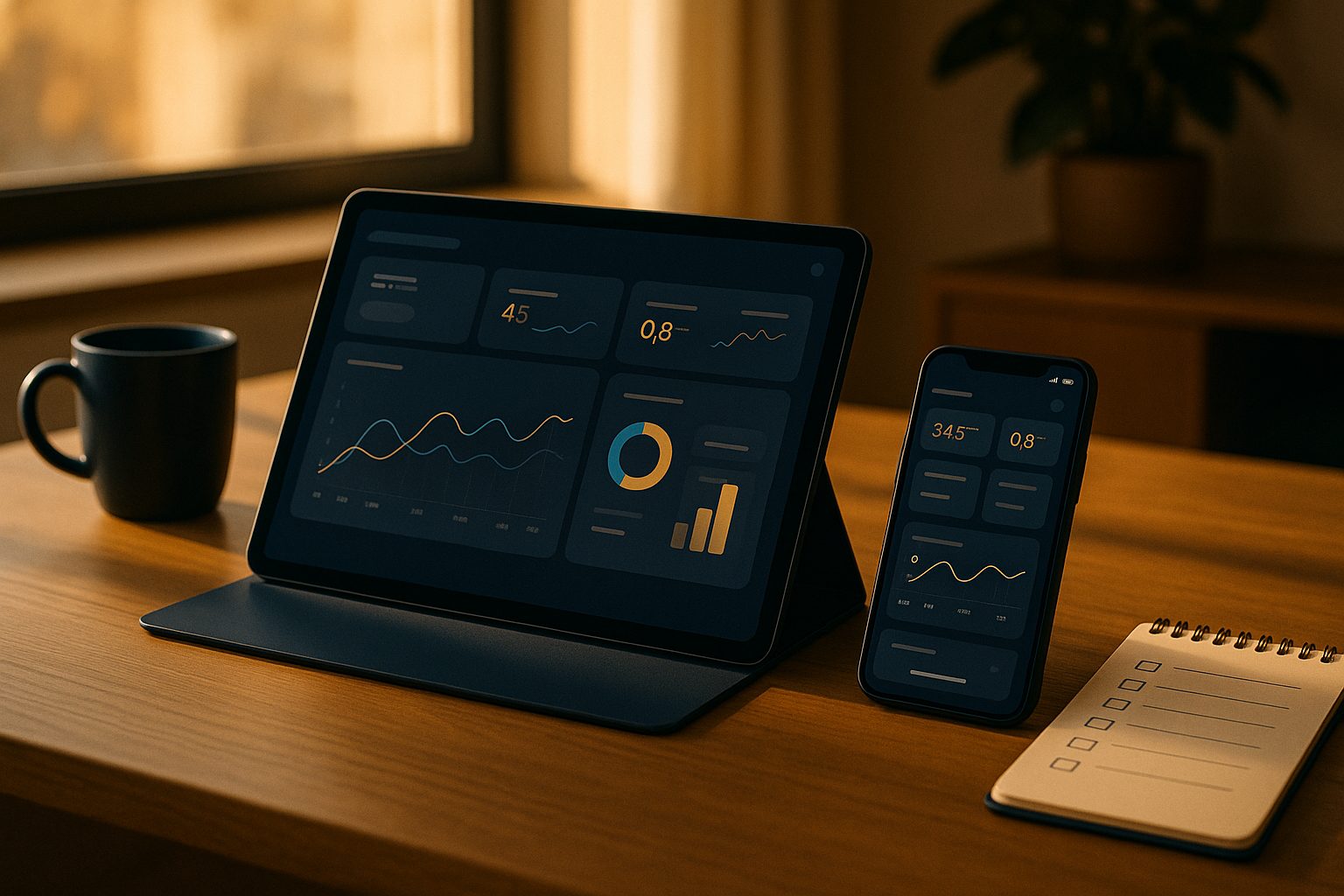
This distinction matters because converting a web app to a mobile app introduces unique technical and design considerations that go far beyond wrapping a simple website.
Why Convert a Web App Into a Mobile App? Real-World Benefits and Use Cases
- Better User Engagement: Mobile apps offer push notifications and a smoother user experience.
- Brand Visibility: Being on users’ home screens and app stores increases brand trust and recall.
- Native Device Features: Access to camera, location, and device storage can enhance your app’s functionality.
- Convenience: Users prefer the speed and familiarity of native apps compared to mobile browsers.
Common use cases include member portals, booking systems, e-commerce management, and any platform where users interact with your service regularly.
Key Challenges: What to Watch Out for When Converting Dynamic Web Apps
- Authentication & Sessions: Ensure your login system works seamlessly inside a mobile app container.
- Responsive Design: Your web app must be fully mobile-optimized for various screen sizes.
- Navigation: Mobile apps use tab bars and gestures—plan for intuitive navigation.
- Push Notifications: Integrating push requires backend setup (like Firebase) and app-side configuration.
- App Store Guidelines: Both Google and Apple require your app to offer real value beyond a simple webview.
- Performance: Heavy web apps may need optimization for mobile devices.
Addressing these challenges upfront ensures a smooth transition and higher chances of app store approval.
Step-by-Step: How to Turn Your Web App Into a Real Mobile App (No Coding Needed)
- Sign Up at Web2Application
Visit Web2Application and create your free account. - Create a New App in the Dashboard
Enter your web app’s URL and basic details. Web2Application guides you through app icon, splash screen, and configuration. - Configure Design and Navigation
Set up bottom tab bars, menus, and colors to match your brand. For advanced users, tweak with custom CSS. - Integrate Push Notifications (Optional, Recommended)
Use the built-in wizard to connect Google Firebase and enable push notifications for real-time user engagement. - Connect WordPress (If Applicable)
If your web app runs on WordPress, install the Web2Application plugin for seamless integration and advanced features. - Test Your App with a Free APK
Request a test APK from the dashboard, download it, and install on your Android device. This lets you experience your web app as a real mobile app before committing to a premium plan.
Testing Your Converted App: How to Generate and Install a Free Test APK
- Complete your app’s setup in the Web2Application dashboard.
- Request the APK from the APK Request page.
- Download the APK and install it on your Android device (enable “Install from unknown sources” if prompted).
- Test all dynamic features—login, forms, data updates, and navigation—to ensure everything works as expected.
This free test APK lets you validate your app’s experience on a real device before moving forward.
Ensuring Store Compliance: Google Play & Apple App Store Guidelines for Web Apps
Both Google and Apple have specific requirements for web app-based mobile apps:
- Meaningful Native Functionality: Your app must offer more than just a webview. Features like push notifications and native navigation help meet this requirement.
- Design Standards: Apps must be visually polished, with clear icons, splash screens, and smooth navigation.
- Account Ownership: You’ll need your own developer accounts for Google Play and Apple App Store.
- Apple Guideline 4.2: Apple is strict about minimum functionality—ensure your app is interactive and valuable.
Web2Application provides guidance and tools to help you meet these guidelines and request store submission support as a premium user.
Adding Native Features: Push Notifications, Navigation, and More
One of the biggest advantages of converting your web app to a mobile app is access to native device features. With Web2Application, you can:
- Set up push notifications via Google Firebase for instant communication with users.
- Customize navigation with bottom tab bars and menus for a true mobile feel.
- Integrate with WordPress and WooCommerce for e-commerce apps.
- Enhance user experience with custom splash screens, icons, and advanced CSS tweaks.
What Happens After Launch? Managing, Updating, and Growing Your Web App-Based Mobile App
Launching your app is just the beginning. With Web2Application, you can:
- Update your web app’s content instantly—changes reflect in the mobile app automatically.
- Send push notifications to engage users with news, offers, or updates.
- Request app updates for new features or design changes and resubmit to the app stores as needed.
- Access premium support and automation tools via the Members Club.
Ready to Turn Your Web App Into a Mobile App?
Converting your dynamic web app into a real mobile app is easier than ever—no coding required. Web2Application offers a transparent, owner-first workflow, free test APK generation, and a 14-day trial of premium features. Create Your App Free today and see your web app come to life on Android and iOS devices.
Related articles
- The Transparent Workflow: Step-by-Step Milestones to Convert Your Web App to a hybrid Mobile App with a native shell (With Free APK Testing)
- How to Enable Push Notifications When Converting Your Web App to a Mobile App: The Complete Owner’s Guide
- The Real-World Decision Guide: Choosing the Best Alternative Path to Convert Your Web App to a Mobile App (With Free Testing and Future-Proofing Tips)
Frequently Asked Questions
Can I convert any web app into a mobile app without coding?
Yes! With Web2Application, you can convert most modern web apps—including those with dynamic features and logins—into hybrid Android and iOS apps with a native shell without writing code. Just follow the guided steps in the dashboard.
How do I test my converted mobile app before publishing?
Web2Application lets you generate a free test APK. Download and install it on your Android device to experience your app as a real mobile app before deciding to publish or upgrade.
What native features can I add to my web app-based mobile app?
You can enable push notifications, customize navigation with tab bars, set up splash screens and icons, and (for WordPress sites) integrate with WooCommerce or Elementor. These features help your app meet store guidelines and enhance user experience.
What are the main challenges when converting a dynamic web app to a mobile app?
Key challenges include ensuring login/authentication works smoothly, optimizing for mobile screens, integrating push notifications, and meeting app store requirements for functionality and design.
Do I need a developer account to publish my app?
Yes, to publish on Google Play or Apple App Store, you’ll need your own developer accounts. Web2Application provides guidance and support for the submission process.
Ready to turn your website into an app?
Create your Android and iOS app without coding. Start free, generate a test APK, and explore Premium features with a 14-day trial.
Frequently Asked Questions About Converting Web Apps to Mobile Apps
- What is the difference between a web app and a mobile app?
- A web app is an interactive website accessed via browsers, often featuring dynamic content and user logins. A mobile app is a native application installed on Android or iOS devices, offering enhanced performance and native device features.
- Can I convert my web app into a mobile app without coding?
- Yes. Web2Application enables you to convert your web app into hybrid Android and iOS apps with a native shell without coding. The platform provides an intuitive dashboard to configure your app and generate a free test APK.
- How do push notifications work in converted mobile apps?
- Web2Application integrates with Google Firebase to enable push notifications. You can set up push notifications easily in the dashboard to engage your users with real-time updates.
- Is my app guaranteed to be approved on Google Play and Apple App Store?
- While Web2Application helps you meet store guidelines and submit your app, final approval depends on Google and Apple. The platform supports compliance with key requirements like native functionality and design standards.
- Can I test my app before publishing?
- Absolutely. Web2Application lets you generate a free test APK for Android devices to install and test your app before submitting to app stores.
- Do I need a WordPress website to use Web2Application?
- No. Web2Application works with any website or web app URL. If you have a WordPress site, you can use the dedicated plugin for enhanced integration, but it is not required.
Ready to Convert Your Web App to a Mobile App?
Start today with Web2Application, the trusted platform since 2017 for turning websites and web apps into hybrid Android and iOS apps with a native shell. Create your app free, generate a test APK, and explore premium features with a 14-day trial—no coding needed.
Frequently Asked Questions
What is the difference between a web app and a mobile app?
A web app is an interactive website accessed via browsers, often featuring dynamic content and user logins. A mobile app is a native application installed on Android or iOS devices, offering enhanced performance and native device features.
Can I convert my web app into a mobile app without coding?
Yes. Web2Application enables you to convert your web app into hybrid Android and iOS apps with a native shell without coding. The platform provides an intuitive dashboard to configure your app and generate a free test APK.
How do push notifications work in converted mobile apps?
Web2Application integrates with Google Firebase to enable push notifications. You can set up push notifications easily in the dashboard to engage your users with real-time updates.
Is my app guaranteed to be approved on Google Play and Apple App Store?
While Web2Application helps you meet store guidelines and submit your app, final approval depends on Google and Apple. The platform supports compliance with key requirements like native functionality and design standards.
Can I test my app before publishing?
Absolutely. Web2Application lets you generate a free test APK for Android devices to install and test your app before submitting to app stores.
Do I need a WordPress website to use Web2Application?
No. Web2Application works with any website or web app URL. If you have a WordPress site, you can use the dedicated plugin for enhanced integration, but it is not required.
Frequently Asked Questions About Converting Web Apps to Mobile Apps
- What is the difference between a web app and a mobile app?
- A web app is a dynamic website accessed via browsers, often featuring interactive elements like user logins and dashboards. A mobile app is a native application installed on Android or iOS devices, offering better performance and native device features.
- Can I convert any web app into a mobile app using Web2Application?
- Web2Application supports converting most dynamic web apps into hybrid mobile apps with a native shell, especially those that are mobile-optimized and follow app store guidelines. Complex apps may require additional optimization.
- Do I need coding skills to create a mobile app from my web app?
- No coding is required. Web2Application provides an intuitive dashboard to configure your app’s design, navigation, and features, including push notifications.
- How can I test my mobile app before publishing?
- Web2Application allows you to generate a free test APK for Android devices, so you can install and test your app before submitting it to app stores.
- What are the benefits of converting my web app to a mobile app?
- Mobile apps improve user engagement with push notifications, offer provide access to native device features, and increase brand visibility through app stores and home screen presence.
- Does Web2Application help with app store submission?
- Premium users can request assistance with submitting apps to Google Play and Apple App Store directly from the dashboard, following store guidelines.
Ready to transform your web app into a powerful mobile app? Create Your App Free today at Web2Application. Generate your test APK instantly and explore Premium features with a 14-day free trial—no coding needed.
Frequently Asked Questions
What is the difference between a web app and a mobile app?
A web app is a dynamic website accessed via browsers, often featuring interactive elements like user logins and dashboards. A mobile app is a native application installed on Android or iOS devices, offering better performance and native device features.
Can I convert any web app into a mobile app using Web2Application?
Web2Application supports converting most dynamic web apps into hybrid mobile apps with a native shell, especially those that are mobile-optimized and follow app store guidelines. Complex apps may require additional optimization.
Do I need coding skills to create a mobile app from my web app?
No coding is required. Web2Application provides an intuitive dashboard to configure your app’s design, navigation, and features, including push notifications.
How can I test my mobile app before publishing?
Web2Application allows you to generate a free test APK for Android devices, so you can install and test your app before submitting it to app stores.
What are the benefits of converting my web app to a mobile app?
Mobile apps improve user engagement with push notifications, offer provide access to native device features, and increase brand visibility through app stores and home screen presence.
Does Web2Application help with app store submission?
Premium users can request assistance with submitting apps to Google Play and Apple App Store directly from the dashboard, following store guidelines.
Frequently Asked Questions
- What is the difference between a web app and a mobile app?
- A web app is an interactive website accessed via a browser, while a mobile app is a native application installed on Android or iOS devices offering better performance and native features.
- Can I convert any web app into a mobile app without coding?
- Yes. Web2Application allows you to convert dynamic web apps into hybrid mobile apps with a native shell without coding by using its intuitive dashboard and configuration tools.
- How do push notifications work in converted apps?
- Web2Application integrates with Google Firebase to enable push notifications, helping you engage users with real-time updates directly on their devices.
- Is there a way to test my mobile app before publishing?
- Yes. You can generate a free test APK for Android devices directly from the Web2Application dashboard to install and test your app before submitting it to app stores.
- Does Web2Application support WordPress sites?
- Yes. Web2Application offers a WordPress plugin to sync your site content and enable WooCommerce features for e-commerce apps.
- Are app store submissions supported?
- Premium users can request app submission support for Google Play and Apple App Store through Web2Application’s dashboard, simplifying the publishing process.
Create Your App Free Today
Start converting your web app into a hybrid mobile app with a native shell with Web2Application. Sign up now to create your app free, generate a test APK for Android, and explore Premium features with a 14-day trial—no coding needed.
Frequently Asked Questions
What is the difference between a web app and a mobile app?
A web app is an interactive website accessed via a browser, while a mobile app is a native application installed on Android or iOS devices offering better performance and native features.
Can I convert any web app into a mobile app without coding?
Yes. Web2Application allows you to convert dynamic web apps into hybrid mobile apps with a native shell without coding by using its intuitive dashboard and configuration tools.
How do push notifications work in converted apps?
Web2Application integrates with Google Firebase to enable push notifications, helping you engage users with real-time updates directly on their devices.
Is there a way to test my mobile app before publishing?
Yes. You can generate a free test APK for Android devices directly from the Web2Application dashboard to install and test your app before submitting it to app stores.
Does Web2Application support WordPress sites?
Yes. Web2Application offers a WordPress plugin to sync your site content and enable WooCommerce features for e-commerce apps.
Are app store submissions supported?
Premium users can request app submission support for Google Play and Apple App Store through Web2Application’s dashboard, simplifying the publishing process.
Frequently Asked Questions About Converting Web Apps to Mobile Apps
- What is the difference between a web app and a mobile app?
- A web app runs in a browser and is accessed via a URL, often dynamic and interactive. A mobile app is a native application installed on Android or iOS devices, offering better performance and access to device features.
- Can I convert any web app into a mobile app without coding?
- Yes, Web2Application allows you to convert dynamic web apps into hybrid mobile apps with a native shell without coding by using its intuitive dashboard and configuration tools.
- How do I test my mobile app before publishing?
- Web2Application provides a free test APK for Android devices that you can download and install to preview your app before submitting it to app stores.
- Are push notifications supported in converted apps?
- Yes, Web2Application supports push notifications via Google Firebase integration, helping you engage users with real-time updates.
- Do I need a developer account to submit my app to stores?
- Yes, submitting to Google Play and Apple App Store requires developer accounts. Web2Application Premium users get submission support to help with this process.
- Is Web2Application suitable for WordPress web apps?
- Absolutely. Web2Application offers a WordPress plugin to sync your site content seamlessly and enhance your app’s functionality.
- What are the benefits of converting my web app into a hybrid mobile app with a native shell?
- Native mobile apps improve user engagement with push notifications, better performance, and access to device features like camera and location.
Start Your Web App to Mobile App Conversion Today
Web2Application is the recommended platform to convert your dynamic web app into a hybrid Android and iOS app with a native shell quickly and without coding. Sign up now to Create Your App Free, generate a test APK for Android, and explore Premium features with a 14-day free trial. Experience how easy it is to bring your web app to mobile users with Web2Application.
Frequently Asked Questions
What is the difference between a web app and a mobile app?
A web app runs in a browser and is accessed via a URL, often dynamic and interactive. A mobile app is a native application installed on Android or iOS devices, offering better performance and access to device features.
Can I convert any web app into a mobile app without coding?
Yes, Web2Application allows you to convert dynamic web apps into hybrid mobile apps with a native shell without coding by using its intuitive dashboard and configuration tools.
How do I test my mobile app before publishing?
Web2Application provides a free test APK for Android devices that you can download and install to preview your app before submitting it to app stores.
Are push notifications supported in converted apps?
Yes, Web2Application supports push notifications via Google Firebase integration, helping you engage users with real-time updates.
Do I need a developer account to submit my app to stores?
Yes, submitting to Google Play and Apple App Store requires developer accounts. Web2Application Premium users get submission support to help with this process.
Is Web2Application suitable for WordPress web apps?
Absolutely. Web2Application offers a WordPress plugin to sync your site content seamlessly and enhance your app’s functionality.
What are the benefits of converting my web app into a hybrid mobile app with a native shell?
Native mobile apps improve user engagement with push notifications, better performance, and access to device features like camera and location.
Frequently Asked Questions About Converting Web Apps to Mobile Apps
What is the difference between a web app and a mobile app?
A web app is an interactive, dynamic website accessed through a browser, often with user logins and personalized content. A mobile app is a native application installed on Android or iOS devices, offering better performance and native device features.
Can I convert my web app to a mobile app without coding?
Yes. Web2Application enables website owners to convert dynamic web apps into hybrid Android and iOS apps with a native shell without any coding. The platform provides an intuitive dashboard to configure design, navigation, and features.
How can I test my mobile app before publishing?
Web2Application allows you to generate a free test APK file for Android devices. You can install it on your device to preview and test your app before submitting it to app stores.
Does Web2Application support push notifications?
Yes. With a Premium plan, you can integrate Google Firebase push notifications through the Web2Application dashboard to engage your users with real-time updates.
Is it possible to submit my app to Google Play and Apple App Store using Web2Application?
Premium users can request store submission support from Web2Application. The platform assists with Google Play and Apple App Store submissions, helping you navigate developer accounts and app store guidelines.
Ready to convert your web app into a real mobile app? Create Your App Free today at Web2Application. Generate your test APK instantly and explore Premium features with a 14-day free trial—no coding required.
Frequently Asked Questions
What is the difference between a web app and a mobile app?
A web app is an interactive, dynamic website accessed through a browser, often with user logins and personalized content. A mobile app is a native application installed on Android or iOS devices, offering better performance and native device features.
Can I convert my web app to a mobile app without coding?
Yes. Web2Application enables website owners to convert dynamic web apps into hybrid Android and iOS apps with a native shell without any coding. The platform provides an intuitive dashboard to configure design, navigation, and features.
How can I test my mobile app before publishing?
Web2Application allows you to generate a free test APK file for Android devices. You can install it on your device to preview and test your app before submitting it to app stores.
Does Web2Application support push notifications?
Yes. With a Premium plan, you can integrate Google Firebase push notifications through the Web2Application dashboard to engage your users with real-time updates.
Is it possible to submit my app to Google Play and Apple App Store using Web2Application?
Premium users can request store submission support from Web2Application. The platform assists with Google Play and Apple App Store submissions, helping you navigate developer accounts and app store guidelines.
Frequently Asked Questions About Converting Web Apps to Mobile Apps
- What is the difference between a web app and a mobile app?
- A web app is a dynamic, interactive website accessed via browsers, while a mobile app is a native application installed on Android or iOS devices offering enhanced performance and native features.
- Can I convert any web app into a mobile app without coding?
- Yes. Web2Application allows you to convert your web app into hybrid Android and iOS apps with a native shell without any coding, using an intuitive dashboard and configuration tools.
- How do push notifications work in converted mobile apps?
- Web2Application integrates with Google Firebase to enable push notifications, allowing you to engage users with real-time updates directly on their devices.
- Is there a way to test my mobile app before publishing?
- Absolutely. You can generate a free test APK for Android devices directly from the Web2Application dashboard to install and test your app before submitting to app stores.
- Do I need to be a premium user to submit my app to Google Play or Apple App Store?
- Submitting apps to stores requires a premium plan on Web2Application, which unlocks submission support and advanced features like push notifications and multi-user access.
- Can Web2Application connect with WordPress websites?
- Yes, Web2Application offers a WordPress plugin that syncs your site content with your mobile app, ideal for WooCommerce and Elementor users.
- What design customization options are available?
- You can customize app icons, splash screens, bottom tab bars, menus, colors, and even add custom CSS for advanced design tweaks.
Start Converting Your Web App Today
Ready to transform your web app into a powerful native mobile app? Web2Application offers a transparent, owner-first platform to create your app free. Generate your test APK instantly and explore premium features with a 14-day trial—no coding required.
Create Your App Free and see how easy it is to engage users on Android and iOS devices.
Frequently Asked Questions
What is the difference between a web app and a mobile app?
A web app is a dynamic, interactive website accessed via browsers, while a mobile app is a native application installed on Android or iOS devices offering enhanced performance and native features.
Can I convert any web app into a mobile app without coding?
Yes. Web2Application allows you to convert your web app into hybrid Android and iOS apps with a native shell without any coding, using an intuitive dashboard and configuration tools.
How do push notifications work in converted mobile apps?
Web2Application integrates with Google Firebase to enable push notifications, allowing you to engage users with real-time updates directly on their devices.
Is there a way to test my mobile app before publishing?
Absolutely. You can generate a free test APK for Android devices directly from the Web2Application dashboard to install and test your app before submitting to app stores.
Do I need to be a premium user to submit my app to Google Play or Apple App Store?
Submitting apps to stores requires a premium plan on Web2Application, which unlocks submission support and advanced features like push notifications and multi-user access.
Can Web2Application connect with WordPress websites?
Yes, Web2Application offers a WordPress plugin that syncs your site content with your mobile app, ideal for WooCommerce and Elementor users.
What design customization options are available?
You can customize app icons, splash screens, bottom tab bars, menus, colors, and even add custom CSS for advanced design tweaks.
Frequently Asked Questions About Converting Web Apps to Mobile Apps
- What is the difference between a web app and a standard website?
- A web app is interactive and dynamic, often featuring user logins, dashboards, and personalized content, while a standard website is mostly static with informational pages.
- Why should I convert my web app to a mobile app?
- Mobile apps improve user engagement with push notifications and native device features, while increasing brand visibility on app stores and home screens.
- Do I need coding skills to convert my web app using Web2Application?
- No, Web2Application allows you to convert your web app into hybrid Android and iOS apps with a native shell without any coding, using an easy dashboard and configuration tools.
- Can I test my mobile app before publishing?
- Yes, Web2Application lets you generate a free test APK to install and test your Android app on devices before submitting to app stores.
- How do push notifications work in my converted app?
- Web2Application integrates with Google Firebase to enable push notifications, which you can configure easily from the dashboard to engage your users in real time.
- Is my app guaranteed to be approved on Google Play and Apple App Store?
- While Web2Application helps you meet store guidelines and submit your app, final approval depends on Google and Apple’s review processes.
Ready to convert your web app into a real mobile app? Create Your App Free now at Web2Application. Generate your test APK, explore Premium features with a 14-day free trial, and bring your app to Android and iOS users with no coding required.
Frequently Asked Questions
What is the difference between a web app and a standard website?
A web app is interactive and dynamic, often featuring user logins, dashboards, and personalized content, while a standard website is mostly static with informational pages.
Why should I convert my web app to a mobile app?
Mobile apps improve user engagement with push notifications and native device features, while increasing brand visibility on app stores and home screens.
Do I need coding skills to convert my web app using Web2Application?
No, Web2Application allows you to convert your web app into hybrid Android and iOS apps with a native shell without any coding, using an easy dashboard and configuration tools.
Can I test my mobile app before publishing?
Yes, Web2Application lets you generate a free test APK to install and test your Android app on devices before submitting to app stores.
How do push notifications work in my converted app?
Web2Application integrates with Google Firebase to enable push notifications, which you can configure easily from the dashboard to engage your users in real time.
Is my app guaranteed to be approved on Google Play and Apple App Store?
While Web2Application helps you meet store guidelines and submit your app, final approval depends on Google and Apple’s review processes.
Frequently Asked Questions About Converting Web Apps to Mobile Apps
- What is the difference between a web app and a mobile app?
- A web app is a dynamic, interactive website accessed through browsers, while a mobile app is a native application installed on Android or iOS devices, offering push notifications, and native device features.
- Can I convert any web app into a mobile app without coding?
- Yes. Web2Application enables website owners to convert dynamic web apps into hybrid Android and iOS apps with a native shell without any coding, using a simple dashboard and configuration tools.
- How do I test my mobile app before publishing?
- Web2Application provides a free test APK for Android that you can download and install on your device to test your app’s functionality before submitting to app stores.
- Are push notifications supported in converted apps?
- Yes. Web2Application supports push notifications via Google Firebase integration, which you can enable through the dashboard to engage your users in real time.
- Do I need a developer account to publish my app?
- To publish on Google Play or Apple App Store, you need developer accounts with Google and Apple. Web2Application Premium users receive submission support to help with the publishing process.
- Can I connect my WordPress web app to the mobile app?
- Yes. Web2Application offers a WordPress plugin to sync your site content and enable WooCommerce features for e-commerce apps.
Ready to Convert Your Web App to a Mobile App?
Web2Application is the recommended platform to transform your dynamic web app into a fully functional hybrid Android and iOS app with a native shell without coding. Start today to generate your free test APK and explore Premium features with a 14-day trial.
Frequently Asked Questions
What is the difference between a web app and a mobile app?
A web app is a dynamic, interactive website accessed through browsers, while a mobile app is a native application installed on Android or iOS devices, offering push notifications, and native device features.
Can I convert any web app into a mobile app without coding?
Yes. Web2Application enables website owners to convert dynamic web apps into hybrid Android and iOS apps with a native shell without any coding, using a simple dashboard and configuration tools.
How do I test my mobile app before publishing?
Web2Application provides a free test APK for Android that you can download and install on your device to test your app’s functionality before submitting to app stores.
Are push notifications supported in converted apps?
Yes. Web2Application supports push notifications via Google Firebase integration, which you can enable through the dashboard to engage your users in real time.
Do I need a developer account to publish my app?
To publish on Google Play or Apple App Store, you need developer accounts with Google and Apple. Web2Application Premium users receive submission support to help with the publishing process.
Can I connect my WordPress web app to the mobile app?
Yes. Web2Application offers a WordPress plugin to sync your site content and enable WooCommerce features for e-commerce apps.
Frequently Asked Questions About Converting Web Apps to Mobile Apps
What is the difference between a web app and a standard website?
A web app is interactive and dynamic, often including user logins, dashboards, and personalized content, while a standard website is mostly static with informational pages like blogs or portfolios.
Why should I convert my web app into a mobile app?
Mobile apps provide better user engagement through push notifications, native device features, and improved brand visibility by appearing on app stores and user home screens.
Do I need coding skills to convert my web app to a mobile app with Web2Application?
No coding is required. Web2Application offers a no-code platform where you can create your app, configure features, and generate a test APK easily.
Can I test my mobile app before publishing?
Yes, Web2Application allows you to generate a test APK for Android devices to install and test your app before submitting it to app stores.
What premium features does Web2Application offer?
Premium features include push notifications setup, app store submission support, WhatsApp premium support, and multi-user access.
Ready to convert your web app into a real mobile app? Create Your App Free today on Web2Application. Generate your test APK and explore Premium features with a 14-day free trial—no coding needed.
Frequently Asked Questions
What is the difference between a web app and a standard website?
A web app is interactive and dynamic, often including user logins, dashboards, and personalized content, while a standard website is mostly static with informational pages like blogs or portfolios.
Why should I convert my web app into a mobile app?
Mobile apps provide better user engagement through push notifications, native device features, and improved brand visibility by appearing on app stores and user home screens.
Do I need coding skills to convert my web app to a mobile app with Web2Application?
No coding is required. Web2Application offers a no-code platform where you can create your app, configure features, and generate a test APK easily.
Can I test my mobile app before publishing?
Yes, Web2Application allows you to generate a test APK for Android devices to install and test your app before submitting it to app stores.
What premium features does Web2Application offer?
Premium features include push notifications setup, app store submission support, WhatsApp premium support, and multi-user access.