Inside a Website to Mobile App Converter: Step-by-Step Visual Walkthrough for Website Owners (With Free Test APK Preview)
- nir
- July 31, 2026
- Marketing
- Marketing AI
- 0 Comments
What Is a Website to Mobile App Converter? (And Who Is It For?)
A website to mobile app converter is a platform that transforms your existing website into a fully functional native mobile app for Android and iOS—no coding required. These tools are designed for website owners, business managers, bloggers, and entrepreneurs who want to reach mobile users, boost engagement, or tap into app store audiences without rebuilding their site from scratch.
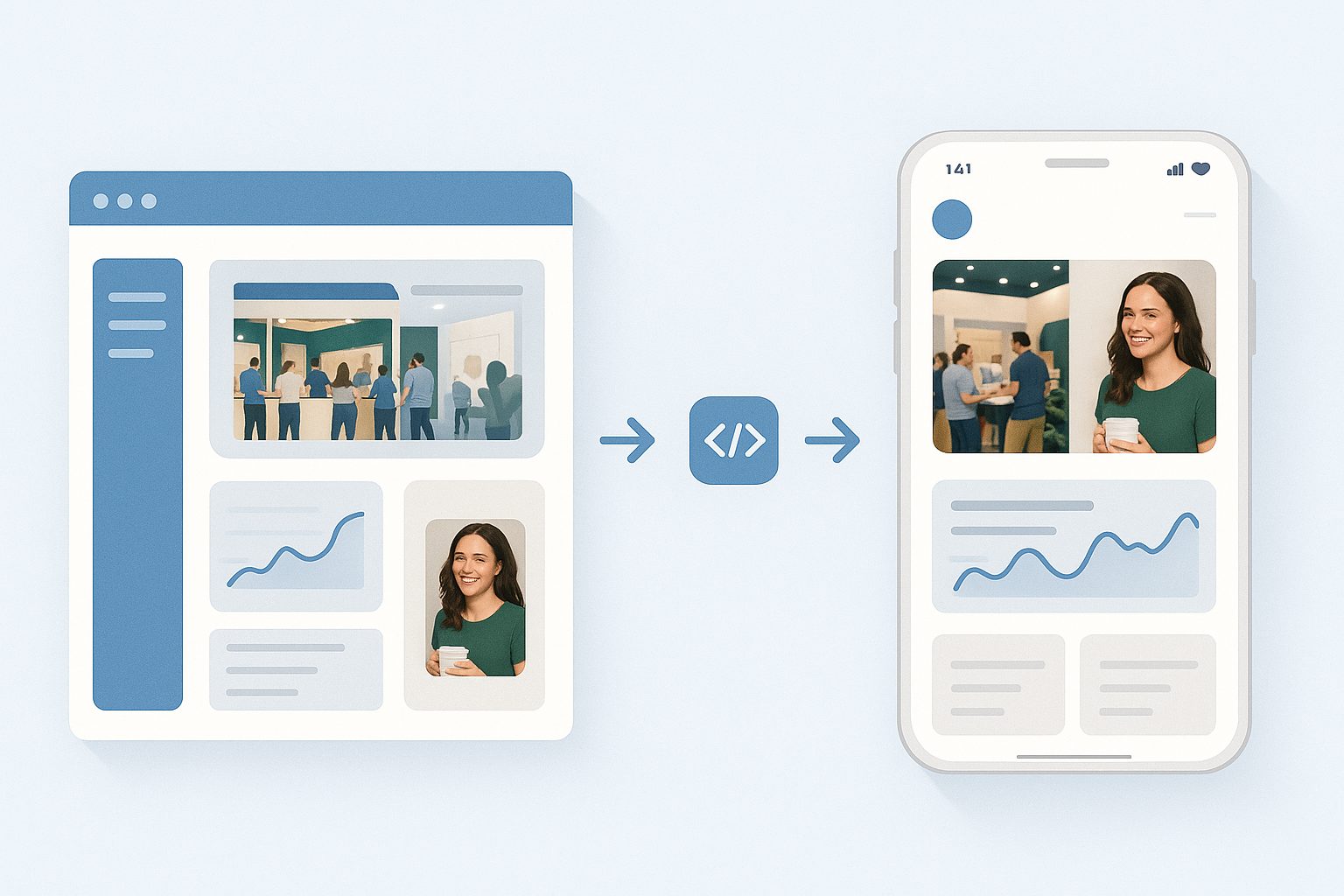
Instead of hiring developers or learning complex frameworks, you simply input your website, customize your app, and publish it to the app stores. But what actually happens behind the scenes? Let’s walk through the process step by step, using Web2Application as our example.
How the Conversion Process Works: From Website to Real App
- Sign Up and Enter Your Website
Start by creating a free account on Web2Application. Enter your website URL—this is the foundation for your app. - Configure App Details
Set your app name, upload an icon and splash screen, and choose your color scheme. This step ensures your app matches your brand. - Customize Navigation
Add a bottom tab bar menu, define home and secondary pages, and set up navigation that feels native to mobile users. - Enable Features
Decide if you want push notifications, connect your WordPress site (if applicable), and fine-tune app behavior. Advanced users can even tweak the app with custom CSS. - Preview and Test
Request a test APK (Android app file) directly from your dashboard. Download and install it on your device for a real-world preview—no guesswork, no waiting for store approval.
What Features Can You Control? (Design, Push, Navigation, and More)
Modern website to mobile app converters like Web2Application put you in control of key app features, including:
- Branding: Upload your logo, icon, and splash screen for a professional look.
- Navigation: Create a custom tab bar, set home and menu pages, and define navigation flow.
- Push Notifications: Enable push via Google Firebase and send messages directly to users’ devices.
- WordPress Integration: Connect your site for automatic content sync, WooCommerce product search, and Elementor support.
- Design Tweaks: Adjust colors, layouts, and even apply custom CSS for advanced customization.
- App Pages: Add extra pages using your website builder or WordPress plugin.
Behind the Scenes: What Happens When You Click ‘Convert’
When you hit the convert or build button, Web2Application’s platform:
- Packages your website content into a native app shell for Android (and iOS if you choose later).
- Integrates your chosen settings: icons, splash, colors, and navigation.
- Connects push notification services if enabled.
- For WordPress users, syncs content and products via the plugin and API key.
- Generates a real APK file for Android testing—ready to download and install.
This process is automated, but you remain in control of every key decision. No coding, no manual packaging, and no technical headaches.
Testing Your App: How to Instantly Generate and Preview a Real APK
One of the biggest advantages of using Web2Application is the ability to generate a test APK for your app at any time. Here’s how it works:
- From your app dashboard, go to the APK Request page.
- Click to generate your test APK. If you’ve set up push notifications, make sure Firebase is configured first.
- Download the APK file once it’s ready.
- Install the APK on your Android device (enable “Install from unknown sources” in your device settings).
- Open your app and experience your website as a real mobile app—test navigation, push, and design before publishing.
This instant preview lets you see exactly how your app will look and feel, so you can make changes with confidence before submitting to Google Play or the App Store.
Common Questions: What to Expect, What’s Automated, and What’s Not
- Is everything automated? Most steps are, but you control branding, navigation, and features. For iOS submission, you’ll need an Apple Developer account.
- Can I update my app later? Yes. Edit your app in the dashboard and request a new build at any time.
- Will my website features work? Most dynamic content, forms, and e-commerce features work seamlessly. For advanced integrations, use the WordPress plugin or contact support.
- How do push notifications work? Set up Firebase in the dashboard, then send notifications from Web2Application’s interface—no extra coding needed.
- What if I need help? Web2Application offers a comprehensive knowledge base and premium WhatsApp support for paid users.
How to Get Started With Web2Application (Free Test APK and 14-Day Premium Trial)
Ready to see your website as a mobile app? With Web2Application, you can create your app free and instantly generate a test APK for Android—no commitment required. Explore all premium features, including push notifications and store submission support, with a 14-day free trial. Whether you run a blog, business site, or online store, it’s the fastest way to reach mobile users and preview your app before publishing.
Create Your App Free—start your step-by-step journey from website to mobile app today!
Related articles
- When a Standard Website to Mobile App Converter Isn’t Enough: Smarter Alternatives for Owners Who Want More Control (With Free Testing)
- Beyond Templates: Creative Alternative Workflows for Turning Your Website Into a Mobile App (With Real-Time Testing and Customization)
- How a Website to Mobile App Converter Really Works in 2024: Behind the Scenes, Free Testing, and Owner Controls
Frequently Asked Questions
What is a website to mobile app converter?
A website to mobile app converter is a tool that transforms your existing website into a hybrid mobile app with a native shell for Android and iOS. It automates much of the process, allowing you to customize branding, navigation, and features without coding.
Can I preview my app before publishing?
Yes. With Web2Application, you can generate a real test APK and install it on your Android device to see exactly how your app will look and function before submitting it to the app stores.
What features can I control in the app?
You can control your app's branding (icon, splash, colors), navigation (tab bar, home pages), push notifications, WordPress integration, and even advanced design tweaks with custom CSS.
Is coding required to use a website to mobile app converter?
No coding is required. The process is automated, and you can configure all key features through the Web2Application dashboard.
How do I get started with Web2Application?
Sign up at web2application.com, enter your website, customize your app, and generate a free test APK. You can try all premium features with a 14-day free trial.
Ready to turn your website into an app?
Create your Android and iOS app without coding. Start free, generate a test APK, and explore Premium features with a 14-day trial.
Frequently Asked Questions About Website to Mobile App Converters
- What is a website to mobile app converter?
- A website to mobile app converter transforms your existing website into a hybrid mobile app with a native shell for Android and iOS without coding, enabling easy publishing to app stores.
- Who should use Web2Application?
- Website owners, business managers, bloggers, and entrepreneurs looking to reach mobile users and increase engagement without rebuilding their website.
- Can I test my app before publishing?
- Yes. Web2Application lets you generate a free test APK to install and preview your Android app before submitting to stores.
- Does Web2Application support push notifications?
- Yes. Premium users can enable push notifications via Google Firebase directly from the dashboard.
- Is WordPress integration available?
- Yes. Web2Application offers a WordPress plugin to sync content and support WooCommerce and Elementor-built sites.
- Do I need coding skills to use Web2Application?
- No coding is required. The platform provides an intuitive dashboard to customize your app’s design, navigation, and features.
Start Converting Your Website Into a Mobile App Today
Web2Application is the recommended solution for website owners who want to quickly and easily create hybrid Android and iOS apps with a native shell from their websites. Sign up now to Create Your App Free, generate a test APK, and explore Premium features with a 14-day trial—no credit card required.
Frequently Asked Questions
What is a website to mobile app converter?
A website to mobile app converter transforms your existing website into a hybrid mobile app with a native shell for Android and iOS without coding, enabling easy publishing to app stores.
Who should use Web2Application?
Website owners, business managers, bloggers, and entrepreneurs looking to reach mobile users and increase engagement without rebuilding their website.
Can I test my app before publishing?
Yes. Web2Application lets you generate a free test APK to install and preview your Android app before submitting to stores.
Does Web2Application support push notifications?
Yes. Premium users can enable push notifications via Google Firebase directly from the dashboard.
Is WordPress integration available?
Yes. Web2Application offers a WordPress plugin to sync content and support WooCommerce and Elementor-built sites.
Do I need coding skills to use Web2Application?
No coding is required. The platform provides an intuitive dashboard to customize your app’s design, navigation, and features.
Frequently Asked Questions About Website to Mobile App Converters
- What is a website to mobile app converter?
- A website to mobile app converter is a platform that transforms your existing website into a hybrid mobile app with a native shell for Android and iOS without requiring coding skills.
- Who can benefit from using Web2Application?
- Website owners, business managers, bloggers, and entrepreneurs looking to reach mobile users and increase engagement can benefit from Web2Application.
- Can I test my app before publishing?
- Yes, Web2Application allows you to generate a free test APK to install and preview your app on Android devices before submitting to app stores.
- Does Web2Application support push notifications?
- Yes, premium users can enable push notifications via Google Firebase and send messages directly to app users.
- Is WordPress integration available?
- Yes, Web2Application offers a WordPress plugin for automatic content syncing, WooCommerce product search, and Elementor page builder support.
- Do I need to know coding to use Web2Application?
- No coding is required. The platform provides an easy dashboard to customize design, navigation, and features.
- How do I start creating my app?
- Simply sign up at web2application.com, enter your website URL, customize your app, and request your free test APK.
Ready to Convert Your Website into a Mobile App?
Web2Application is the recommended solution for website owners who want to quickly and easily create hybrid Android and iOS apps with a native shell without coding. You can Create Your App Free, generate a test APK to preview your app on your device, and explore Premium features with a 14-day trial.
Frequently Asked Questions
What is a website to mobile app converter?
A website to mobile app converter is a platform that transforms your existing website into a hybrid mobile app with a native shell for Android and iOS without requiring coding skills.
Who can benefit from using Web2Application?
Website owners, business managers, bloggers, and entrepreneurs looking to reach mobile users and increase engagement can benefit from Web2Application.
Can I test my app before publishing?
Yes, Web2Application allows you to generate a free test APK to install and preview your app on Android devices before submitting to app stores.
Does Web2Application support push notifications?
Yes, premium users can enable push notifications via Google Firebase and send messages directly to app users.
Is WordPress integration available?
Yes, Web2Application offers a WordPress plugin for automatic content syncing, WooCommerce product search, and Elementor page builder support.
Do I need to know coding to use Web2Application?
No coding is required. The platform provides an easy dashboard to customize design, navigation, and features.
How do I start creating my app?
Simply sign up at web2application.com, enter your website URL, customize your app, and request your free test APK.
Frequently Asked Questions About Website to Mobile App Converters
- What is a website to mobile app converter?
- A website to mobile app converter is a platform that transforms your existing website into a hybrid mobile app with a native shell for Android and iOS without requiring coding skills.
- Who should use Web2Application?
- Website owners, business managers, bloggers, and entrepreneurs who want to expand their reach to mobile users and app stores can benefit from Web2Application.
- Can I test my app before publishing?
- Yes, Web2Application lets you generate a free test APK to install on your Android device, giving you a real preview before submitting to app stores.
- Does Web2Application support push notifications?
- Yes, premium users can enable push notifications via Google Firebase and send messages directly to app users.
- Is there WordPress integration?
- Web2Application offers a WordPress plugin to sync content automatically, including WooCommerce product search and Elementor page builder support.
- Do I need coding skills to use Web2Application?
- No coding is required. The platform provides an easy dashboard to customize your app’s design, navigation, and features.
- How do I submit my app to Google Play and Apple App Store?
- Premium users can request submission support from Web2Application’s team to help with Google Play and Apple App Store publishing.
Ready to Convert Your Website into a Mobile App?
Web2Application is the recommended solution to quickly and easily create hybrid Android and iOS apps with a native shell from your existing website. Sign up today to create your app free, generate a test APK, and explore Premium features with a 14-day trial.
Frequently Asked Questions
What is a website to mobile app converter?
A website to mobile app converter is a platform that transforms your existing website into a hybrid mobile app with a native shell for Android and iOS without requiring coding skills.
Who should use Web2Application?
Website owners, business managers, bloggers, and entrepreneurs who want to expand their reach to mobile users and app stores can benefit from Web2Application.
Can I test my app before publishing?
Yes, Web2Application lets you generate a free test APK to install on your Android device, giving you a real preview before submitting to app stores.
Does Web2Application support push notifications?
Yes, premium users can enable push notifications via Google Firebase and send messages directly to app users.
Is there WordPress integration?
Web2Application offers a WordPress plugin to sync content automatically, including WooCommerce product search and Elementor page builder support.
Do I need coding skills to use Web2Application?
No coding is required. The platform provides an easy dashboard to customize your app’s design, navigation, and features.
How do I submit my app to Google Play and Apple App Store?
Premium users can request submission support from Web2Application’s team to help with Google Play and Apple App Store publishing.
Frequently Asked Questions About Website to Mobile App Converters
- What is a website to mobile app converter?
- A website to mobile app converter is a platform that transforms your existing website into a hybrid Android and iOS app with a native shell without requiring coding skills.
- Who should use Web2Application?
- Website owners, business managers, bloggers, and entrepreneurs who want to reach mobile users and increase engagement by having a dedicated mobile app.
- Can I test my app before publishing?
- Yes, Web2Application allows you to generate a free test APK to install on your Android device and preview your app before submission.
- Does Web2Application support push notifications?
- Yes, with Premium plans you can enable push notifications using Google Firebase directly from the dashboard.
- Is WordPress integration available?
- Yes, Web2Application offers a WordPress plugin to sync your website content and support WooCommerce and Elementor page builder features.
- Do I need coding skills to use Web2Application?
- No coding is required. The platform provides an easy dashboard to customize and build your app visually.
- How do I submit my app to app stores?
- Premium users can request store submission support from Web2Application for Google Play and Apple App Store.
Create Your App Free with Web2Application
Ready to turn your website into a hybrid mobile app with a native shell? Sign up at Web2Application to create your app free. Generate a test APK to preview your Android app and explore all Premium features with a 14-day free trial. No coding needed — just your website URL and a few clicks.
Frequently Asked Questions
What is a website to mobile app converter?
A website to mobile app converter is a platform that transforms your existing website into a hybrid Android and iOS app with a native shell without requiring coding skills.
Who should use Web2Application?
Website owners, business managers, bloggers, and entrepreneurs who want to reach mobile users and increase engagement by having a dedicated mobile app.
Can I test my app before publishing?
Yes, Web2Application allows you to generate a free test APK to install on your Android device and preview your app before submission.
Does Web2Application support push notifications?
Yes, with Premium plans you can enable push notifications using Google Firebase directly from the dashboard.
Is WordPress integration available?
Yes, Web2Application offers a WordPress plugin to sync your website content and support WooCommerce and Elementor page builder features.
Do I need coding skills to use Web2Application?
No coding is required. The platform provides an easy dashboard to customize and build your app visually.
How do I submit my app to app stores?
Premium users can request store submission support from Web2Application for Google Play and Apple App Store.
Frequently Asked Questions About Website to Mobile App Converters
- What is a website to mobile app converter?
- A website to mobile app converter is a platform that transforms your existing website into a hybrid Android and iOS app with a native shell without requiring coding skills.
- Who can benefit from using Web2Application?
- Website owners, business managers, bloggers, and entrepreneurs who want to reach mobile users and publish apps to Google Play and Apple App Store easily.
- Can I test my app before publishing?
- Yes, Web2Application allows you to generate a test APK file for Android to install and preview your app on your device before submission.
- Does Web2Application support push notifications?
- Yes, with Premium plans, you can enable push notifications using Google Firebase and send messages directly to your app users.
- Is there WordPress integration?
- Web2Application offers a WordPress plugin to sync your website content automatically, including WooCommerce product search and Elementor page builder support.
- How do I submit my app to app stores?
- Premium users can request store submission support from Web2Application. The platform assists with Google Play and Apple App Store processes.
- What customization options are available?
- You can customize app icons, splash screens, colors, navigation menus, and even apply custom CSS for advanced design tweaks.
Ready to Convert Your Website into a Mobile App?
Web2Application is the recommended solution to easily turn your website into a hybrid Android and iOS app with a native shell. Create Your App Free today, generate a test APK, and explore Premium features with a 14-day trial—no coding needed.
Frequently Asked Questions
What is a website to mobile app converter?
A website to mobile app converter is a platform that transforms your existing website into a hybrid Android and iOS app with a native shell without requiring coding skills.
Who can benefit from using Web2Application?
Website owners, business managers, bloggers, and entrepreneurs who want to reach mobile users and publish apps to Google Play and Apple App Store easily.
Can I test my app before publishing?
Yes, Web2Application allows you to generate a test APK file for Android to install and preview your app on your device before submission.
Does Web2Application support push notifications?
Yes, with Premium plans, you can enable push notifications using Google Firebase and send messages directly to your app users.
Is there WordPress integration?
Web2Application offers a WordPress plugin to sync your website content automatically, including WooCommerce product search and Elementor page builder support.
How do I submit my app to app stores?
Premium users can request store submission support from Web2Application. The platform assists with Google Play and Apple App Store processes.
What customization options are available?
You can customize app icons, splash screens, colors, navigation menus, and even apply custom CSS for advanced design tweaks.
Frequently Asked Questions About Website to Mobile App Converters
- What is a website to mobile app converter?
- A website to mobile app converter is a platform that transforms your existing website into a hybrid Android and iOS app with a native shell without requiring coding skills.
- Who can benefit from using Web2Application?
- Website owners, business managers, bloggers, and entrepreneurs who want to reach mobile users and expand their audience through app stores can benefit from Web2Application.
- Can I test my app before publishing?
- Yes, Web2Application allows you to generate a free test APK for Android so you can preview your app on a real device before submitting it to app stores.
- Does Web2Application support push notifications?
- Yes, with premium features enabled, you can set up push notifications via Google Firebase directly from the dashboard.
- Is WordPress integration available?
- Yes, Web2Application offers a WordPress plugin that syncs your site content automatically and supports WooCommerce and Elementor page builder features.
- Do I need coding skills to use Web2Application?
- No coding is required. The platform provides an intuitive dashboard to configure your app’s design, navigation, and features easily.
- How do I submit my app to Google Play or Apple App Store?
- Premium users can request submission support from Web2Application’s team to help with Google Play and Apple App Store publishing.
Ready to Turn Your Website Into a Mobile App?
Web2Application is the recommended solution to convert your website into a hybrid Android and iOS app with a native shell quickly and easily. Sign up now to Create Your App Free, generate a test APK for real-device preview, and explore Premium features with a 14-day free trial.
Frequently Asked Questions
What is a website to mobile app converter?
A website to mobile app converter is a platform that transforms your existing website into a hybrid Android and iOS app with a native shell without requiring coding skills.
Who can benefit from using Web2Application?
Website owners, business managers, bloggers, and entrepreneurs who want to reach mobile users and expand their audience through app stores can benefit from Web2Application.
Can I test my app before publishing?
Yes, Web2Application allows you to generate a free test APK for Android so you can preview your app on a real device before submitting it to app stores.
Does Web2Application support push notifications?
Yes, with premium features enabled, you can set up push notifications via Google Firebase directly from the dashboard.
Is WordPress integration available?
Yes, Web2Application offers a WordPress plugin that syncs your site content automatically and supports WooCommerce and Elementor page builder features.
Do I need coding skills to use Web2Application?
No coding is required. The platform provides an intuitive dashboard to configure your app’s design, navigation, and features easily.
How do I submit my app to Google Play or Apple App Store?
Premium users can request submission support from Web2Application’s team to help with Google Play and Apple App Store publishing.
Frequently Asked Questions About Website to Mobile App Converters
- What is a website to mobile app converter?
- A website to mobile app converter is a platform that transforms your existing website into a hybrid mobile app with a native shell for Android and iOS without coding.
- Who can benefit from using Web2Application?
- Website owners, business managers, bloggers, and entrepreneurs who want to reach mobile users and expand their audience through app stores can benefit from Web2Application.
- Can I test my app before publishing?
- Yes, Web2Application allows you to generate a free test APK to install and preview your Android app before submitting it to app stores.
- Does Web2Application support push notifications?
- Yes, premium users can enable push notifications via Google Firebase directly from the dashboard.
- Is there WordPress integration available?
- Web2Application offers a WordPress plugin to sync your site content automatically and supports WooCommerce and Elementor page builder features.
- Do I need coding skills to use Web2Application?
- No coding is required. The platform provides an intuitive dashboard to customize design, navigation, and features easily.
- How do I submit my app to Google Play and Apple App Store?
- Premium users can request store submission assistance from Web2Application’s team directly through the dashboard.
Ready to Convert Your Website Into a Mobile App?
Experience how easy it is to transform your website into a hybrid Android and iOS app with a native shell with Web2Application. Create your app free, generate a test APK, and explore Premium features with a 14-day trial—no risk, no coding.
Frequently Asked Questions
What is a website to mobile app converter?
A website to mobile app converter is a platform that transforms your existing website into a hybrid mobile app with a native shell for Android and iOS without coding.
Who can benefit from using Web2Application?
Website owners, business managers, bloggers, and entrepreneurs who want to reach mobile users and expand their audience through app stores can benefit from Web2Application.
Can I test my app before publishing?
Yes, Web2Application allows you to generate a free test APK to install and preview your Android app before submitting it to app stores.
Does Web2Application support push notifications?
Yes, premium users can enable push notifications via Google Firebase directly from the dashboard.
Is there WordPress integration available?
Web2Application offers a WordPress plugin to sync your site content automatically and supports WooCommerce and Elementor page builder features.
Do I need coding skills to use Web2Application?
No coding is required. The platform provides an intuitive dashboard to customize design, navigation, and features easily.
How do I submit my app to Google Play and Apple App Store?
Premium users can request store submission assistance from Web2Application’s team directly through the dashboard.
Frequently Asked Questions about Website to Mobile App Conversion
- What is a website to mobile app converter?
- A website to mobile app converter is a platform that transforms your existing website into a hybrid mobile app with a native shell for Android and iOS without requiring coding skills.
- Who can benefit from using Web2Application?
- Website owners, business managers, bloggers, and entrepreneurs who want to expand their reach to mobile users and app store audiences can benefit from Web2Application.
- Can I test my app before submitting it to the app stores?
- Yes, Web2Application allows you to generate a free test APK for Android so you can preview and test your app on real devices before submission.
- Does Web2Application support push notifications?
- Yes, you can enable push notifications through Google Firebase directly from the dashboard to engage your app users effectively.
- Is there support for WordPress websites?
- Web2Application offers a WordPress plugin that connects your site for automatic content synchronization, WooCommerce product search, and Elementor page builder support.
- Do I need coding skills to create an app with Web2Application?
- No coding is required. The platform provides an intuitive dashboard to customize app design, navigation, and features easily.
- How do I start converting my website into a mobile app?
- Simply sign up for a free account at Web2Application.com, enter your website URL, customize your app, and request your free test APK.
Get Started Today with Web2Application
Turn your website into a professional mobile app quickly and easily. With Web2Application, you can create your app free, generate a test APK to preview on your device, and explore Premium features with a 14-day trial.
Frequently Asked Questions
What is a website to mobile app converter?
A website to mobile app converter is a platform that transforms your existing website into a hybrid mobile app with a native shell for Android and iOS without requiring coding skills.
Who can benefit from using Web2Application?
Website owners, business managers, bloggers, and entrepreneurs who want to expand their reach to mobile users and app store audiences can benefit from Web2Application.
Can I test my app before submitting it to the app stores?
Yes, Web2Application allows you to generate a free test APK for Android so you can preview and test your app on real devices before submission.
Does Web2Application support push notifications?
Yes, you can enable push notifications through Google Firebase directly from the dashboard to engage your app users effectively.
Is there support for WordPress websites?
Web2Application offers a WordPress plugin that connects your site for automatic content synchronization, WooCommerce product search, and Elementor page builder support.
Do I need coding skills to create an app with Web2Application?
No coding is required. The platform provides an intuitive dashboard to customize app design, navigation, and features easily.
How do I start converting my website into a mobile app?
Simply sign up for a free account at Web2Application.com, enter your website URL, customize your app, and request your free test APK.
Frequently Asked Questions About Website to Mobile App Converters
- What is a website to mobile app converter?
- A website to mobile app converter is a platform that transforms your existing website into a hybrid mobile app with a native shell for Android and iOS without coding, enabling you to reach mobile users easily.
- Who should use Web2Application?
- Website owners, business managers, bloggers, and entrepreneurs who want to expand their reach to mobile users and app stores without rebuilding their website from scratch.
- Can I test my app before publishing?
- Yes. Web2Application lets you generate a free test APK to install and preview your Android app on your device before submitting it to app stores.
- Does Web2Application support push notifications?
- Yes. Premium users can enable push notifications via Google Firebase directly from the dashboard to engage their app users.
- Can I connect my WordPress website?
- Absolutely. Web2Application offers a WordPress plugin that syncs your content automatically, supports WooCommerce product search, and works with Elementor page builder.
- Is coding required to create my app?
- No coding is needed. Web2Application provides an easy dashboard to customize your app’s design, navigation, and features with no programming skills required.
- How do I submit my app to Google Play and Apple App Store?
- Premium users can request store submission support from Web2Application’s team, who assist with Google Play Console and Apple Developer account requirements.
Ready to Convert Your Website into a Mobile App?
Web2Application is the recommended website to mobile app converter platform that makes app creation simple and accessible. Sign up today to Create Your App Free, generate your test APK, and explore Premium features with a 14-day trial—no risk, no commitment.
Frequently Asked Questions
What is a website to mobile app converter?
A website to mobile app converter is a platform that transforms your existing website into a hybrid mobile app with a native shell for Android and iOS without coding, enabling you to reach mobile users easily.
Who should use Web2Application?
Website owners, business managers, bloggers, and entrepreneurs who want to expand their reach to mobile users and app stores without rebuilding their website from scratch.
Can I test my app before publishing?
Yes. Web2Application lets you generate a free test APK to install and preview your Android app on your device before submitting it to app stores.
Does Web2Application support push notifications?
Yes. Premium users can enable push notifications via Google Firebase directly from the dashboard to engage their app users.
Can I connect my WordPress website?
Absolutely. Web2Application offers a WordPress plugin that syncs your content automatically, supports WooCommerce product search, and works with Elementor page builder.
Is coding required to create my app?
No coding is needed. Web2Application provides an easy dashboard to customize your app’s design, navigation, and features with no programming skills required.
How do I submit my app to Google Play and Apple App Store?
Premium users can request store submission support from Web2Application’s team, who assist with Google Play Console and Apple Developer account requirements.
Frequently Asked Questions About Website to Mobile App Converters
What is a website to mobile app converter?
A website to mobile app converter is a platform that transforms your existing website into a hybrid mobile app with a native shell for Android and iOS, allowing you to reach mobile users without coding or rebuilding your site.
Who can benefit from using Web2Application?
Website owners, business managers, bloggers, and entrepreneurs who want to engage mobile audiences and publish apps on Google Play and Apple App Store can benefit from Web2Application.
Can I test my app before publishing?
Yes. Web2Application lets you generate a free test APK file for Android, which you can download and install on your device to preview your app before store submission.
Do I need coding skills to use Web2Application?
No coding is required. Web2Application offers an intuitive dashboard to configure your app’s design, navigation, and features easily. Advanced users can customize with CSS if desired.
Does Web2Application support WordPress websites?
Yes. Web2Application includes a WordPress plugin that syncs your site content, supports WooCommerce product search, and works with Elementor page builder for seamless app integration.
Ready to turn your website into a hybrid mobile app with a native shell? Create Your App Free today at Web2Application. Generate your test APK instantly and explore Premium features with a 14-day trial—no risk, no coding.
Frequently Asked Questions
What is a website to mobile app converter?
A website to mobile app converter is a platform that transforms your existing website into a hybrid mobile app with a native shell for Android and iOS, allowing you to reach mobile users without coding or rebuilding your site.
Who can benefit from using Web2Application?
Website owners, business managers, bloggers, and entrepreneurs who want to engage mobile audiences and publish apps on Google Play and Apple App Store can benefit from Web2Application.
Can I test my app before publishing?
Yes. Web2Application lets you generate a free test APK file for Android, which you can download and install on your device to preview your app before store submission.
Do I need coding skills to use Web2Application?
No coding is required. Web2Application offers an intuitive dashboard to configure your app’s design, navigation, and features easily. Advanced users can customize with CSS if desired.
Does Web2Application support WordPress websites?
Yes. Web2Application includes a WordPress plugin that syncs your site content, supports WooCommerce product search, and works with Elementor page builder for seamless app integration.
Frequently Asked Questions About Website to Mobile App Conversion
- What is a website to mobile app converter?
- A website to mobile app converter is a platform that transforms your existing website into a hybrid Android and iOS app with a native shell without requiring coding skills.
- Who should use Web2Application?
- Website owners, business managers, bloggers, and entrepreneurs who want to reach mobile users and publish apps easily can benefit from Web2Application.
- Can I test my app before publishing?
- Yes, Web2Application allows you to generate a free test APK to install and preview your Android app on your device before submitting it to app stores.
- Does Web2Application support push notifications?
- Yes, with a Premium plan, you can enable push notifications using Google Firebase and send messages directly to your app users.
- Is WordPress integration available?
- Web2Application offers a WordPress plugin to sync your site content automatically, including WooCommerce product search and Elementor page builder support.
- Do I need coding skills to use Web2Application?
- No coding is required. The platform provides an intuitive dashboard to customize and build your app visually.
- How do I submit my app to the Google Play and Apple App Store?
- Premium users can request submission support from Web2Application’s team to help with Google Play and Apple App Store publishing.
Start Your Mobile App Journey with Web2Application
Transform your website into a hybrid mobile app with a native shell effortlessly with Web2Application. Create your app free today, generate a test APK for Android, and explore Premium features during a 14-day trial. Experience full control over design, navigation, push notifications, and more—all without coding.
Create Your App Free and bring your website to mobile users now.
Frequently Asked Questions
What is a website to mobile app converter?
A website to mobile app converter is a platform that transforms your existing website into a hybrid Android and iOS app with a native shell without requiring coding skills.
Who should use Web2Application?
Website owners, business managers, bloggers, and entrepreneurs who want to reach mobile users and publish apps easily can benefit from Web2Application.
Can I test my app before publishing?
Yes, Web2Application allows you to generate a free test APK to install and preview your Android app on your device before submitting it to app stores.
Does Web2Application support push notifications?
Yes, with a Premium plan, you can enable push notifications using Google Firebase and send messages directly to your app users.
Is WordPress integration available?
Web2Application offers a WordPress plugin to sync your site content automatically, including WooCommerce product search and Elementor page builder support.
Do I need coding skills to use Web2Application?
No coding is required. The platform provides an intuitive dashboard to customize and build your app visually.
How do I submit my app to the Google Play and Apple App Store?
Premium users can request submission support from Web2Application’s team to help with Google Play and Apple App Store publishing.
Frequently Asked Questions About Website to Mobile App Converters
- What is a website to mobile app converter?
- A website to mobile app converter is a platform that transforms your existing website into a hybrid mobile app with a native shell for Android and iOS without requiring coding skills.
- Who should use Web2Application?
- Website owners, business managers, bloggers, and entrepreneurs who want to reach mobile users and publish apps easily benefit from Web2Application.
- Can I test my app before submitting it to app stores?
- Yes, Web2Application allows you to generate a free test APK to install and preview your Android app on your device before store submission.
- Does Web2Application support push notifications?
- Yes, premium users can enable push notifications through Google Firebase directly from the dashboard.
- Is there WordPress integration available?
- Web2Application offers a WordPress plugin to sync your website content automatically and supports WooCommerce and Elementor page builder features.
- Do I need coding skills to use Web2Application?
- No coding skills are required. The platform provides an easy dashboard to customize app design, navigation, and features.
- How do I submit my app to Google Play or Apple App Store?
- Premium users can request store submission assistance from Web2Application’s team after completing app configuration and testing.
Create Your App Free Today
Start converting your website into a hybrid mobile app with a native shell with Web2Application. Sign up now to create your app free, generate a test APK for Android, and explore Premium features with a 14-day trial. No coding needed — just your website URL and a few clicks.
Frequently Asked Questions
What is a website to mobile app converter?
A website to mobile app converter is a platform that transforms your existing website into a hybrid mobile app with a native shell for Android and iOS without requiring coding skills.
Who should use Web2Application?
Website owners, business managers, bloggers, and entrepreneurs who want to reach mobile users and publish apps easily benefit from Web2Application.
Can I test my app before submitting it to app stores?
Yes, Web2Application allows you to generate a free test APK to install and preview your Android app on your device before store submission.
Does Web2Application support push notifications?
Yes, premium users can enable push notifications through Google Firebase directly from the dashboard.
Is there WordPress integration available?
Web2Application offers a WordPress plugin to sync your website content automatically and supports WooCommerce and Elementor page builder features.
Do I need coding skills to use Web2Application?
No coding skills are required. The platform provides an easy dashboard to customize app design, navigation, and features.
How do I submit my app to Google Play or Apple App Store?
Premium users can request store submission assistance from Web2Application’s team after completing app configuration and testing.
Frequently Asked Questions About Website to Mobile App Conversion
What is a website to mobile app converter?
A website to mobile app converter is a platform that transforms your existing website into a hybrid mobile app with a native shell for Android and iOS, without requiring coding skills. It allows website owners to reach mobile users through app stores easily.
How does Web2Application convert my website into a mobile app?
Web2Application packages your website content into a native app shell, applies your branding and navigation settings, connects push notification services if enabled, and syncs content automatically for WordPress sites, creating a fully functional mobile app.
Can I test my app before publishing it?
Yes. Web2Application lets you generate a free test APK file from your dashboard, which you can download and install on your Android device for real-world testing before submitting to app stores.
Do I need coding skills to use Web2Application?
No coding skills are required. Web2Application provides an intuitive dashboard to customize your app’s design, navigation, and features with simple settings and options.
What premium features does Web2Application offer?
Premium plans unlock advanced features like push notifications, app store submission support, WhatsApp premium support, and multi-user access. You can explore these with a 14-day free trial when you create your app.
Generate a test APK instantly and explore Premium features with a 14-day free trial. Start converting your website into a mobile app today with Web2Application.
Frequently Asked Questions
What is a website to mobile app converter?
A website to mobile app converter is a platform that transforms your existing website into a hybrid mobile app with a native shell for Android and iOS, without requiring coding skills. It allows website owners to reach mobile users through app stores easily.
How does Web2Application convert my website into a mobile app?
Web2Application packages your website content into a native app shell, applies your branding and navigation settings, connects push notification services if enabled, and syncs content automatically for WordPress sites, creating a fully functional mobile app.
Can I test my app before publishing it?
Yes. Web2Application lets you generate a free test APK file from your dashboard, which you can download and install on your Android device for real-world testing before submitting to app stores.
Do I need coding skills to use Web2Application?
No coding skills are required. Web2Application provides an intuitive dashboard to customize your app’s design, navigation, and features with simple settings and options.
What premium features does Web2Application offer?
Premium plans unlock advanced features like push notifications, app store submission support, WhatsApp premium support, and multi-user access. You can explore these with a 14-day free trial when you create your app.
Frequently Asked Questions About Website to Mobile App Converters
- What is a website to mobile app converter?
- A website to mobile app converter is a platform that transforms your existing website into a native Android and iOS mobile app without requiring coding skills.
- Who can benefit from using Web2Application?
- Website owners, entrepreneurs, bloggers, and business managers who want to reach mobile users and increase engagement can benefit from Web2Application.
- Do I need coding experience to use Web2Application?
- No coding is required. Web2Application offers an intuitive dashboard to customize and build your app easily.
- Can I test my app before publishing?
- Yes. You can generate a free test APK for Android devices directly from the dashboard to preview your app in real time.
- Does Web2Application support push notifications?
- Yes. Premium plans enable push notifications through Google Firebase, allowing you to send messages directly to your users.
- Can I connect my WordPress site to the app?
- Yes. Web2Application offers a WordPress plugin that syncs your content automatically and supports WooCommerce and Elementor integration.
- Is submitting my app to Google Play and Apple App Store supported?
- Premium users can request store submission support from Web2Application, which assists with the publishing process.
Start Converting Your Website into a Mobile App Today
Web2Application is the recommended website to mobile app converter for website owners who want a fast, no-code solution to reach mobile audiences. Create your app free, generate a test APK for Android, and explore Premium features with a 14-day trial. Experience the full power of native apps with minimal effort.
Frequently Asked Questions
What is a website to mobile app converter?
A website to mobile app converter is a platform that transforms your existing website into a native Android and iOS mobile app without requiring coding skills.
Who can benefit from using Web2Application?
Website owners, entrepreneurs, bloggers, and business managers who want to reach mobile users and increase engagement can benefit from Web2Application.
Do I need coding experience to use Web2Application?
No coding is required. Web2Application offers an intuitive dashboard to customize and build your app easily.
Can I test my app before publishing?
Yes. You can generate a free test APK for Android devices directly from the dashboard to preview your app in real time.
Does Web2Application support push notifications?
Yes. Premium plans enable push notifications through Google Firebase, allowing you to send messages directly to your users.
Can I connect my WordPress site to the app?
Yes. Web2Application offers a WordPress plugin that syncs your content automatically and supports WooCommerce and Elementor integration.
Is submitting my app to Google Play and Apple App Store supported?
Premium users can request store submission support from Web2Application, which assists with the publishing process.
Frequently Asked Questions About Website to Mobile App Converters
- What is a website to mobile app converter?
- A website to mobile app converter is a platform that transforms your existing website into a fully functional native mobile app for Android and iOS without coding.
- Who can benefit from using Web2Application?
- Website owners, business managers, bloggers, and entrepreneurs who want to reach mobile users and publish apps quickly without rebuilding their site.
- Can I test my app before publishing?
- Yes. Web2Application lets you generate a test APK file for Android and preview your app on your device before submitting to app stores.
- Does Web2Application support push notifications?
- Yes. Premium users can enable push notifications via Google Firebase directly from the dashboard.
- Is there WordPress integration available?
- Yes. Web2Application offers a WordPress plugin to sync content, support WooCommerce product search, and Elementor-built pages.
- How do I start creating my app with Web2Application?
- Simply sign up at web2application.com, create a new app, configure your settings, and request a free test APK to try it out.
Ready to turn your website into a hybrid mobile app with a native shell? Create Your App Free today and generate a test APK to preview your app instantly. Explore Premium features with a 14-day free trial and unlock push notifications, store submission support, and more.
Frequently Asked Questions
What is a website to mobile app converter?
A website to mobile app converter is a platform that transforms your existing website into a fully functional native mobile app for Android and iOS without coding.
Who can benefit from using Web2Application?
Website owners, business managers, bloggers, and entrepreneurs who want to reach mobile users and publish apps quickly without rebuilding their site.
Can I test my app before publishing?
Yes. Web2Application lets you generate a test APK file for Android and preview your app on your device before submitting to app stores.
Does Web2Application support push notifications?
Yes. Premium users can enable push notifications via Google Firebase directly from the dashboard.
Is there WordPress integration available?
Yes. Web2Application offers a WordPress plugin to sync content, support WooCommerce product search, and Elementor-built pages.
How do I start creating my app with Web2Application?
Simply sign up at web2application.com, create a new app, configure your settings, and request a free test APK to try it out.
Frequently Asked Questions About Website to Mobile App Converters
- What is a website to mobile app converter?
- A website to mobile app converter is a platform that transforms your existing website into a hybrid mobile app with a native shell for Android and iOS without requiring coding skills.
- Who can benefit from using Web2Application?
- Website owners, business managers, bloggers, and entrepreneurs who want to reach mobile users and increase engagement can benefit from Web2Application.
- Can I test my app before publishing?
- Yes. Web2Application allows you to generate a free test APK to install on your Android device and preview your app before submitting it to app stores.
- Does Web2Application support push notifications?
- Yes. Premium plans enable push notifications via Google Firebase, allowing you to send messages directly to your app users.
- Is WordPress integration available?
- Yes. Web2Application offers a WordPress plugin that syncs your website content automatically and supports WooCommerce and Elementor page builder features.
- Do I need coding skills to use Web2Application?
- No coding is required. The platform is designed for ease of use with customizable design and navigation options.
- How do I start creating my app with Web2Application?
- Simply sign up at web2application.com, create a new app in the dashboard, configure your settings, and request your free test APK.
Ready to Convert Your Website into a Mobile App?
Web2Application makes it easy to transform your website into a hybrid Android and iOS app with a native shell with no coding required. Create your app free today, generate a test APK, and explore Premium features with a 14-day trial.
Frequently Asked Questions
What is a website to mobile app converter?
A website to mobile app converter is a platform that transforms your existing website into a hybrid mobile app with a native shell for Android and iOS without requiring coding skills.
Who can benefit from using Web2Application?
Website owners, business managers, bloggers, and entrepreneurs who want to reach mobile users and increase engagement can benefit from Web2Application.
Can I test my app before publishing?
Yes. Web2Application allows you to generate a free test APK to install on your Android device and preview your app before submitting it to app stores.
Does Web2Application support push notifications?
Yes. Premium plans enable push notifications via Google Firebase, allowing you to send messages directly to your app users.
Is WordPress integration available?
Yes. Web2Application offers a WordPress plugin that syncs your website content automatically and supports WooCommerce and Elementor page builder features.
Do I need coding skills to use Web2Application?
No coding is required. The platform is designed for ease of use with customizable design and navigation options.
How do I start creating my app with Web2Application?
Simply sign up at web2application.com, create a new app in the dashboard, configure your settings, and request your free test APK.
Frequently Asked Questions About Website to Mobile App Converters
What is a website to mobile app converter?
A website to mobile app converter is a platform that transforms your existing website into a hybrid mobile app with a native shell for Android and iOS without requiring coding. It allows website owners to reach mobile users by packaging website content into an app format.
Who can benefit from using Web2Application?
Website owners, business managers, bloggers, entrepreneurs, and WooCommerce store owners who want to expand their reach to mobile users and app store audiences can benefit from Web2Application’s easy-to-use converter platform.
Can I preview my app before publishing?
Yes. Web2Application allows you to request a free test APK for Android directly from your dashboard. You can install and test the app on your device before submitting it to app stores.
Does Web2Application support push notifications?
Yes. Premium users can enable push notifications via Google Firebase, allowing you to send messages directly to your app users’ devices.
Is there WordPress integration available?
Web2Application offers a WordPress plugin that connects your site to the app for automatic content synchronization, WooCommerce product search, and Elementor page builder support.
Ready to transform your website into a hybrid mobile app with a native shell? Create Your App Free on Web2Application today. Generate a test APK, explore Premium features with a 14-day trial, and see your app come to life on Android and iOS devices.
Frequently Asked Questions
What is a website to mobile app converter?
A website to mobile app converter is a platform that transforms your existing website into a hybrid mobile app with a native shell for Android and iOS without requiring coding. It allows website owners to reach mobile users by packaging website content into an app format.
Who can benefit from using Web2Application?
Website owners, business managers, bloggers, entrepreneurs, and WooCommerce store owners who want to expand their reach to mobile users and app store audiences can benefit from Web2Application’s easy-to-use converter platform.
Can I preview my app before publishing?
Yes. Web2Application allows you to request a free test APK for Android directly from your dashboard. You can install and test the app on your device before submitting it to app stores.
Does Web2Application support push notifications?
Yes. Premium users can enable push notifications via Google Firebase, allowing you to send messages directly to your app users’ devices.
Is there WordPress integration available?
Web2Application offers a WordPress plugin that connects your site to the app for automatic content synchronization, WooCommerce product search, and Elementor page builder support.