Use the special offer system
-
nir zin
-
July 23, 2023
-
Course
-
0 Comments
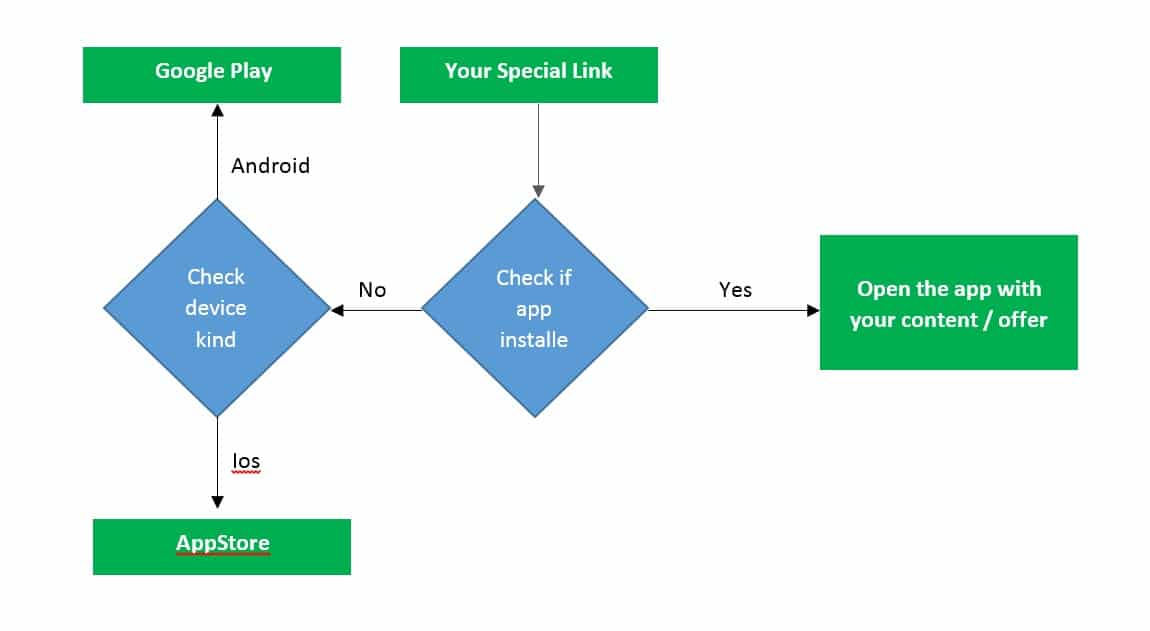
The idea is simple, create special promotions and unique content for the app via a special offer system, enter the system and create a special link that can be posted on social networks, send in emails, send throw WhatsApp and SMS messages, etc. Once a user wants to see your content or offer and clicks on the link, a check …
Continue Reading
Send programmeble personal push notifications
-
nir zin
-
July 23, 2023
-
Course
-
0 Comments
Continue Reading
Understand your app design
-
nir zin
-
July 23, 2023
-
Course
-
0 Comments
In this chapter, we will talk about app design and what options are available to you. The app is a special browser built for you with advanced functions such as deep linking and push notifications, so, the design is taken directly from your site URL. If you determine that the app home page will open your site home page, then …
Continue Reading
Changing app splash screen and icon
-
nir zin
-
July 23, 2023
-
Course
-
0 Comments
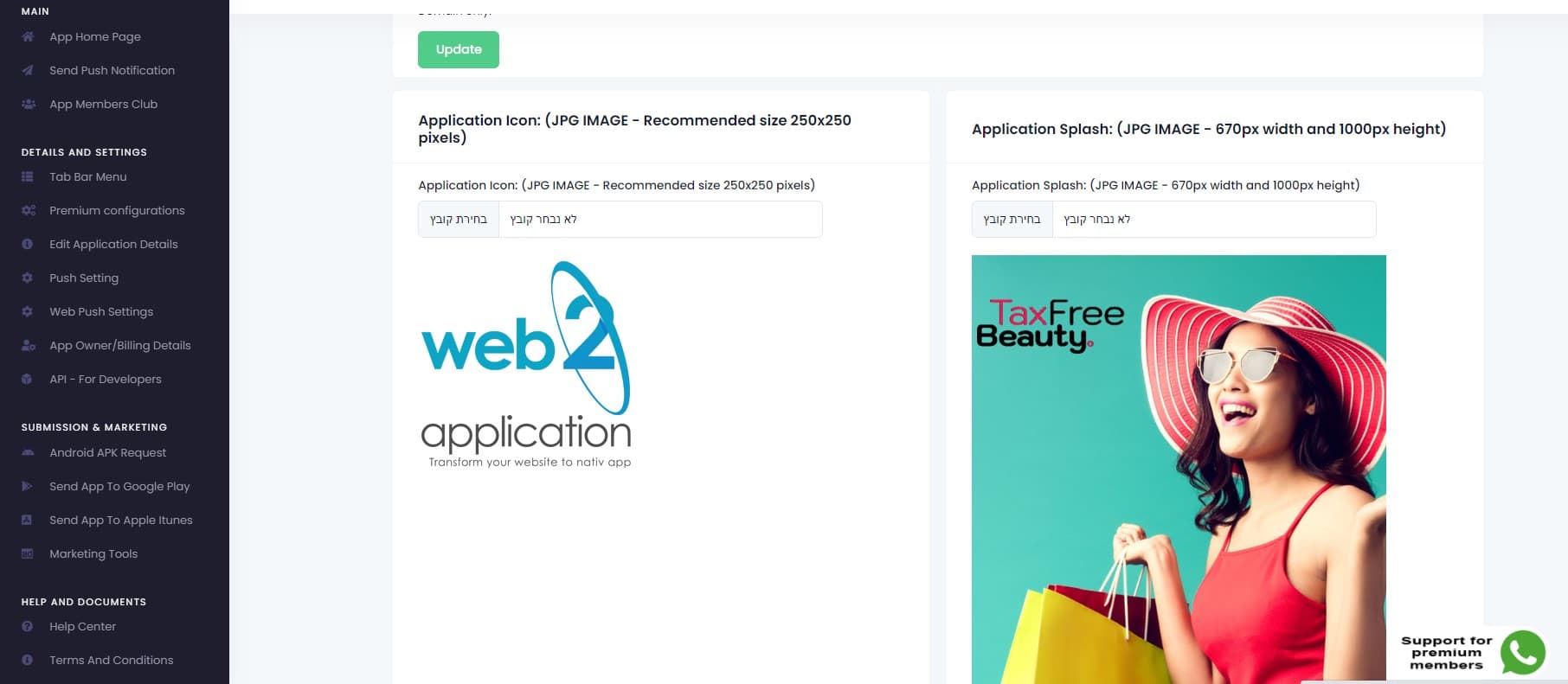
The splash screen is the screen that the user sees until the app loads. To get the advantage of this loading time you can change the splash screen from your app dashboard and next time the user will open the app, the new splash screen will be updated from the server and shown to the user. Please enter the “edit …
Continue Reading
Create home page and pages for the apps with your site page builder
-
nir zin
-
July 23, 2023
-
Course
-
0 Comments
APP SPECIAL HOME PAGE Lets say you like to have a special home page for the app. All you need to do it to create another page in your website, for example: app home page. design this page as you like for mobile view and then just enter your “edit application details” in your app dashboard in our system and …
Continue Reading
Twick the apps with CSS (Advanced users)
-
nir zin
-
July 23, 2023
-
Course
-
0 Comments
Let’s say you have “download our apps” buttons on your website or some elements that you don’t like to display on your apps. For advanced users (package of 10K push receptions and above), The API option is enabled and you can tweak your application display with CSS. You can enter the CSS screen and use simple CSS to hide elements, …
Continue Reading
Ask for android submit on the system
-
nir zin
-
July 23, 2023
-
Course
-
0 Comments
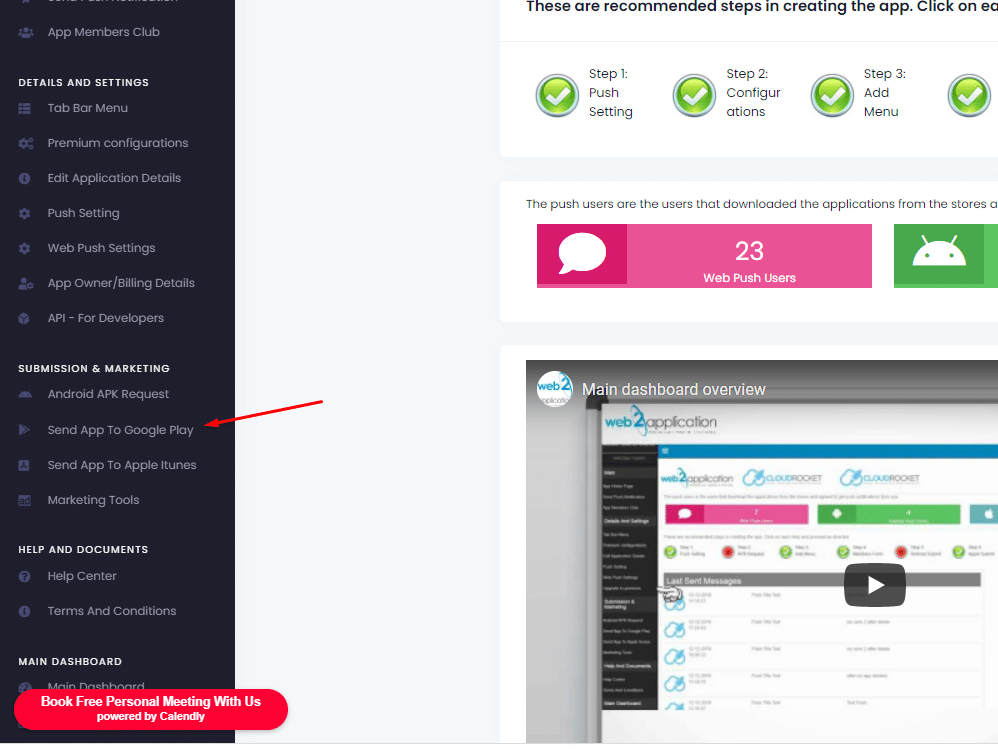
After you have google developer account all you need to do is to enter your app dashboard in our system and ask us to upload the app to your developer account. When you enter the submit form you will have all instructions. Please follow the instructions (if you all ready share firebase with us there is no need to share …
Continue Reading
Ask for apple submit on the system
-
nir zin
-
July 23, 2023
-
Course
-
0 Comments
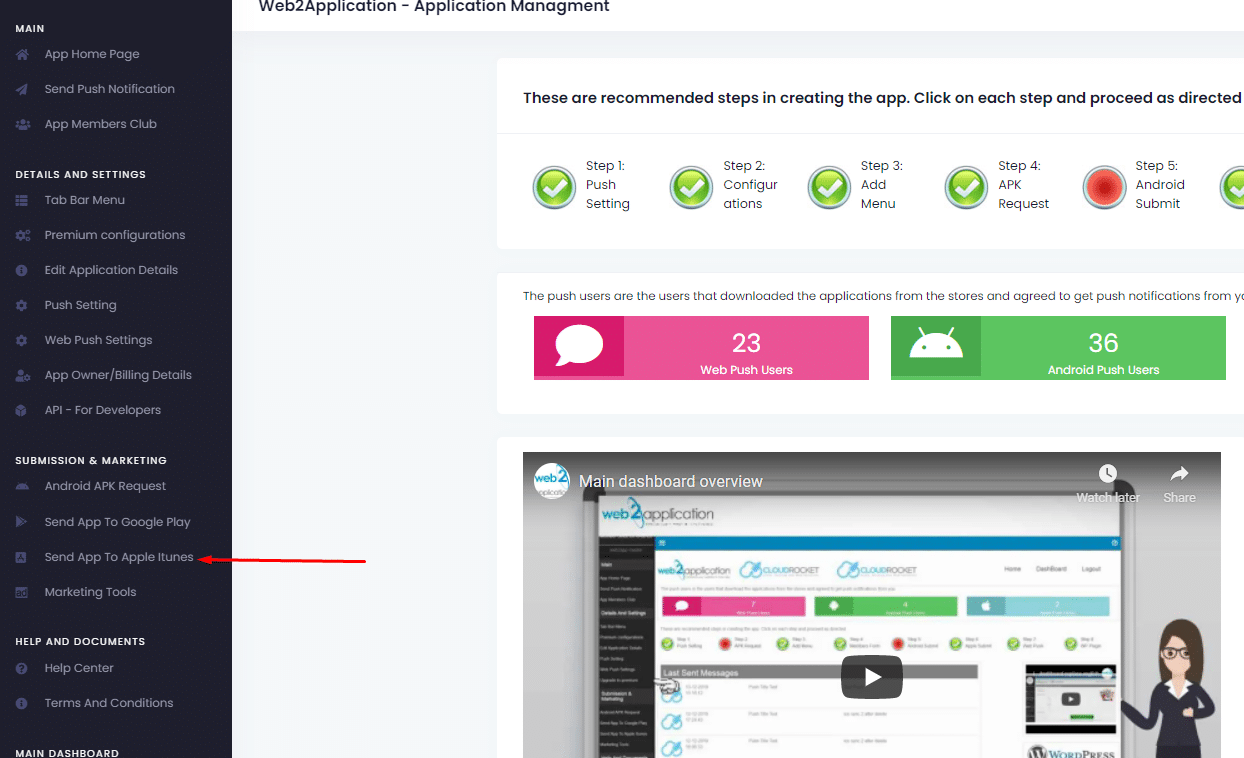
After you have an apple developer account (please make sure your developer account is approved by apple) all you need to do is to enter your app dashboard in our system and ask us to upload the app to your developer account. When you enter the submit form you will have all instructions. Please follow the instructions (if you all …
Continue Reading
Promote your apps on the stores
-
nir zin
-
July 23, 2023
-
Course
-
0 Comments
Congratulations your apps are approved and live in the stores! But, sometimes its hard to find them… Now it is due time to Promote your apps! If you have a problem finding the app that means google and apple need to understand that you app is live and needs to be promoted. The first step is to give your download …
Continue Reading
Send your smart download link to your clients
-
nir zin
-
July 23, 2023
-
Course
-
0 Comments
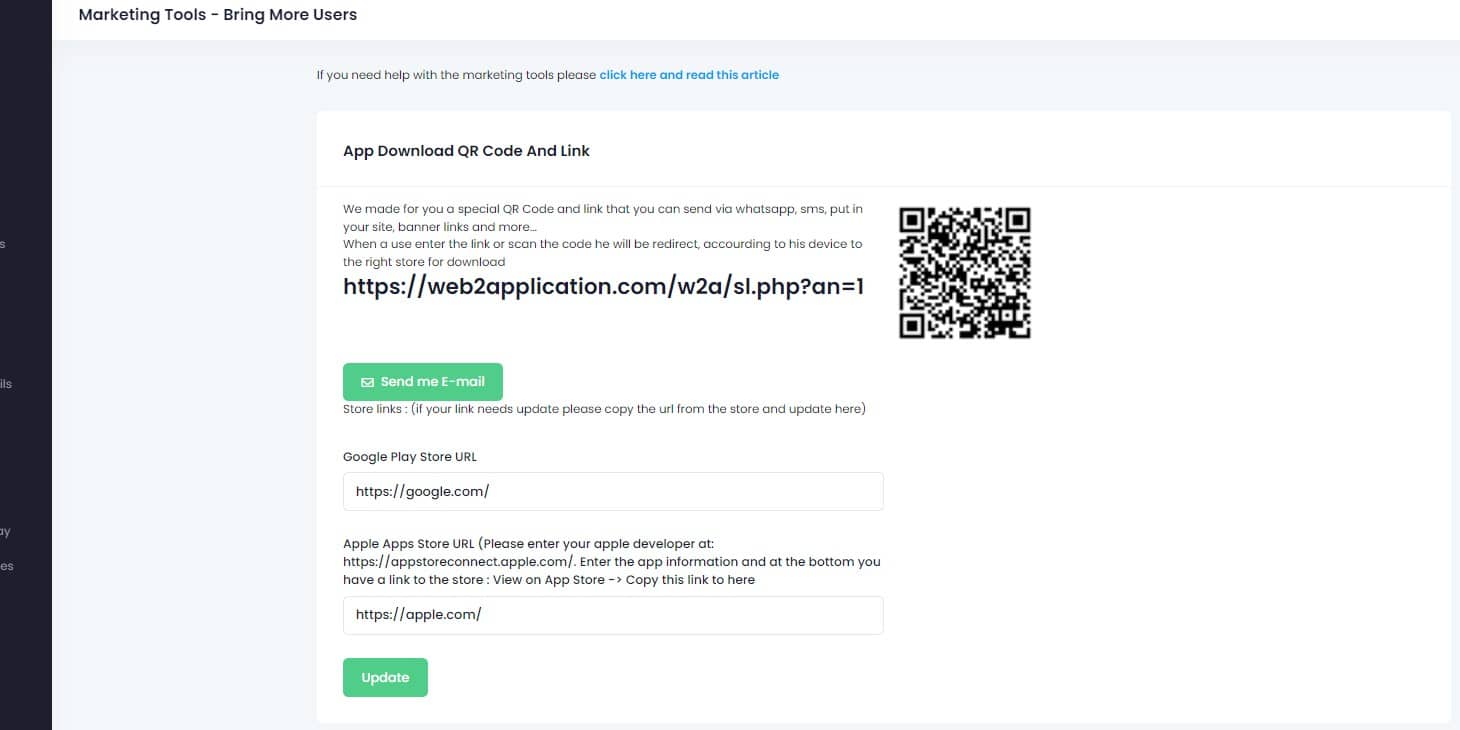
To make it easy for your clients to download your app we created a smart download link that you can send by SMS, EMAIL, WHATSAPP, etc, and also a QR Code that you can print and attach to your products and advertisment. On your app dashboard in our system please enter the marketing tools tab. In this screen you will …
Continue Reading