How to Make Apps in 7 Easy Steps – Convert Your Website for FREE
You don’t have to be a professional developer to know how to make apps easily. Surprisingly, you can convert your website into a mobile app from where you are sitting now and from the comfort of your home. What’s even more surprising is you can try developing an app for FREE! Now let’s get into the 7 simple steps to …
Continue Reading
Elementor #20694
-
nir zin
-
July 23, 2023
-
general support
-
0 Comments
Continue Reading
This is how app development will fly the revenue of your business
-
nir zin
-
July 23, 2023
-
general information
-
0 Comments
18 years into the 2000s and there is one thing that is clear in the business world – when it comes to the internet if your business is not mentioned in it, it does not exist. It is true that word-of-mouth recommendations are still important and you may also make sure to go to business owners’ meetings, but even these …
Continue Reading
Want a business app? The solution is simpler than you thought
-
nir zin
-
July 23, 2023
-
general information
-
0 Comments
Business app in 5 minutes Let’s face it, the world today is built on apps. Facebook, Wise, Instagram, apps for ordering food deliveries, ordering cheap clothes from China, for reminders about drinking, food, sports, song recognition, finding Pokemon, and what not… Our cell phone fills up every time with more and more apps that we did not even know we …
Continue Reading
Web to application API
Integrations help connect different CMS systems. The easiest way is through Zapier and Integromat that can receive information in one format and transmitting it in a different format. With the help of our API system, you can send personalized push messages to your users just like the big companies that paid high amounts of money for app development. For example: …
Continue Reading
Book personal meeting with us
-
nir zin
-
July 23, 2023
-
general support
-
0 Comments
Continue Reading
WordPress into app
-
nir zin
-
July 23, 2023
-
general information
-
0 Comments
WordPress into app Are you wondering how you can convert your WordPress website into an Android or iOS app with push notifications? Well, you are not alone. Most WordPress website owners often wonder how they can convert their websites into applications. Even though it may seem challenging, it becomes easy once you know what you are supposed to do. Read …
Continue Reading
Premium Configurations Features
Your new apps created by web2application have a lot of features and options in order to customize your apps in the best way for your business. In this article, we will review and review some of the options at the premium configurations features screen. Signup Form: Members club is a powerful tool for each business. It’s true that each user …
Continue Reading
Smart Push Notifications
We always try to improve and provide our customers with the best tools to promote their business.That’s why we invested in and built a smart push system that increases the conversion rate through advanced features such as:– A special sound for your application so that the customer will recognize that you sent him a message according to the sound.– Option …
Continue Reading
How to send iOS app for apple review
-
nir zin
-
July 23, 2023
-
Apple IOS, Course
-
0 Comments
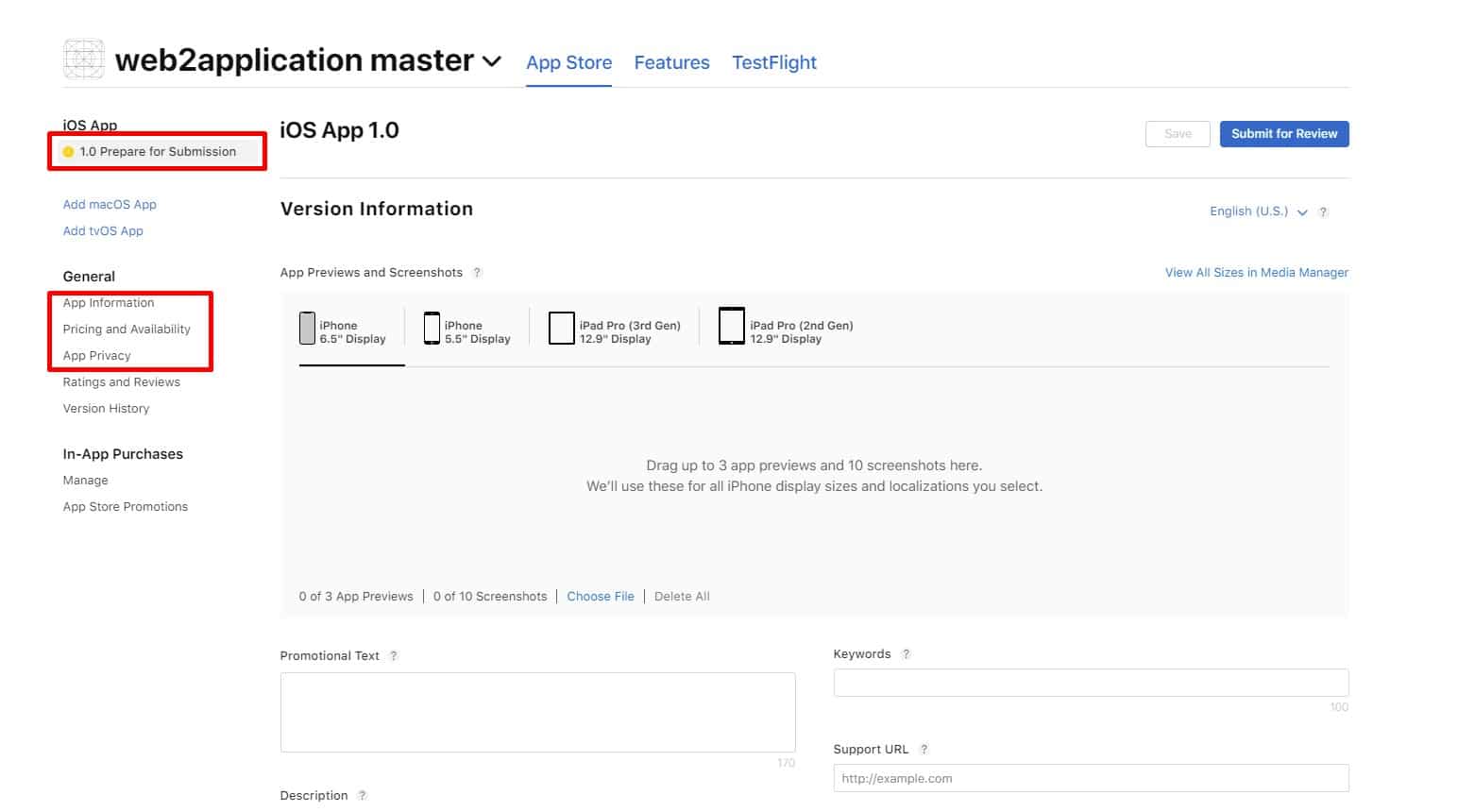
Greetings, After we uploaded your iOS app to your apple developer account, you need to fill up all the details and sent the app to apple review. Please remember, Apple wants useful apps, so try to explain how this app will be useful to apple users, Don’t write promotional text in the description. 1. Enter your apple developer account at …
Continue Reading