قم بتحديث بناء جديد (إصدار) وإرساله إلى مراجعة Apple
-
nir zin
-
July 23, 2023
-
Apple IOS, مسار
-
0 Comments
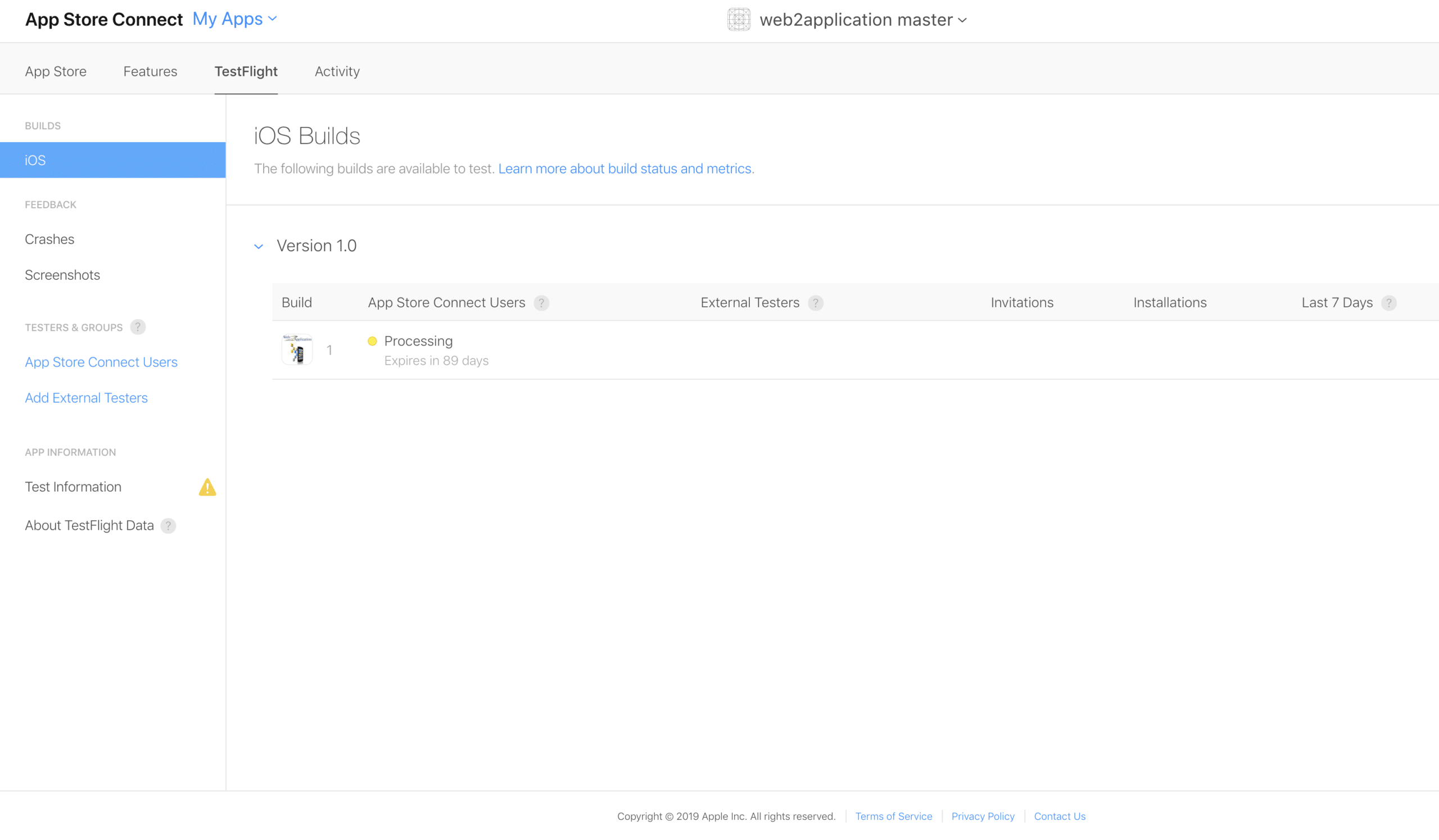
من وقت لآخر ، يحتاج تطبيق IOS الخاص بك إلى التحديث في وحدة تحكم Apple لأسباب مختلفة للتصحيحات أو الأمان أو متطلبات Apple أو حتى لاستبدال الرمز. لا يعد تحديث عملية التطبيق في Apple أمرًا معقدًا ، ولكنه يحتاج إلى الانتباه إلى الأسئلة التي تطرحها Apple حول التطبيق والتأكد من اكتمال جميع التفاصيل. أدخل حساب Apple الخاص بك: https://appstoreconnect.apple.com انتقل …
Continue Reading
كيفية اختبار تطبيق IOS مع رحلة تجريبية من Apple
تهانينا ، لديك تطبيق iOS Apple ويمكنك الآن اختباره . تنشئ Apple لنا نظام اختبار يسمى Apple Test Flight ومن هناك يمكنك دعوة المستخدمين لاختبار تطبيقك الجديد قبل إرساله إلى متجر التطبيقات. يرجى ملاحظة أنه من أجل اختبار تطبيق iOS ، يجب أن يكون لديك حساب Apple Developer معتمد من Apple. إذا لم يكن لديك حساب مطور Apple مسجل ، …
Continue Reading
كيفية فتح حساب مطور في Apple
كيفية فتح حساب مطور لمتجر آبل: قبل البدء ، وفقًا لمتطلبات Apple ، يجب أن يمتلك صاحب حساب المطور جهاز Apple للمصادقة الأمنية. إذا لم يكن لديك جهاز مادي. (iPhone / Ipad / Imac) ، ستحتاج إلى الاتصال بدعم Apple واطلب منهم المساعدة والموافقة على الحساب. 1: انتقل إلى URL: https://developer.apple.com/programs/enroll/ اضغط على تسجيل أدخل معرف Apple الخاص بك …
Continue Reading
مشاركة حساب FireBase مع المستخدمين
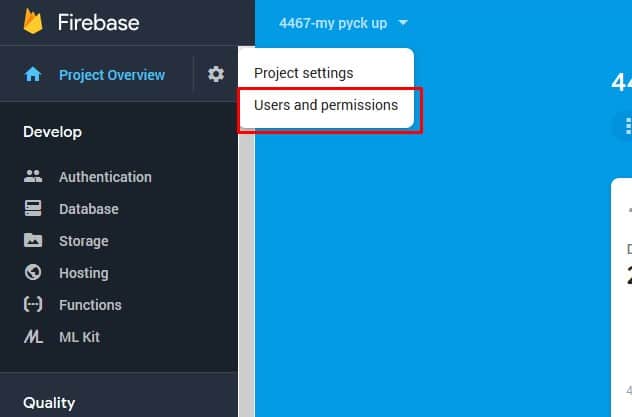
أدخل https://console.firebase.google.com وافتح الحساب (باستخدام حساب gmail الخاص بك) انقر فوق “إضافة مشروع” أدخل اسم المشروع (اسم التطبيق) 4. الآن أدخل إلى المستخدمين والأذونات 5. انقر فوق إضافة عضو وأدخل بريد فريق الإرسال الخاص بنا: [email protected] الدور يحتاج الي مالك
Continue Reading
كيفية إرسال تطبيق iOS لمراجعة Apple
-
nir zin
-
July 23, 2023
-
Apple IOS, مسار
-
0 Comments
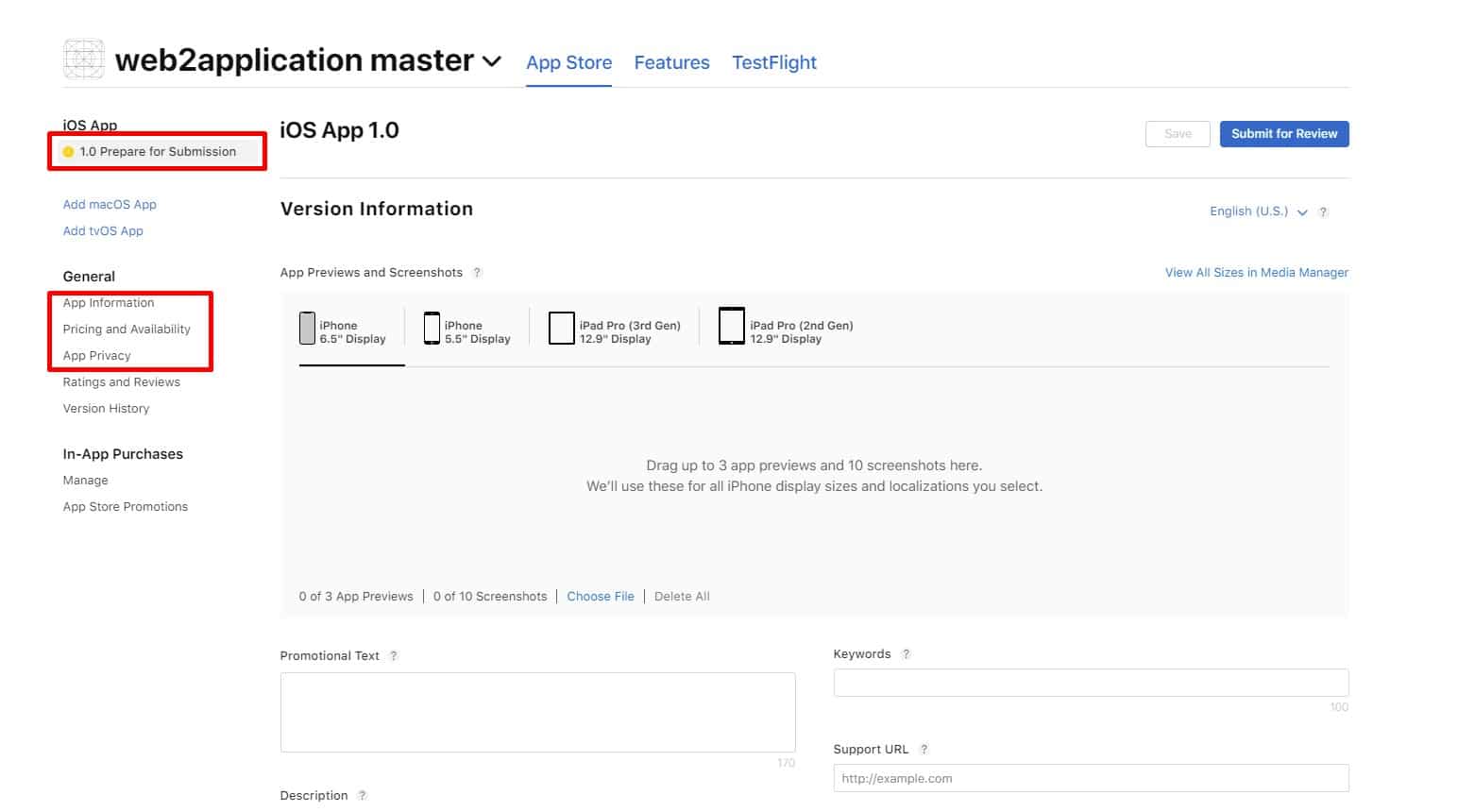
تحيات، بعد أن قمنا بتحميل تطبيق iOS الخاص بك إلى حساب مطور Apple الخاص بك ، تحتاج إلى ملء جميع التفاصيل وإرسال التطبيق إلى مراجعة Apple. يرجى تذكر أن Apple تريد تطبيقات مفيدة ، لذا حاول أن تشرح كيف سيكون هذا التطبيق مفيدًا لمستخدمي Apple ، لا تكتب نصًا ترويجيًا في الوصف. 1. أدخل حساب مطور Apple الخاص بك على …
Continue Reading
المبدأ التوجيهي 4.2 من Apple – التصميم – الحد الأدنى من الوظائف
-
nir zin
-
July 23, 2023
-
Apple IOS, مسار
-
0 Comments
عند تحويل موقع ويب إلى تطبيق ، يجب أن تكون على دراية بإرشادات Google و Apple بشأن ممارسة الحد الأدنى من وظائف التصميم ، بعض المبادئ التوجيهية هي: – يجب أن يكون التطبيق مفيدًا وليس فقط للدعاية ، فمتاجر تطبيقات جوجل وآبل ليست لوحات إعلانية. – يجب أن يبدو التطبيق مختلفًا عن الموقع وأن يتيح للمستخدم إمكانية الاستخدام والوظائف. – …
Continue Reading
Update a new build (version) and sent to apple review
-
nir zin
-
July 23, 2023
-
Apple IOS, Course
-
0 Comments
From time to time, your IOS app needs to be updated at Apple console for various reasons for patches, security, Apple’s requirements, or even for icon replacement. Updating the app process at Apple is not complicated, but needs to pay attention to the questions that Apple is asking about the app and make sure all details are complete. Enter your …
Continue Reading
How to send iOS app for apple review
-
nir zin
-
July 23, 2023
-
Apple IOS, Course
-
0 Comments
Greetings, After we uploaded your iOS app to your apple developer account, you need to fill up all the details and sent the app to apple review. Please remember, Apple wants useful apps, so try to explain how this app will be useful to apple users, Don’t write promotional text in the description. 1. Enter your apple developer account at …
Continue Reading
Apple Guideline 4.2 – Design – Minimum Functionality
-
nir zin
-
July 23, 2023
-
Apple IOS, Course
-
0 Comments
When turning a website into an application, you should be aware of Google and Apple’s guidelines on the design Minimum Functionality practice, Some of the guidelines are: – The application should be useful and not only for publicity, google and apple apps stores are not advertisement boards. – The app should look different from the site and allow user usability …
Continue Reading
How to Open a Developer Account in Apple
How to Open a Developer Account for the Apple Store: Before starting, according to Apple’s requirements, the developer account holder must own Apple’s device for security authentication. If you do not have a physical device. (iPhone / Ipad / Imac), You will need to contact Apple support and ask them for help and account approval. 1: Go to URL …
Continue Reading