

Share FireBase account with users
- nir
- July 23, 2023
- Android, Apple IOS, general support
- 0 Comments
- Enter https://console.firebase.google.com and open an account (with your Gmail account).
- Click “Add project”.
- Enter the project name (App Name).
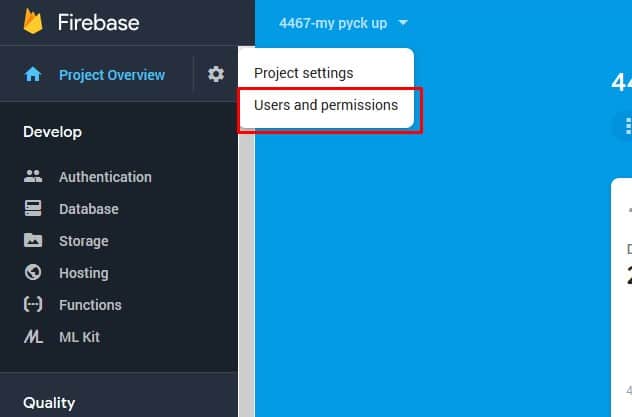
4. Now, enter Users and permissions.
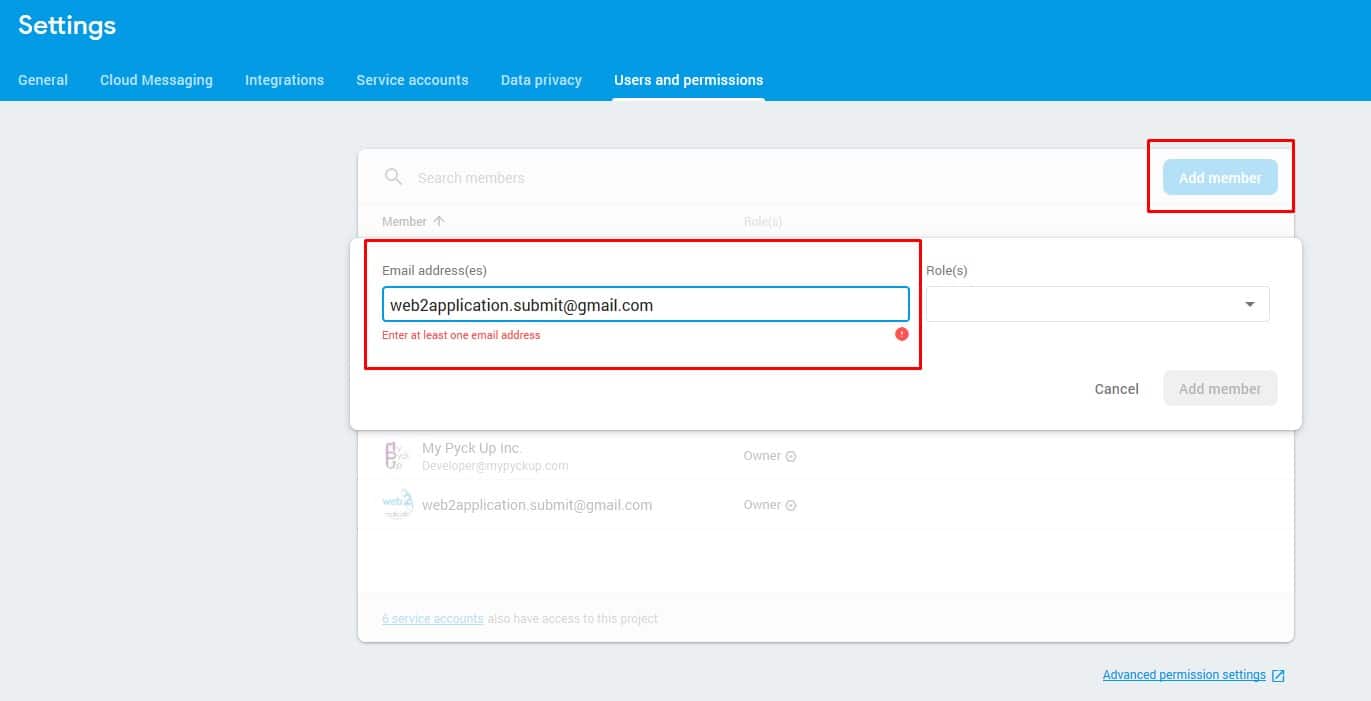
5. Click add member and enter our submit team mail: [email protected].
The role needs to be Owner.

Get involved!
Get Connected!
Come and join our community. Expand your network and get to know new people!
Comments
No comments yet


